

Description
CORSTENS CACHE AND SHADER REMOVAL TOOLS (8.12.2024)
This script tool has been around allmost for a year and nobody has been reported about suspicious code.
VBS -scripts are made help of ChatGPT. Tool has been tested and works good with steam & store versions. Tested also with Nvidia and AMD graphics cards.
Remember to reboot pc after disabling Nvidia shader cache and before using the tools.
What is the point to clean your MSFS cache and GPU drivers shader cache?
- MSFS cache and shader cache makes MSFS run less smoother, when cache arent cleaned for a while.
- Specialy Sim updates and world updates makes MSFS run less smoother because of incombatible cache files.
- New GPU graphics drives could also make a diffrence in smoothness, so shader cache and MSFS cache is recodemmend to be cleaned with these tools after GPU driver update.
Shader cache removal tool
- This script will move shader cache folders to desktop and creates a folder and 'cache_locations.txt' file inside of that folder.
- with that cache_locations.txt you can see, where the tool did move cache. Basicly it is a backup.
- Make sure to disable shader cache in Nvidia Control Panel, otherwise, all the shaders won't be cleaned.
- If there is problems with moving, try to restart pc and try again. Cache folders might be in use by some process.
Remember to reboot pc after disabling Nvidia shader cache and before using the tools.
MSFS cache removal tool
- This script will move MSFS cache folders to desktop and creates a folder and 'cache_locations.txt' file inside of that folder.
- with that cache_locations.txt you can see, where the tool did move cache. Basicly it is a backup.
- If there is problems with moving, try to restart pc and try again. Cache MSFS folders might be in use by some process.
Here are the locations, tools are looking for:
Nvidia Shader Cache locations:
- C:\Users\USERNAME\AppData\Local\D3DSCache
- C:\Users\USERNAME\AppData\Local\NVIDIA\GLCache
- C:\Users\USERNAME\AppData\Local\NVIDIA\PerDriverVersion\GLCache
- C:\Program Files (x86)\Steam\steamapps\shadercache\
- C:\Users\USERNAME\AppData\Roaming\NVIDIA\ComputeCache
- C:\Users\USERNAME\AppData\LocalLow\NVIDIA\PerDriverVersion\DXCache
- C:\Users\USERNAME\AppData\LocalLow\NVIDIA\PerDriverVersion\GLCache
AMD Shader Cache locations:
- C:\Users\USERNAME\AppData\Local\AMD\DxCache
- C:\Users\USERNAME\AppData\Local\AMD\DX9Cache
- C:\Users\USERNAME\AppData\Local\AMD\DxcCache
- C:\Users\USERNAME\AppData\Local\AMD\OglCache
Steam MSFS cache locations:
C:\Program Files (x86)\Steam\steamapps\common\MicrosoftFlightSimulator\cache
C:\Users\USERNAME\AppData\Roaming\Microsoft Flight Simulator\cache
C:\Users\USERNAME\AppData\Roaming\Microsoft Flight Simulator\SceneryCache
C:\Users\USERNAME\AppData\Roaming\Microsoft Flight Simulator\SceneryIndexes
C:\Users\USERNAME\AppData\Roaming\Microsoft Flight Simulator\DCE
C:\Program Files (x86)\Steam\steamapps\common\Limitless\cache
C:\Users\USERNAME\AppData\Roaming\Microsoft Flight Simulator 2024\cache
C:\Users\USERNAME\AppData\Roaming\Microsoft Flight Simulator 2024\SceneryIndexes
C:\Users\USERNAME\AppData\Roaming\Microsoft Flight Simulator\ROLLINGCACHE.CCC
C:\Users\USERNAME\AppData\Roaming\Microsoft Flight Simulator 2024\ROLLINGCACHE.CCC
OPTIONAL SCRIPT (StreamedPackages included)
C:\Users\USERNAME\AppData\Roaming\Microsoft Flight Simulator 2024\StreamedPackages
Store MSFS cache locations:
C:\Users\USERNAME\AppData\Local\Packages\Microsoft.FlightSimulator_8wekyb3d8bbwe\LocalCache\SceneryCache
C:\Users\USERNAME\AppData\Local\Packages\Microsoft.FlightSimulator_8wekyb3d8bbwe\LocalCache\SceneryIndexes
C:\Users\USERNAME\AppData\Local\Packages\Microsoft.FlightSimulator_8wekyb3d8bbwe\LocalState\cache
C:\Users\USERNAME\AppData\Local\Packages\Microsoft.FlightSimulator_8wekyb3d8bbwe\LocalState\DCE
C:\Users\USERNAME\AppData\Local\Packages\Microsoft.Limitless_8wekyb3d8bbwe\LocalState\Cache
C:\Users\USERNAME\AppData\Local\Packages\Microsoft.Limitless_8wekyb3d8bbwe\LocalCache\SceneryIndexes
C:\Users\USERNAME\AppData\Local\Packages\Microsoft.FlightSimulator_8wekyb3d8bbwe\LocalCache\ROLLINGCACHE.CCC
OPTIONAL SCRIPT (StreamedPackages included)
C:\Users\USERNAME\AppData\Local\Packages\Microsoft.Limitless_8wekyb3d8bbwe\LocalState\StreamedPackages
Corsten´s cache & shader removal tool (2024)
A tool designed to clean MSFS and GPU shader cache, improving performance by removing outdated or incompatible cache files. Use with caution and follow instructions carefully to ensure proper functioning. Compatible with both Nvidia and AMD graphics cards.


User Reviews
5 reviews
Version History
Changelog 26.7.2025 - removed JustScripts folder, only UI version from this version up. - use this tool near root folder, otherwise path is too long to copy content to backups-folder - added option to clear WASM cache. WASM cache will rebuild after clearing it, 2-10min debends how much addond you have using WASM. It is recodemmend to clear WASM cache one in a while. For MSFS 2020 you have to manually delete all WASM files in * %APPDATA%\Microsoft Flight Simulator\Packages\AIRCRAFT * %LOCALAPPDATA%\Packages\Microsoft.FlightSimulator_8wekyb3d8bbwe\LocalState\Packages\AIRCRAFT
Related

GAmod - offline version (World overhaul edition)
GAmod - Offline edition brings 100,000 worldwide flight plans with custom models, now compatible with AIG models and FSLTL injector. This add-on offers performance-light aircraft models with interior details and custom-made lights, while allowing for offline flying anytime, anywhere. Experience enhanced traffic density settings, military traffic at various airbases, and a complete overhaul of Finland, all included in this detailed world overhaul edition. Discover new flight possibilities and features, with support available through dedicated channels for assistance.
by Corsten
GAmod 2024
GAmod 2024 is an add-on for Microsoft Flight Simulator that integrates MSFS2020 native models to enhance general aviation traffic at airports around the world. Currently featuring models for various aircraft, including general aviation and military traffic, the add-on aims to provide a realistic offline traffic experience using custom .bgl traffic schedule files. While it supports multiple traffic quality settings, this version does not include special traffic like helicopters or blimps and future updates will incorporate models for the 2024 version once Asobo lifts the encryption.
by Corsten
Helsinki Metropolitan Landmarks
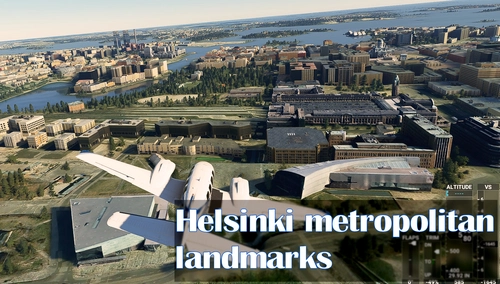
Explore the Helsinki Metropolitan area with moving trains and added lights around landmarks and key locations with the Helsinki Metropolitan Landmarks version 4.0 add-on. This update includes a static trains library and can be enjoyed from both air and ground perspectives.Discover iconic structures in Helsinki, Espoo, and Vantaa created by a team of dedicated developers, enhancing your flight simulation experience with detailed 3D models and realistic cityscapes.
by Corsten, Topi T., WildLynxPilot & bLindye
MilitaryMod 2024
MilitaryMod 2024 is a comprehensive add-on designed for Microsoft Flight Simulator that enhances the military aviation experience by injecting military traffic globally. The mod features various military aircraft models, including the FA-18, F-16, and F-35, and includes static HMS Queen Elizabeth carriers at specific locations. It incorporates AI flight plans for both VFR and IFR missions, providing engaging military operations around airbases. To ensure compatibility, users must follow specific installation instructions and disable default traffic models within the simulator.
by Corsten
Log in to join the discussion
Log InComments(75)
about 1 month ago
This is a great program and basically my first tool anytime msfs starts acting up.
Thank you!
about 1 month ago
8 months ago
8 months ago
7 months ago
I have store vesion. But nothing change. Even the rolling cache is not deleted.
What is problem?
9 months ago
Had to repair the installation via Xbox App.
9 months ago
9 months ago
Don't get me wrong, just sharing my experience.
about 1 year ago
about 1 year ago
about 1 year ago
I have no custom settings for the airplane I'm using, so don't understand how placing the aircraft files back will help, however, I will give it a try.
about 1 year ago
about 1 year ago
about 1 year ago
about 1 year ago
I've noticed when I push button #3, Rolling Cache (20/24) the Windows terminal screen pops up but it never exits as it does when any of the other clearing buttons are pushed. When I exit out of it manually the box on the UI does turn green so I'm assuming the rolling cache got cleared, or did it?
about 1 year ago
about 1 year ago
about 1 year ago
"Diese APP kann auf dem PC nicht ausgeführt werden .."
Anything i have missed?
Kind regards
about 1 year ago
I have now used the GPU Shader cache and Clear all MSFS caches options with my Nvidia GPU and MSFS 2020 setup and everything appears to have worked perfectly.
Irritating for you and everyone else that Nvidia scatter their caches all over the place seemingly randomly. I hope for everyones sake they stop doing that.
You might want to consider removing the old Just Scripts folder in the download as there are some errors in them and they are not updated to your latest UI versions.
Thanks again for your work and this very useful tool.
Have a great day.