
Description
1.0 WELCOME TO THE INDIAFOXTECHO COMPANION PACKAGE!
This is meant to be a collection of experiments, tests and “fun” things that we have developed for different reasons over time, but have no commercial value or do not meet our current quality requirement for a commercial release, but may still be interesting for some users...and maybe the community will improve them.
These files are provided for free and “as is” - no warranty whatsoever – if you think they have any significant value for you, we encourage to give me money to charity.
1.1 PACKAGE CONTENT
The initial release of the INDIAFOXTECHO COMPANION PACKAGE includes:
- Driveable Deck Tractor (both with and without air power module)
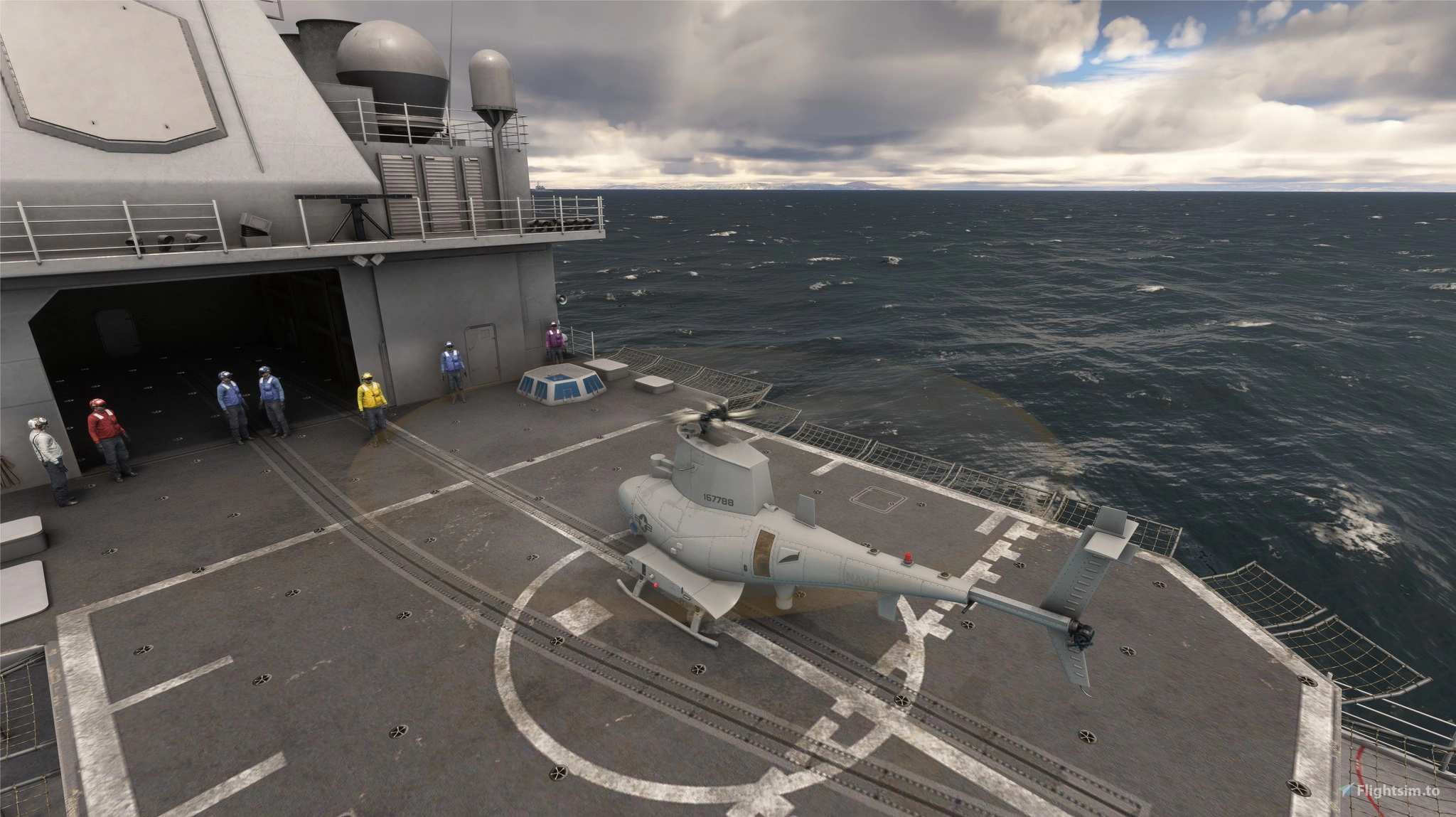
- MQ-8B Fire Scout
- RQ-9 Reaper (with multiple liveries and weapons)
- Generic Military HUD
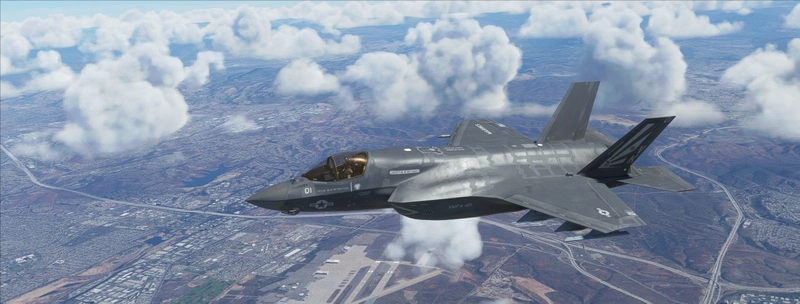
- Code to enable weapons on IFE Marketplace Products (F-35 and F-14)
1.2 COPYRIGHT STATEMENT
This SOFTWARE PRODUCT is copyrighted by INDIAFOXTECHO VISUAL SIMULATIONS and HEATBLUR and is provided "as is" and "with all faults."
INDIAFOXTECHO VISUAL SIMULATIONS makes no representations or warranties of any kind concerning the safety, suitability, lack of viruses, inaccuracies, typographical errors, or other harmful components of this SOFTWARE PRODUCT.
There are inherent dangers in the use of any software, and you are solely responsible for determining whether this SOFTWARE PRODUCT is compatible with your equipment and other software installed on your equipment. You are also solely responsible for the protection of your equipment and backup of your data, and INDIAFOXTECHO VISUAL SIMULATIONS will not be liable for any damages you may suffer in connection with using, modifying, or distributing this SOFTWARE PRODUCT.
REVERSE ENGINEERING OF ANY PART OF THIS PACKAGE, INCLUDING THE EXTRACTION OF 3D AND 2D ASSETS WITH ANY MEANS, IS PROHIBITED.
1.3. INSTALLATION
IMPORTANT – IF YOU ARE MANUALLY UPGRADING YOUR PACKAGE FROM A PREVIOUS VERSION, PLEASE DELETE THE PREVIOUS VERSION FIRST!
This package is distributed as a regular Community mod, in a .zip file format.
To install the package, just unzip the content of the file into your COMMUNITY folder. The exact location of the folder will depend on your selection when you have installed Microsoft Flight Simulator. Once you have indicated where your COMMUNITY folder is, just drag and drop the package folder into it.
1.4 MINIMUM HARDWARE REQUIREMENTS
Due to the high-detail model and textures, we suggest to use the files in this package with a system that meets or exceeds the following specifications:
CPU: 2.8 GHz quad core processor or better
GPU: at least 6Gb dedicated memory, Nvidia 1050 or better recommended
RAM: 8.0Gb minimum
Hard Disk: 1.1Gb required for installation
1.5 HOW TO LOCATE THE COMMUNITY FOLDER (MANUAL INSTALLATION)
If you need to perform a manual installation, and you do not know where the community folder is located, you can follow this procedure:
Go to Options / General.
Click on "Developers" which you will find at the bottom of the list on the left.
Switch Developers Mode on.
On the Dev Menu select Tools / Virtual File System.
The community folder location can be found under "Folders > Community folders"
NOTE: If copying the folder in the Community folder fails because of the fact that files names are too long you can proceed as follows:
1. Extract the package folder on your desktop or in any known and easily accessible location.
2. Rename the package folder from “indiafoxtecho-f14” to anything short and recognizable such as “f14” or just “14”
3. Place the renamed package folder in the Community folder
Alternatively for EXPERT WINDOWS USERS ONLY, it is possible to edit the "LongPathsEnabled” entry in the Windows registry key:
HKEY_LOCAL_MACHINE\SYSTEM\CurrentControlSet\Control\FileSystem
Once the aircraft is installed in the Community folder, it will be available in the aircraft selection menu next time you start Flight Simulator. If Flight Simulator was running during the install process, you need to close it and restart it for the aircraft to appear.
1.6 FREEWARE LICENSE
This package is FREEWARE, but it is still copyrighted.
Selling this package, or even distributing it in ways that require the user to pay money (such as pay-to-enter site), is PROHIBITED.
If you like this package, we highly encourage you to give money to charity – there are many organizations and a lot of people out there that need your help.
If you are a modder, and you would like to submit improvents or fixes to this package, please contact us by email at indiafoxtecho at gmail dot com.
2. MD-3 Carrier Deck Tractor
2.1 INTRODUCTION
This is a simple, driveable model of the MD-3 Carrier Deck Tractor vehicle.
2.2 PROJECT SCOPE
Well...we had this high-detail model of the tractor we used on our carriers and we though it would have been cool if it was driveable.
Two models are available: with and without air-start module.
2.3 OPERATION
Vehicle can be started with the auto-start command (control+E). Throttle is the gas pedal, toe brakes operate the brake pedal, while the steering wheel is operated by the rudder controls.
Gear shift is operational (1-2-R), but steering in reverse gear is bugged.
Parking brake is also operational, and so are headlights and stop lights (which can be switched between normal and blackout mode).
2.4 TO-DO LIST
- Driver seat should be cleaned up and redesigned, as it is currenly a mix of different variants of the MD-3 (it was very difficult to find decent photos)
- It would be cool to add the air starter controls (on the right side of the driver, where the blank panel is)
- It would be SUPER cool to have this vehicle to actually move other players' aircraft... but it is way too complex to do for the scope of this project.
- add visual variants with tow bars, wheelchocks etc.
3. MQ-8B FIRE SCOUT
3.1 INTRODUCTION
The Northrop Grumman MQ-8 Fire Scout is an unmanned autonomous helicopter developed by Northrop Grumman for use by the United States Armed Forces.[3] The Fire Scout is designed to provide reconnaissance, situational awareness, aerial fire support and precision targeting support for ground, air and sea forces. The initial RQ-8A version was based on the Schweizer 330, while the enhanced MQ-8B was derived from the Schweizer 333. The larger MQ-8C Fire Scout variant is based on the Bell 407.
As of February 2018, 23 aircraft of the MQ-8B variant were in service with the U.S. Navy.The MQ-8B was retired from service in October 2022.
3.2 PROJECT SCOPE
When Microsoft introduced helicopters in MSFS, we started making some experiments to understand how Asobo implemented them, and if it was a viable and interesting field for us. Moreover, we wanted to have an “US Navy” rotorcraft to take some cool pictures of our high-detail vessels.
3.3 OPERATION
This Fire-Scout model is basically just a graphical model on top of the default Cabri, and it is quite difficult to use.
The helicopter must be started with the auto-start control (control+E) and must be operated manually – no provisions for automatic operation is included.
3.4 TO-DO LIST
- UAV/hovering flight model: the plan was to write a bespoke, fully automated flight model...but we never had the time to do it.
4. RQ-9B REAPER
4.1 INTRODUCTION
The General Atomics MQ-9 Reaper (sometimes called Predator B) is an unmanned aerial vehicle (UAV, one component of an unmanned aircraft system (UAS)) capable of remotely controlled or autonomous flight operations, developed by General Atomics Aeronautical Systems (GA-ASI) primarily for the United States Air Force (USAF). The MQ-9 and other UAVs are referred to as Remotely Piloted Vehicles/Aircraft (RPV/RPA) by the USAF to indicate ground control by humans.
The MQ-9 is a larger, heavier, more capable aircraft than the earlier General Atomics MQ-1 Predator and can be controlled by the same ground systems. The Reaper has a 950-shaft-horsepower (712 kW) turboprop engine (compared to the Predator's 115 hp (86 kW) piston engine). The greater power allows the Reaper to carry 15 times more ordnance payload and cruise at about three times the speed of the MQ-1.
4.2 PROJECT SCOPE
This is a toy project, which was initially developed to explore MSFS autopilot possibilities and see if UAVs and RPVs were a possibility in this platform, and has also been used for experiments on texturing and coversion techniques.
4.3 OPERATION
This Reaper model can be operated manually, like any other aircraft, and will react to basic autopilot commands.
Aircraft can be started with autostart command (control+E).
The following weapon models are included , and will appear if their weight is correctly applied to the pylons in the Weight and Balance Menu:
- AGM-114 Hellfire missiles (2X) – 250 lbs
- GBU-12 Laser-guided bomb – 550 lbs
NOTE: The AI pilot might have difficulties in controlling the plane if weapons are loaded
4.4 TO-DO LIST
- design a proper ground station with appropriate autopilot controls
- improve AI pilot and autopilot logic
- improve flight model
- add more liveries
IndiaFoxtEcho Companion Package
A collection of experimental and free add-ons for Microsoft Flight Simulator, the IndiaFoxtEcho Companion Package features various unique aircraft and enhancements. Included are a Driveable Deck Tractor, MQ-8B Fire Scout, RQ-9 Reaper, Generic Military HUD, and more. These add-ons are provided as-is, with no warranty, and are meant for entertainment purposes. Ensure your system meets the minimum hardware requirements before installation.
User Reviews
12 reviews
Version History
MINOR UPDATE - fixed missing entry in Reaper sound configuration (sound should be aliased from the TBM930, although the turbine sound direction is incorrect... we'll fix that at a later date) - changed Fire Scout spawn condition, so that it now always spawns with engine on
Related
HMS Queen Elizabeth
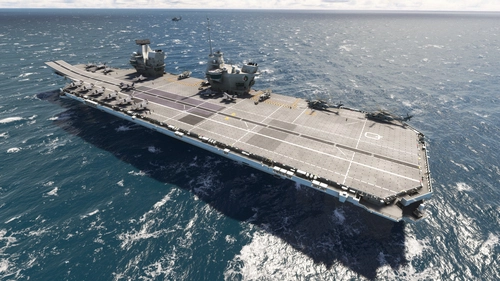
This add-on features static, landable models of the Queen Elizabeth-class aircraft carriers, designed to complement the IndiaFoxtEcho F-35 aircraft for STOVL operations. The package includes high-detail escort ships and vehicles, along with dummy airports. The two vessels, HMS Queen Elizabeth and HMS Prince of Wales, serve as key components of the UK Carrier Strike Group and are equipped with navaids for enhanced navigation. Note that the detailed models may cause slight performance issues when loaded.
by Indiafoxtecho
ITS Cavour
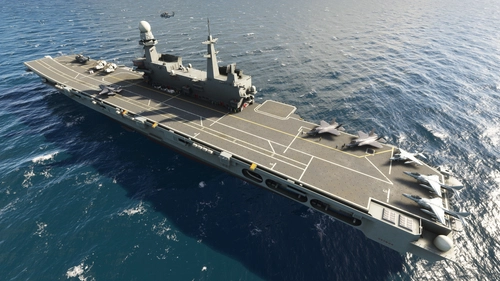
This add-on features static, landable objects replicating the Cavour light aircraft carrier and accompanying escort ships, designed for STOVL operations with the IndiaFoxtEcho F-35 aircraft. The Cavour carrier is equipped for V/STOL and helicopter operations, boasting a sizeable hangar and capability to accommodate various military vehicles. Included are detailed models of the PPA "Thaon di Revel"-class ship, FREMM-class ship, and the Vespucci tallship. Note that this package solely contains static objects and associated landing facilities, and may experience minor performance stutters during loading.
by Indiafoxtecho
Log in to join the discussion
Log InComments(41)
about 1 month ago
4 months ago
about 1 year ago
about 1 year ago
about 1 year ago
about 1 year ago
[ELECTRICAL]
bus.1 = Connections:bus.2,bus.5,bus.11#Name:Hot_Batt_Bus
bus.2 = Name:Batt_Bus
bus.3 = Name:Ess_Bus_1
bus.4 = Name:Ess_Bus_2
bus.5 = Connections:bus.6,bus.7,bus.8,bus.9,bus.10,bus.11#Name:Main_Bus
bus.6 = Name:Bus_1
bus.7 = Name:Bus_2
bus.8 = Name:Bus_3
bus.9 = Name:Bus_4
bus.10 = Name:Bus_5
bus.11 = Connections:bus.3,bus.4#Name:Ess_Bus_Tie
bus.12 = Connections:bus.5#Name:Main_Gen_Bus
bus.13 = Connections:bus.20#Name:Stby_Gen_Bus
bus.14 = Connections:bus.5#Name:Gpu_Bus
bus.15 = Connections:bus.7#Name:Cabin_Lights_Bus
bus.16 = Connections:bus.15#Name:Cabin_Lights_Control_Bus
bus.17 = Connections:bus.2#Name:Access_Lights_Bus
bus.18 = Connections:bus.17#Name:Access_Lights_Control_Bus
bus.19 = Connections:bus.17#Name:Access_Lights_Cabin_Control_Bus
bus.20 = Connections:bus.5#Name:Stby_Gen_Bridge_Bus
battery.1 = Connections:bus.1#Capacity:42#Voltage:curve.1#Name:Main_Battery
alternator.1 = Connections:bus.12#IEng:0#RatedVoltage:28.5#Load:curve.2#Name:Generator_Main
alternator.2 = Connections:bus.13#IEng:0#RatedVoltage:28.5#Load:curve.3#Name:Generator_Stby
externalpower.1 = Connections:bus.14#RatedVoltage:28#Load:1000
curve.1 = 0:23.4,0.25:24,0.5:24.6,0.75:25.200001,1:25.799999 ; Battery voltage for capacity %
curve.2 = 0.08:0,0.09:25,0.15:180,0.22:300 ; Main Gen load from RPM table
curve.3 = 0.08:0,0.09:10,0.15:60,0.22:100 ; Stby Gen load from RPM table
circuit.1 = Type:CIRCUIT_GENERAL_PANEL#Connections:bus.7#Power:0.5,1,20#Name:General_Panel ; General panel
circuit.2 = Type:CIRCUIT_STARTER#Connections:bus.4#Power:2500,3000,20#Name:Starter
circuit.3 = Type:CIRCUIT_FUEL_PUMP:1#Connections:bus.8#Power:35,48,20#Name:Aux_BP
circuit.4 = Type:CIRCUIT_STANDBY_VACUUM#Connections:bus.4#Power:5,10,20#Name:STBY_Vacuum ; stby vacuum
circuit.5 = Type:CIRCUIT_FLAP_MOTOR:1#Connections:bus.6#Power:200,240,20#Name:Flaps_Motor ; Flaps motor
circuit.6 = Type:CIRCUIT_FLAP_MOTOR:2#Connections:bus.6#Power:200,240,20#Name:Flaps_Motor ; Flaps motor
circuit.7 = Type:CIRCUIT_PITOT_HEAT:1#Connections:bus.6#Power:30,40,20#Name:Pitot_Heat_L ; pitot_heat 40W
circuit.8 = Type:CIRCUIT_PITOT_HEAT:2#Connections:bus.8#Power:30,40,20#Name:Pitot_Heat_R ; pitot_heat 40W
circuit.9 = Type:CIRCUIT_LIGHT_NAV#Connections:bus.7#Power:10,15,20#Name:Nav_Lights ; nav 1 light 15W
circuit.10 = Type:CIRCUIT_LIGHT_LANDING:1#Connections:bus.8#Power:75,90,20#Name:Landing_Light_L
circuit.11 = Type:CIRCUIT_LIGHT_LANDING:2#Connections:bus.8#Power:75,90,20#Name:Landing_Light_R
circuit.12 = Type:CIRCUIT_LIGHT_TAXI#Connections:bus.8#Power:45,60,20#Name:Taxi_Light ; taxi light 60W
circuit.13 = Type:CIRCUIT_LIGHT_STROBE#Connections:bus.6#Power:20,25,20#Name:Strobe_Lights ; strobe light 25W
circuit.14 = Type:CIRCUIT_LIGHT_PANEL:1#Connections:bus.7#Power:1,5,20#Name:Panel_Lights ; panel light 5W
circuit.15 = Type:CIRCUIT_LIGHT_GLARESHIELD#Connections:bus.7#Power:10,15,20#Name:Flood_Lights
circuit.16 = Type:CIRCUIT_LIGHT_WING#Connections:bus.7#Power:10,15,20#Name:Ice_Light ; wing ice light 15W
circuit.17 = Type:CIRCUIT_LIGHT_LOGO#Connections:bus.8#Power:10,15,20#Name:Pulse_Light ; pulse lite system 15W
circuit.18 = Type:CIRCUIT_LIGHT_CABIN:1#Connections:bus.16#Power:20,25,20#Name:Cabin_Light ; LED lights 5W x5
circuit.19 = Type:CIRCUIT_LIGHT_PEDESTAL#Connections:bus.7#Power:1,5,20#Name:Pedestal_Light ; pedestal light 5W
circuit.20 = Type:CIRCUIT_LIGHT_RECOGNITION#Connections:bus.7#Power:10,15,20#Name:Recognition_Lights
circuit.21 = Type:CIRCUIT_XPNDR#Connections:bus.3#Power:20,25,20#Name:XPNDR ; Transponder 25W
circuit.22 = Type:CIRCUIT_MARKER_BEACON#Connections:bus.4#Power:4,5,20#Name:Marker_Beacon ; marker beacon - located with GMA unit
circuit.23 = Type:CIRCUIT_NAV:1#Connections:bus.3#Power:10,12,20#Name:NAV1 ; NAV GPS 1
circuit.24 = Type:CIRCUIT_COM:1#Connections:bus.3#Power:4,5,20#Name:COM1 ; COM 1 5W
circuit.25 = Type:CIRCUIT_NAV:2#Connections:bus.6#Power:10,12,20#Name:NAV2 ; NAV GPS 2
circuit.26 = Type:CIRCUIT_COM:2#Connections:bus.6#Power:4,5,20#Name:COM2 ; COM 2 5W
circuit.27 = Type:CIRCUIT_AUDIO#Connections:bus.4#Power:10,15,20#Name:Audio ; Audio 15W
circuit.28 = Type:CIRCUIT_AUTOPILOT
#Connections:bus.1# Power:10, 15, 10.0#
Name:Auopilot ; Autopilot 15W
circuit.29 = Type:CIRCUIT_DIRECTIONAL_GYRO#Connections:bus.4#Power:15,20,0#Name:Directional_Gyro_1 ; directional gyro
circuit.30 = Type:CIRCUIT_DIRECTIONAL_GYRO#Connections:bus.6#Power:15,20,0#Name:Directional_Gyro_2 ; directional gyro
circuit.31 = Type:CIRCUIT_PFD:1#Connections:bus.3#Power:60,80,20#Name:PFD_1
circuit.32 = Type:CIRCUIT_PFD:2#Connections:bus.6#Power:60,80,20#Name:PFD_2
circuit.33 = Type:CIRCUIT_MFD:1#Connections:bus.7#Power:60,80,20#Name:MFD
circuit.34 = Type:CIRCUIT_PFD:3#Connections:bus.4#Power:40,50,20#Name:GTC_1
circuit.35 = Type:CIRCUIT_PFD:4#Connections:bus.6#Power:40,50,20#Name:GTC_2
circuit.36 = Type:CIRCUIT_XML:1#Connections:bus.4#Power:8,10,20#Name:Standby_Instruments
circuit.37 = Type:CIRCUIT_GEAR_MOTOR#Connections:bus.7#Power:200,240,20#Name:Gear_Motor
circuit.38 = Type:CIRCUIT_ADC_AHRS#Connections:bus.3#Power:4,5.5,20#Name:ADC1
circuit.39 = Type:CIRCUIT_ADC_AHRS#Connections:bus.6#Power:4,5.5,20#Name:ADC2
circuit.40 = Type:CIRCUIT_ADC_AHRS#Connections:bus.4#Power:5,6,20#Name:AHRS1 ; rest of power draw is from directional gyro circuit 1
circuit.41 = Type:CIRCUIT_ADC_AHRS#Connections:bus.6#Power:5,6,20#Name:AHRS2 ; rest of power draw is from directional gyro circuit 2
circuit.42 = Type:CIRCUIT_NAV:3#Connections:bus.8#Power:4,5,20#Name:DME
circuit.43 = Type:CIRCUIT_ADF_DME#Connections:bus.8#Power:4,5,20#Name:ADF
circuit.44 = Type:CIRCUIT_XML:2#Connections:bus.7#Power:3,3.5,20#Name:Weather_Radar
circuit.45 = Type:CIRCUIT_XML:3#Connections:bus.7#Power:200,250,20#Name:TAS
circuit.46 = Type:CIRCUIT_XML:4#Connections:bus.8#Power:10,14,20#Name:Radio_Alt
circuit.47 = Type:CIRCUIT_XML:5#Connections:bus.3#Power:8,10,20#Name:IAU_1
circuit.48 = Type:CIRCUIT_XML:6#Connections:bus.6#Power:8,10,20#Name:IAU_2
circuit.49 = Type:CIRCUIT_PROP_DEICE#Connections:bus.7#Power:200,250,20#Name:Prop_DeIce
circuit.50 = Type:CIRCUIT_LIGHT_CABIN:2#Connections:bus.16#Power:4,5,20#Name:Pilot_Overhead_Light ; LED light 5W
circuit.51 = Type:CIRCUIT_LIGHT_CABIN:3#Connections:bus.16#Power:4,5,20#Name:Copilot_Overhead_Light ; LED light 5W
circuit.52 = Type:CIRCUIT_LIGHT_CABIN:4#Connections:bus.18,bus.19#Power:8,10,20#Name:Cabin_Access_Lights ; LED lights 5W x2
circuit.53 = Type:CIRCUIT_LIGHT_CABIN:5#Connections:bus.18#Power:4,5,20#Name:Baggage_Access_Light ; LED light 5W
circuit.54 = Type:CIRCUIT_AVIONICS#Connections:bus.2#Power:0,0.0001,1#Name:Dummy_Avionics ; This is to keep the avionics circuit powered so things like the ADF radios still work properly. It also keeps the voltage on the batt bus from dropping to 0 when there is no other load.
circuit.55 = Type:CIRCUIT_XML:7#Connections:bus.3#Power:0,0.0001,20#Name:Dummy_Avionics_Fan ; This is a dummy circuit to control the avionics fan sound effect
circuit.56 = Type:CIRCUIT_XML:8#Connections:bus.7#Power:30,35,20#Name:Weather_Radar_Active_Scan
procedure.1 = Context:None#SetCir:56,0 ; weather radar active scan circuit switch OFF
over 1 year ago
over 1 year ago
But it would be awesome if we could get some more development on this. Especially on the Reaper since it still is and will be in service for a long time. Maybe fueltanks or SIGINT/ELINT pods. Or some newer MQ-9 variant with winglets. It has a lot of potential !
over 1 year ago
almost 2 years ago
about 2 years ago
over 2 years ago
over 2 years ago
over 2 years ago
almost 3 years ago
almost 3 years ago
almost 3 years ago
Too close
Thank you!
almost 3 years ago