
Description
Aw my precious new GA-Fenix! Finally a GA-plane that is 100% Fenix-worthy in quality and system realism. But even BlackSquare perfection can be enhanced a little bit.

1.) some ugly scratch on the glareshield I did not like is now gone.
2.) all gauges are now crisp and clear
3.) Bendix/King KI229 RMI needles colour changed.
4.) The letter 7 of the analogue Bendix/King radio suite is fixed. (Someone asked how that was done: The number seven is fixed by removing one LCD-crystal-unit in TBM_EMISSIVE_DECALS_EXTINGUISHED.PNG.DDS and TBM_EMISSIVE_DECALS_ILLUMINATED.PNG.DDS and saving lossless and with no compression and with Alpha-Channel as Intel TextureWorks .DDS file.)
5.) all GPS screens are now perfectly aligned into their bezel.
6.) the full cockpit labeling and text is now sharp and crisp and clear and smooth because it now also got the CatPaw-Magic AI treatment.
And yes this exact same full overhaul package comes this week for the wonderful BlackSquare Beechcraft Bonanza and Beechcraft Baron too, including the full cockpit labels and repositioning of all GPS screens, also the GNS430 530 and 750.
How to install this catpaw magic?
Backup your texture folder inside the BlackSquare TBM main folder.
Now grab my four new textures and simply overwrite into: ...install path.... \SimObjects\Airplanes\bksq-aircraft-tbm850\texture and .... install path.... \Community\TBM-livery-xyz\SimObjects\Airplanes\TBM-livery-XYZ\Texture.XYZ (if a custom livery uses it´s own interior.)
Enjoy the greatest GA flight experience that ever was thanks to BlackSquares more than awesome TBM! Wow that cockpit is densely packed with gauges and radios and nav and GPS panels and screens all over, intense! And thanks to BlackSquare this weekend was the first time ever I learned VOR-navigation on an old radio stack in the Bonanza with the KNS81, including creating a virtual VOR. (I was only flying the Fenix seriously and just toyed around with the other planes for fun a little bit.) This plane really sweetens the eternal wait for the Fenix V2. :)
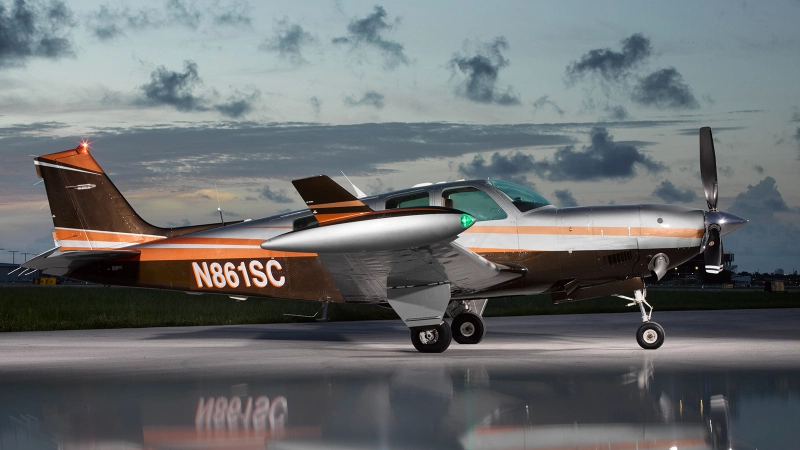
BlackSquare TBM 850 cockpit fixes
Enhance your GA flying experience with BlackSquares TBM 850 cockpit fixes. Say goodbye to ugly scratches and enjoy crisp and clear gauges, along with color changes on Bendix/King RMI needles. Experience perfectly aligned GPS screens and sharp cockpit labeling, all thanks to the CatPaw-Magic AI treatment. This overhaul package is also available for BlackSquares Beechcraft Bonanza and Beechcraft Baron, promising the ultimate cockpit upgrade for your fleet.
User Reviews
3 reviews
Version History
Fixed a few small details the AI was not correctly upscaling, like for example the "HOT" label on the air condition knob and a few others. We don´t want imperfection in one of the best cockpits of one of the most detailed and sophisticated and perfectly simulated airplanes flight simulation has ever seen ;) Even better repositioning for the underlying LCD-matrix and the illuminated LCD-digits of these lovely retro KX155 radios.
Related
Fenix Airbus A320 cockpit overhaul
A nice Fenix cockpit retexturing for the Airbus enthusiasts. All texture glitches I found are fixed, and I took special care of all the interesting details inside the flight deck. The Fenix is the best airplane simulator that has been ever made that´s why it deserves only the finest cockpit for the true flight deck conaisseurs.
by GamingCat
PMDG Boeing 737-XXX cockpit overhaul
PMDG Boeing 737 series full cockpit overhaul. Some optional textures are available depending on the own taste. These textures can be used for the Boeing 737-600, the Boeing 737-700, the Boeing 737-800, and I am going to make more stuff when the new Boeing 737-900 is getting released.
by GamingCat
Carenado Mooney M20 Cockpit Overhaul and texture-bugfixes
Enhance your Mooney M20 experience with this cockpit overhaul mod featuring texture fixes and improvements. Enjoy corrected EDM 800 gauge textures, improved footrests and cleaned upholstery. Simply backup and replace the TEXTURE.BASE folder in your Carenado M20 aircraft directory for a more realistic cockpit environment.
by GamingCat
Carenado Cessna 337 Skymaster cockpit gauge overhaul
Enhance the Carenado Cessna 337 Skymaster cockpit with this mod, fixing visual flaws like misaligned gauges and incorrect labels. A small overhaul for perfectionists seeking a more accurate cockpit experience. Remember to backup folders before applying the update for a smoother installation process. Enjoy a more polished flying experience with this subtle yet effective modification.
by GamingCat
Log in to join the discussion
Log InComments(12)
about 2 years ago
However, is it compatible with the latest release v.0.1.2 ??
over 2 years ago
over 2 years ago
Thanks,
over 2 years ago
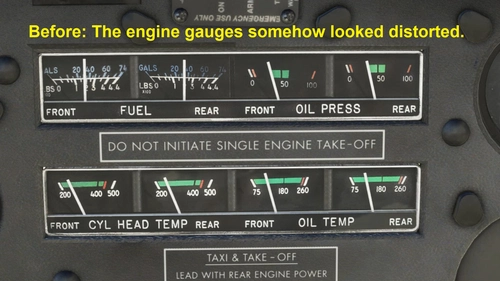
The oil temperature scale seems to have 5 increments for every 40 degrees. In the real aircraft there are 4 increments for every 40 degrees, which makes sence; 1 increment = 10 degrees.
almost 3 years ago
And btw, the letter "7" within the gauges can only be corrected by modifying a font, but not by changing the decal texture. This does not affect the font. The numbers from your described decal textures are not used anywhere in this airplane.
almost 3 years ago
What does the DPI has to do with a texture for a 3D model in a game?
The 750 screen is moved down now, right? So the top is not missing pixels but the bottom.
Also yeah, it misses the glareshield textures I think.
almost 3 years ago
almost 3 years ago
almost 3 years ago
Since i heavily worked on the TBM also, i'm just curious to know how you manage to correct "7" digit with textures only?Otherwise, nice texture definition but not sure we reallly see a difference at the cost of an heavier texture but will try.Mod to RMI needles will also be on my next update but pretty occupied actually to make real aircrafts flying and waiting patiently of next BKS TBM update so as to check if not other modifications are not necessary. ;-)
almost 3 years ago
almost 3 years ago
almost 3 years ago