
Description
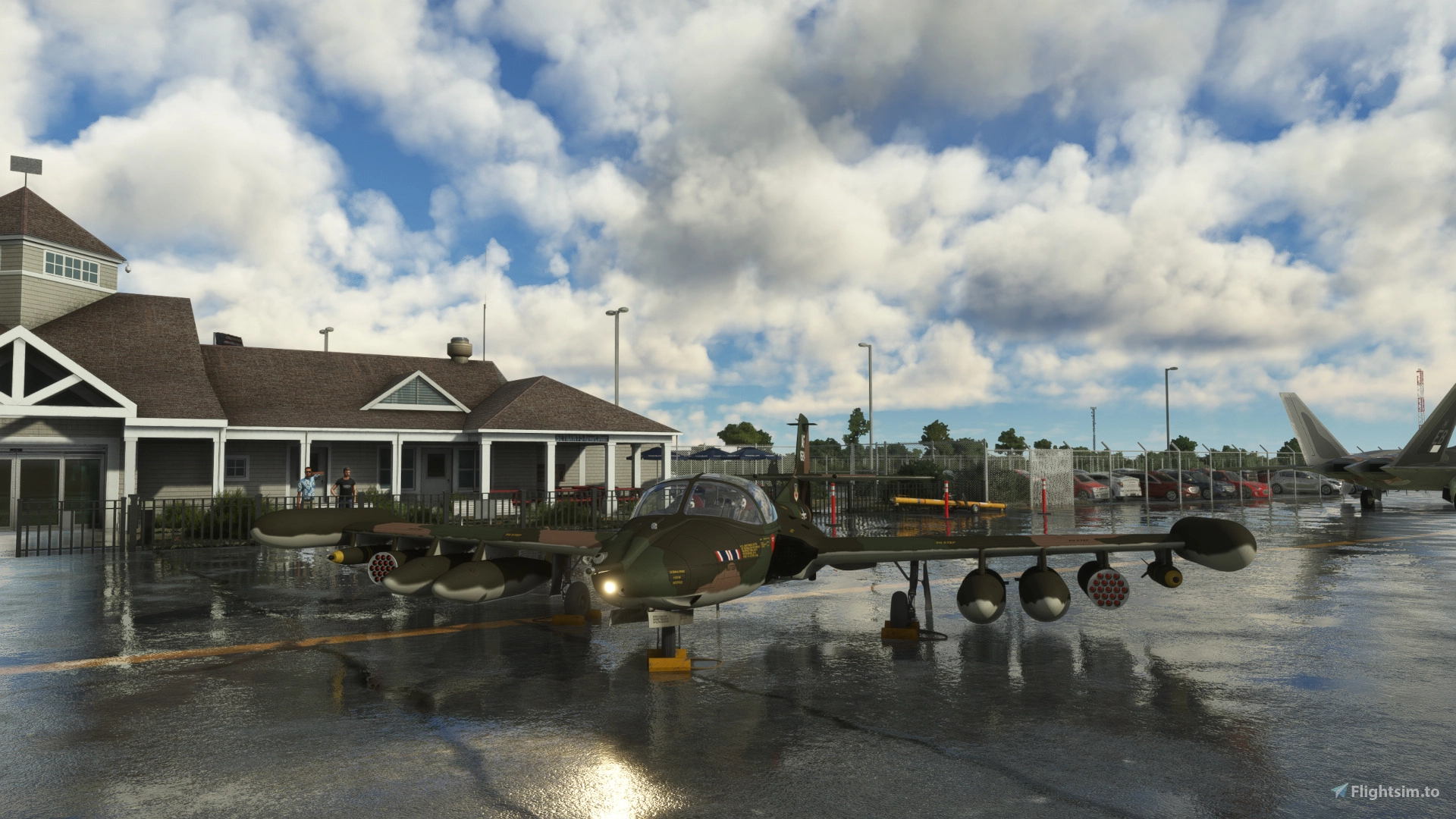
The A-37 Dragonfly is a twin-engine, two-seat, side-by-side, ground attack and counter insurrection military jet designed by Cessna. It was developed in the 1960s, and was put into service in 1967. The A-37B succeeded the A-37A, which was a heavily converted T37.
The A-37B features 4 pair of pylons under the wings, and large wingtip tanks. Its landing gear is retractable, and the front wheel is steered by hydraulics connected to the rudder. It is powered by two General Electric J85-GE-17A tubojet engines, 2,850 lbf static thrust each.
Empty weight is about 6,200 lbs and maximum takeoff weight about 14,000 lbs.
Usable fuel quantities are 457.5 US gallons internal and up to 389.2 US gallons in droppable pylon tanks.
The VNE is 415 kts or Mach 0.7 and the cruising speed over 400 KTAS for clean aircraft. This MSFS aircraft is configured to have payloads under wings, so it's slower.
The Cessna A-37B was first used by USAF and South Vietnam Air Force during Vietnam war. Many machines were seized by North Vietnam, and flown by Vietnam People's Air Force.
The Dragonfly was a low cost aircraft, easy to maintain, and was bought by various countries. Some of them are still in service in 2023.
The USAF gradually replaced them with the A-10.
- Install :
Simply unzip file into your community folder, but requires 2.8 GB free disk space - Manual :
Available in vrilleaplat-cessna-a-37\Manual_PDF subolder
READ BEFORE USING THE AIRCRAFT. Don't think you can just press CTRL+E and do anything you want without crashing, or burning the engines.
Don't complain about the aircraft not starting or burning if you don't follow the indicated prodecure.
A printable simplified start checklist is also available. - Features :
Two 3D models variant, with refuel probe or not.
Realistic fuel system, with jettisonable auxiliary tanks and dumpable wingtip tanks. Fuel dump effect.
Removable weapons under pylons (aesthetic and weight only)
Aerobatic smoke system : white and colored smoke are available. Full color spectrum.
Six barreled minigun fire effects.
Failures if you don't respect your plane. No failure because of time use. Smoke and fire effects.
Tablet, well ... a special one.
Three cold and dark start modes : default, persistent, and random - Liveries :
Many liveries have missing details, because of few low definition photos showing them. Some of theses liveries were made with only one picture available and are partially imaginated.
When not beeing able to see exactly what is written, I used Google translate for spanish an korean inscriptions. These translations are unexact in most cases.
Liveries are USA (2), Colombia (1), Chile (1), El Salvador (1), Honduras (1), Peru (1), Uruguay (1), Dominican Republic (1), Ecuator (1), South Korea (7, Black Eagles aerobatic team), Guatemala (1), Thailand (1), South Vietnam (2, Vietnam war era)
- CTRL+E procedure :
This procedure doesn't work when hot start is activated.
It should cut the throttles off and wait until RPM is high enough to set throttles to idle. I don't know how to achieve that.
Follow the start procedure as it is described in the manual, it's not that difficult. - Thanks :
Jonx Simulations : if you want to start a project, check his youtube channel
Touching Clouds : if you want to create special effects, check his tutorials on youtube
All those who share their long acquired experience on making aircrafts, in forums like FSDeveloper.com or Pilote-Virtuel.com (in french), there are many names but they will recognize themselves as they know what they bring to the community
Mac, who tested beta version and gave me some very useful feedback
SomeGuyInCO who gave me solution to the inverted elevator trim on axis bug.
Everyone who will now give me some constructive feedback
Everyone who will now draw some new liveries : a paintkit is available as a separate download. The paintkit is likely to be less frequently updated, and I won't have to think about it, each time I'm preparing a package for a new A37 version. - Credits :
PBR materials (most edited to fit aircraft needs) : ambientcg.com and cgbookcase.com under Creative Commons licence CC0
Perfect DOS VGA 437 Win.ttf font by Zeh Fernando. Associated "DOS437.txt" readme file is available in ManualPDF subfolder.
This mod is exclusively distributed for free.
You don't have right to redistribute this mod without asking for permission.
There will probably be some issues with inverted elevator trim linked to an axis.
The paintkit is available here : https://fr.flightsim.to/file/63048/cessna-a-37-b-dragonfly-paintkit
Version 1.1 :
- Rank 3 tanks are available, limited to 72 USGal because of rank 3 pylon limited to 600lb load.
- Hot start is active by default but can be now disabled. It can be useful if your throttle command cancels cut-off without any action from you.
- Gun visor displayed like a HUD. Unfortunately, it seems MSFS doesn't allow any color but green, whereas it should be yellow.
- Persistent and random start modes extended to transponder code, radio and nav frequencies settings. Not extended to fuel levels because of bugs.
- Elevator sensitivity reduced (low angles)
- Static thrust corrected (was too low)
- Elevator trim is no more inverted when commanded by an axis, thanks to SomeGuyInCO.
- Various bug corrections.
Compatibility issue with SU14 should be over.
Version 1.1.1 :
- Game crash when loading under SU 14 should be fixed.
It was caused by this loading tip : "577 A-37 B Dragonfly were built. 254 were delivered to South Vietnam, of which 95 were seized by North Vietnam, and used until a lack of parts rendered the last of these planes unusable in the early 1990s."
This is ... too long for SU 14 ! (can't believe it) - When starting cold & dark, ADF was out of order. Fixed.
If crashes still occur on your system : go to ...\vrilleaplat-cessna-a-37\SimObjects\Airplanes\vrilleaplat-cessna-a37
try to :
open aircraft.cfg file in notepad, and simply erase all tips0 to tips5 lines [Loading] section.
The section should look like this :
[LOADING]
ImageName = LOADING_FREEFLIGHT
Save aircraft.cfg file and close notepad.
Version 1.1.2 :
- When investigating about SU 14 crashing, I thought visual effects could be involved, so I deactivated them, and I forgot to bring them back later.
Version 1.1.3 :
-
Overall drag reduced for spoilers, flaps and landing gear.
-
Upgraded radio navigation devices available as an option. See manual, p. 16 for details.
Version 1.1.4 :
- Oops ! Glide slope was inverted (upgraded nav instruments option) Now fixed.
Version 1.1.5 :
- Ground power unit
- Edited generator curve
- Edited engine temp
- Edited manual, with table of contents
- One new livery : FACh J-629 desert camo
- Minor bugs fixes
Version 1.2 :
For FS 24 compatibility :
- collision with avatar when walking around. (enter the aircraft using shift+C, no clickspot)
- modified beacon lights so there is no light flooding in the cockpit
- tablet day lightness
- option for windshield scratches removal
However, there is no visible pilot in FS 24.
Cessna A-37B Dragonfly
The Cessna A-37B Dragonfly is a military jet designed for ground attack and counterinsurgency missions, featuring pylons for payloads and retractable landing gear. Originally used during the Vietnam War, this low-cost aircraft is still in service in some countries. A free MSFS mod with realistic features like jettisonable tanks, removable weapons, and an aerobatic smoke system.

User Reviews
63 reviews
Version History
Better MSFS 2024 compatibility
Featured in Collections(3)


Related
Cessna T-37B Tweet
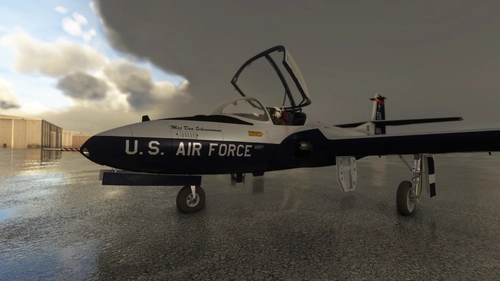
The T-37 Tweet is a twin-engine, two-seat, side-by-side, primary military training jet designed by Cessna. It was developed in the 1950s, and was put into service in June 1956. Three versions existed. The T-37B succeeded the T-37A, with 10% more powerful engines and improved avionics. The T-37As were then modified into T-37Bs. Version C could carry a light armament intended for training and additional wingtips tanks, and saw its increased mass. The T-37 has a wingspan of 33 ft 99 in. Its landing gear is retractable, and the front wheel is steered by hydraulics connected to the rudder. It is powered by two CONTINENTAL-Teledyne J69T25 engines.
by VrilleAPlat
Cessna A-37 B Dragonfly Paintkit
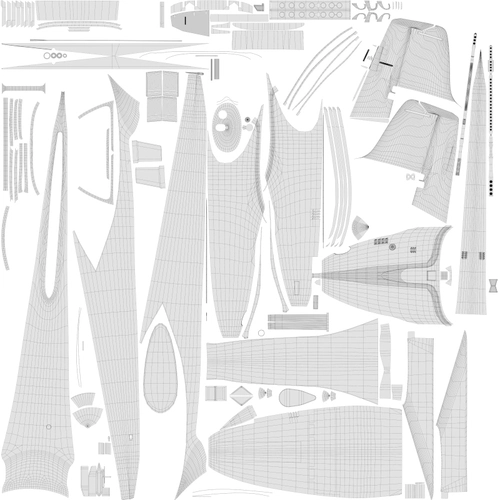
A comprehensive paintkit for Cessna A-37B Dragonfly featuring UV wireframes, detailing elements, and alpha channel masks for customization. Includes single png files and Gimp/Photoshop formats for versatility. Updates offer camo and primer paint layers, enhancing livery customization options.
by VrilleAPlat
Log in to join the discussion
Log InComments(192)
2 months ago
2 months ago
3 months ago
4 months ago
5 months ago
5 months ago
6 months ago
I have encountered a possible issue. At very low fuel the wing tanks are unable to fill the center tank which has led me to flame-out with fuel remaining in the wing tanks, but none in the fuselage. From what I see in sim, the fuel is being consumed from all 3 tanks without the wings refilling the center tank, ultimately draining the smaller fuselage tank.
Probably shouldn't be landing with less than 5% fuel in the first place...
6 months ago
When this pump is off, the fuselage tank is only feeded by gravity. The less you have fuel in your wings, the less you have pressure to feed your fuselage tank.
When you feed your fuselage tank with wing tanks, always keep the tip tanks pumps ON, never wait to have wing tanks empty before using these pumps, because the fuselage tank will be too low and the central pump will stop.
When you use drop tanks, always switch to wing tanks (and tip tanks pumps ON) as soon as the drop tanks are empty, or the fuselage tank will be to low on fuel.
Finally, be careful with "Alt+SPACE = Back to fly" command, which sends you back in flight, because it resets all your tanks to 50%.
After using this command, open the fuel screen and refuel using the overall percentage cursor.
7 months ago
6 months ago
8 months ago
Even though sometimes I can't stop the plane (do the brakes work?) and I end up off the runway...
8 months ago
It is highly recommended to use airbrake (and thrust deflectors) when landing, and to avoid landing with full fuel tanks. You can jettison the pylon tanks and empty the tip tanks by using the "dump" switches, manual p 12, before landing.
Try to be at 100kts or a little less when touching the runway. Of course if the plane is heavily loaded, you could stall and should be forced to keep 120 kts : it will be much harder to stop.
8 months ago
Your suggests are very appreciated !
8 months ago
Congratulations, Villeaprat!
It's a superb aircraft... as was its little brother, the Cessna T-37, which is very similar but a trainer.
I only find a couple of things missing, but they're fundamental: I don't see the DME, while the ADF can be set, but the circular instrument needle, and the BHDI are always OFF.
While I understand the realistic lack of autopilot, I don't know if I'm doing something wrong, but without the DME, ADF, and even the ILS glidescope, flying this aircraft in IFR is practically impossible.
It's a shame, because the flight model is magnificent and flying it is a real pleasure...
Stebas.
PS. Please tell me what to do, I looked at the manual but I couldn't find a solution...
UPDATE.
I went to the tablet and set the radio/nav update.
Now everything is much better! The DME works, as does the ILS on both NAV1 and NAV2. Instead, as for the ADF, nothing seems to have changed, in the sense that the needle doesn't indicate the bearing of the NDB.
There's still a problem: in the little digital window where the DME data appears, I can't switch to NAV1, and the data always refers only to the NAV2 page. Where am I going wrong?
8 months ago
In upgraded avionics mode, you have more functions available. NAV2 is always displayed by the digital device, and NAV1 has it's bearing and DME displayed by the analogical RMI. I believe that informations like the beacon name were only given by a morse code in the headphones.
About ADF : did you read the manual, p 19 ?
Set the OFF/ANT/ADF selector to ANT, then set the frequency, then set selector to ADF for activation.
As I wrote in the manual, some ADF frequencies are displayed as integers but the real frequency is xxx.5, so did you try several beacons ?
8 months ago
Anyway, as I wrote, the problem had already been resolved, and I understood what actually needed to be done with the update, which must be activated from the tablet.
The ADF too now is working...
Thanks again, and congratulations!
8 months ago
8 months ago