
Flightsim.to
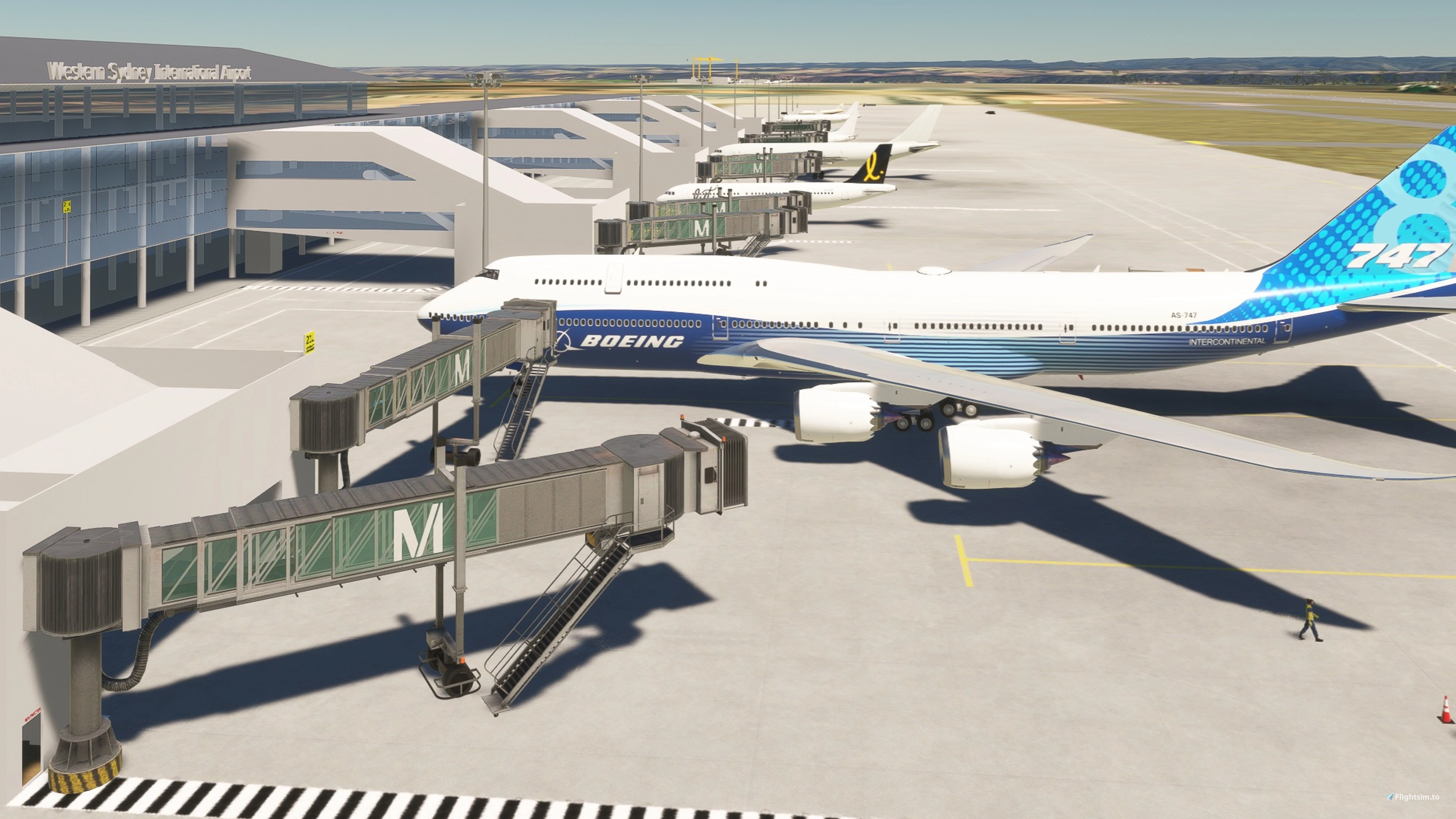
    YSWS Western Sydney International Airport - Image 1

    Description

    Western Sydney International (Nancy-Bird Walton) Airport (IATA: WSI, also known as Western Sydney Airport, Western Sydney International Airport, or Badgerys Creek Airport) is an international airport currently under construction in the suburbs of Luddenham and Badgerys Creek, New South Wales, Australia located 43 kilometres west of Sydney Kingsford Smith Airport. The first stage of construction on the new airport began on 24 September 2018.

    The current objective of my project should be close to the first operation expected in October 2026. Some or most content of my project may not be official, complete, or accurate. Major features are as follows:

    ICAO code: YSWS

    Country: Australia

    State: New South Wales

    City: Badgerys Creek

    Ground: 80 m or 262 feet above mean sea level

    Runway 05-23

    Magnetic Variance 12.66 degree at end of 2026

    Glide Slope 3 degree

    ILS IDs and frequencies (fictitious) are:

    IXNW 110.500 MHz for 05

    IXNE 110.300 MHz for 23

    Fictitious waypoints at start of base legs:

    WSINA for 23 at 5000 MSL

    WSIWA for 05 at 6000 MSL

    There are two fictitious SIDs and four fictitious STARs with Enroute Transitions.

    Parking spots:

    1) Ramps #91-99 for cargo

    2) Ramps #14-18 and #26-30 for passengers without jetways

    3) Gates #19-25 for passengers with jetways

    4) Fuel #13F, #31F, and #99F for small propeller

    Other features:

    1) Communication frequencies (fictitious)

    2) Passenger terminal building

    3) Freight Centre

    4) Explore yourself

    Aircraft for my testing (e.g. missed approach, etc.) are:

    1) B747-8i (Salty stable version 0.6.0)

    2) A320neo (FBW stable version 0.14.0)

    3) A380X (FBW stable 4K version 0.14.0)

    4) Cessna 172 Skyhawk

    Weather station is not simulated other than ATIS. Please visit the followings for further details:

    http://www.bom.gov.au/products/IDN60801/IDN60801.94752.shtml

    https://www.bom.gov.au/location/australia/new-south-wales/metropolitan/o117167555-badgerys-creek

    Primary reference for orientation, dimensions and locations:

    1) https://westernsydney.com.au/your-airport/airport-site-layout

    2) Open Street Map

    3) Google Map Satellite Images

    4) Various YouTube videos of Western Sydney International Airport Updates

    Frequently Asked Questions

    Comments(20)

    Log in to join the discussion

    Log In
    j

    6 months ago

    Its all good. I found a way of getting around the 'file size too large' and so don't need to addon via Modman.
    W
    WwwngAuthor

    6 months ago

    Thank you for testing for about one month. I am glad that you could resolve the problem. I don't use Modman and hence do not know the situation.
    j

    7 months ago

    I just downloaded the latest version (10 November) and this is what I see - no textures
    W
    WwwngAuthor

    7 months ago

    Thank you for downloading and testing. You face similar situation as the previous comment from the other simmer. He has not replied after my response. It looks ok on my side. Please update update all files including content manager and graphics card driver. I will look into the source code in the next few days and see whether there are any prerequisites. Sorry for any inconveniences caused to you.
    j

    7 months ago

    I have it working. When I attempted to copy the extra ct folder to my community folder I got an error 'filename too long' (which has been a bugbear of mine for a long time). I had then decided to install the zipped file using ModMan which worked but with pink 'textures (ie not found). I decided to rename the extract folder to "WSWS Western Sydney" and it then copied and voila I see all the textures - no pink. Maybe you could add a comment somewhere suggesting to users to rename the extracted folder (to a short name) if they encounter "file too long" error.
    j

    8 months ago

    Thanks for updating your airport. IT means more now that the first B737 has landed and taken off. HOWEVER I seem to be missing some textures as some parts of the terminal are rendered pink especially the roofs. I am using it with MSFS2020.
    W
    WwwngAuthor

    7 months ago

    Thank you for downloading and testing. Please update all files (including content manager) and see whether the problem is resolved.
    K

    over 1 year ago

    great job , works well in msfs2024
    W
    WwwngAuthor

    over 1 year ago

    Thank you for testing in FS2024. I don't have FS2024.
    b

    over 1 year ago

    i was wondering how long until someone made this . i love the fact we got this before gta6 lol
    good job
    W
    WwwngAuthor

    over 1 year ago

    Thank for your comment. I hope you like it.
    W

    over 1 year ago

    There will be no VOR or NDB at this airport, only ILS. I would not go to the trouble of adding anything like that
    W
    WwwngAuthor

    over 1 year ago

    Thank for your recommendation. I will remove them in my next version 0.8.0.
    j

    over 1 year ago

    I cannot get the latest update/version 0.6.0 to display in MSFS. Tried everything I can think of yet when I enter YSSW for the departure airport MSFS does not find it. The previous version worked ok.
    W
    WwwngAuthor

    over 1 year ago

    YSWS is the official ICAO announced recently. YSSW is ficititious one before official announcement of YSWS.
    j

    over 1 year ago

    Something really weird happens when I install this and the previous version. Firstly I cannot unzip and copy the unzipped folder to the community folder as I get "file names too long" so I add it to ModMan which installs a zip file (no need to unzip) and after than most of the buildings are displayed in pink which happens when texture files are missing. I get around that by unzipping and renaming the unzipped folder to say Western_Sydney and copy to the Community folder. All then works ok. Not your fault but just letting you know. Thanks again for this airport which I suspect you will update when required.
    W
    WwwngAuthor

    over 1 year ago

    Thank you for sharing your experience.
    j

    over 1 year ago

    Thanks for creating YSSW. It looks good.
    As 05R/18L won't be developed for some time maybe add the 'red cross' at each end to signify out of use (there probably is a way in Devmode to select this - can't remember).
    Also do you intend to update your airport with the release of updated Google Earth satellite images and/or images of the airport building now that is almost complete?
    If I get the time and the inclination, I will create Custom Aerial Imagery using satellite imagery to add the current ground 'texture', which changes often during construction, and let you know.
    Did you know that the ILS is type CAT III-B (I haven't yet checked how you have it set up or in fact that it can be set up that way in MSFS).
    W
    WwwngAuthor

    over 1 year ago

    Thank you for your comment. Cross marks will be shown in my next version 0.6.0.
    C

    over 2 years ago

    wow thank you mate. interesting.
    MSFS 2020MSFS 2024

    YSWS Western Sydney International Airport

    YSWS Western Sydney International Airport is a new international airport currently under construction in Badgerys Creek, Australia. Located approximately 44 kilometers west of Sydney, the airport is set to commence operations in late 2026. This add-on features detailed representations of the airports two parallel runways, fictitious communication frequencies, and various parking spots for cargo and passenger aircraft, aligning with published long-term plans. It also includes initial waypoints and procedural information for flight simulations within Microsoft Flight Simulator.

    Downloads2K
    Version0.10.0
    File Size7.0 MB
    Published2 years ago
    Updated3 months ago

    More Information

    Simulator
    MSFS2020
    CategoryAirports
    Sub-CategoryIntl. Airports
    Rating0.0 (0)
    CountryAustralia
    ICAOYSWS

    Version History

    Location and orientation of nearly all physical and logical items were modified in order to align with latest Open Street Map information. Bug fixing: • Left/right edges of taxiways should not be lighted. • Water ponds were removed

