Flightsim.to
    King Air 350 G1000 Cockpit Mod - Image 1

    Description

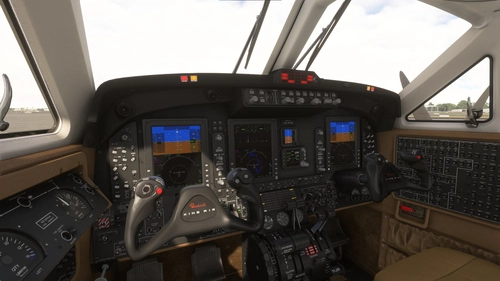
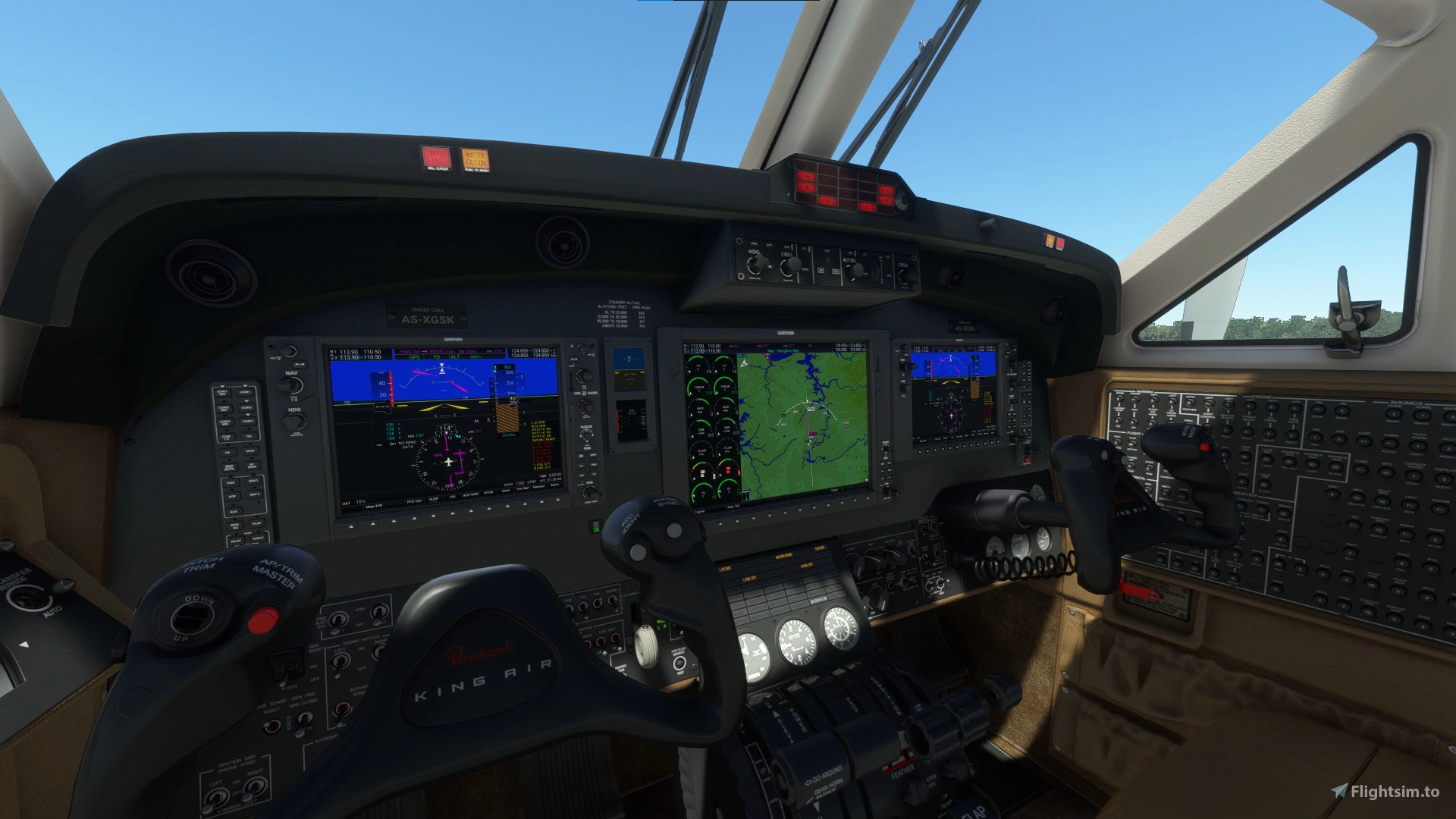
    A cockpit mod that swaps out the default King Air 350's screens for Working Title's G1000 NXi. If you like flying the King Air but hate the default G3x avionics, this mod is for you. Comes with 2 PFDs, MFD, autopilot panel and audio panel.

    Installation:

    • Extract zip
    • Copy folder "husk-g1000kingair" into community folder

    This mod will replace the cockpit model of the default aircraft.

    Known issues:

    • Some button sounds are missing
    • Some add-on liveries are incompatible, and cause the displays to show the default avionics
    • Map rendering at the edges may be incomplete due to map resizing after adding eis columns 


    Microsoft Flight Simulator © Microsoft Corporation.  King Air 350 G1000 Cockpit Mod has been created under Microsoft's "Game Content Usage Rules" using assets from Microsoft Flight Simulator, and it is not endorsed by or affiliated with Microsoft.

    Interaction activity
    DownloadsCommentsSeparate scales for downloads and comments
    Oct 19 Downloads: 2 Comments: 0Oct 20 Downloads: 4 Comments: 0Oct 21 Downloads: 2 Comments: 0Oct 22 Downloads: 6 Comments: 0Oct 23 Downloads: 4 Comments: 0Oct 24 Downloads: 1 Comments: 0Oct 25 Downloads: 2 Comments: 0Oct 26 Downloads: 3 Comments: 0Oct 27 Downloads: 7 Comments: 0Oct 28 Downloads: 2 Comments: 0Oct 29 Downloads: 2 Comments: 0Oct 30 Downloads: 4 Comments: 0Oct 31 Downloads: 2 Comments: 0Nov 01 Downloads: 5 Comments: 0Nov 02 Downloads: 0 Comments: 0Nov 03 Downloads: 4 Comments: 1 Question: 1Nov 04 Downloads: 0 Comments: 0Nov 05 Downloads: 4 Comments: 0Nov 06 Downloads: 2 Comments: 0Nov 07 Downloads: 3 Comments: 0Nov 08 Downloads: 2 Comments: 0Nov 09 Downloads: 2 Comments: 0Nov 10 Downloads: 4 Comments: 0Nov 11 Downloads: 1 Comments: 0Nov 12 Downloads: 2 Comments: 0Nov 13 Downloads: 3 Comments: 0Nov 14 Downloads: 5 Comments: 0Nov 15 Downloads: 4 Comments: 0Nov 16 Downloads: 5 Comments: 0Nov 17 Downloads: 1 Comments: 0
    Oct 19Nov 02Nov 17
    88
    Downloads
    1
    Comments
    Last comment 14 days ago
    Creator responds to 26% of comments

    Comment Summary

    Community feedback for the King Air 350 G1000 Cockpit Mod is generally very positive, with users appreciating how the mod significantly improves the default avionics and overall experience of flying the aircraft. Many comments praise the enhanced usability and additional features, such as VNAV support and clearer information display, with several users calling it transformative for the default King Air. However, there are frequent reports of installation and compatibility issues, particularly related to MSFS 2024 and conflicts with specific liveries or other mods, often resulting in blank or incorrect panels. Users also mention persistent bugs like the COM/NAV frequency knobs affecting the active rather than standby channel, and some problems with avionics displays turning off at night or after updates. Workarounds shared include switching to the default livery, removing conflicting mods, and adjusting panel or configuration files. Several requests for updates to ensure compatibility with SU15 and MSFS 2024, as well as suggestions for further enhancements, are present. Overall, the sentiment is that the mod greatly improves the King Air but needs ongoing attention to fix remaining issues and ensure continued compatibility.

    Summarized on Nov 14, 2026

    Log in to join the discussion

    Log In

    Comments177

    prahsmanQuestion·14 days ago
    I would like to correctly install this Kingair G1000 mod so that the cockpit will be as shown above; the FMS knob with icons for entering approaches and departures. I have downloaded the https://flightsim.to/file/61143/king-air-350-g1000-cockpit-mod.zip package and moved the husk-g1000kingair folder into %appdata%/local/Packages/Microsoft.FlightSimulator-8.../LocalCache/Packages/Community (I purchased from the MS store). I still have the wrong panels displayed. What did I do wrong?
    prahsman·about 7 hours ago
    Found the issue - it was the location of the community folder. There are a lot of sites that specify the location, but I found the surest way to be via the UserCfg.opt file. Open with Notepad and go the end of the file. That's where you find will the used location.
    ahs712d·3 months ago
    Using this MOD (in MSFS 2020) When I change frequency in the radio (COM1 for example), the chahge occurs notch by notch in the ACTIVE channel and not in the STANDBY channel of such COM1 radio. This causes that the radio connection for audio (Team Speak) we use in our airline flight network kicks me out because it looks like im trying to change frequencies many times in the same minute.
    Would it be possible to check out if you can put this as in any othewr MSFS airplane - when tunning a frequency one moves the STANDBY channel and not the ACTIVE COM radio channel.
    bdub11886·6 months ago
    how to find the files for the 2020 king air? i redownloaded 2020 even and still cant find the files to get it to work with 2024
    mutti82·9 months ago
    Following LNAV/VNAV route for ILS approach and when turning towards final (with LOC and GS armed), at first CDI autoswitches to NAV1 (turning green and showing LOC indicator)... but doesn't actually capture localizer, always switches to ROLL... and continues to follow VNAV path to final altitude while GS is disarmed completely. Need to click APR again once or twice to actually make AP follow ILS.

    Two screenshots taken... last second with LNAV/VNAV active, ILS armed... and next second when CDI autochanges to NAV1 but ROLL-mode active.
    mini1964·6 months ago
    The approach angle in the first photo is too steep.

    I do not have the same problem as you. I capture LOC and GS well.
    vitu94·10 months ago
    need update. dont work anymore
    Distant_Thunder9·11 months ago
    Please consider updating to MSFS 2024.
    mini1964·11 months ago
    You need to find the King Air files from 2020 and copy them to the 2024 Community folder. This is because the mod won't work with the King Air built into 2024 by default
    bdub11886·6 months ago
    how to find the files. i redownloaded 2020 even and still cant find the files to get it to work with 2024
    Jayman510·5 months ago
    I found MSFS 2020 Asobo_KingAir350 file folder. But copying it to 2024 Airplanes folder doesn't seem to work. I wish this was updated.
    BozoBBozo·about 1 year ago
    I did my first flight today in MSFS 2020 with this and it worked perfectly! So much more information at a glance, including WIND! And if you activate an approach, VNAV even works! I'm very impressed.
    jomimarpe·about 1 year ago
    Excelente aporte, Gracias por tu trabajo
    Jayman510·about 1 year ago
    Thanks for this. Seems to be working OK with 2020 as of this writing. Big thanks since I was looking for a step up from the 208B, loved the G1000 but hated the default 350 avionics. So glad I found this!
    diacidos·over 1 year ago
    Hello! Could you do something like this for the blacksquare tbm850?
    turbopleb·over 1 year ago
    Hello! Can't seem to get this to work in MSFS2020.

    I have added the main unpacked folder to:
    C:\Users\tobbe\AppData\Roaming\Microsoft Flight Simulator\Packages\Community

    It does not show up on any livery I have tried (I only have default ones)
    Any ideas? Really wish the ILS would work but its not fully working with the G3000.

    Best Regards
    Turbopleb
    greyspider·about 1 year ago
    I also cannot get it to work in 2020. Added to Community folder but I still have the old PFD and MFD. I have not miodified the King Air in any other way so it should not have any conflicts. Wish the developer would respond!
    greyspider·about 1 year ago
    Actually, I may have figured it out. I have the PL21 mod from the same developer... forgot about that. I'll try deleting that.
    mini1964
    ·over 1 year ago
    This is a great mod.
    Thank you.
    pork_r·over 1 year ago
    I saw a comment below...can this support loading and shooting instrument approaches?
    ...
    MSFS 2020MSFS 2024

    King Air 350 G1000 Cockpit Mod

    Enhance your King Air 350 experience with this cockpit mod featuring Working Titles G1000 NXi avionics system. Includes 2 PFDs, MFD, autopilot panel, and audio panel to upgrade your cockpit. Some button sounds may be missing, and certain liveries could cause display issues. Installation instructions included.


    Downloads8K
    Version0.10.0
    File Size19.98 MB
    Published3 years ago
    Updated2 years ago

    User Reviews

    5.0

    35 reviews

    5
    97%
    4
    3%
    3
    0%
    2
    0%
    1
    0%

    Version History

    -Fixes for compatibility with SU14 -Added functional pedestal control pad based on Garmin GCU 477, with functional alphanumeric keys -Added configurable Vr V2 and Vref speed bugs to PFD

    Related