
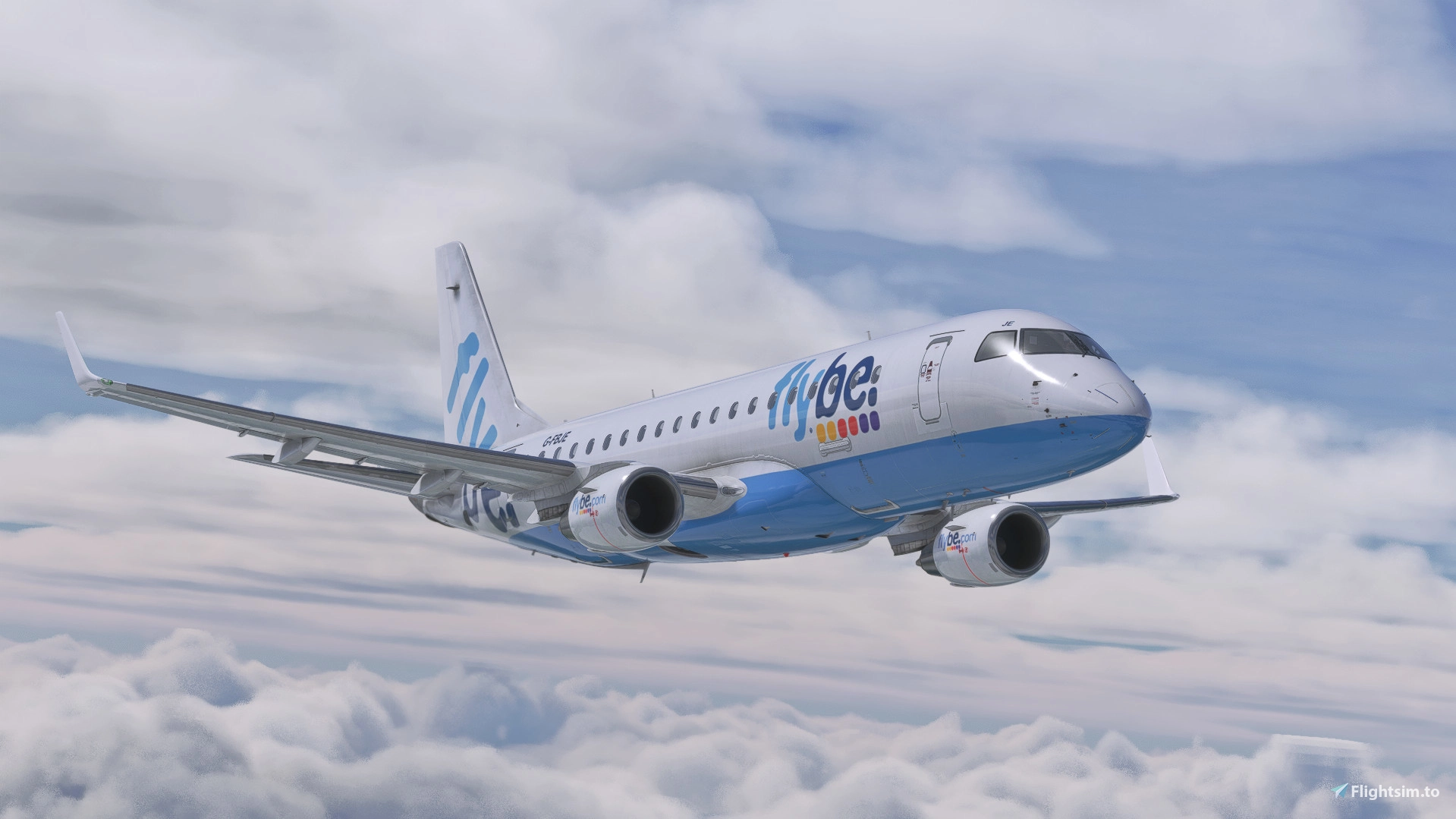
Description
Lucas' - Reshade Preset V3.1
- This is an enhancement to the visuals of Microsoft Flight Simulator 2020 (2024 is also supported but may look different), by using shaders from Reshade. Tested on Windows 10 & 11 on the Steam edition of the simulator using DirectX 11. DirectX 12 (BETA) is also fine to use.
- This addon works with REX AccuSeason (recommended) as well as the Nvidia filters option.
- The look of the simulator may vary depending on your monitor setup, graphical settings and other variables. For reference, this Reshade preset was made on a standard colour monitor of 6500K.
Installation
Download the latest version of Reshade available at https://reshade.me/
Install Reshade by following the instructions provided by the application, and install the shader presets provided. I'd personally recommend just installing all presets then you can play around and amend as you wish.
Put LucasReshadeV3.1.ini in your main Microsoft Flight Simulator 2020 directory, where the application is held.
Open Reshade in the simulator and select my preset.
The overall aim of the preset is to imitate the realistic brightness and colouration of real life without too much saturation or lack of fidelity. The preset removes the often orange or yellow look of the simulator with a more natural subtle blue tone. Looks good in all seasons. I hope you enjoy it and feel free to tweak some settings should you wish!
Lucas' Reshade Preset
A realistic looking preset that focuses more on the correct brightness and colour of the real world. Also removes the gross and unrealistic look of the original simulator that gives it a yellow, orange kind of colour. Reshade preset promotes a more realistic blue tone to the simulator.


User Reviews
3 reviews
Version History
Previous 3.0 was released in error and the changelog was missing some key details. - Suitable for MSFS 2024. - Shaders have been changed to more simple and comprehensive packages to be easier on performance while still delivering the same look. - Bloom addition. - New 'colourful' version for a brighter, slightly saturated appeal.
Log in to join the discussion
Log InComments(11)
over 2 years ago
about 3 years ago
about 3 years ago
about 3 years ago
over 3 years ago
FL-LUT-13.png not working...
over 3 years ago
Simply disable this as it is not a part of the preset.
over 3 years ago
it says I am missing FL-LUT-13.png
over 3 years ago
Please download all available shaders and map your shaders folder correctly in reshade settings.
over 3 years ago
Hello, I'm keen on start to use Reshade stuff, but I've got one question - does it actually affect performance?
over 3 years ago
In my experience, only a 2-3 fps drop. Nothing really. Worth it for the visuals in my opinion.
over 3 years ago
Thank you!