Flightsim.to
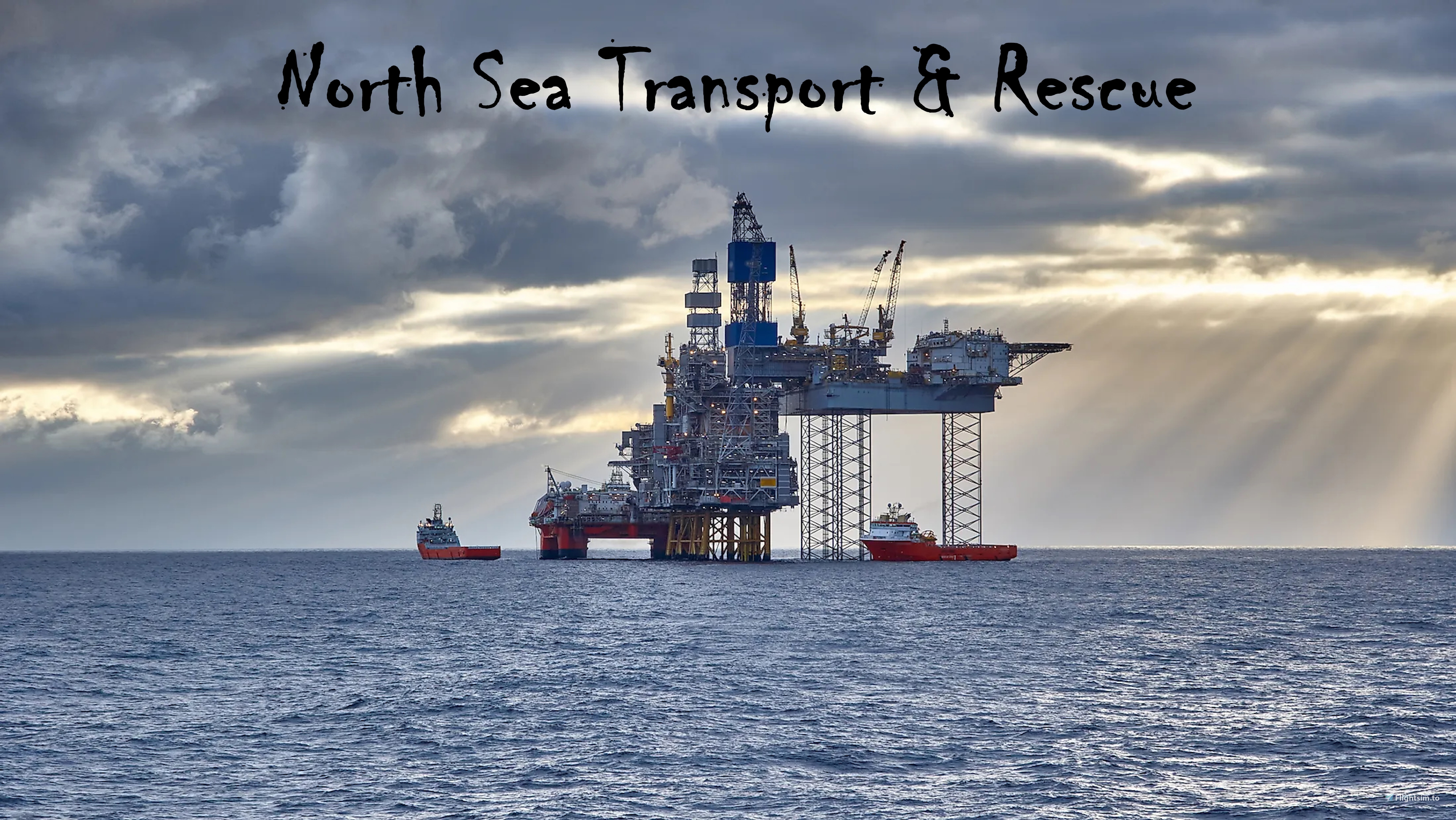
    North Sea Transport and Rescue - HPG H145 - Image 1

    Description

    North Sea Transport and Rescue operates out of Rotterdam The Hague airport (EHRD). As the name implies, North Sea Transport and Rescue provides transport and rescue support services for public and private organizations in The Netherlands and adjacent North Sea.  

    As a newly hired H145 helicopter pilot for the company, you will be assigned a regular co-pilot, and added to the company assignment roster. It is expected that you are proficient with the H145 and it’s navigation systems.

    The missions will take you to offshore platforms, a tanker ship, and hospitals with customized helipads and lighting. 

    Your co-pilot will be responsible for handling all radio communications and will provide information during your flights. But as the pilot in command, you will be responsible for “listening to, and carrying out all instructions given”, and flying the aircraft safely.

    The assignments included in this package are simple transport flights with built-in audio instructions and radio calls. The package has been through testing, but issues are always possible. I hope you find the add-on enjoyable.

    DEPENDENCIES:

    INCLUDED:

    • The package includes a README.pdf file that provides a summary of the assignments and special notes regarding this package
    • The package also includes an application (Change NSTR Missions.exe) that allows you to change the aircraft livery, weather and/or time of day for any of the missions

    CREDITS:

    • The customized helipads used in this package were created by GBZH35
    • All missions were created using the BushMissionGen utility created and distributed by f99mlu.

    Log in to join the discussion

    Log In

    Comments(35)

    w

    over 1 year ago

    I had mission to fly a crew from LPPR out to wind floats but there is no helipads on the windfloats to land crew. I do have north sea pack and the portugal windfloats but how do we actually land the crew? By Hoist? I could not complete the mission, there was also no waypoint, just a wrench icon out at sea to fly too.
    d
    dave23913Author

    over 1 year ago

    Hello. Sorry you're having an issue with the missions. I haven't looked at this in a while, so I'll have to investigate to see if I can duplicate the problem. All missions are setup for landings on helipads (no hoisting). Is the helipad missing only in this one mission or for all of them? This info would help me investigate.
    d
    dave23913Author

    over 1 year ago

    Unfortunately, I was not able to duplicate the issue you reported. If the Aerosoft Landmarks North Sea add-on is installed in the Community folder all designated helipads should be present. I believe this add-on also requires World Update II to be installed, so something else to check.
    S

    about 2 years ago

    Hello
    I have the same problem as AleksanderB and tried before flying with ESC,restart without success.
    As you can see in the logbook, CYRV surprisingly appears there as departure.
    I had previously used Alaska Transport and Rescue.
    The BlueEcko Revelstoke mission is also installed.
    Could it be related to this, or any other idea?
    Would love to be able to enjoy this scenery!
    Greetings
    Swissair67
    d
    dave23913Author

    about 2 years ago

    Hello - Sorry that you are experiencing a problem with the missions. Because I cannot duplicate the issue it is difficult to troubleshoot. But after receiving your message I thought of something you can try. Go to your Community folder and open the following file using NotePad++ (\Community\nsa-nsa\Missions\nsa-nsaDir\nsa-nsa.PLN). Go to line 56 and modify the LAT/LONG values as follows (N51° 57' 21.53",E4° 26' 16.72"). All I did was to change these values a small amount to see if the program will see the departure and destination positions as something different. Give this a try and let me know what happens.
    S

    about 2 years ago

    Hello
    I have changed the specified, but the result is the same with ending the mission as completed.
    However, it now shows the correct location as the exit.
    I have now noticed that instead of the Airbus H145, the Airbus H160 is listed as the aircraft.
    I have also tried it with both variants as the selected aircraft and also with pressing ESC, restart before flying.
    Sorry for the new bad news.
    Greetings
    *** Translated with www.DeepL.com/Translator (free version) ***

    d
    dave23913Author

    about 2 years ago

    OK, let's try something different. I made a similar coordinate change and "recompiled" the mission. Also, because the problem could have something to do with the way the mission has been previously saved to the MSFS cloud, I created a new mission with the same data. I've provided a link below to a ZIP file that contains two mission folders; the one named \nsa-nsa is the recompiled original, the one named \nsa-test is the new one (they are actually both the same, just a different path). Do the following: (1) Remove all North Sea mission folders from your \Community folder (nsa through nsj). (2) Download the zip file and extract the contents of the zip file into your \Community folder. This will add the two test missions. (3) Before opening MSFS, move one of the mission folders to your desktop. (4) Open MSFS and fly the mission. If that one fails, close MSFS, delete the mission folder in \Community, then move the one on the desktop to \Community and try again. Let me know how it goes.
    (Link: https://drive.google.com/file/d/1FLpxmQ0Dh8GTiqcTb2NhPup1dJYi8snf/view?usp=sharing)
    S

    about 2 years ago

    Hooray!
    Really many thanks for your effort, patience and super work.
    It worked with nsa-nsa. successfully completed the first part without any problems and flew part 2 right after installing the remaining parts out of sheer enthusiasm.
    Thanks again.
    d
    dave23913Author

    about 2 years ago

    Glad to hear the updated mission worked. Hopefully we found a solution to the problem for all users. However, for now it's likely you will run into the same problem with some of the remaining missions. I will need to recompile them all with the coordinate modification and then upload an update. Watch for it to be available soon.
    c

    over 2 years ago

    Hi , do you plan to update it to the new missions logic ?
    d
    dave23913Author

    over 2 years ago

    Sorry but I'm not sure what you mean by 'new missions logic'. If you are referring to the HPG crew animations, etc., I do not plan to tackle that (have no idea how to do it). If you mean something different though please let me know.
    A

    almost 3 years ago

    Would love to play the missions. But all of them transition over to "Mission Completed" just as soon as I hit "Fly Now". I've tried to restart several times. Even restarted the sim and reinstalled the missions. With no luck :-(
    d
    dave23913Author

    almost 3 years ago

    This issue is sporadic with users, and I have tried to figure it out with no luck. Not sure if the solution is specifically 'when' you restart, but if you haven't tried this, start the mission, and when you see the 'Fly' button, press the Escape key THEN press Restart. Maybe you've already done this, but if not, give it a try. Sorry for the issue...
    r

    about 3 years ago

    There is no oil platform at sea
    d
    dave23913Author

    about 3 years ago

    Did you install the Aerosoft Offshore Landmarks: North Sea add-on? This add-on is required in order to have the oil platforms.
    r

    about 3 years ago

    Yes, now is correkt. Thx
    S

    about 3 years ago

    Hi, when I load the 1st activity I start in the air with the helicopter and not from the helipad. Is this correct?
    Or what am I doing wrong?
    Regards, Bjarne
    d
    dave23913Author

    about 3 years ago

    In this situation you should press the Escape key, then click the "Restart" button. This should put you back at the beginning of the mission on the helipad. If you are starting from the Custom Content screen, start the mission, and when you get to the screen with the "Fly Now" button, do the same thing (Escape, Restart). Let me know if that doesn't work for you.
    MSFS 2020MSFS 2024

    North Sea Transport and Rescue - HPG H145

    The North Sea Transport and Rescue H145 add-on is a series of missions where you are a newly-hired Airbus H145 helicopter pilot for the company, based at Rotterdam Airport in The Netherlands. There are ten (10) assignments that will take you to oil platforms and hospital helipads. A PDF file is included that contains all pertinent data...

    Downloads Stopped

    The creator has temporarily stopped downloads for this addon. Please check back later.

    Downloads2K
    Version1.4
    File Size375.49 MB
    Published3 years ago
    Updated2 years ago

    Version History

    Addresses an issue where some users could not fly a mission because the mission always started in a 'completed' state.