
Description
Hi all,
This is for the FS Traffic users among us.
FS Traffic is a great tool. As you may be aware, some aircraft models and liveries are currently not included. Until this changes, this pack may give you a better experience.
To further advance the usability of FS Traffic for its users, I have linked dozens of missing FS Traffic aircraft and liveries to their FSLTL and AIG counterparts. Note, you need to own FS Traffic and install the FSLTL and AIG aircraft libraries for this to work (see instructions below). Once done, this pack provides you with the following benefits:
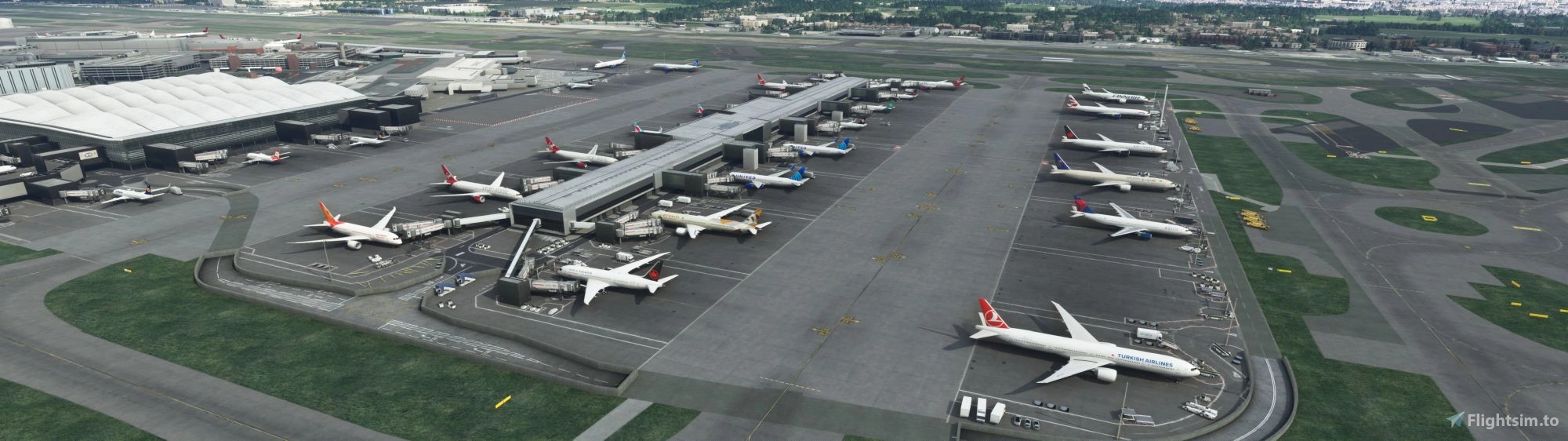
- Many missing FS Traffic models and liveries now appear within the Sim with the appropriate livery. This includes the A318, A330neo, A340-300, -600, B717, B737-200, -300, -400, -500, -600, B747-400F, B747-8F, B767-300F, B777-200, B777-200F, B777-300F, B787-10, MD-11F, MD-82, MD-83
- Freight traffic now appears within FS Traffic (unless FS Traffic's flight plans for the respective airport do not include freight traffic departures or arrivals, which is a separate issue).
- Significantly more livery diversity at airports. This specifically concerns some smaller European airlines, and certain airlines from Africa, South America, and Central and East Asia, including several Chinese airlines.
- More departing and arriving traffic at airports
Installation:
- Step 1: Installation of this pack
- Install FS Traffic if you haven't done so.
- Download this pack.
- Locate your FS Traffic 'aircraftIniFiles' folder. If you have installed FS Traffic into your Community folder (Steam version), you will find this folder within here: C:\Users\USERNAME\AppData\Roaming\Microsoft Flight Simulator\Packages\Community\justflight-fstraffic-module\Data\Aircraft
- Save a copy of your entire existing FS Traffic 'aircraftIniFiles' folder in a safe location if you want to be able to revert to the original files at some point in the future.
- Once you have created a safe copy, delete the existing 'aircraftIniFiles' folder from the 'justflight-fstraffic-module\Data\Aircraft' folder.
- Extract the downloaded pack into the 'justflight-fstraffic-module\Data\Aircraft' folder. Make sure the directory looks like this: justflight-fstraffic-module\Data\Aircraft\aircraftIniFiles
- Step 2: Installation of FSLTL
- If you haven't done so yet, download the FSLTL traffic library and install it into your Community folder as usual. You can do this via the FlyByWire Installer available here: https://flybywiresim.com/
- Do NOT copy any of the FSLTL aircraft files into your FS Traffic fleet folder (justflight-aircraft-traffic-fleet). Keep FS Traffic and FSLTL separate.
- Step 3: Installation of AIG
- If you haven't done so yet, download the AIG "AI Manager" at: https://www.alpha-india.net/software/
- Open the AI Manager, go to the "OCI" tab and download the AIG library. Install it into your Community folder.
- Instructions can also be found here: https://www.youtube.com/watch?v=-XM415ibRsM
- Do NOT copy any of the AIG aircraft files into your FS Traffic fleet folder (justflight-aircraft-traffic-fleet). Keep FS Traffic and AIG separate.
- Note: The AIG download can take many hours! If you do not want to download it, my pack will still work, but you will see less models and liveries. E.g., the A340 and most of the 757 and 767 models are from AIG.
- Note: If you do not want to install FSLTL and AIG into your Community folder, you can install them into any folder of your choice if you use a tool like MSFS Addon Linker. More info is here: https://flightsim.to/file/1572/msfs-addons-linker
Further notes:
- This pack does not provide any original aircraft model or livery files. It links existing liveries from FSLTL and AIG, both freeware, into your FS Traffic installation.
- As said above, do NOT copy any of the FSLTL or AIG aircraft files into your FS Traffic fleet folder (justflight-aircraft-traffic-fleet). It won't work and the Sim won't recognise it. FSLTL and AIG must be installed separately and as usual, according to the instructions from FSLTL and AIG.
- To see even more airplanes spawn at your airports and make the airports busier, I suggest that you set the 'Time before departure value' in the FS Traffic Control Centre 'Options' menu to 120 or 180. It means any aircraft that will depart in the next 2-3 hours from this airport will spawn (if they have a free parking position available).
- To further optimise your FS Traffic experience, I suggest downloading the following addon as it fixes many broken or incorrect parking positions at major airports. Broken or incorrect parking positions may lead to incorrect traffic display: https://flightsim.to/file/32064/airport-parking
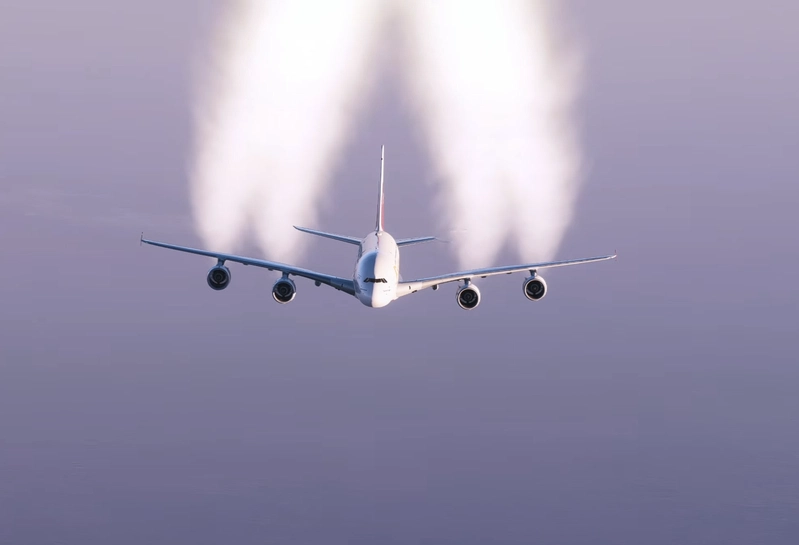
- Please note that the flight plans included in FS Traffic are from 2022 (post COVID). It means that many airports by default display less flights than, e.g., in 2019. It also means that the Airbus A380 appears much less frequently. To see the A380 more often, I have modified some of the FS Traffic flight plans for myself, but I haven't included any modified flight plans in this pack. So, if you don't see any Airbus A380, it's because A380s rarely flew in 2022. Let me know if you want the A380 to appear at a certain airport and I can send you a fixed flight plan. Here's an experimental pack that gets you a lot of traffic at two chosen airports: https://flightsim.to/file/55822/fs-traffic-rush-hour-schedules-for-eddf-and-kjfk
- Note that I have used payware airports in many of the photos displayed.
- As an aside: I like the old Lufthansa livery more than the new one, therefore I have modified the files to display the old livery, where possible. If you want the new livery, do the following (this is an example for the A319 but it will work for other Lufthansa aircraft as well):
- 1. Open FS Traffic's Traffic Control Center
2. Go to the "Aircraft Manager" tab
3. Select "319" (=Airbus A319)
4. Scroll down to the Lufthansa entry
5. Then go into your FS Traffic aircraft library to the A319. Your aircraft library is within this folder which you have most likely installed in your Community folder: 'justflight-aircraft-traffic-fleet'
6. Open the aircraft.cfg within it
7. Go to the Lufthansa entry in the aircraft.cfg and copy the title of it, which is JustFlight_AI_A319_LufthansaDLH
8. Paste this title into the Livery 1 row in FS Traffic Control Center, overwriting the existing entry
9. Click save
10. Do the same for all other Lufthansa aircraft. Here's a list of all other Lufthansa aircraft within FS Traffic, just select these under "Select aircraft": 319, 320, 32X, 32A, 32Q, 32N, 321, 333, 343, 346, 359, 388, 744, 74H, 77X, CR9, E90, E95. Note that this won't work for aircraft that currently don't exist in FS Traffic, such as the A343, A346, 77X.
- 1. Open FS Traffic's Traffic Control Center
Frequently Asked Questions
Many more FS Traffic aircraft and liveries, + freighters
This is a compilation that links dozens of missing aircraft models and liveries into FS Traffic, for example, the A340-300, -600, B737-200, -300, -400, -500, -600, B777-200, and freighters, and many individual airlines as well. Note: You will need to download and install FSLTL and AIG aircraft libraries for this to work, see installation instructions.
User Reviews
4 reviews
Version History
FS Traffic updated their product to version 1.05. They added a few new models and liveries. To reflect this, I updated this pack.
Related
60 weather / cloud presets from real life
A compilation of 60 weather presets, combining around 15 real-life cloud types. The presets reflect real-life weather scenarios that can be commonly observed. This includes a variation of both fair and rainy weather, and especially several cloud layers on top of each other.
by bluesky123
MSFS 2024 "Commercial Airliner" Loading Screen Video
This add-on features a custom loading screen video for Microsoft Flight Simulator 2024, tailored specifically for users focused on commercial aviation. Created by the developer using content from their YouTube channel, the video enhances the visual experience during the games startup. Users need to rename the video file and place it in the designated videos folder of their MSFS 2024 installation.
by bluesky123
FS Traffic: Rush hour schedules for EDDF and KJFK
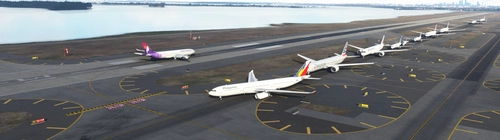
Experience rush hour traffic at Frankfurt (EDDF) and New York (KJFK) airports with this FS Traffic add-on. Boost departing flights and enhance realism with comprehensive departure flight plans. Easily customize traffic levels with manual editing options and enjoy a busier airport environment. Explore more departing traffic with increased frequency and diverse airline options for a livelier flight simulation experience.
by bluesky123
Log in to join the discussion
Log InComments(66)
6 months ago
8 months ago
over 1 year ago
over 1 year ago
about 2 years ago
over 2 years ago
over 2 years ago
almost 3 years ago
almost 3 years ago
almost 3 years ago
almost 3 years ago
almost 3 years ago
over 2 years ago
over 2 years ago
almost 3 years ago
almost 3 years ago
almost 3 years ago
almost 3 years ago
almost 3 years ago
almost 3 years ago