

Description
Camera views forSalty B747-8¡
Not garanted that works with Asobo 747 model because it might change in the future.
You can change the bindings if you want to have to the camera views like in the image, please note that in drone mode the camera views don't work!
How to install?
You will need to load the aircraft in-game to appear in the folder!
-Microsoft store users:
C:\Users\[UserName]\AppData\Local\Packages\Microsoft.FlightSimulator_8wekyb3d8bbwe\LocalCache\SimObjects\Airplanes
-Steam users:
C:\Users\[UserName\AppData\Roaming\Microsoft Flight Simulator\SimObjects\Airplanes
You will see a list of aircrafts, search for the Salty_B747_8¡ and you will see a file named state.CFG and maybe cameras.CFG.
Drag the cameras.CFG file that you downloaded from my upload and drop it inside the Salty_B747_8¡ folder.
It it asks you to replace, accept.
Load the simulator again and you will have it!
Camera views for Salty B747
Enhance your flight experience with custom camera views for the Salty B747-8. Easily install camera views for an immersive cockpit perspective, with the flexibility to customize bindings. Compatible with Salty B747-8, this add-on provides seamless integration for Microsoft Flight Simulator users. Please note that drone mode is not supported for camera views customization.


Version History
No version history available.
Related
Full GSX profile for Justflight LEPA(DISCONTINUED)
Full GSX profile for JustFlight LEPA featuring custom pushback, people walking to gates, and realistic ground services distribution, with ongoing updates for accuracy. Install by dragging the profile to the GSX directory, ensuring an immersive experience at Palma de Mallorca Airport. For further improvements or feedback, contact the developer through comments or Discord.
by Zocopeta
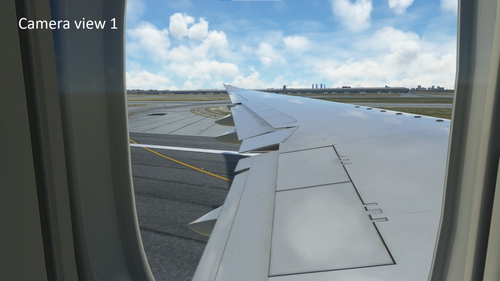
Camera views for asobo 747
Enhance your flight experience with Camera views for the Asobo B747, compatible with the Salty 747 model. Easily customize bindings to achieve desired camera views. Follow simple installation steps to enjoy an improved visual perspective during your flights.
by Zocopeta
GSX profile for V Pilot Designs LEJR ( Jerez airport)
GSX profile for V Pilot designs-Jerez airport (LEJR), All Gates/parkings have been done, custom pushback for all the gates, passengers waypoints from the terminal to the aircraft. This GSX profile have a manual in the file for a better understanding of how to install or more help in different languages
by Zocopeta
Log in to join the discussion
Log In