
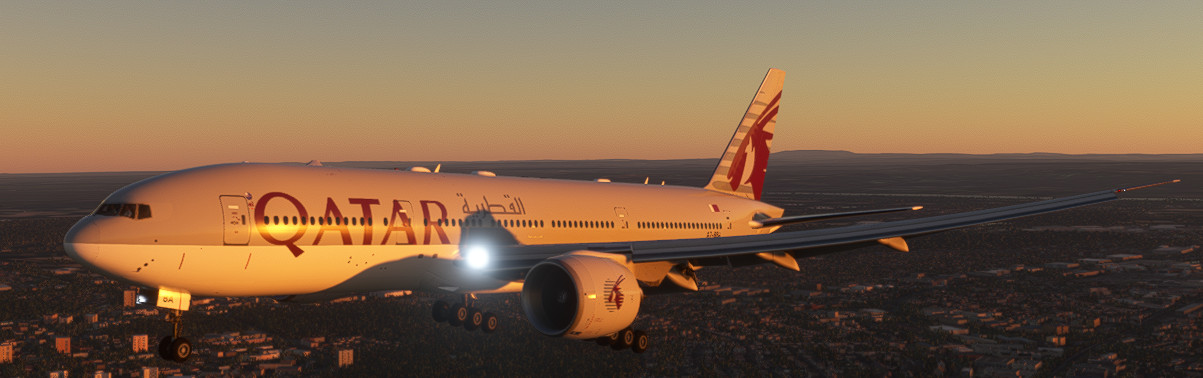
Description
A Qatar livery for the CS777-200LR
Made possible by: https://flightsim.to/profile/IFR
How to install?
1. Close MSFS2020
2. Extract the folder
3. Locate your community folder: https://www.youtube.com/watch?v=JxBA0T3-2Ps
4. Copy Paste the extracted folder into your community folder!
5. Start up the game
777-200LR Qatar
A Qatar livery for the CS777-200LR!!! How to install? 1. Close MSFS2020 2. Extract the downloaded folder 3. Locate your community folder: https://www.youtube.com/watch?v=JxBA0T3-2Ps 4. Copy Paste the extracted folder into your community folder! 5. Start up the game.
Version History
Bugs fixed
Related
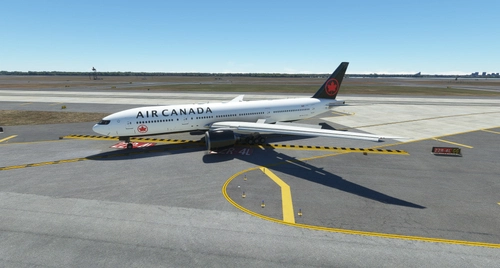
777-200LR Air Canada
A Air Canada livery for the CS777-200LR How to install? 1. Close MSFS2020 2. Extract the folder 3. Locate your community folder: https://www.youtube.com/watch?v=JxBA0T3-2Ps 4. Copy Paste the extracted folder into your community folder! 5. Start up the game
by kakaloebus
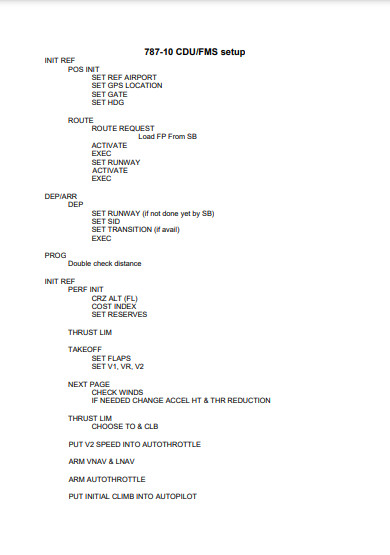
787 CDU/FMS setup checklist
787-10 CDU/FMS setup checklist. It can be hard to setup a CDU/FMS in microsoft flight sim 2020 / x-plane 11/12 this cheklist will help you with it for the 787-10. The CDU/FMS is located behind the throttles, those big screens! This information has been given to me from a real 787-10 pilot!
by kakaloebus
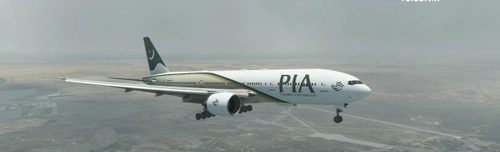
777-200LR Pakistan International Airlines (PIA)
A Pakistan International Airlines (PIA) livery for the CS777-200LR!!! How to install? 1. Close MSFS2020 2. Extract the downloaded folder 3. Locate your community folder: https://www.youtube.com/watch?v=JxBA0T3-2Ps 4. Copy Paste the extracted folder into your community folder! 5. Start up the game.
by kakaloebus
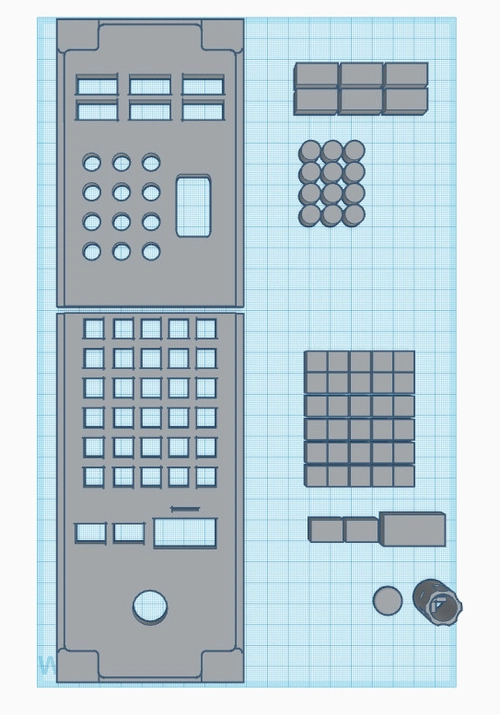
B787/B777X CDU/FMS 3D model (for 3D printer)(.STL file)
787/B777X CDU/FMS 3D model, If you want a 787/777X home-cockpit or just parts I made this model for you! It contains all the parts and buttons needed to 3D print your own 787/777X cdu/fms, Good luck with buidling your home cockpit! the cross inside the cursor selector button can be used to place a button on but still being able to use a Rotary Encoder. !!!THIS FILE IS A .STL!!!
by kakaloebus
Log in to join the discussion
Log InComments(9)
almost 3 years ago
about 3 years ago
about 3 years ago
about 3 years ago
Hello
it is pia airline and not qatar that is downloading
about 3 years ago
It' s fixed my fault
over 3 years ago
Hi, possible for you to make Pakistan international airlines PIA livery for this plane ? Would be greatly appreciated thanks, loving the ones you already posted.
over 3 years ago
Hello, I will look into it!
over 3 years ago
I like the design so im gonna work on it expect it this week or maybe next week!
over 3 years ago
It has been uploaded