
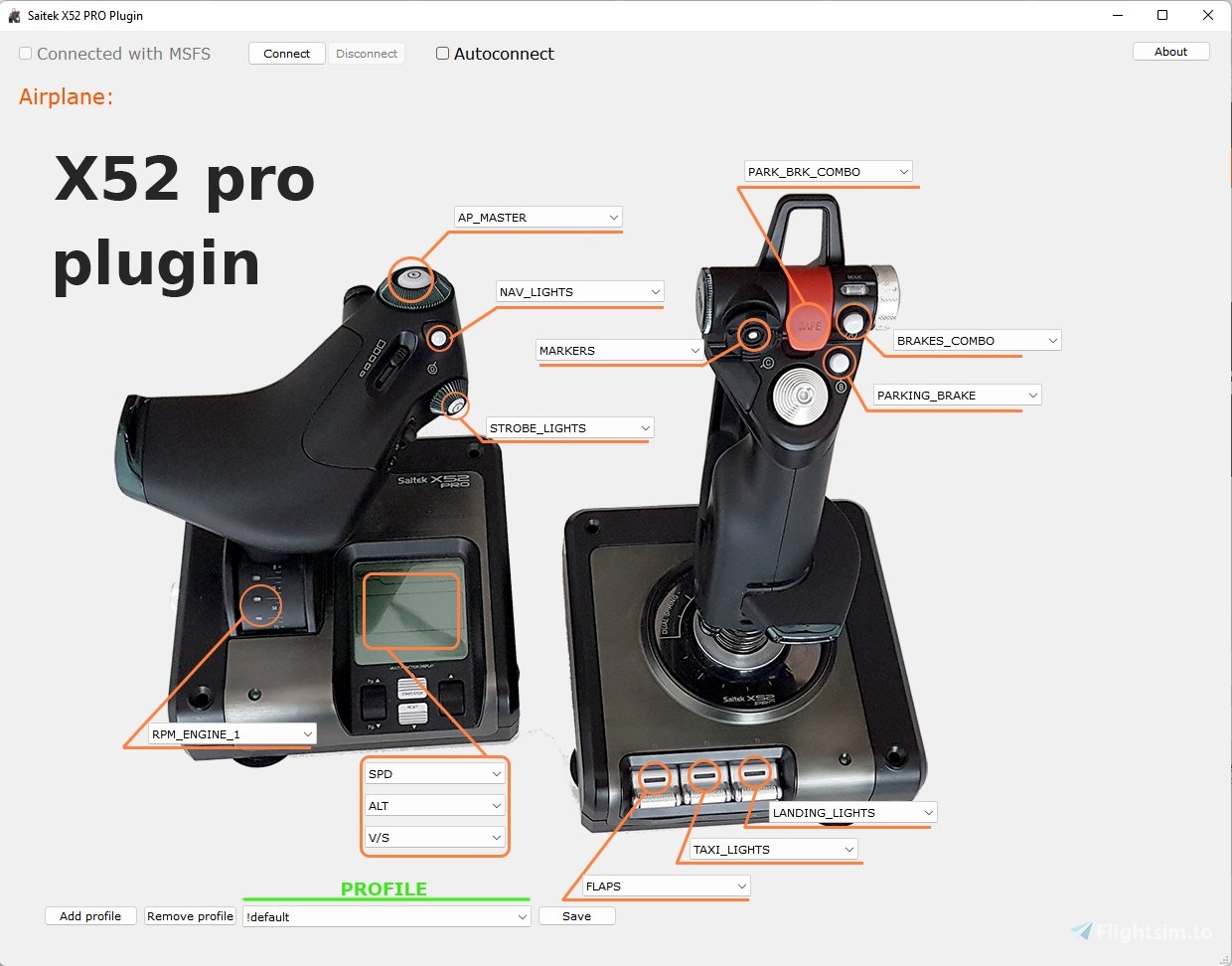
Description
Saitek X52 PRO plugin for Microsoft Flight Simulator 2020
Your X52's LEDs will run dynamically with this plugin.
This is BETA version!
What's new in ver 3.0:
- now it's a window application
This is the BETA version. It is recommended to leave the old version of the application as the new version may be unstable.
Please report all application bugs: kosik84@gmail.com
Have fun!!!
Saitek X52 PRO - Dynamic LED Plugin
Enhance your Saitek X52 PRO experience in Microsoft Flight Simulator 2020 with this dynamic LED plugin. Version 3.0 introduces a new window application for improved functionality. Please note that this is a BETA version, so stability may vary.
Downloads Stopped
The creator has temporarily stopped downloads for this addon. Please check back later.

User Reviews
10 reviews
Version History
window application
Related

EPKA Kielce Regional Airport
Explore EPKA Kielce Regional Airport, a regional aeroclub airport designed for VFR flight. Simply copy the "epkaair" folder to your Community folder to start your aviation adventure. Have fun exploring this new destination!
by KoSik
Kielce city
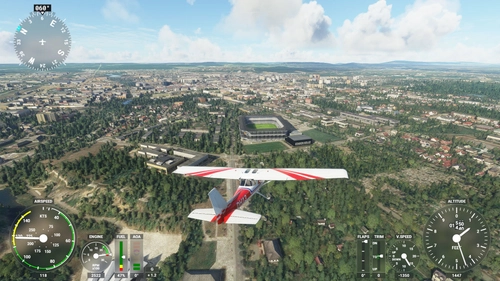
Explore the detailed scenery of Kielce city in Poland with this add-on, featuring iconic landmarks such as the PKS bus station, Suzuki Arena stadium, and the Radio mast on the Telegraf mountain. Additional highlights include the "Kadzielnia" amphitheater, monument, and terraforming, as well as the imposing heat and power plant chimney. Simply copy the "kielce" directory to your Community folder to install and enjoy.
by KoSik
Log in to join the discussion
Log InComments(71)
over 3 years ago
Does this work with Windows 11 Pro?
Thank you.
almost 4 years ago
about 4 years ago
Was working great until tonight, now won't connect with the sim. I didn't change anything that I'm aware of. Strange?
about 4 years ago
The developer was super helpful in resolving the issue. After exploring the issue with Simconnect, he suggested that there was a 99% chance it was related to the H.O.T.A.S driver from Saitek. Completely uninstalled all traces of the original driver and installation, then reinstalled a clean copy of the H.O.T.A.S. driver. The sim then recognized the joystick with no further problems. Happy to have it working again. I really like the added functionality and ability to tell the state of various parts of the aircraft (flaps, gear and so forth) without having to look away from the stick. Really adds to the sim.
Thanks again to kosik84 for the help.
over 4 years ago
Just purchased the Fenix A320. The plugin recognizes the aircraft and loads the default profile. But then the LEDs don't respond when you work the controls in the aircraft. Tested it with the 787-10 and it worked fine. Do you have a workaround that may work for the Fenix aircraft? (Did download the SDK, just in case - but didn't seem to make a difference.)
Any suggestions would be appreciated. Would be sad to not have this for the Fenix, as I find it adds a lot to the sim.
over 4 years ago
I agree with you would be nice to have this work on the fenix a320
almost 5 years ago
this is just what i was looking for but can you tell me if its compatible to run along side the saitek profiles / functions made in the saitek sst
almost 5 years ago
Plugin is not related to Saitek software so it is not possible to bind it with joystick profiles
over 5 years ago
Unfortunately this does not work for me. I have the X52 Pro and have downloaded the SDK so simconnect can be installed. I have followed the instructions in the PDF, Ran the settings, configured my lights and then ran the Plugin. I get a popup stating its trying to connect to MSFS 2020 but it does not connect when im in game and none of the lights change etc.
one thought is do i have to have the files saved in a particular folder? i have it in the Communities folder at the moment, but nowhere does it state where of if it does need to be somewhere??
over 5 years ago
Plugin can be in any folder. Try this test program:
https://github.com/KoSik-prog/x52_test
and let me know if the LEDs change color
over 5 years ago
all it does is open another page with LED Set.... an no LED changes on the X52
over 5 years ago
Reinstall X52 driver
over 5 years ago
Yep, works now, thanks
about 5 years ago
I didn't install any extra drivers from what was auto detected by windows 10 and now upgraded to windows 11. If I install the x52 pro drivers will I still have full function from all the buttons, even the pg up/down and scroll wheels next to start/stop on throttle? I recently set those scroll wheels to change my VS and ALT so I'd prefer them to be bindable buttons in MSFS instead of scrolling or changing page on the throttle display that I don't really use anyways. Thanks. (I tried out this lighting mod but doesn't work with default win 10/11 drivers)