Flightsim.to
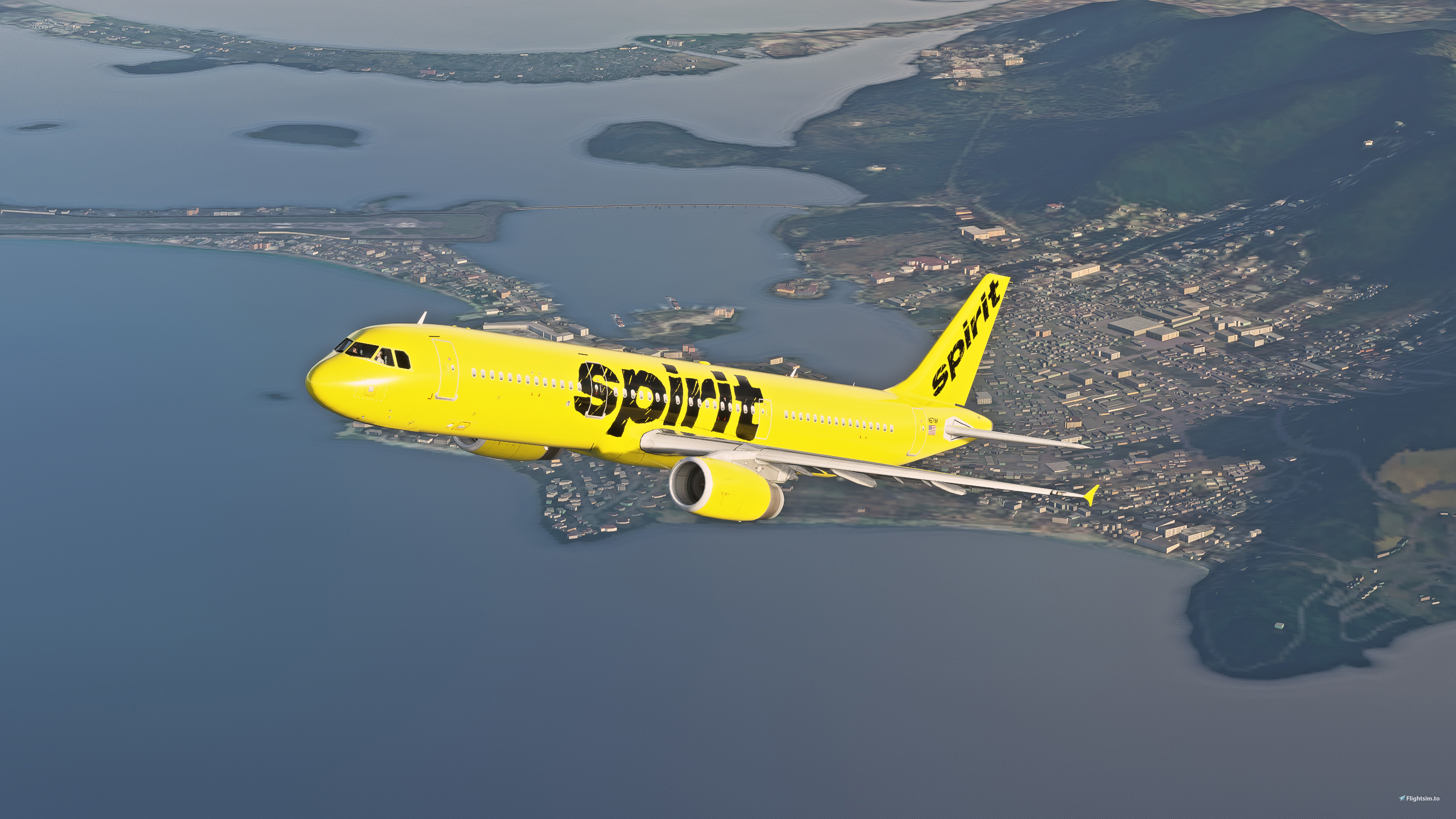
    Spirit Airlines A321 (Yellow "Bare Fare") - Image 1

    Description

    Unable to do the "Bare Fare" decals on the sides of the engines, as the mapping does not display right - 

    But otherwise, enjoy!

    Mike

    UPDATE 1/11/21:

         - Updated with minor detail textures
         - Better thumbnail for UI display

    Comments(8)

    Log in to join the discussion

    Log In
    W

    over 5 years ago

    Love this! Cant wait to fly it more often once the cockpit is working!
    t

    over 5 years ago

    the cockpit does work...
    W

    over 5 years ago

    I've got the A32NX installed by Flybywire and from what ive read on the forums for the A321, it isn't compatible with the FBW cockpit. So, when i load up the A321 all lights are lit up and the cockpit is glitched. I can try moving the FBW folder out while i want to fly the A321, but thats not something I want to do everytime I go to fly either aircraft.
    t

    over 5 years ago

    that's odd, if all the lights are on turn the annunciator lights to BRT and make sure you have the latest version of fbw installed
    W

    over 5 years ago

    i did. installed latest stable version and tried again and it was still messed up. so i went to their discord to investigate and it says that it isnt compatible with fbw cockpit. so i removed the fbw folder out of my community folder, and then the cockpit worked. uses the default airbus cockpit. There are 2 different versions of the 321. one is port over from fsx that uses fbw cockpit, and the other is AMP (aircraft mega pack) a321 which is what this livery is for. The AMP a321 isnt compatible with fbw cockpit unfortunately. wish it was.
    M
    Mike_VAuthor

    over 5 years ago

    There are 2 versions!?! This is news to me lol
    s

    over 5 years ago

    You Rock!!! just need that blue checkered one now...
    u

    over 5 years ago

    Could you make Air transtat or la compagnie ?
    MSFS 2020MSFS 2024

    Spirit Airlines A321 (Yellow "Bare Fare")

    This Spirit Airlines A321 add-on features detailed textures and a refreshed appearance, though the "Bare Fare" decals on the engine sides may not display properly. Enjoy an enhanced flight experience with this latest update including minor texture improvements and a more refined UI thumbnail.

    Downloads3K
    Version1.2
    File Size83.56 MB
    Published5 years ago
    Updated5 years ago

    User Reviews

    5.0

    1 reviews

    5
    100%
    4
    0%
    3
    0%
    2
    0%
    1
    0%

    More Information

    Simulator
    MSFS2020
    Sub-CategoryAirbus A321

    Version History

    Related