
Description
Version 4.0 changed GPS texture in panel file
Version 3.0 Cockpit textures reworked and double Tailnumber disabled (Thanks to Popele3)
Version 2.0 Correction of some small texture mistakes and Wheels_NEW version added
Version 1.0 First release
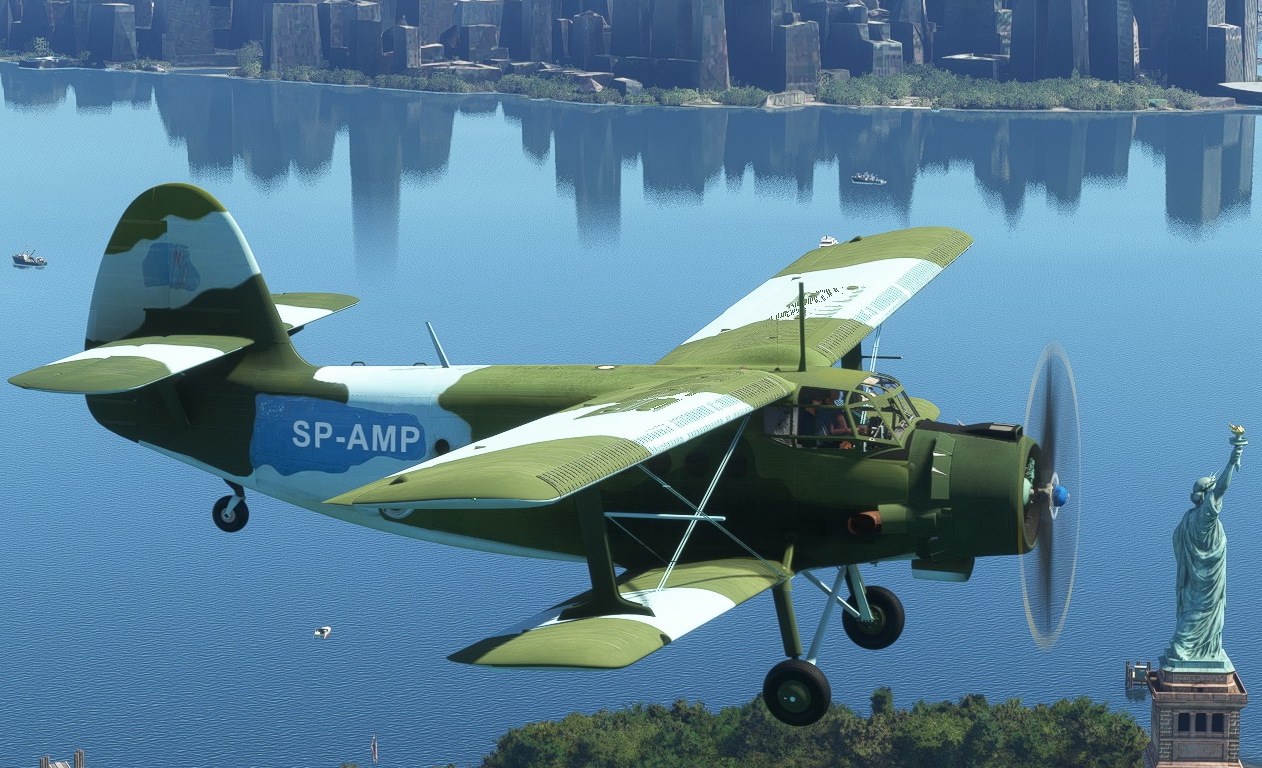
This is a livery for the AT-Simulations/Asobo Antonov AN-2.
The real aircraft had its major appearance in the german TV series "Steel Buddies" where the leading man Michael Manousakis embarked on the adventure of crossing the Atlantic with this Antonov.
The original SP-AMP had several minor changes to its paint scheme over the time. I decided to paint a livery which was inspired by the atlantic crossing version.
It is not a new aircraft, so don't expect things clean and glossy. I tried to catch the heavy worn look and the matte, weathered and dirty brush painting into this livery.
I tried to paint those olive yellow primer patches on the right side. But it actually didn't look any good. So finally I have removed them.
There are also new inside textures for grey cabin walls and some newly painted cockpit surfaces.
Unfortunately the ATS/Asobo Model is not very friendly for camouflage painting.
There are hundreds of patterns for small pieces which are hiding on random places somewhere inside the texture files - only a couple of pixels in size.
But anyway I have done my best to find all correct colors for all parts and fix them as best as can. (And that was a lot of work - You can believe.)
How ever, I know that some small texture errors are still remaining. I do not describe them, because I don't want You to look for them...
But if You find color mistakes and You know how to fix them, please send a message. I will then try to rework it.
Installation:
If You already installed the "Antonov AN-2_SP-AMP" please delete the old version from comunity folder.
Then just copy new the "Antonov AN-2_SP-AMP" folder in your "comunity" folder and start MSFS.
You are ready to have fun...
Note: when You run MSFS with the AN2 SP-AMP already loaded, at first visit in Your hangar you will see a second tailnumber written on each side.
You can get rid of this, when You change to another livery and then switch back to the SP-AMP. However, when starting a flight, the second call sign will disapear.
(If not, check that Your tailnumber section in the modifications folder is empty.)
Thanks to ASOBO and ATS for the Antonov. It is a great work and It was realy worth waiting for it.
Special thanks to all painters who provided a lot of good ideas, inspirations and beautiful templates.
And last not least very special thanks to my beloved wive Karin for her patience and support.
She has only seen me sitting on my computer and working on that paint scheme since release of the Antonov.
(Well, now I'm back!)
++++++++++++
Version 4.0 geändere GPS Textur im panel file
Version 3.0 Texturen für Cockpit überarbeitet und doppelte Tailnummer entfernt (Danke an Popele3)
Version 2.0 Verbesserung einiger Texturfehler und Wheels_NEW Version integriert.
Version 1.0 Erste Version
Das ist eine Livery für die AT-Simulations/Asobo Antonov AN-2.
Die Reale Maschine hatte Ihren Großauftritt in der TV-Serie Steel Buddies, wo Protagonist Michael Manousakis mit eben dieser Antonov den Atlantik überquerte.
Die echte SP-AMP hatte über die Zeit verschiedene Veränderungen in ihrer Bemalung. Ich habe mich entschieden, die zur Atlantiküberquerung genutzten Version als Inpirierazionsquelle zu nutzen.
Es ist kein neues Flugzeug, deshalb gibt es auch keine glänzenden sauberen Oberflächen.
Ich habe versucht die matte, verschmutzte, verwitterte und teils mit Pinsel übermalte Struktur in dieser Livery möglichst gut umzusetzen.
Die Oliv-gelben Grundierungsflecken auf der rechten Seite wollten mir partout nicht so gelingen, dass es irgendwie gut ausgesehen hätte. Deshalb habe ich die weggelassen.
Neben den Außentexturen gibt es auch angepasste Innentexturen für graue Kabinenwände / Sitze und ein paar veränderte Flächen im Cockpit.
Leider ist das ATS/Asobo Modell nicht unbedingt vorteilhaft für Tarnlackierungen.
An den Oberflächen des Modells sind sehr viele kleine Teile angebracht, deren Farben sich irgendwo verstreut in den Textur-Files verstecken.
Jedenfalls habe ich mein bestes getan um möglichst alle Details mit der richtigen Farbe zu belegen. (Und glaubt mir Leute, das war viel Arbeit...)
Wie auch immer, ein paar kleine Fehler konnte ich leider nicht beheben. Ich beschreibe sie hier nicht, denn sonst sucht man nur danach...
Falls jemand einen verbliebenen Fehler findet - und weiß, wie man ihn beseitigen kann: Bitte eine Nachricht senden. Ich werde dann versuchen das nachzubessern.
Installation:
Falls bereits eine "Antonov AN-2_SP-AMP" installiert war, bitte diesen alten Ordner im Comunity Ordner löschen.
Dann den neuen "Antonov AN-2_SP-AMP" Ordner entpacken und in den Comunity Ordner des MSFS kopieren.
Fertig...
Hinweis: Wenn beim Start des MSFS die SP-AMP bereits geladen ist, kann es sein dass beim ersten Besuch des "Hangars" die Rufnummer am Heck auf jeder Seite doppelt angezeigt wird.
Man kann das abstellen, indem man eine andere Livery auswählt, dann auf die SP-AMP zurückschaltet. Wie auch immer, wenn man einen Flug öffnet, verschwindet die zweite Rufnummer.
(Falls nicht, bitte sicherstellen, dass das Feld "Tailnumber" im Ordner mit den Modifikationen wirklich leer ist.)
Danke an Asobo und ATS für die Antonov. Es ist eine großartige Arbeit und ich habe mich lange darauf gefreut.
Besonderen Dank auch an all die Painter, die neue Ideen, Inspirationen und sehr schöne Vorlagen erstellt haben.
Und zuletzt noch ein ganz spezieller Dank an meine Frau Karin für ihre Geduld und Unterstützung.
Sie hat mich seit Erscheinen der Antonov nur noch am Rechner sitzen und an der Bemalung arbeiten sehen.
(Jetzt bin ich ja wieder da!)
"...It's tall and ugly like me. So I thought, thats the thing I need, You know..."
(Michael Manousakis, founder of Morlock Motors about his Antonov AN-2)
Antonov AN-2 Morlock Motors SP-AMP
"...It's tall and ugly like me. So I thought, thats the thing I need, You know..." (Michael Manousakis, founder of Morlock Motors) You want to cross the Atlantic with Your AT-Simulations/Asobo Antonov AN-2? Then maybe this is the livery of Your choice. The real aircraft had its major appearance in the german TV series "Steel Buddies" where Michael Manousakis once flew from Germany to the USA with this Antonov. The livery contains inside and outside textures.

User Reviews
4 reviews
Version History
4.0 changed GPS texture in panel file
Related
Rettungsflugzentrum BGU Murnau
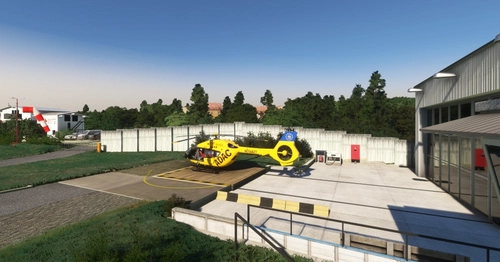
This is an add-on standalone or for enhancement the "Zugspitze-GAP-Scenery" with detailed upgrades to the Murnau airport, specifically the BYMN BGU hangar. It features custom buildings, improved graphical elements including additional items, lighting, and ground textures.
by Jordish
iniBuilds Airbus A310 Hapag-Lloyd (D-AHLA)
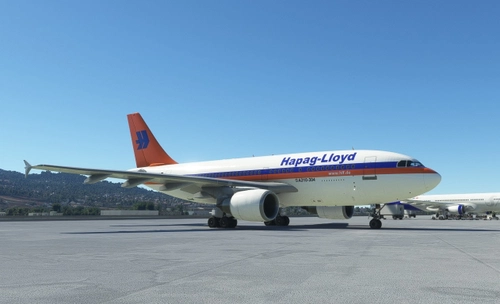
This is a livery for the Freeware / Standard Asobo / iniBuilds Airbus A310-300 The real aircraft is the Hapag-Lloyd A310-304 D-AHLA which was flown by Hapag-Lloyd in 2003 Thanks to ASOBO and iniBuilds for the A310. I was really waiting for that......
by Alex Jorda
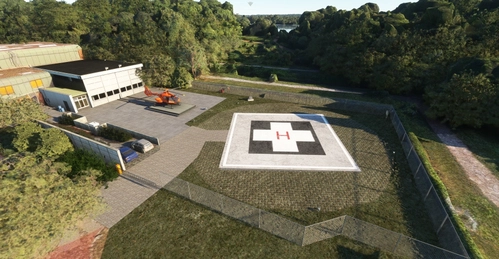
Luftrettungszentrum Duisburg Christoph 9
The Luftrettungszentrum Duisburg Christoph 9 add-on introduces a virtual air rescue center to Microsoft Flight Simulator, featuring the BGU Klinik Duisburg with a designated ICAO code of NWDB. While the clinics structures remain as standard ASOBO models, custom-made hangar and outbuilding models enhance the environment. The add-on allows users to utilize the helipad, dolly, and roof landing pad as starting points, with plans for additional 3D model upgrades in the future. An H135 helicopter, Christoph 9, from the Federal Office for Civil Protection and Disaster Relief is stationed at this facility.
by Jordish
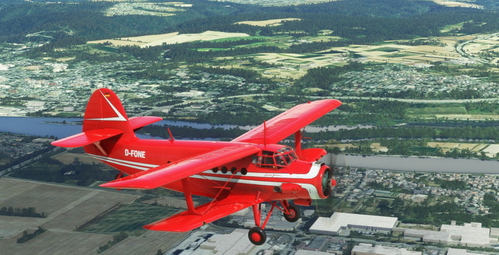
Antonov AN-2 "Roter Baron 2" D-FONE
Neues Spielzeug für den Chef / New toy for the boss... This the second Antonov from the german TV Series Steel Buddies. Also it's a former famous scenic flight plane in the Ruhr Area. It was once called the "Roter Baron2" / "Red Baron2" before it was sold to the military scrap dealer Michael Manousakis.
by Jordish
Log in to join the discussion
Log InComments(26)
about 1 month ago
about 2 months ago
about 1 month ago
11 months ago
11 months ago
almost 2 years ago
Ist abzusehen ob und wann es ein Update für den FS24 gibt? :)
almost 2 years ago
almost 2 years ago
over 3 years ago
Super schon gemacht. der Flieger ist einfach eine Legende
Ich habe nur Aktuell bei der GSN Version das Problem das das Navi nur einen Weißen Bildschirm hat und nicht hochfährt bei anderen Lackierungen von der GSN habe ich das Problem nicht.
over 3 years ago
Danke für die Info, muss ich mir ansehen!
over 3 years ago
Hallo,
Das weiße GPS Display liegt an meinem Panel File zur Unterdrückung der Tailnummer.
Ein Update folgt in Kürze.
Schnelle Lösung für jetzt gleich:
MSFSPackages\Community\Antonov AN-2_SP-AMP\SimObjects\Airplanes\
Microsoft_Antonov2_Wheels_New_SP-AMP\panel.SP-AMP
Panel Datei mit Texteditor öffnen, die folgenden Bereiche überschreiben und Datei speichern:
[VCockpit02]
size_mm = 350,190
pixel_size = 350,190
texture = $AS430_Screen
htmlgauge00=NavSystems/GPS/AS430/AS430.html?Index=1, 0, 0, 350, 190
[VCockpit03]
size_mm = 320, 234
pixel_size = 320, 234
texture = $AS530_Screen
htmlgauge00=NavSystems/GPS/AS530/AS530.html?Index=1, 0, 0, 320, 234
over 3 years ago
ooh danke dir :) ich werde mich mal dran versuchen
over 3 years ago
Please read your personal messages
over 3 years ago
Thank You for Your message. This is regarding the tailnumber. For me normally the additional tainumber disapears after changing the aircraft or livery in hangar the first time. (You need to confirm, that you have no additional entries in the livery/modification menu and there the tailnumber button is set to off). If that doesn't work, you can change the atc_ID in the aircraft.cfg to "" or " " or "." or something like that. please just try... Meanwhile I will check out another suggestion from popele3. Thank You!
over 3 years ago
Hallo, vielen Dank erstmal für die tolle Lackierung! Ich liebe Steel Buddies.
Ich habe nur ein kleines Problem.
Wenn ich im Menü oder in der Aircraft .cfg die Tailnumber deaktiviere und/oder lösche, dann steht bei mir immer unter der Nummer aus der Texturdatei eine zusätzliche "ASXAN".
Habe auch schon Lackierungen erstellt, da hatte ich das Problem nicht.
Was mache ich falsch, hast du eventuell eine Idee??
over 3 years ago
Hallo, Das ist leider bei vielen Lackierungen so. In der Aircraft.cfg sollte das SP-AMP stehen bleiben. Wenn nichts drin steht wird automatisch die ASXAN o.ä. eingesetzt. Normalerweise dürfte die zwote Tailnumber im Simulator nicht angezeigt werden. In anderen Fällen wo das nicht geklappt hat, habe ich mir mit der Tailnumber "." oder "_" ausgeholfen (oder ein anderes kleines Zeichen, dass in der Textur nicht auffällt. Hoffe das hilft weiter...
over 3 years ago
Danke für den Hinweis, das wusste ich noch nicht, dass es da öfters Mal Probleme gibt. Ja mit dem Punkt hatte ich es dann auch schon gemacht. 👍
over 3 years ago
Habe den Unterschied zu meinen anderen Lackierungen übrigens gefunden. Bei mir funktioniert es, wenn man in der aircraft.cfg bei tail number einfach anstatt des Kennzeichens ein "LEERZEICHEN" einfügt.
over 3 years ago
Danke für die Info. Freut mich wenn das funktioniert. Ich mache parallel noch einen Versuch mit panel.cfg (Danke an popele3 für die Idee).