
![PMDG 737-600 AirBaltic YL-BBE [based on 737-500 YL-BBE] - Image 1](https://cdn.flightsim.to/images/25/pmdg-737-600-airbaltic-yl-bbe-153015-1684680023-vU043.jpg)
Description
2. GO to pmdg-aircraft-738-liveries
3. open simobject/aircraft
4. drop PMDG 737-600 AirBaltic (YL-BBE) in aircraft that's it good flight !! INSTALLATION:
1. Ouvrez votre dossier community
2. ALLER a pmdg-aircraft-738-liveries
3. ouvrez simobject/aircraft
4. glisser PMDG 737-600 AirBaltic (YL-BBE) a l'interieur d'aircraft
et voila bon jeu au couleur d'AirBaltic
Do not distribute without my permission !!!
Ne pas reuploade sans ma permission !!!
PMDG 737-600 AirBaltic YL-BBE [based on 737-500 YL-BBE]
super livrée AirBaltic de ma création / very good livery of AirBaltic of my creation / pour la compagnie AirBaltic merci de votre téléchargement a bientôt pour d'autres livrée il s'agit d'une de mes toutes premieres livrees sur un avion msfs merci d'en prendre compte avant de mettre des avis négatifs mercii


Version History
maintenant disponible en .PTP now available in .PTP INSTALLATION : - Open the PMDG Operations Center v2. - Aircraft and Liveries > Livery Utilities > Installed Products > PMDG 737-600 > Install Livery from PTP. - Delete any previously installed liveries. - When selecting the .ptp files to install, hold SHIFT or CTRL and select the mulitple liveries you'd like to install. You may also select one livery at a time to install. - Ouvrez le centre d'opérations PMDG v2. - Aéronefs et livrées > Utilitaires de livrée > Produits installés > PMDG 737-600 > Installer la livrée à partir de PTP. - Supprimez toutes les livrées précédemment installées. - Lors de la sélection des fichiers .ptp à installer, maintenez SHIFT ou CTRL et sélectionnez les multiples livrées que vous souhaitez installer. Vous pouvez également sélectionner une livrée à la fois à installer.
Related
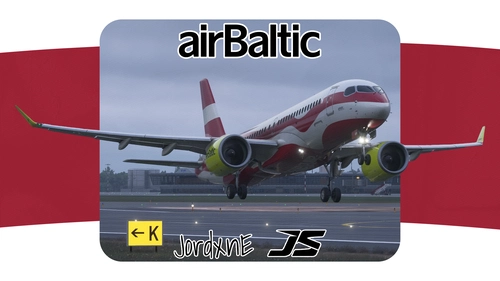
Air Baltic (Latvia Livery | YL-ABN) | Synaptic Airbus A220-300
This livery add-on features the Air Baltic Latvia-themed YL-ABN paint scheme for the Synaptic Airbus A220-300 in Microsoft Flight Simulator 2024. The package provides an accurate recreation of Air Baltic's official design. Installation requires copying the included livery folder to the MSFS 2024 Community directory. This add-on is intended for MSFS 2024 and may receive post-launch updates for visual improvements.
by JordxnE
![[A32NX] airBaltic [8K Fictional]](https://cdn.flightsim.to/images/15/5JzQOvkf.png?width=500)
[A32NX] airBaltic [8K Fictional]
Fly in style with the [A32NX] airBaltic [8K Fictional] livery for Microsoft Flight Simulator. This fictional livery brings the iconic airBaltic colors to the A320, allowing you to experience a new look for this popular aircraft. Simply drag and drop into your Community folder to enjoy this unique livery while cruising the virtual skies.
by ahsaul
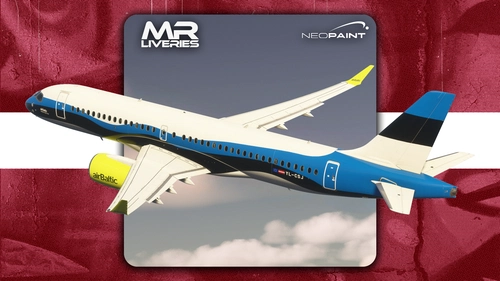
Synaptic | Airbus A220-300 | AirBaltic | YL-CSJ 'Estonian Flag'
This add-on features the AirBaltic Airbus A220-300 livery representing registration YL-CSJ with the Estonian Flag design, created for the Synaptic Airbus A220-300 model in Microsoft Flight Simulator. The livery authentically depicts the real-world aircraft flown by AirBaltic. Requests for additional liveries are handled through the official marketplace. Redistribution or modification of this livery pack is not permitted.
by MRLiveries
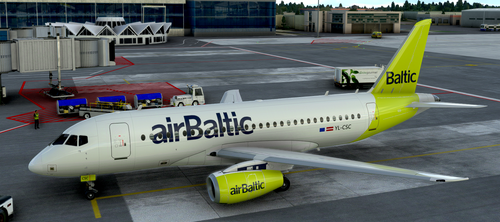
OUTDATED Sukhoi Superjet 100 airBaltic (fictional)
AirBaltic livery for the Sukhoi Superjet 100. Compatible with older versions; update required for version 0.3+. Requires separate download of the aircraft. Enjoy the new look for your flights in Microsoft Flight Simulator!
by ilmari21
Log in to join the discussion
Log InComments(3)
over 3 years ago
Bonjour ! It doesn't work on my side unfortunately. Not the correct file upload maybe as the title doesn't match. Hope you can fix that when you'll get time, merci ! 😉
over 3 years ago
v2.0 OK
Livrée installée avec succès ! Merci beaucoup :-)
Livery has been installed successfully! Thanks a bunch :-)
over 3 years ago
thank you for your download