
Description
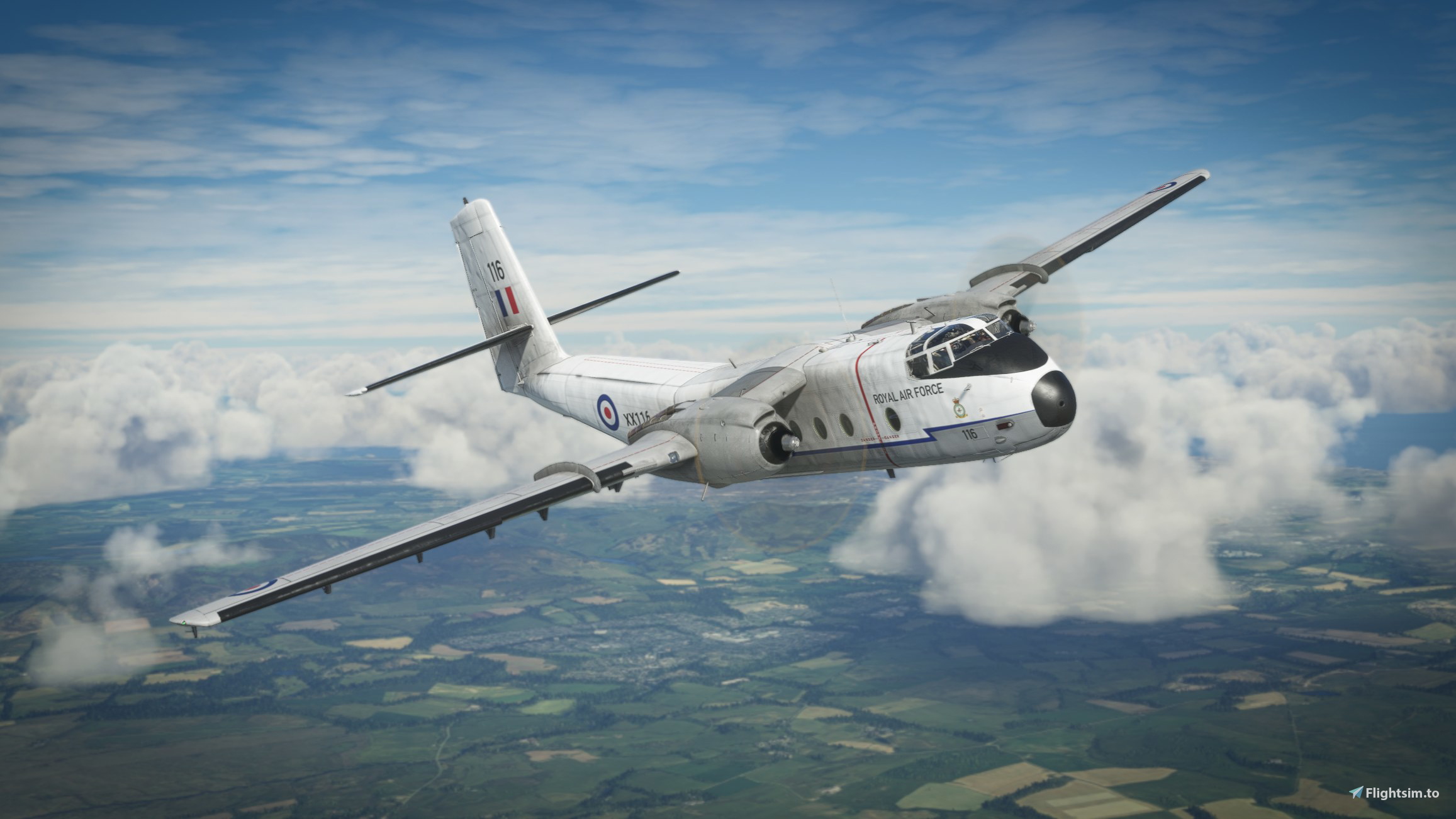
A repaint for the DHC-4 Caribou for MSFS2020 in RAF White livery. Drag and drop installation - simply unzip and drop folder into your community folder.
Two versions. Older version is as per the images. A new, revised version has also been uploaded with a higher grey section on the rear and similar scheme applied to engines.
DHC-4 Caribou RAF White
Repaint your DHC-4 Caribou in the iconic RAF White livery with this add-on. Choose between two versions, including a newer revised design. Simply unzip and drop the folder into your community folder for easy installation.


Version History
Raised rear grey section and applied similar scheme to engines.
Related

DHC-4 Caribou RAAF Royal Australian Airforce Green
This add-on offers a new repaint for the DHC-4 Caribou in the RAAF Royal Australian Airforce Green livery, designed for MSFS2020. Easy to install with a simple drag and drop process into your community folder.
by Donka

DHC-4 Caribou RAF Green
Experience the iconic DHC-4 Caribou in its RAF Green livery with this repaint add-on for MSFS2020. Easily install by dragging and dropping the folder into your community folder.
by Donka

DHC-4 Caribou RAF Camo Full
Add a touch of authenticity to your Microsoft Flight Simulator experience with this RAF Camo Full repaint for the DHC-4 Caribou aircraft. Easily install by unzipping and dropping the folder into your community folder.
by Donka

DHC-4 Caribou RAF Camo
Transform your DHC-4 Caribou in MSFS2020 with this RAF Camo repaint. Easy drag and drop installation for a new look in the skies.
by Donka
Log in to join the discussion
Log InComments11
Hello
Congratulations for this repaint , would be possibleto repaint the color of the panel in white , by exemple, the original one is too dark in my opinion.thank"s
Which panel are you referring to?
Panel du caribou..
Yup, the following image is what I was using for inspiration and I initially had the forward line lower but to get that in line with the centre of the nose, the rear line was going through the windows on the fuselage and it looked too fussy. I'll maybe try and find some kind of compromise but the shape of the Caribou is driving a lot of the design.
https://commons.wikimedia.org/wiki/File:Armstrong_Whitworth_AW-660_Argosy_E1,_UK_-_Air_Force_AN2260190.jpg
Yes, I see what you mean about the Argosy...tricky! If I might make another suggestion, then - there is a horizontal double line of rivets running along the top of the fuselage windows. Perhaps if you placed the blue line there ( or just above ), then angled it down just in front of the forward-most window, before continuing to the nose. Just an idea - it would come close to the Shorts Belfast. ;)
Reworked version now available. Still a compromise as I had to move a couple of things around and also added to the engine covers. Undecided on this last bit but plain engines seemed to ruin the lines otherwise. Let me know.
Nice work on the new version! Yes, I see the compromise you've had to make - the fuselage of the Caribou isn't quite long enough to accommodate the blue line zig-zag, the red vertical propeller warning stripe, and the Royal Air Force text. Bit awkward, but I do think this is how the RAF would have had the paint scheme if they had operated the Caribou. I'm certain you've got right.
EDIT: The only thing I would change is the engines - leave them the original grey without the blue stripe or anything else.. That's the way they were with the Belfast, and it looks fine on that aircraft. ;)
One thing - I think the old download v1.0 contains the new repaint White2, while the v1.1 download contains the original White. I've checked it a couple of times with Add-on Linker. Might be worth checking at your end.
Once again, thanks for doing all these RAF repaints. :)
Thanks Paul - I'll take a look.