

Description
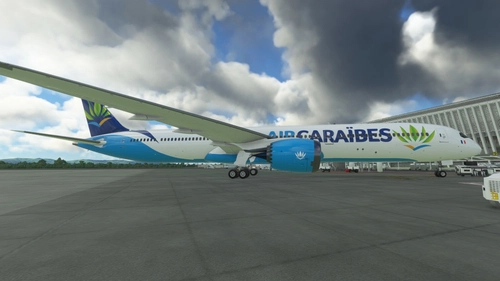
10 custom views for an amazing 787 Dreamliner. Includes: a tail view, (alt+1), a gear camera view(alt+5), a gear view(alt+4), co-pilot view(alt+9), jumpseat(alt+0), and classic "passenger views" (alt+2,3,6,7,8). IRL 787 doesn't have outward cameras, but many planes, inlcuding one of my most favourite planes, A350 and A380, have(not all of A350's tho), so I thought it will be a cool feature to add some here. The views don't have cockpit limitations, so you can easily change them if you want.
For steam users:
To download the views: Disk C>Users>*insert name*>AppData>Roaming>Microsoft Flight Simulator(this folder will be there no matter the actual download folder)>SimObjects>Airplanes>Asobo B787_10(extract in this folder)
For microsoft store users:
C:\Users\(UserName)\AppData\Local\Packages\Microsoft.FlightSimulator_8wekyb3d8bbwe\LocalCache\SimObjects\Airplanes\Asobo_B787_10
PS: the two files are identical. I tried to replace the first one, but since I'm new to uploading anything, it went on as good as usual, as standard for me, if you will
Custom Cameras For Boeing 787-10
10 custom views for an amazing 787 Dreamliner. Includes: a tail view, (alt+1), a nose view(alt+5), a gear view(alt+4), co-pilot view(alt+9), jumpseat(alt+0), and classic "passenger views" (alt+2,3,6,7,8). IRL 787 doesn't have outward cameras, but many planes, inlcuding one of my most favourite planes, A350 and A380, have(not all of A350's tho), so I thought it will be a cool feature to add some here. The views don't have cockpit limitations, so you can easily change them if you want.


Version History
Updated for AAU2(the update broke views for 787)
Log in to join the discussion
Log InComments(5)
almost 4 years ago
Microsoft Store installation:
C:\Users\(UserName)\AppData\Local\Packages\Microsoft.FlightSimulator_8wekyb3d8bbwe\LocalCache\SimObjects\Airplanes\Asobo_B787_10
almost 4 years ago
I cant seem to get this to work, i have installed it and put it in airplanes/asobo_B787_10 but i still cant get it to work. does anyone know if im doing something wrong
Thanks
almost 4 years ago
It needs to be installed in the AppData MSFS folder, as written in guides. I've recently checked this, and for me it still seems to work. It also may be the case, that you don't applied the custom cameras in your controls. To do that, go to Controls Options, find Load Custom Camera(1-9), and connect them to certain combinations of buttons(for me it's alt+1-9, depending on the camera number)
almost 4 years ago
Thankyou
almost 4 years ago
Your welcome :)
almost 4 years ago
Microsoft Store installation:
C:\Users\(UserName)\AppData\Local\Packages\Microsoft.FlightSimulator_8wekyb3d8bbwe\LocalCache\SimObjects\Airplanes\Asobo_B787_10