

Description
(V1.0)
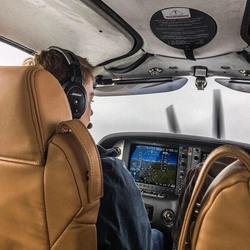
Empire Test Pilots' School (G-ETPA) for the IRIS PC-21. Requires the IRIS PC-21 which is available for purchase HERE
Installation
- Place the "iris-aircraft-pc21-ETPS" folder into your Community folder.
IRIS PC-21 | Empire Test Pilots' School (G-ETPA)
Fly the prestigious Empire Test Pilots School (G-ETPA) livery on your IRIS PC-21 with this add-on. Simply place the provided folder into your Community folder to enjoy this V1.0 release. Purchase the IRIS PC-21 aircraft separately on their website.
Version History
No version history available.
Related

IRIS PC-21 | Swiss Air Force 2022 (A-108)
Experience the Swiss Air Force 2022 (A-108) livery for the IRIS PC-21 with this add-on. Simply place the provided folder into your Community folder to enjoy this new livery.
by ZachB

IRIS PC-21 | Swiss Air Force (A-103)
Experience the Swiss Air Force 2008 A-103 livery for the IRIS PC-21 with this add-on. Requires the IRIS PC-21 available for purchase separately. Installation is simple, just place the folder into your Community folder.
by ZachB

IRIS PC-21 | Republic of Singapore Air Force (Pearce Detachment 9101)
Fly the IRIS PC-21 in the livery of the Republic of Singapore Air Force (Pearce Detachment 9101) with this add-on. Simply add the "iris-aircraft-pc21-SAF9101" folder to your Community folder to enjoy this livery. requires the IRIS PC-21 aircraft, available for purchase separately.
by ZachB

IRIS PC-21 | Qatar Emiri Air Force (QA369)
Experience the Qatar Emiri Air Force livery for the IRIS PC-21 with this add-on. Simply install the QA369 livery into your Community folder to enjoy flying this unique aircraft.
by ZachB
Log in to join the discussion
Log InComments(3)
over 3 years ago
I am having the same issue as Tozman and I did as you suggested. None of my freeware PC-21 liveries from any developer are showing up
about 4 years ago
Even if we put them in the community folder, they are not visible in the sim.
about 4 years ago
Hi Tozman, I have not heard of this from anyone else yet on my PC-21 liveries... can you confirm that you have the IRIS (not Deimos) PC-21? If so, can you also confirm the folder structure? It should be:
"community/iris-aircraft-pc21-etps/SimObjects etc. etc."
Not
"community/iris-aircraft-pc21-etps/iris-aircraft-pc21-etps/SimObjects etc. etc."
That one can be a common mistake (I am guilty of this sometimes ;) ), not sure if that is the case for you but just to be certain. Thanks!