

Description
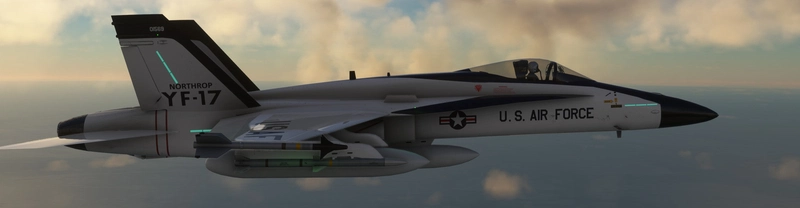
We wish this hypersonic nuclear bomber would never be used; however, there is a very high possibility that Russia will launch tactical nuclear missile against Ukraine, WW3 seems to be inevitable. The Nuclear Punisher may execute her first mission soon.
The Hypersonic Bomber - Darkstar Nuclear Punisher
Experience the ultimate hypersonic nuclear bomber, the Darkstar Nuclear Punisher, in Microsoft Flight Simulator. With the possibility of global conflict looming, this advanced aircraft may soon be put to the test in a high-stakes mission.
Version History
No version history available.
Related
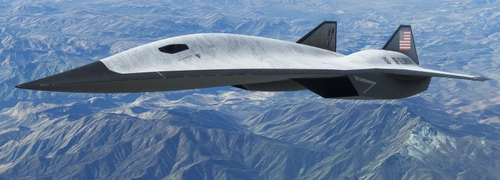
Darkstar SR-72 Version "End Day"
Darkstar SR-72 Version "End Day" offers two models for your MSFS experience: Dark_USAF and Dark_NAVY. Update to Rev 2.0 for SU10 compatibility and choose your preferred livery after unzipping. Unleash the long-range hypersonic capabilities of this nuclear missile bombing platform.
by Josephm700
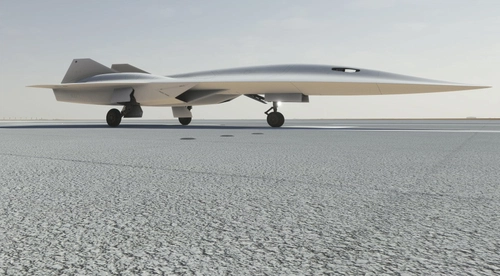
Darkstars White, Red, and Blue Comets
A collection of unique livery options for Microsoft Flight Simulator 2020. Choose between the glowing White Comet, striking Red Comet, or vibrant Blue Bird liveries to enhance your flying experience. Make sure to use rev 2.0 or higher for compatibility with SU10.
by Josephm700
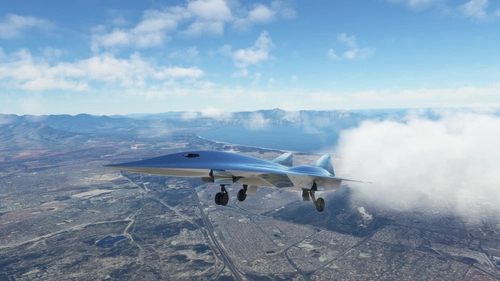
Chrome Darkstar
Two sleek and stylish chrome liveries to choose from in this add-on for Microsoft Flight Simulator, created per special request. Opt for the purely chromed "Dark_Chrome" design or the chromed look with soldering lines in "Dark_ChromeL".
by Josephm700
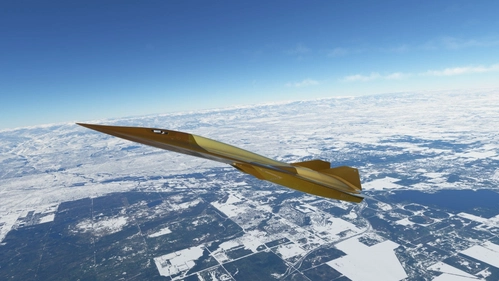
Darkstar SR-72 Glazed
Experience the sleek and futuristic design of the Darkstar SR-72 Glazed add-on, inspired by cutting-edge ceramic technology. This mod features meticulously applied ceramic tiles with glaze coating for enhanced speed and durability. Immerse yourself in the world of high-speed aviation with a livery inspired by Top Gun 2. Choose from the classic grey or black version, or opt for the luxurious Dark_Gold edition.
by Josephm700
Log in to join the discussion
Log InComments(11)
about 1 year ago
about 1 year ago
You may just remove it, and delete the line with it in the Layout.json
about 1 year ago
over 1 year ago
Thank you
about 2 years ago
about 2 years ago
about 2 years ago
over 1 year ago
almost 4 years ago
can u please make a all purple one
almost 4 years ago
I'm new to all of this. But I cant seem to get it to work. It doesn't even show up in aircraft selection. I feel files are missing? Most planes are 80mbs. "as far as i know".. forgive my ignorance
almost 4 years ago
For liveries, you go to the aircraft of origin, in this case, the Darkstar, then click on "Liveries" to select this skin you had downloaded to the "Community folder" of the game.