
Description
About this file
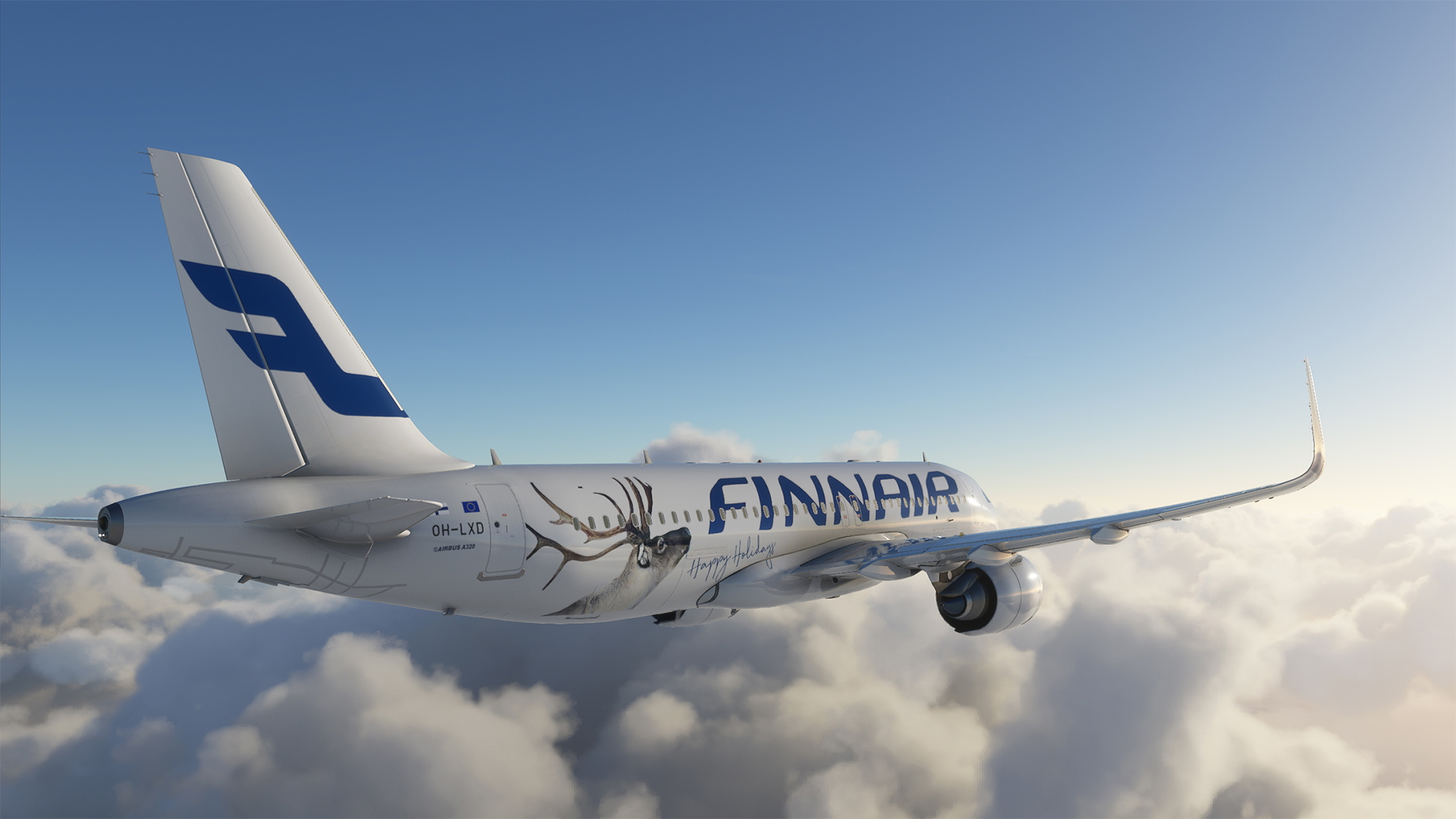
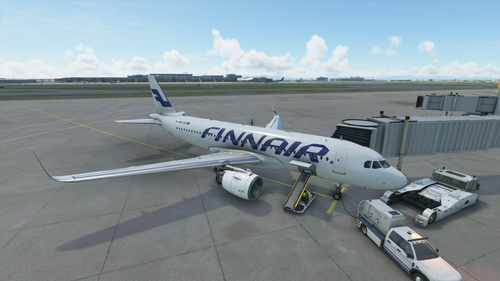
Semi-fictional (Finnair does not have 320 NEOs just the base 320s) livery of Finnair Airbus “Reindeer” 320 NEO
This livery was made for holiday season 2017
Could not figure out how to remove or move games own tail number so now its only a “-”, if you know how please comment. :)
1.01 - Fixed flight deck window rubber frame
Livery installation:
Extract folder in side the zip to your Community folder that is it.
-KalashnikFIN
Discord: KalashnikFIN#4517
Airbus 320 NEO - Finnair "Reindeer" - HighRes
"Fly in style with this semi-fictional Finnair "Reindeer" livery for the Airbus A320 NEO. Created for the holiday season in 2017, this high-resolution livery adds a festive touch to your flights. Simply extract the folder into your Community folder to enjoy this unique design. -KalashnikFIN"


User Reviews
5 reviews
Version History
Updated for MSFS Patch 1.10.7.0
Related
Airbus 320 NEO - Finnair - HighRes
Experience the high-resolution semi-fictional Finnair Airbus A320 NEO livery, featuring detailed textures and accurate branding elements. This mod includes the OneWorld logo placement, Airbus A320 text, and customizable registration. Stay up-to-date with the latest fixes and enjoy easy installation in your Community folder. Created by KalashnikFIN.
by KalashnikFIN
A320neo Finnair 4K livery
A modern Finnair 4K livery for the A320neo, based on the OH-LXB aircraft, with small adjustments and a less detailed version for AI planes included. Installation is simple - just extract the folder into your Community folder. Thanks to Bighead and KalashnikFIN for their contributions.
by Hinkkiz
A320neo Finnair "Unikko" 4K livery
Experience the iconic "Marimekko Unikko" design on your Finnair A320neo with this high-quality 4K livery. Includes a simplified version for AI aircraft. Easy installation into your Community folder for instant use.
by Hinkkiz
Finnair A320neo - 4K Drag&Drop
Fly in style with this unofficial 4K Finnair livery for the default A320neo in Microsoft Flight Simulator. This fan-made reskin adds a touch of authenticity to your virtual flights. Just drag and drop the files into your Community folder to install and enjoy a new look for your aircraft.
by Bighead
Log in to join the discussion
Log InComments(8)
about 3 years ago
over 5 years ago
almost 6 years ago
almost 6 years ago
almost 6 years ago
almost 6 years ago
almost 6 years ago
about 6 years ago