

Description
Read installation instructions carefully. Glass jetways require GSX Pro and use of optional GSX Pro version.
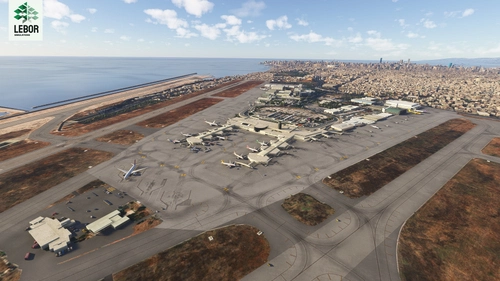
Muscat International Airport, formerly Seeb International Airport, is the main international airport in Oman. The airport serves as the hub for flag carrier Oman Air and Oman's budget airline Salam Air, and features flights to several regional destinations as well as intercontinental services to Asia, Africa and Europe.
The entire airport has custom 3D models and textures. Runway 08R/26L has been closed as in real life. The layout is accurate and current as of August 2022.
INSTALLATION INSTRUCTIONS
If you don't have GSX Pro:
- Open the "Default Jetways Version" folder.
- Move "qnh997-muscat-intl" into your Community folder.
If you have GSX Pro:
- Open the "GSX Version" folder.
- Move "qnh997-muscat-intl" into your Community folder. If you install the GSX version, do not install the main file - choose one or the other.
- A GSX profile can be found in the "GSX Version" folder. Copy and paste this in "%APPDATA%\Virtuali\GSX\MSFS". The GSX profile covers all North Civil (i.e. new terminal) and Cargo aprons.
- Make sure OOMS is disabled in the Jetway Configuration section of your GSX settings (which can be accessed via the FSDT Installer).
OPTIONAL HIGH RES AERIAL IMAGERY
An optional color corrected high res aerial imagery file has been included. I kept this seperate for those who want to minimize the file size of the package, but highly recommend installing it as it makes the ground look much crisper.
- Open the "Aerial Imagery OPTIONAL" folder.
- Move "ek1288-ooms-aerial" into your Community folder".
KNOWN ISSUES
- The airport's old name still shows in MSFS's menus. This a sim limitation, airport names in the menus cannot currently be changed.
- Floating/"disconnected" jetways is a sim issue, not a scenery issue.
ISSUES AND FEEDBACK
Comment below or direct message me. All feedback is welcome 😊
CREDIT
Huge thanks to Oman Air Virtual for allowing me to convert and modify the models from their excellent XP11 scenery.
COMMERCIAL USE AND DISTRIBUTION WITHOUT PERMISSION IS STRICTLY PROHIBITED. ALL RIGHTS RESERVED.
Location
OOMS Muscat Int'l - Muscat, Oman
Experience Muscat International Airport in Oman like never before with this detailed add-on for Microsoft Flight Simulator. Featuring custom 3D models, textures, and an accurate layout as of August 2022, immerse yourself in the hub for Oman Air and Salam Air. Follow the installation instructions carefully for a seamless experience, including optional high-res aerial imagery to enhance your simulation. Please note known issues and provide feedback to improve this stunning rendition of OOMS.


User Reviews
71 reviews
Version History
The scenery has not changed. You do not need to re-download if you have version 2.4 from last November. All files merged into a single download due to flightsim.to site changes. Installation instructions have been updated.
Featured in Collections(2)


Related
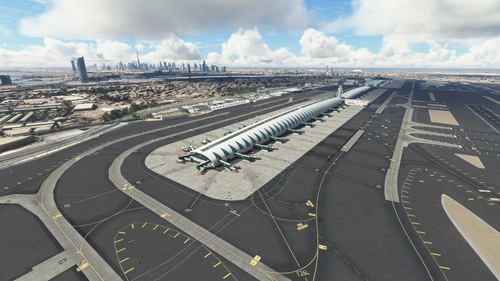
OMDB Dubai Int'l Overhaul
Transform your Microsoft Flight Simulator experience with the OMDB Dubai International Airport Overhaul. This add-on provides a complete makeover to Asobos Premium Deluxe OMDB, featuring custom ground textures, additional objects, overhauled runways, accurate night lighting, and more. Choose from different installation options based on whether you have GSX Pro, and explore optional downloads for static aircraft and autogen height correction. Share your feedback and enjoy a more immersive airport environment.
by QNH997
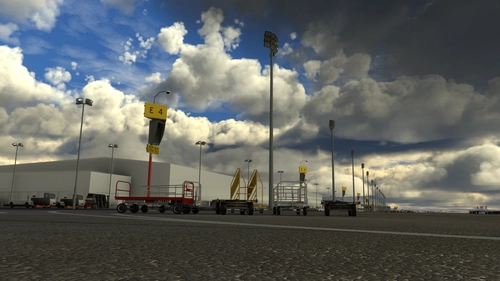
GSX Profile - OMDB Dubai (QNH997)
GSX Profile for OMDB Dubai (QNH997) featuring VDGS, custom pushback positions, and vehicle placements for completed gates. Created in collaboration with SimonTricks, it covers terminals 1, 2, 3, and Royal Air Wing gates. Additional gates are a work in progress. Installation involves copying the ini file to %APPDATA%VirtualiGSXMSFS. Feedback is appreciated.
by QNH997, SimonTricks
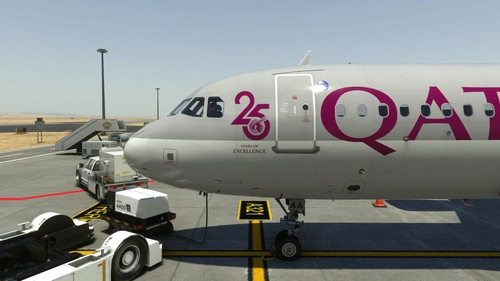
Fenix A320 | Qatar Airways A7-LAA | 2 Versions | Cabin | 8K & 4K
Enhance your Qatar Airways experience with the Fenix A320 livery add-on, featuring both the current "25 Years" logo and a logo-free version in stunning 8K and 4K resolution. Please note that this is a modified version and not an exact replica of the real aircrafts cabin. Make sure not to rename the livery folder to ensure proper functionality within the Fenix app. For any feedback or issues, feel free to reach out to the creator.
by EK1288
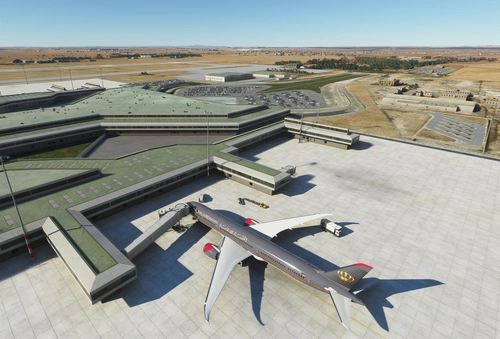
OJAI Queen Alia Int'l (Amman, Jordan) - Default Scenery Enhancement
Enhance your default experience at OJAI Queen Alia Intl (Amman, Jordan) with this scenery add-on. Enjoy accurate gates, taxiways, and visual improvements while still utilizing the default terminal and buildings. Latest updates include missing lights, taxiway sign fixes, and more visual enhancements for a more realistic airport experience.
by EK1288
Log in to join the discussion
Log InComments(129)
8 days ago
I think some extra clutter around the gates and so would enhance the look of this airport.
Nice work.
7 months ago
10 months ago
10 months ago
10 months ago
over 1 year ago
7 months ago
over 1 year ago
over 1 year ago
over 1 year ago
almost 2 years ago
almost 2 years ago
almost 2 years ago
(using the gsx version if that matters)
almost 2 years ago
almost 2 years ago
almost 2 years ago
about 2 years ago
about 2 years ago
about 2 years ago
To be fair with my other review standards I have to give it 4/5 although the quality is great. Problem is with runways. ATC wont assign runway 26L or 26R although the wind is at 270/10 kts. ATC just knows runway 8L operation only. It hurts the immersion. Many freeware/payware airports have this issue.
over 2 years ago