

Description
The TCA Airbus Sidestick (with default profile) works in MSFS pretty well “out of the box” but I think some modifications are necessary for prop aircraft - namely for propeller pitch and mixture controls.
Instructions and diagrams included in the archive.
Thrustmaster TCA Airbus Sidestick (no quadrant) - MSFS Mappings
Enhance your Airbus flying experience with the Thrustmaster TCA Airbus Sidestick add-on for Microsoft Flight Simulator. This mod provides mappings tailored for propeller pitch and mixture controls, ensuring a more realistic and immersive flight simulation experience. Instructions and diagrams are included in the archive for easy setup.

Version History
Just a few additional view/reset mappings added - and diagrams tweaked.
Related
MSFS Addons Linker - General Procedures
Not a full tutorial – just some convenient procedures for the Addons Linker when used in practice. Includes setting up sensible folder structures, useful tips for moving existing addons that install to the Community folder by default, troubleshooting and more.
by AdamskiNZ
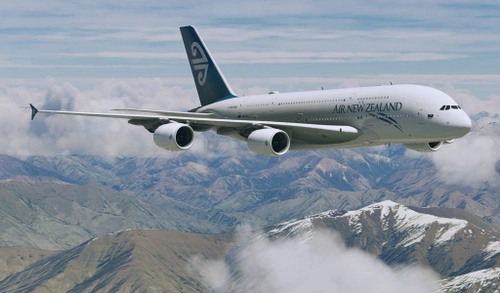
Flybywire A380X Air New Zealand (Pacific Wave) ZK-OJS : 8K/4K
A fictional livery for the Flybywire A380X, inspired by Air New Zealands "Pacific Wave" design from the 1990s - with colours that reflect New Zealand's natural beauty. The aircraft depicted in the is named "Kākāpō," a native bird of New Zealand. 8K and 4K versions available..
by AdamskiNZ
![[A32NX] FlyByWire A320neo RNZAF NZ7571 - fictional](https://cdn.flightsim.to/images/07/mjHacEQC.jpg?width=500)
[A32NX] FlyByWire A320neo RNZAF NZ7571 - fictional
FlyByWire A320neo RNZAF NZ7571 is a fictional livery inspired by the RNZAF Boeing B757 for the Asobo/FBW A320neo. Updates feature a 2k texture set for AI use, a fictional ANZ coffee cup, SELCAL code plate, and compatibility with FlyByWire mods and SU11.
by AdamskiNZ
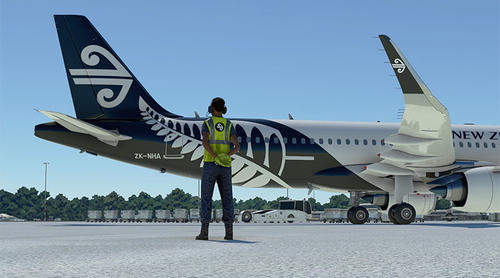
Air New Zealand Ground Crew Textures
Enhance the realism of your ground operations with these fictional Air New Zealand ground crew textures. Once installed, these ANZ versions will be visible at all airports in Microsoft Flight Simulator. Simply place the folder in your Community folder to enjoy this customization.
by AdamskiNZ
Log in to join the discussion
Log InComments(3)
about 4 years ago
Since uploading this, I've swapped BTN1 (trigger) and BTN2 around to make it easier to reset views. I also added reset view mappings for EXTERNAL and DRONE/SHOWCASE views to the trigger.
For those people without rudder pedals (and toe brakes) then the trigger may best be assigned to the BRAKE function.
about 4 years ago
Why not a reverse mapping of the Left and Right Brake Axis on the throttle slider? That it releases as you increase throttle, but also slowly applying brakes as you decrease throttle?
about 4 years ago
Interesting (!) ... could it cause you to over-brake when taxiing <?>. I have toe brakes on my pedals anyway .. but may be worth a try for people without rudders.