

Description
This modification provides you with custom cockpit and cabin/wing views for the LatinVFR A321neo.
There are four variants of the LatinVFR A321neo, and this works for all four (PW / LEAP / PW LR / LEAP LR) variations.
Please, no hateful childish discussions in the comments about this LatinVFR A321neo not being study level or high-fidelity. This is not the place for that.
The camera views, using typical num pad key assignments (from top to bottom on your key board num pad) are:
- Captain's Cockpit View - Custom camera 7 (Key 7)
- First Officer's Cockpit View - Custom camera 9 (Key 9)
- Overhead Panel - Custom camera 8 (Key 8)
- In Front of Wing View, Left - Custom camera 1 (Key 1)
- Behind Wing View, Left - Custom camera 4 (Key 4)
- In Front of Wing View, Right - Custom camera 3 (Key 3)
- Behind Wing View, Right - Custom camera 6 (Key 6)
- MCP - Custom camera 5 (Key 5)
- FMS - Custom camera 2 (Key 2)
- Throttles, Flaps and Parking Brake - Custom camera 0 (Key 0)
How to install:
!!!CAUTION - READ BEFORE DOING ANYTHING!!!
You cannot copy these into the Community folder, unlike other addons. You will need to put the camera.cfg file in the main MSFS location.
This file goes inside the "Airplanes" folder in the main Microsoft Flight Simulator installation location. This folder contains sub-folders for each airplane for which you have already saved custom camera views.
For the Microsoft Store installation, the path is:
C:\Users\[UserName]\AppData\Local\Packages\Microsoft.FlightSimulator_8wekyb3d8bbwe\LocalCache\SimObjects\Airplanes
For Steam installation the path is:
C:\Users\xxxxx\AppData\Roaming\Microsoft Flight Simulator\SimObjects
Since there are four LatinVFR A321neo variations there are four folders under SimObjects\Airplanes.
A321neoLEAP
aircrafta321neolrLEAP
aircrafta321neolrPW
aircrafta321neopw
You are most likely going to want to put the cameras.cfg file into all four so you have the same views regardless of which variant you're flying.
BEFORE YOU INSTALL
Make a backup of the "Airplanes" folder because it contains also a state.cfg for flights you've taken with this variation in the past. Always back up something in case you don't like this upload.
- Unzip this package somewhere on my computer
- Copy the cameras.cfg file into the your SimObjects\Airplanes folder. It will automatically put cameras.cfg into all four of your variants folders.
Launch MSFS and ensure that you have assigned keys or buttons (on controllers) for the custom views. You do this in OPTIONS > CONTROLS.
Please read the Readme file included in the package.
Have fun!
LatinVFR A321neo Custom Camera Cockpit and Wing Views
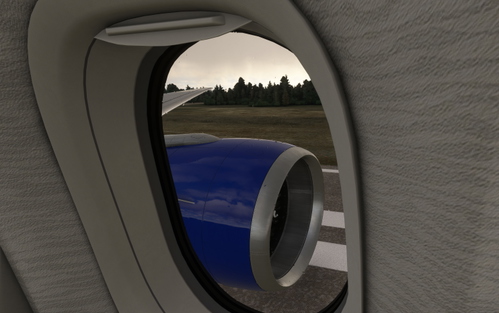
This modification provides you with custom cockpit and cabin/wing views for the LatinVFR A321neo. You can easily pan around the cabin in wing view mode to see the animated cabin crew and passengers which are a feature of the LVFR A321neo. This method is preferred over using the pre-defined external views in the menu.

User Reviews
1 reviews
Version History
No version history available.
Log in to join the discussion
Log InComments(4)
5 months ago
over 3 years ago
How do I install is I bought directly from LVFR and have it in the community folder? Is it the same install?
about 4 years ago
Could you do the A319 too please?
over 4 years ago
Thanks for you comment you confirmed my doubts after purchasing it :)
Please, no hateful childish discussions in the comments about this LatinVFR A321neo not being study level or high-fidelity. This is not the place for that.