
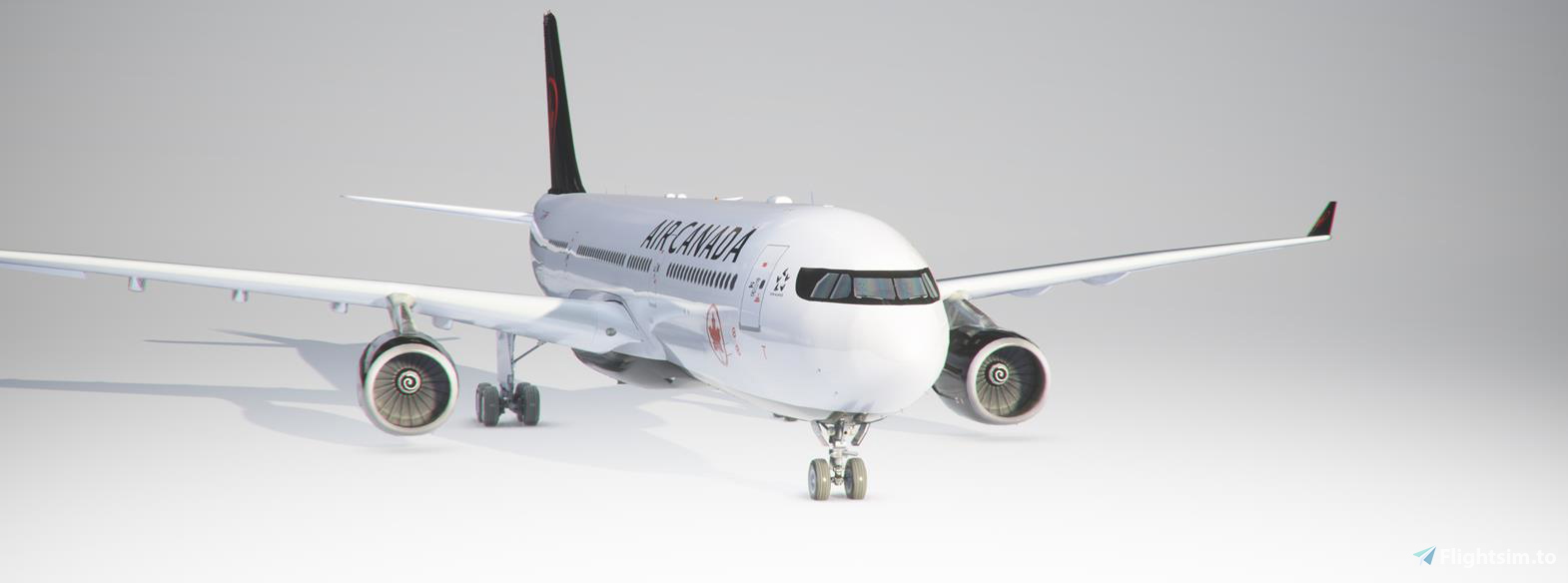
Description
Bonjour,ceci et ma premiere contribution.
ceci et un fichier de remplacement de flight_model.cfg par default du mode Canadian Mods car les roues de l'A330 sont enfoncées dans le sol.
avec se fichier de remplacement cela colle plus à la réalité.
se fichier et à mettre dans votre sim\community\Airbus_A330_300TR\SimObjects\AIRPLANES\Airbus_A330_300TR
en remplacement de celui d'origine.
maintenant les roues de l'avions sont parfaitement posées sur le sol
Bon vol
-----------------------------------------------------------
Hello, this and my first contribution.
this is a replacement file of flight_model.cfg by default from Canadian Mods mode because the wheels of the A330 are sunk into the ground.
with this replacement file it sticks more to reality.
file and put in your sim \ community \ Airbus_A330_300TR \ SimObjects \ AIRPLANES \ Airbus_A330_300T
Replacing the original one.
now the wheels of the aircraft are perfectly placed on the ground
Good flight
ceci et un fichier de remplacement de flight_model.cfg par default du mode Canadian Mods car les roues de l'A330 sont enfoncées dans le sol.
avec se fichier de remplacement cela colle plus à la réalité.
se fichier et à mettre dans votre sim\community\Airbus_A330_300TR\SimObjects\AIRPLANES\Airbus_A330_300TR
en remplacement de celui d'origine.
maintenant les roues de l'avions sont parfaitement posées sur le sol
Bon vol
-----------------------------------------------------------
Hello, this and my first contribution.
this is a replacement file of flight_model.cfg by default from Canadian Mods mode because the wheels of the A330 are sunk into the ground.
with this replacement file it sticks more to reality.
file and put in your sim \ community \ Airbus_A330_300TR \ SimObjects \ AIRPLANES \ Airbus_A330_300T
Replacing the original one.
now the wheels of the aircraft are perfectly placed on the ground
Good flight
MSFS 2020MSFS 2024
Updated flight_model.cfg for A330_300TR Canadian Mods
Enhance your Airbus A330-300TR experience with this updated flight_model.cfg from Canadian Mods, fixing the issue of sunken wheels. This replacement file ensures a more realistic alignment of the aircraft on the ground, providing a smoother flying experience. Simply replace the original file in your sim directory to enjoy perfectly positioned wheels during your flights. Happy flying!
Downloads5K
Version1.0
File Size7.05 KB
Published5 years ago
Updated5 years ago


User Reviews
5.0
3 reviews
5
100%
4
0%
3
0%
2
0%
1
0%
Version History
No version history available.
Log in to join the discussion
Log InComments(13)
over 5 years ago
over 5 years ago
over 5 years ago
Anyone tell me why
thanks.
over 5 years ago
over 5 years ago
over 5 years ago
over 5 years ago
over 5 years ago
over 5 years ago
over 5 years ago
almost 6 years ago
almost 6 years ago
almost 6 years ago