

Description
Hello everyone! It is been wonderful to see this style of visuals to be used in a number of content online and to the pleasure of everyone. Since SU14 the settings for color correction is not required. I would still suggest to adjust "Brightness / Contrast", especially the "Gamma" settings, because the dusk lighting is still to dark IMO. Cheers!
- Tint and color temperature correction
- Global Illumation and air visual enhancements
- Night lighting enhancements
1. Open Nvidia Geforce Experience
2. Go to settings
3. Enable experimental features.
4. While in-game open Freestyle Menu via ALT+F3
5. Bind the settings:
Color: Tint 32% Tint Intensity 18% Temperature 10 Vibrance 0-12 (Vibrance work different with different screens and taste)
Brightness / Contrast: Exposure 0% Contrast 30% Highlights 0% Shadows 10% Gamma 70-100% (Try different gamma for your taste and screen)
Firstly I wanted to correct the green hue tint which goes over most of the scenery and sky. Second correction is all about bouncing global illumation, air thickness and overall image diversity improvements. I think current shaders of the simulator don't have all of the necessery information about sky and air composition which we have in reality. Plus the engine don't have this much of a bouncing light, called GI (Global Illumination). This results in very dark early mornings and late evenings and a dark grey clouds all the time. From my experience flying is filled with air, the air is everywhere, and when you up high you can see this air, which people often call as The Fifth Ocean.
- The reference monitor is a Dell SRGB 99% with no additional image enhancements. If you use something like custom screen presets or gaming monitor with presets the results can be drastically different.
-The Driver update return settings to default so if you have your beloved settings I am suggesting you to copy them somewhere.
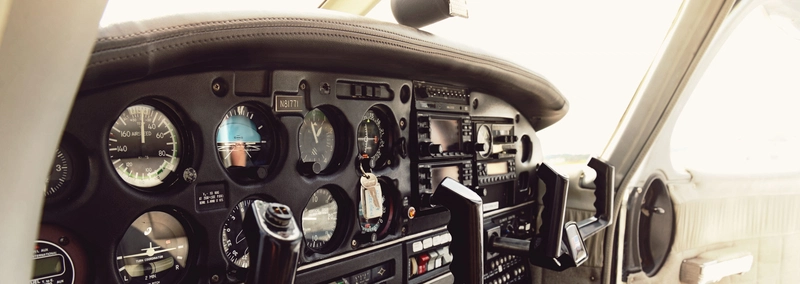
Real Vision | Nvidia Freestyle Settings | without Reshade
Enhance your visual experience with Real Vision, offering Nvidia Freestyle settings without Reshade. This add-on includes color correction, global illumination enhancements, and improved night lighting. Adjust settings for tint, temperature, brightness, and more to customize your simulation visuals. Watch a preview on YouTube and follow the steps to optimize your graphics with Nvidia Geforce Experience.
User Reviews
11 reviews
Version History
Further refinement for SU10. Showcase video.
Related
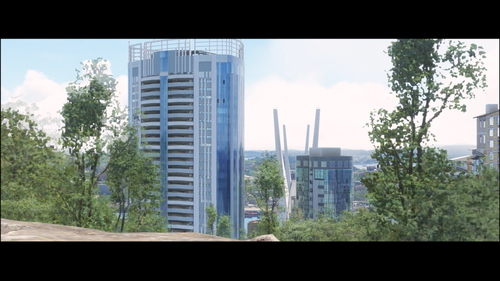
Vladivostok Scenery Improvements
This city is situated in the region called Far East of Russia. The Vladivostok city have quite unique and intricate history, different from the rest of the country, 2 famous bridges, multiple historical forts, more then 12 scenic lighthouses, This one city have beautiful sunrise, Japan Sea waters and sunsets all together.
by weok
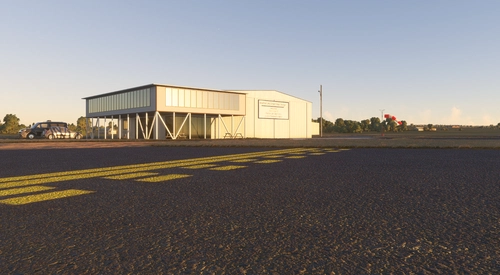
KFLY Meadow Lake Airport
Explore the charm of Meadow Lake Airport in Colorado, the largest pilot-owned airport in the state, established in 1967. This MSFS add-on features accurate scenery, historical significance, and detailed aviation community that includes over 360 based airplanes and the High Flights Soaring club. Enjoy a virtual tour through the airports rich history and vibrant community through this meticulously crafted scenery, co-developed with local pilot solid_shadow.
by weok, solid_shadow
KOJC Johnson County Executive Airport
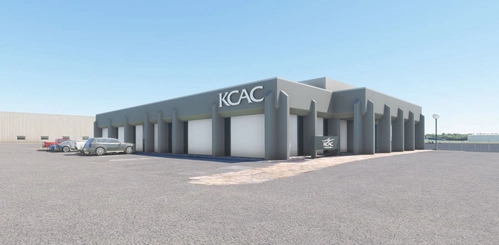
Experience realistic flying at KOJC, Johnson County Executive Airport in Olathe, Kansas. This update ensures correct SID & Stars in avionics and menus, with more improvements to come in the next update. Report any bugs for prompt fixes and enhancements.
by weok
UHWL Ozernyiye Klyuchi Helidrom
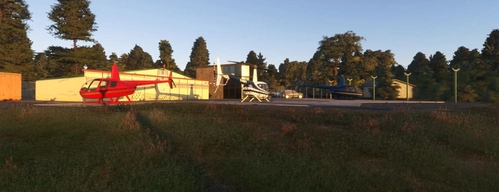
Explore the UHWL Ozernyiye Klyuchi Helidrom add-on, featuring a local airport in Vladivostok with a helipad included. Updates to come include new helicopter models and more detailed ground corrections for an enhanced flight experience.
by weok
Log in to join the discussion
Log InComments(46)
10 months ago
over 2 years ago
sinon pas mal..!!!
over 2 years ago
over 2 years ago
over 2 years ago
over 2 years ago
over 2 years ago
over 2 years ago
over 2 years ago
about 3 years ago
about 3 years ago
Game crashes at start with this installed
about 3 years ago
Not sure how Nvidia drivers can crash your game when installed. Try contact them on this issue
about 3 years ago
Good settings thanks for sharing :d
over 3 years ago
Love it!! Thanks for sharing!!!
over 3 years ago
15-20fps drop just to get better colors? No thanks!
over 3 years ago
Not sure why you can get fps drops from default nvidia tools. Do you use latest drivers?
over 3 years ago
It's ok for me, msfs has to strong Skycolors, the green is to much, but that you can only change with Reshade. When you it want right to do, than you have to go to the original Shaders, but that is impossible. the clouds to much reflecting the colors, the radius is tro great. In my Country Gemany, the most clouds at sunrise or Sundown are grey and not yello red. A little red are only the clouds at 30000 feet. For me is that a big Horror of MSFS, and they do nothing to make it better.
over 3 years ago
Yeah, unfortunately they don't even mention anything about atmospherics in their roadmap. But it is also probably true that no one made a ticket for that. I did not :)
over 3 years ago
These are great settings! Looks visually much more realistic! thank you.