
![Custom Camera Views [FENIX A320] - Image 1](https://cdn.flightsim.to/images/23/custom-camera-views-fenix-a320-lrIBO.jpg)
Description
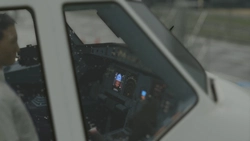
Custom camera views for FENIX A320
The custom cameras have been defined as follows:
Custom camera 0 - pilot view
Custom camera 1 - left wing view
Custom camera 2 - GOPRO cockpit view
Custom camera 3 - right wing view
Custom camera 4 - left engine view
Custom camera 5 - overhead panel
Custom camera 6 - right engine view
Custom camera 7 - central panel
Custom camera 8 - FMC
Custom camera 9 - co-pilot view
Installation instructions:
!!WARNING!!
The file (CAMERAS.CFG) need to be copied in the main MSFS location, not the Community folder. Proceed only if you feel comfortable with the following instructions:
locate the "Airplanes" folder in the main Microsoft Flight Simulator installation location. This folder contains sub-folders for each airplane for which you have already saved custom camera views. Inside each subfolder there is a CAMERAS.CFG file with the custom camera views for each airplane. If you haven't saved custom camera views, then the "Airplanes" folder might be empty, or not present.
For the Microsoft Store installation, the path is as follows:
C:\Users\[UserName]\AppData\Local\Packages\Microsoft.FlightSimulator_8wekyb3d8bbwe\LocalCache\SimObjects\Airplanes
For Steam installation the path is:
C:\Users\xxxxx\AppData\Roaming\Microsoft Flight Simulator\SimObjects\Airplanes
!!IMPORTANT!!
Make a backup of the "Airplanes" folder, in case you want to revert to your own saved camera views.
Unzip this package in a temporary location
Copy the "Airplanes" folder into the "SimObjects" folder
Launch the Microsoft Flight Simulator and make sure that you have assigned keys or buttons (on controllers) for the custom views. You do this in OPTIONS > CONTROLS.
Thanks for downloading . If you encountered any problem, feel free to message me :)
Custom Camera Views [FENIX A320]
Customize your flight experience with this add-on featuring custom camera views for the FENIX A320 aircraft. From pilot view to overhead panel, this mod offers a variety of perspectives to enhance your simulation immersion. Follow the installation instructions carefully to enjoy these new camera angles and elevate your Microsoft Flight Simulator experience.

Supporters

User Reviews
11 reviews
Version History
No version history available.
Related
![Custom Camera Views [PMDG 737]](https://cdn.flightsim.to/images/23/custom-camera-views-pmdg-737-x45Be.jpg?width=500)
Custom Camera Views [PMDG 737]
Custom Camera Views for PMDG 737 (ALL VARIANTS) offering a variety of defined camera perspectives including pilot view, cockpit views, wing views, and more to enhance your flight simulation experience. Follow the provided installation instructions carefully to set up custom camera views in the main MSFS location. Ensure to backup your existing "Airplanes" folder before copying over the new files to easily revert back to your saved camera views if needed.
by MistyEagleGaming
![[FBW] Custom Camera Views [A32NX]](https://cdn.flightsim.to/images/12/pOItB70S.png?width=500)
[FBW] Custom Camera Views [A32NX]
Enhance your FlyByWire Mod A320 NEO experience with this add-on featuring custom camera views such as pilot view, overhead panel, and cockpit wing views. Follow detailed instructions to install the custom cameras outside of the Community folder, ensuring a seamless integration into your Microsoft Flight Simulator. Explore a variety of unique camera perspectives to immerse yourself in the A320 NEO cockpit environment.
by Brandon
Batik Air A320Neo (PK-BDF) - FBW A32NX
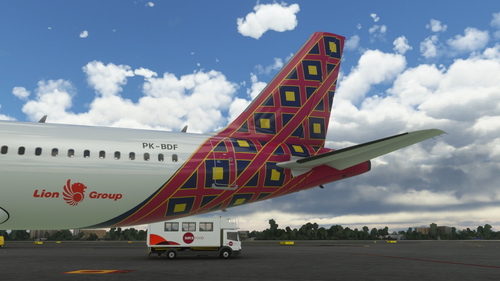
This add-on offers a new livery for the A320neo featuring Batik Air PK-BDF in a dirty 8k resolution. It includes unique features like a CUP with Starbucks logo, a slightly dirty aircraft appearance, and an accurate SELCAL Plate in the cockpit. Compatible with FlyByWire version and SimUpdate 8+.
by Brandon
Batik Air 8K (PK-BDF)
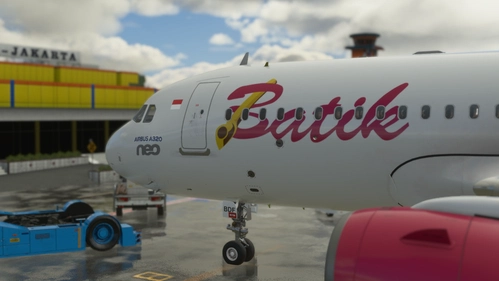
Fly the skies with the Batik Air 8K (PK-BDF) livery, bringing the Indonesian airlines unique design to your Microsoft Flight Simulator experience. Just drag and drop the folder into your community folder for easy installation.
by Brandon
Log in to join the discussion
Log InComments(44)
4 months ago
3 months ago
I did an update of this for all variants.
about 2 years ago
about 2 years ago
about 2 years ago
about 2 years ago
over 2 years ago
over 2 years ago
over 2 years ago
over 2 years ago
almost 3 years ago
almost 3 years ago
over 2 years ago
over 3 years ago
I was able to get the download in the correct file, but i cannot seem to get the views working. I've deleted all the other default camera views and added the number to the custom camera views just like in the picture. I have an apple keyboard which only shows the number (1,2,etc) instead of num2, num3. Could that be the problem?? Need help, thx
almost 4 years ago
When changing views by pressing the keyboard numbers; for a strange reason, the AP disconnects.. Why is this happening???
over 3 years ago
check that you dont have the num pad buttons mapped to flight control systems, I had that issue as well
almost 4 years ago
Great job saved me a ton of time and great views thanks
almost 4 years ago
u saved my time, thanks alot
almost 4 years ago
Works perfectly - Thank you