Flightsim.to
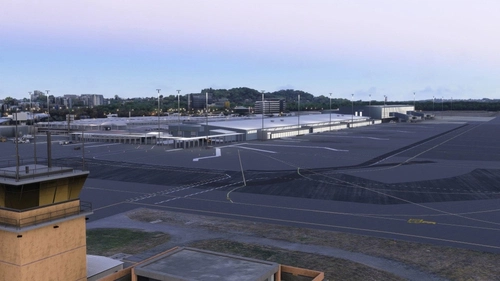
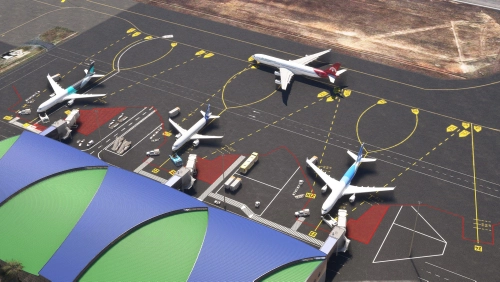
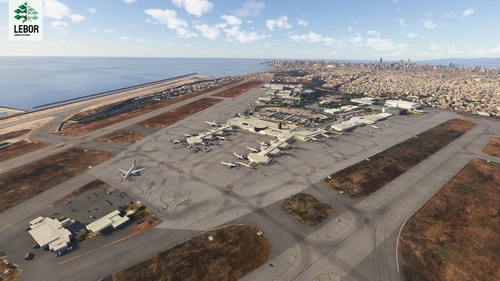
    OKKK - Kuwait Intl. Airport and City مطار و مدينة الكويت - Image 1

    Description

    Important note!: this airport is built accurately based on.
    [ 2013-2014 ], so you might see differences in taxiways (W14), and missing buildings like T4 and the rest of Jazzera terminal, unfortunately i dont have time to update the airport layout as it requires long development time.

    IF YOU HAVE DOUBLE RUNWAYS ISSUE WATCH THIS VIDEO AND SEE THE THIRD IMAGEv v v

    https://youtu.be/JzOTMAh7wIw?feature=shared


    Ive readjusted this airports objects based on this map please download it unzip it and put it into the community folder:

    https://drive.google.com/file/d/1augJ-L0r-B8g1d07zYn2LHaD0s8M-bch/view?usp=sharing


    installation:

    ( DELETE OLD FILES )

    2-unzip 24_KUWAIT open it, copy { 1-kuwait } and { ArabicmidEastPGG } into commmunity folder.


    info:

    =======================
    The airport and the city are fully custom built with correct height, shape and PBR with no default buildings.

    -Other landmarks outside the city :

    1- Masjid Fatima 

    2- 360 mall

    3- Souq Al jumma 

    4- Ministry of education 

    5- Sheikh Jaber hospital 

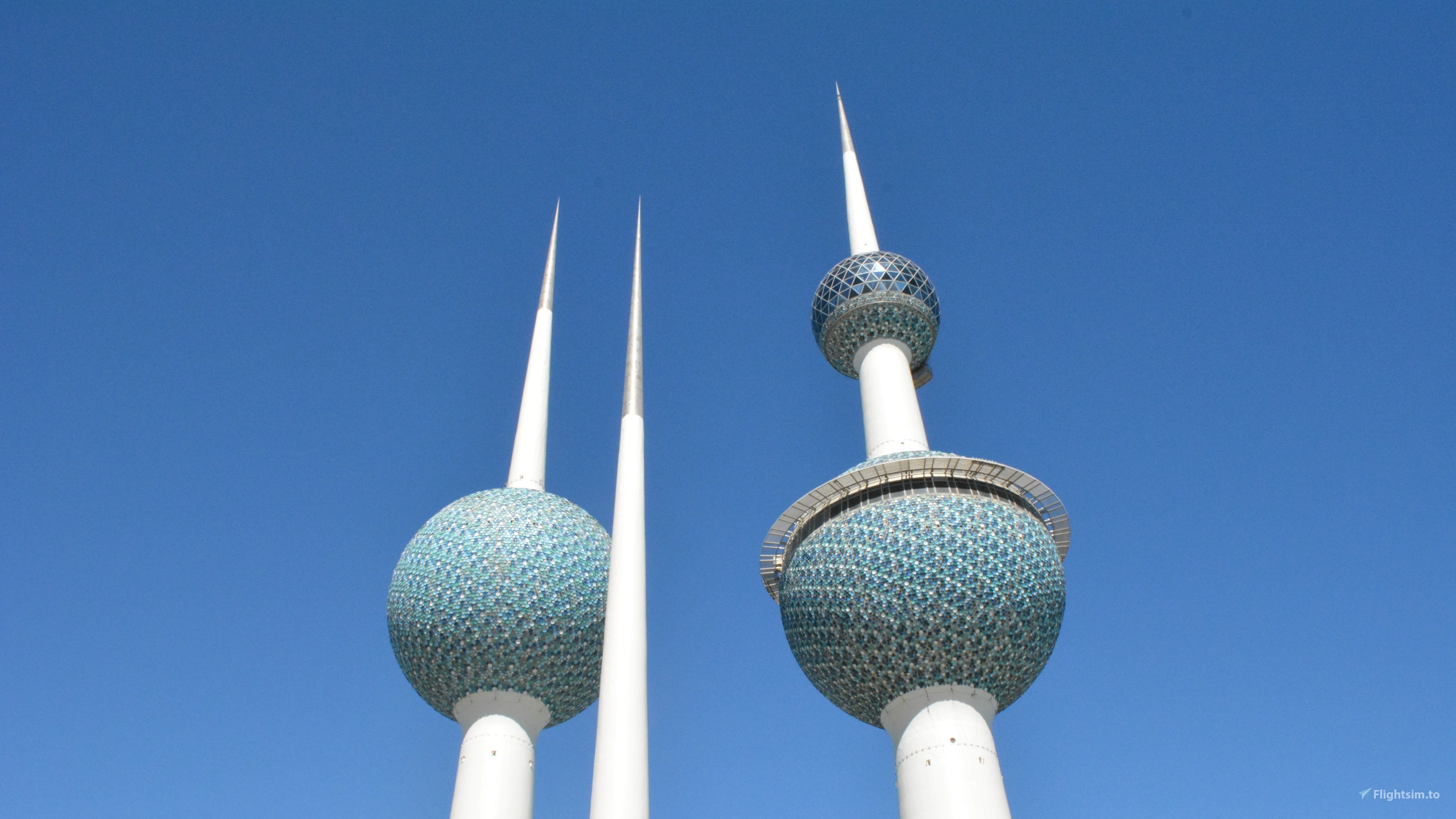
    6- Water towers

    7- Stad jaber

    8- Civil Service Commission

    9- Kuwait Petroleum Corporation

    10- PAAET New HQ Building

    Custom large areas:

    12- Full kuwait city

    13 -Al dageeg area

    14- Khaitan

    15- Al farwaniyah

    16- Jleeb Al shuyoukh

    17- Hawally

    18- Jabriya

    19- Al salmiya

    20- Shaab

    21- Messila

    22- Al funaytis

    23- Mahboula

    24- Abu Halifa

    25- Mangaf

    26- Fahaheel

    27- Al Ahmadi port

    28- Ministry of Education warehouses, Subhan

    29- Al-Da'wa Mosque, Kuwait, Subhan

    ============================

    MSFS2020 development has been discontinued.

    Location

    Hold Ctrl to interact with the map
    Interaction activity
    DownloadsCommentsSeparate scales for downloads and comments
    Oct 18 Downloads: 40 Comments: 0Oct 19 Downloads: 26 Comments: 0Oct 20 Downloads: 22 Comments: 0Oct 21 Downloads: 27 Comments: 0Oct 22 Downloads: 24 Comments: 0Oct 23 Downloads: 38 Comments: 1 Question: 1Oct 24 Downloads: 49 Comments: 1 Bug: 1Oct 25 Downloads: 34 Comments: 0Oct 26 Downloads: 19 Comments: 0Oct 27 Downloads: 23 Comments: 0Oct 28 Downloads: 22 Comments: 1 Feedback: 1Oct 29 Downloads: 18 Comments: 0Oct 30 Downloads: 32 Comments: 0Oct 31 Downloads: 37 Comments: 0Nov 01 Downloads: 32 Comments: 0Nov 02 Downloads: 21 Comments: 0Nov 03 Downloads: 18 Comments: 1 Question: 1Nov 04 Downloads: 16 Comments: 0Nov 05 Downloads: 19 Comments: 0Nov 06 Downloads: 28 Comments: 0Nov 07 Downloads: 30 Comments: 0Nov 08 Downloads: 30 Comments: 0Nov 09 Downloads: 15 Comments: 0Nov 10 Downloads: 20 Comments: 0Nov 11 Downloads: 21 Comments: 0Nov 12 Downloads: 8 Comments: 0Nov 13 Downloads: 17 Comments: 0Nov 14 Downloads: 26 Comments: 0Nov 15 Downloads: 31 Comments: 1 General: 1Nov 16 Downloads: 18 Comments: 0
    Oct 18Nov 01Nov 16
    761
    Downloads
    5
    Comments
    Last comment yesterday
    Creator responds to 62% of comments

    Comment Summary

    The community feedback for OKKK - Kuwait Intl. Airport and City is largely positive, with many users appreciating the high detail, inclusion of both the airport and city, and the addition of Terminal 4 in recent updates. However, there are frequent reports of navigation and functionality issues, particularly missing or malfunctioning ILS and RNAV approaches, absent jetways in MSFS 2024, and problems with taxiways and runways—such as grass or trees obstructing areas, especially around runway 16/34. Installation confusion is common, with users noting dependencies like the default EICK airport and the need for proper file placement, while others mention the discontinuation of development for MSFS 2020. Several users share tips and workarounds, including adjusting content priority files or re-activating certain default sceneries to restore features like jetways. There are repeated requests for additional features, such as a GSX profile, support for new or updated layouts, and improved compatibility with third-party tools and ATC add-ons. Overall, while the scenery receives much praise, a range of technical and compatibility issues are noted that may require attention or user troubleshooting.

    Summarized on Nov 13, 2026

    Log in to join the discussion

    Log In

    Comments1,198

    FlyingTammoGeneral·1 day ago
    does this include the 3rd runway?
    Y.A.GAuthor·about 11 hours ago
    cmdtbrQuestion·14 days ago
    My friend, great work! By the way, I wanted to ask: which clouds, atmosphere and sky colors mod are you using? And if it’s rex atmos, which preset?
    Y.A.GAuthor·13 days ago
    these are old default fs2020 images
    Esmaeel91Feedback·20 days ago
    we need t4 building
    Y.A.GAuthor·19 days ago
    ramiz245Bug·24 days ago
    Hi just checking, is RWY 34 modelled in? Just landed into OKKK and that whole rwy has the photogrammetry for it but there is nothing there. Just landed onto a bumpy ground texture. Thanks.

    Also whats with the treeline going across RWY34/16
    erzvzzQuestion·24 days ago
    Please someone guide me on how to add this addon to my MSFS2024. I have downloaded it but since its a .rar file, i downloaed 7-zip to extract it, i extracted it and put it into Commuinity24 files but the scenery still isnt here for me, i have also restarted msfs2024 multiple times.
    trisho0·about 1 month ago
    I ran some tests with the OKKK Kuwait scenery in MSFS 2024. With the default airport, ILS and RNAV basically is available on all runways. However, when I install this one, all ILS and RNAV approaches are lost.
    These images show the ILS approaches needed for slightly more realistic landings.
    Consequently, if I want to create a flight plan, for example, from OTHH to OKKK, I need the ILS and RNAV capabilities, meaning the only option is to use the default OKKK scenery. I msfs2020 it appears to be OK.
    Y.A.GAuthor·about 1 month ago
    i will check that next update
    Supera380
    ·about 1 month ago
    Thank you for the latest addition of T4. It looks like a great addition. Much appreciated the work spent into developing this airport scenery.

    Cheers
    Mark
    MidasParker
    ·about 1 month ago
    In MSFS 24 the gates don't show up. Amazing work on the scenery but, I need the Gates. Please send me the experimental version you are sending everyone else. And what is the kuwait discord?
    Supera380·about 1 month ago
    I have just installed v14.2 and the gates do show in MSFS2024. Make sure you have correctly unzipped the files and placed the two folders in the Community folder.

    For the Discord, you will see the link in the post below but here it is anyway:

    https://discord.gg/FQSTkBd44T
    pldvn·about 1 month ago
    Hi. Do you have an old version that is compatible with 2020 that has the 3 runways and has parking available? I seem to have a mish mash of different versions that I've downloaded and archived, and the ones I've got either don't have the correct runways including 16/34, or have all the runways but don't have any parking/ramps/gates (the only ones that show are the old ones for OKBK). Thanks v much, have always loved your airport!
    davemanohar
    ·about 1 month ago
    Awesome, thank you sm for your hardwork!
    trisho0·2 months ago
    Following the instructions from Y.A.G the Artist Author, the creator of the magnificent OKKK airport, I managed to get the jetways to appear in MSFS 2024, but they fail to connect to the aircraft door. Can this be fixed?
    Y.A.GAuthor·2 months ago
    unfortunately this happened many time and its because of sim updates, or aircraft
    trisho0·2 months ago
    I found that the jetways for OKKK appear in MSFS 2020, but the kuwaitdone.bgl file injects a fence and trees that interfere with taxiing. When I installed OKKK 2026 in MSFS 2024, the jetways were missing, but the obstructing fence and trees were gone too (because it uses a different kuwaitdone.bgl file); however, if I use the MSFS 2020 version of the file, the jetways appear, but the problematic fence and trees return.
    I think the kuwaitdone.bgl file for MSFS 2024 could be fixed to get the jetways back. The jetways package is "kw_jt_3" folder. Is there anyone who could look into that?
    Y.A.GAuthor·2 months ago
    first to make the jetway appear, make sure that EICK airport is loaded in MSFs 2024 its a free airport inside the sim.

    then go to Kuwait discord server and request the experimental version form admin Mohammed.

    and for the jetway files this was fro fs2020 not 2024
    ...
    MSFS 2020MSFS 2024

    OKKK - Kuwait Intl. Airport and City مطار و مدينة الكويت

    Experience a fully custom-built Kuwait International Airport and city in Microsoft Flight Simulator. This add-on offers accurate height, shape, and PBR textures with no default buildings, including custom areas like Farwaniyah, Jeleb Al Shuyoukh, and Khaitan. Discover additional landmarks such as Masjid Fatima, 360 Mall, and more for a realistic flying experience.
    Downloads188K
    Version14.2
    File Size1.4 GB
    Published6 years ago
    Updated2 months ago
    Classification
    AirportsKWOKKK4.8 (204)

    User Reviews

    4.8

    204 reviews

    5
    86%
    4
    6%
    3
    0%
    2
    2%
    1
    0%

    Version History

    SU6

    Featured in Collections(1)
    Related