
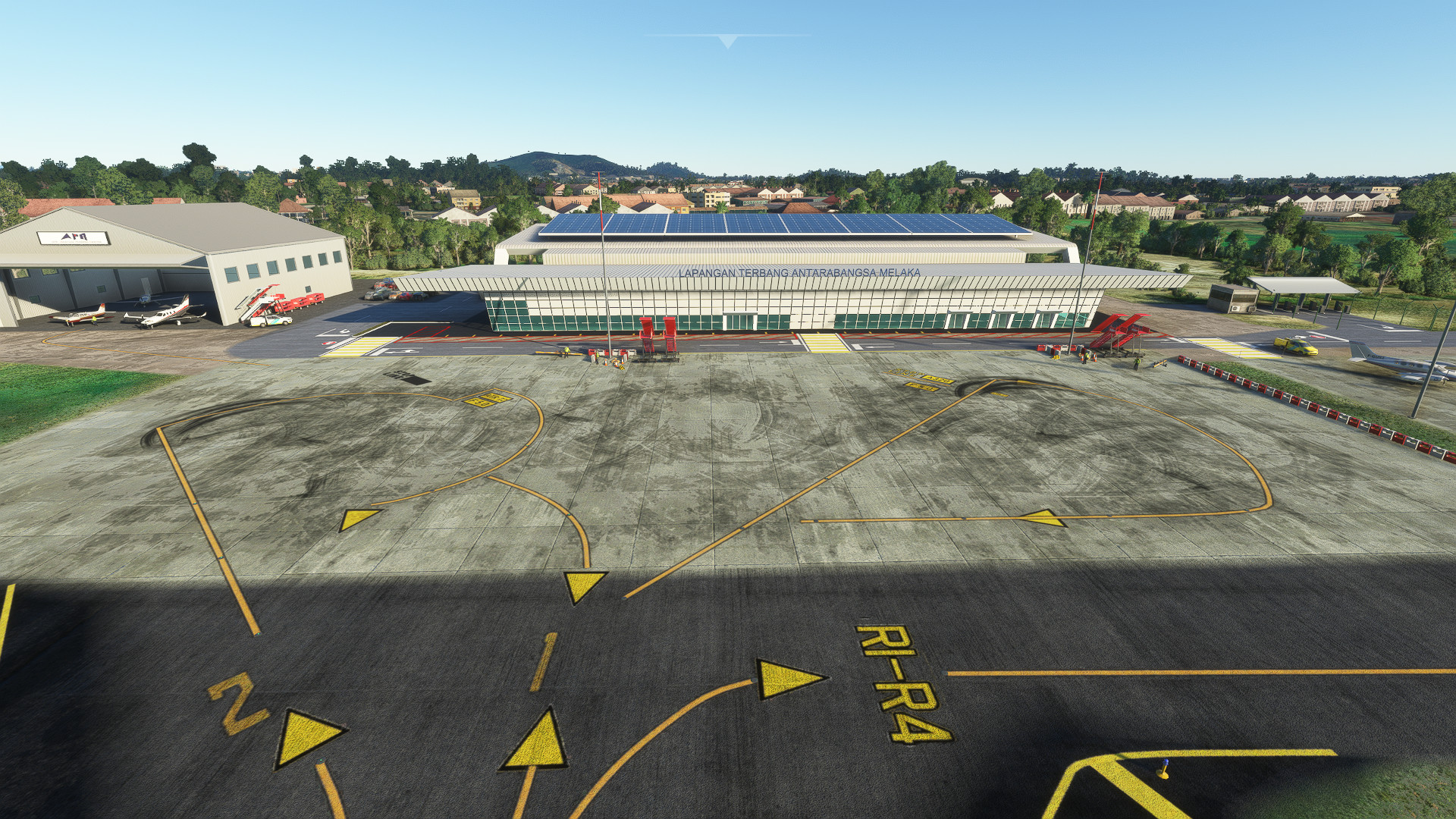
Description
Malacca is a Malaysian city, with a UNESCO World Heritage Site in downtown. It is not far away from Kuala Lumpur, not many people would consider direct flight to get there, but there is an international airport in the city.
This is a freeware improvement for the old version of WMKM addon that was originally created by kychungdotcom. Massive thanks to this guy for letting me taking over this project.
In order for this scenery to work, you need to download other assets & library pack from other developers. They are completely free.
1. TurtleTank's Library
https://flightsim.to/file/13290/turtletank-s-scenery-developer-objects-and-material-library
2. EDHK Lights & Objects Developers Pack (Asset-Pack)
https://flightsim.to/file/2549/edhk-lights-pack
3. Mikea.at - AssetPack
https://flightsim.to/file/1923/mikea-at-assetpack
4. totof- aircraft library v4
https://flightsim.to/file/17182/totof-aircraft-library-v1-1
5. Dave's Higher-Res Crooked Library
https://flightsim.to/file/15769/dave-s-higher-res-crooked-library
6. Dave's Crooked Library
https://flightsim.to/file/4696/dave-s-crooked-library
7. ColinJ library
https://flightsim.to/file/16007/msfs-object-library-with-150-models-ranging-from-towers-hangers-terminals-to-cones
Just copy and paste all of the files into your community folder.
--
Now the navdata and the scenery have been separated. Just delete the file "navdata-wmkm.bgl" if you have subscribed 3rd party global navdata from vendors like Navigraph to prevent conflicts. Also check here if you experience the very common "double runway" issue:
https://forum.navigraph.com/t/faq-double-scenery-elements/2797
For Navigraph users, if the first method above didn't solve the double runway issue, please do follow these steps:
1. Locate and open your Content.xml (open with notepad)
Sim from Marketplace:
%localAppData%\Packages\Microsoft.FlightSimulator_8wekyb3d8bbwe\LocalCache
Sim from Steam:
%appData%\Microsoft Flight Simulator
2. Copy and paste this line in your Content.xml : <Package name="shadescene-airport-wmkm-malacca" priority="3"/>
So your content.xml should look like this (you can refer picture to see what it looks like) :
<?xml version="1.0" encoding="UTF-8" standalone="yes"?>
<Priorities>
<Package name="fs-base-nav" priority="1"/>
<Package name="navigraph-navdata-base" priority="2"/>
<Package name="shadescene-airport-wmkm-malacca" priority="3"/>
<Package name="navigraph-navdata" priority="4"/>
</Priorities>
3. Save, close and open your sim and the issue should be gone.
Location
Malacca International Airport (WMKM)
Malacca is a Malaysian city, with a UNESCO World Heritage Site in downtown. It is not far away from Kuala Lumpur, not many people would consider direct flight to get there, but there is an international airport in the city. This is a freeware improvement for the old version of WMKM addon that was originally created by kychungdotcom. Massive thanks to this guy for letting me taking over this project.



User Reviews
6 reviews
Version History
- Upgraded the aerial imagery, no more patchy clouds on ground - Upgraded exterior and interior model of the Terminal - Added two flight schools ( Malaysian Flying Academy & IATAC ) - Custom textures of Runway and taxiways
Related
WMKN - Sultan Mahmud Terengganu Airport
Explore Sultan Mahmud Terengganu Airport (WMKN) in Malaysia with this detailed add-on for Microsoft Flight Simulator. From a beautifully modeled terminal to custom scenery objects and high-resolution textures, this mod brings the airport to life with hand-placed taxiways, custom jetways, and full day/night lighting. Airlines like Firefly, Malaysia Airlines, and AirAsia await you at this vibrant Southeast Asian hub. Contact the developer for any inquiries or feedback.
by SHADESCENE
Kuala Lumpur-Sultan Abdul Aziz Shah Airport
Experience Kuala Lumpur-Sultan Abdul Aziz Shah Airport in stunning detail with this Microsoft Flight Simulator add-on. Featuring a meticulously modeled old terminal, custom scenery objects, and high-resolution textures, this add-on brings Subang Airport to life. Explore hand-crafted ground markings, full day/night lighting, and a detailed taxiway and runway light system for a realistic flying experience.
by SHADESCENE
WBKL - Labuan Airport
Experience realistic aviation in Malaysia with the WBKL - Labuan Airport add-on for Microsoft Flight Simulator. This detailed expansion features custom terraforming, scenery objects, and hand-crafted ground markings, enhancing your flying experience at this expanding airport. Explore the potential of Labuan Airport, designed to accommodate larger aircraft and serve as a regional hub in the future.
by SHADESCENE
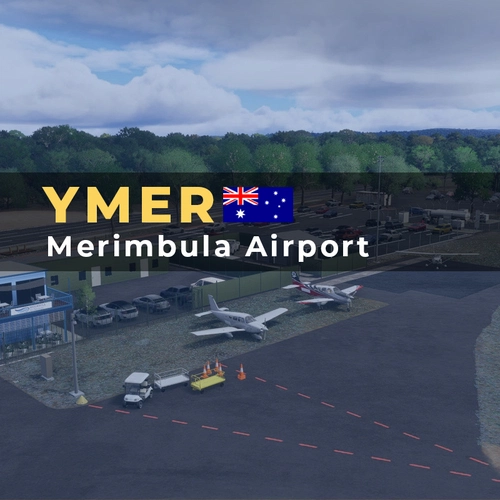
YMER - Merimbula Airport
Enhance your Microsoft Flight Simulator experience with the YMER - Merimbula Airport add-on. This detailed representation of Merimbula Airport (IATA: MIM, ICAO: YMER) showcases custom terraforming, scenery objects, and a fully functional lighting system, providing an immersive flying experience. Key features include hand-placed taxiways, runway lighting, and realistic ground markings, catering to regional connections like QantasLink and Rex. Ideal for users seeking to explore the scenic Sapphire Coast of New South Wales.
by SHADESCENE
Log in to join the discussion
Log InComments(15)
over 1 year ago
about 2 years ago
I have these white patches on the runway; any idea what might be causing this?
I have navigraph and have deleted the navdata bgl file and done the proper package priority thing.
over 1 year ago
about 1 year ago
over 3 years ago
any plan to make for penang / langkawi
over 3 years ago
next WMKJ
over 3 years ago
Thank you for your creation! Love it
over 3 years ago
Hi, I use google maps. Is the aerial absolutely necessary?
over 3 years ago
hi, since you're using google maps, the aerial is not necessary
over 3 years ago
Great thank you!
about 5 years ago
Great work
about 5 years ago
nice one ... any plan for WMKJ ??
over 5 years ago
over 5 years ago
almost 6 years ago