

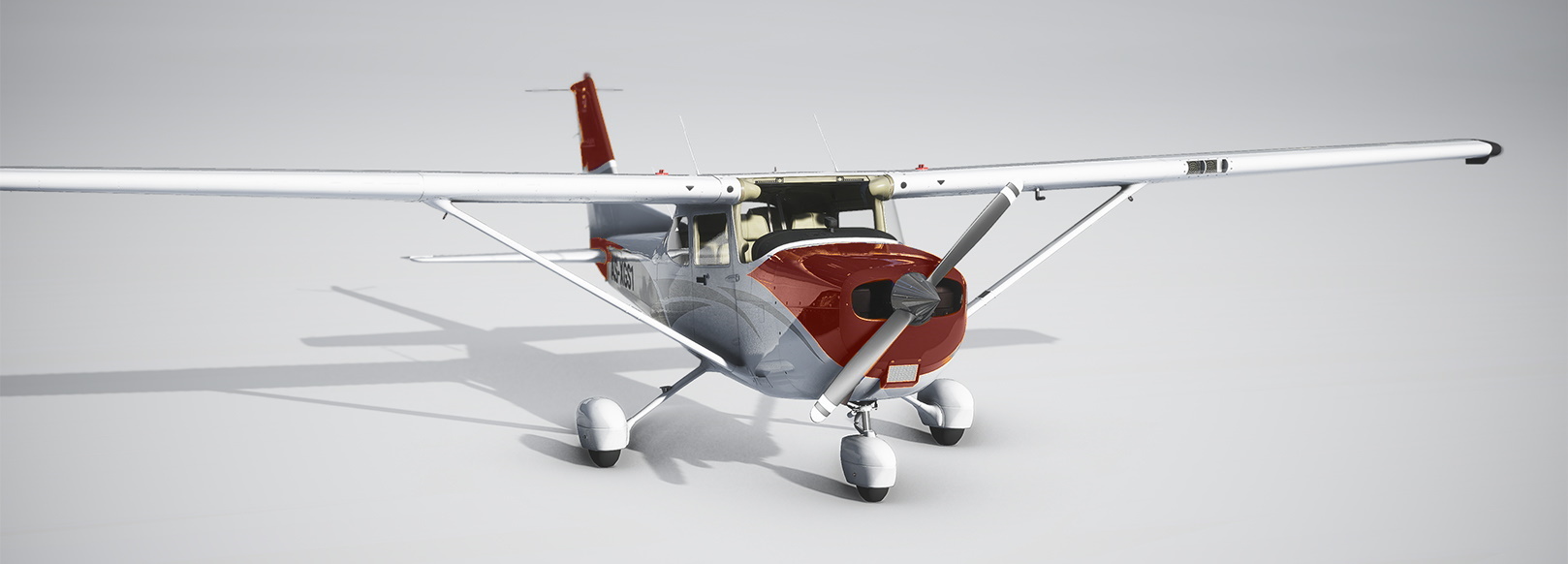
Description
This livery pack includes 10 separate liveries for the Cessna 172SP Skyhawk Classic. You must have Flight Simulator Deluxe Edition in order to use these liveries. These liveries are based on Cessna's "Twist" paint scheme and delivery colors. Variations of red, blue, green, gold, and silver give you a variety of aircraft paint jobs to choose from.
This is for the Classic version of the Cessna 172. For the G1000 version, please download my "Cessna 172SP G1000 - Livery Pack" here https://flightsim.to/file/2814/cessna-172sp-g1000-livery-pack
NEW: For the float and ski versions, please download my "Cessna 172SP Classic - Livery Pack, Floats and Skis" here https://flightsim.to/file/18571/cessna-172sp-classic-livery-pack-floats-and-skis
Cessna 172SP Classic - Livery Pack
This Cessna 172SP Classic - Livery Pack features 10 unique paint schemes inspired by Cessnas "Twist" design. Ideal for users of Flight Simulator Deluxe Edition, choose from red, blue, green, gold, and silver variations to customize your aircraft. For the G1000 version, check out the dedicated livery pack, and explore float and ski options with the Floats and Skis pack.

Supporters

User Reviews
5 reviews
Version History
No Changes
Related
Cessna 172SP G1000 - Livery Pack
A collection of 10 unique liveries inspired by Cessnas "Twist" paint scheme and original delivery colors for the Cessna 172SP Skyhawk G1000. Choose from vibrant variations of red, blue, green, gold, and silver to customize your aircrafts appearance. Please note that this pack is designed specifically for the G1000 version of the Cessna 172SP.
by Eaglepilot6
Cessna 172SP G1000 - Livery Pack, Floats and Skis
A collection of 10 liveries for the Cessna 172SP Skyhawk G1000, featuring floats or skis, inspired by Cessnas "Twist" paint scheme. Choose from red, blue, green, gold, and silver variations for a customized aircraft look. Perfect for those flying the G1000 version looking to add a touch of personalization to their simulator experience.
by Eaglepilot6
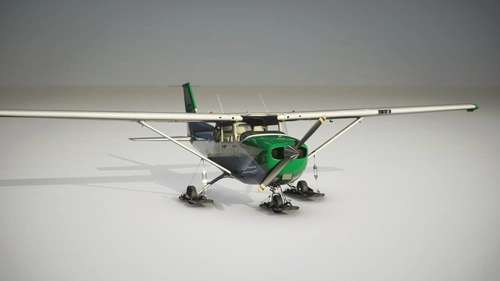
Cessna 172SP Classic - Livery Pack, Floats and Skis
This livery pack for the Cessna 172SP Classic offers 10 different paint schemes inspired by Cessnas "Twist" design and delivery colors. Ideal for those flying the Classic with floats or skis, featuring variations in red, blue, green, gold, and silver. For the G1000 version, a separate livery pack is available, and for the standard landing gear version, there is another specific pack to choose from.
by Eaglepilot6
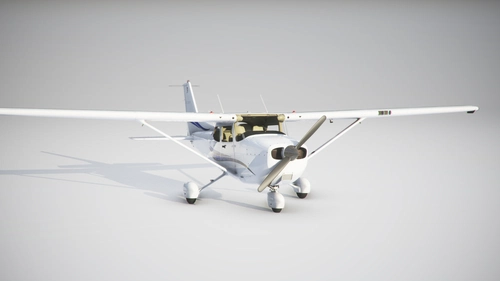
Cessna 172SP G1000 - 'Swift' Scheme Livery Pack
Add a touch of sophistication to your Cessna 172SP G1000 with this Swift Scheme Livery Pack. Choose from 6 distinct liveries inspired by Cessnas classic paint schemes, featuring a range of vibrant colors. Upgrade your flying experience with these visually striking aircraft paint jobs.
by Eaglepilot6
Log in to join the discussion
Log InComments(16)
2 months ago
8 months ago
over 3 years ago
Hi Eaglepilot, just downloaded your Cessna Liveries pack but problems installing, getting the following error message : An unexpected error is keeping you from copying the file. C172SP_AIRFRAME_LIVERYCOLOR_ALBD>PNG>DDS>json Error Code: 0x80010135: Path is too long, tried repair but not installing? can you help?
over 3 years ago
Don't drag the file out of the compressed zip file by double clicking on it and dropping it in the community folder.
Extract the contents of the zip file first to its own folder, then copy the files to the community folder.
over 3 years ago
Thanks Eagle Pilot, done that but still not seeing them in Liveries? I must having a bad day! lol
over 3 years ago
Open your Community folder and navigate to the Classic-LiveryPack folder. When you open this, the very next level should contain a folder named SimObjects. If there is another folder level with Classic-LiveryPack, cut and paste that folder to the Community folder. Hope this helps.
almost 4 years ago
Great, Tx!
almost 5 years ago
Thank you.
almost 6 years ago
almost 6 years ago
almost 6 years ago
almost 6 years ago
almost 6 years ago
The tail number should display even with those settings in the .cfg. If it's not showing, verify the "Show Tail Number" is On, and something is entered in the Tail Number spot under ATC options when selecting the aircraft. I will edit that in the .cfg and update the files just to be safe.
Thanks for downloading!
almost 6 years ago
almost 6 years ago
I have got a Question: Would you Mind making two additional liveries? I designed an Airfield in the Sim and I would need Liveries of the original Airplanes.
As Exchange I could give you a free copy of the Airfield.
If you are interested contact me: maximilian.rabl@gmx.at
almost 6 years ago