
Description
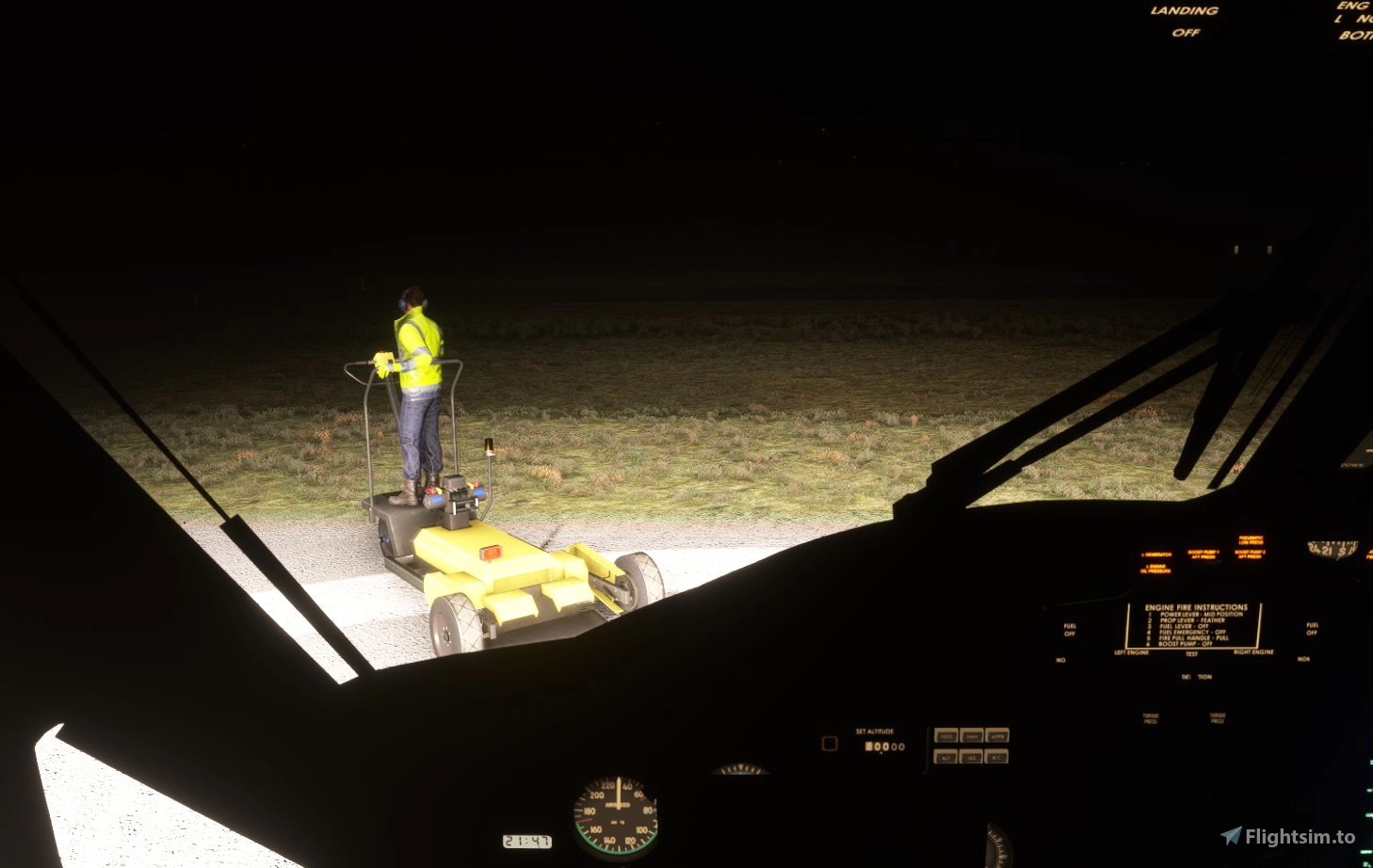
After a number of requests from various pilots, i have created a small tweak/mod around the Aerosoft DHC6 Twin Otter's Landing and Taxi lights.
The mod essentially just brightens the landing and taxi lights across all DHC6 models to give you better night visibilities when coming in for soft-field landings which lack clear lighting.
The mod is based off the work completed by CarbonProp for his original XCub performance mods, however further changes have been made to prevent it going a little over-the-top, keeping the lights to a somewhat realistic brightness for you to not be entirely blinded on the ground or in clouds!
Updated for v1.0.3.0 - 08/02/2022 (see changelog)
Please make sure that you have the latest version of this mod as well as that of the Twin Otter - the main file this modifies is the Systems.cfg file for each aircraft, so if Aerosoft ever update any of the major electrical/lighting systems i will need to post an update.
DHC6 Twin Otter - Bright Lights
Enhance your night flying experience with the DHC6 Twin Otter - Bright Lights mod, designed to improve visibility during landing and taxiing in low light conditions. This tweak brightens the lights across all DHC6 models without causing excessive glare, offering a more realistic lighting experience. Stay updated with the latest version for optimal performance and enjoy improved night visibility in Microsoft Flight Simulator.

User Reviews
1 reviews
Version History
Updated to ensure compatibility with AS DHC6 Twin Otter v1.0.3.0 released on 08/02/2022. Changes: Lowered brightness of landing lights by 33% - no real effect on the range of them, however helps prevent blinding of nearby objects.
Related
D.H.88 Comet
Experience the thrill of flying the historic 1934 D.H.88 Comet in Microsoft Flight Simulator with this scratch-built aircraft add-on. Featuring a detailed exterior model, functional cockpit, custom flight model, and basic autopilot for long-haul flights. Explore 4 historical liveries and enjoy a cruise speed of 191 kts at 10,000 ft altitude. Join the TPAeronautics discord for support and updates on this ongoing project.
by TPAeronautics
D.H.88 Comet Simplification mod
Enhance your flight experience with the D.H.88 Comet Simplification mod. This mod addresses feedback on the original TPA D.H.88 Comet release by simplifying components and addressing major flaws. Enjoy faster gear retraction, improved shock absorption, stabilized center of gravity, and automatic mixture control for optimal performance. Please note, while this mod makes the aircraft more user-friendly, some animation issues may occur, but it offers a different flying experience for those seeking a modified version of the 1934 variant.
by TPAeronautics
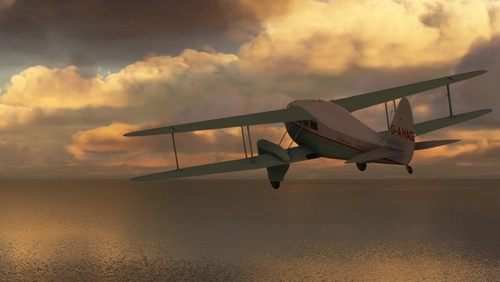
De Havilland DH-89 Dragon Rapide G-AHAG Scillonia Airways
Repaint of the de Havilland DH-89 Dragon Rapide as DH-89 G-AHAG Bryher of Scillonia Airways by Shepbur. Enjoy a basic external repaint with attention to detail on this classic aircraft. Explore the historic charm of this aircraft in Microsoft Flight Simulator.
by Shepbur
Log in to join the discussion
Log InComments(12)
over 4 years ago
Thanks for sharing
For some reason my sim crashed the moment I fired the DHC6 up, than when I managed to restart it, my Twin Otter was not displayed. Have you experienced that before?
over 4 years ago
Not to my knowledge.... i have just spotted that they threw a new update out for the twotter earlier today which i haven't yet installed or had a look at... might have messed a few things up with my mod? Will try to check and get an update if it's needed ASAP, else delete my mod from your community folder and see if that fixes it?
over 4 years ago
conflicts with my Saitek Multi pannel, when I switch lighting landing light on or off it flickers all the switches including my GPS!
over 4 years ago
Odd! All it changes is just a link to the basic light 'texture' file, so shouldn't have any affect with controls of any kind... does this issue happen without the mod installed to? I know if i use the wrong control profile and flick some basic switches or use my RMB then the lighting goes mental due to the way AS coded her in the first place.
over 4 years ago
little bit too bright from outside view...
over 4 years ago
Having flown in her a little more over the last week i have to agree to some extent... it's a little blinding from the outside, i also managed to find a reasonable image of aircraft lights in a similar position on a different aircraft and while they were brighter than the default, they were nowhere near as blinding as my mod... might have a look into it and see if i can dull them to some extent but still keep the range?
over 4 years ago
Appreciate your sharing!!!
over 4 years ago
over 4 years ago
Way to diametrically misread what I was saying and out yourself as a xenophobe in the process; not even American lol...
over 4 years ago
over 4 years ago
Then why call me that... anyway are you OK, are you having a stroke or something?
over 4 years ago
It's so frustrating that you even felt the need to do this; the lighting is yet another area where the kodiak shows how it should be done while the twotter shows how to totally fuck up something that everyone rightly took for granted in the first place. Like if you're taking the time to make the landing lights in the first place you'd think you'd spend 2 damn seconds setting them to not be so uselessly dim... and yet if you posted about it on their forum I'm sure that just like with every other issue the project manager either ignored you completely or came in to condescendingly dissemble about how they used "real pilot feedback" and you're simply too stupid to understand that major parts of the project weren't bungled to shit.