
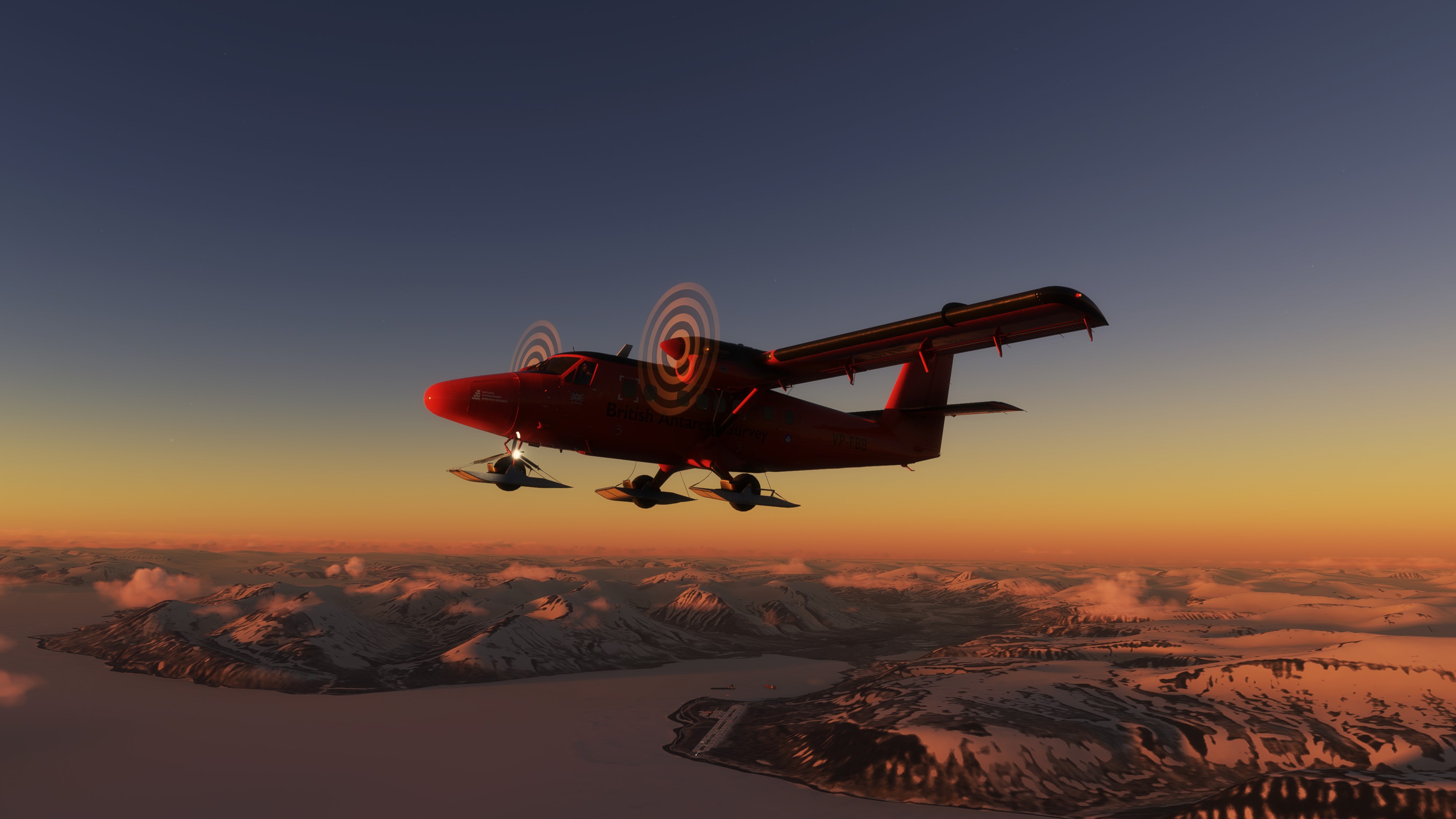
Description
°°°°°°°"EDIT" I won´t update this here anymore. Go to the AEROSOFT Forum and open topics about the Sound, make pressure .
It can´t be that such a Dev is doing it this way, they are no beginners, they earn a lot of money with those planes, so we all can hope for fixes. So go over here and tell them, whats wrong https://forum.aerosoft.com/index.php?/forum/1051-model-animations-sounds-and-manuals/ °°°°°°
Hello, this is a soundmod for the Aerosoft DHC6 Twin Otter Vers 1.0.5.0 for MSFS2020.
https://www.youtube.com/watch?v=XF6RIYBi-fQ
U need this Package:
https://secure.simmarket.com/turbine-sound-studios-dhc-6-pt-6-twin-otter-hd-pilot-edition-soundpack-for-fsx-(de_10413).phtml
Read the Install Read Me for Install
Now it should work. This is a RPM Pitch, Turbine Pitch Sounds add/mod, not for the loudness. It´s just a simple solution and not a professional dev.
Aerosoft Twin Otter Soundmod for RPM/Pitch Fix for Vers 1.0.5.0
Enhance your Aerosoft Twin Otter experience with this soundmod for version 1.0.5.0 in Microsoft Flight Simulator 2020. This mod focuses on RPM and turbine pitch fixes, providing a more realistic audio environment for your flights. Check out the forum link for feedback and updates for this simple yet effective solution.

User Reviews
11 reviews
Version History
Works with 1.0.5.0.
Log in to join the discussion
Log InComments(91)
2 months ago
over 3 years ago
Has anyone tried this mod with the NEW updated sound set by Aerosoft? I'm discussing at the Aerosoft forums about the problem, as I fully understand that you're not gonna update this mod until Aerosoft do their homework. That prevented me of buying it so far, even on sale. Judging from the videos, it sounds 1000% better here, even with the old sound set!
about 4 years ago
If you download a livery and install this mod in the livery folder it work.
about 4 years ago
There is a free demo sound package for the turbines from https://www.ftsimplus.com/msfs-dhc-6-twin-otter.html
about 4 years ago
FYI Aerosoft just fucked it up and won’t bring a sound update. It’s a shame that they’re taking our money and don’t deliver a fully ready product.
https://forum.aerosoft.com/index.php?/topic/172007-what%E2%80%99s-going-on/&do=findComment&comment=1091974
over 4 years ago
Here it how it works for me: SU9, Twin Otter 1.0.5 installed using Aerosoft One.
In the Community folder you will find the aerosoft-aircraft-twin-otter folder.
Buy the sound pack and install to a temp folder. Drop the "MSFSLayoutGenerator.exe" into the "aerosoft-aircraft-twin-otter" Folder located to your Community Folder.Drop the "SimObjects" Folder into the "aerosoft-aircraft-twin-otter" Folder located to your Community Folder. And replace the files.Drop in the wav files from the sound pack in the folder `aerosoft-aircraft-twin-otter\SimObjects\Airplanes\AS_Aircraft_DHC6_Common\sound`Drag and Drop the "layout.json" on the "MSFSLayoutGenerator.exe" to create a new layout.json (If there is a error msg because of the long path name, just bring your twin otter folder to the desktop, try again to create the layout.json and bring back the twin otter folder into the community folder.about 4 years ago
Hi, where I can find the layout.json file please ?
about 4 years ago
Thank you for your tip. it helped alot.
over 4 years ago
Hi zaki87! One problem I have is my Aerosoft Twin Otter folder (purchased at MS Marketplace) is NOT in my Community folder but in my "Official /Onestore" folder. After buying the sound pack and doing the mods, the Twotter does not show up at all, I guess because of the folder location? I kept a copy of the original Twotter folder and put it back into my "Official /Onestore" folder and all is well. But I can't get your Mod working? Any ideas please?
over 4 years ago
Please don't waste your time. this does not work.
over 4 years ago
Sry for u that u are not able to get it running.
over 4 years ago
Can someone plz help me, I've tried this mod over and over and did Layout Gen and read all comments for a hint. My Twotter disappears as if I don't have it installed when I put the final mod into my community folder. Any idea?
over 4 years ago
See my comments nearby-same issue, all disappeared, reinstalled original in the end.
over 4 years ago
You did the layout gen? You dragged and dropped your json file on top of the layoutgen exe? Then it should work.
over 4 years ago
Went through the whole install in order and did the layout.json. first time had lovely engine noise and correct prop pitch change but pink/purple bits around cockpit, redid with more attention to the json and had no twin otters appearing at all. This was with newest upgrade on Twin Otter. Finally reinstalled aerosoft and will live with incorrect engine sounds until they correct it. Cockpit back to normal anyway. I like the idea of the mod though.
over 4 years ago
works for me. I have the pink spots until I put the json file on top of that json fixer exe file.
over 4 years ago
Aerosoft V1.0.3 FYI-
I just updated to Aerosofts V1.0.3 of the Twotter this morning. The sound directory & config file seem to be unaffected by the new v 1.0.3 patch (judging by the date codes after install), so you only need to re-gen the layout.json file in the aircraft root install direcory with MSFSLayoutGenerator.exe again and the FSX sound files this mod uses will work with the updated Twotter. Remember to use the short path when you do so, not the big long 'community' one or MSFSLayoutGenerator will barf.