
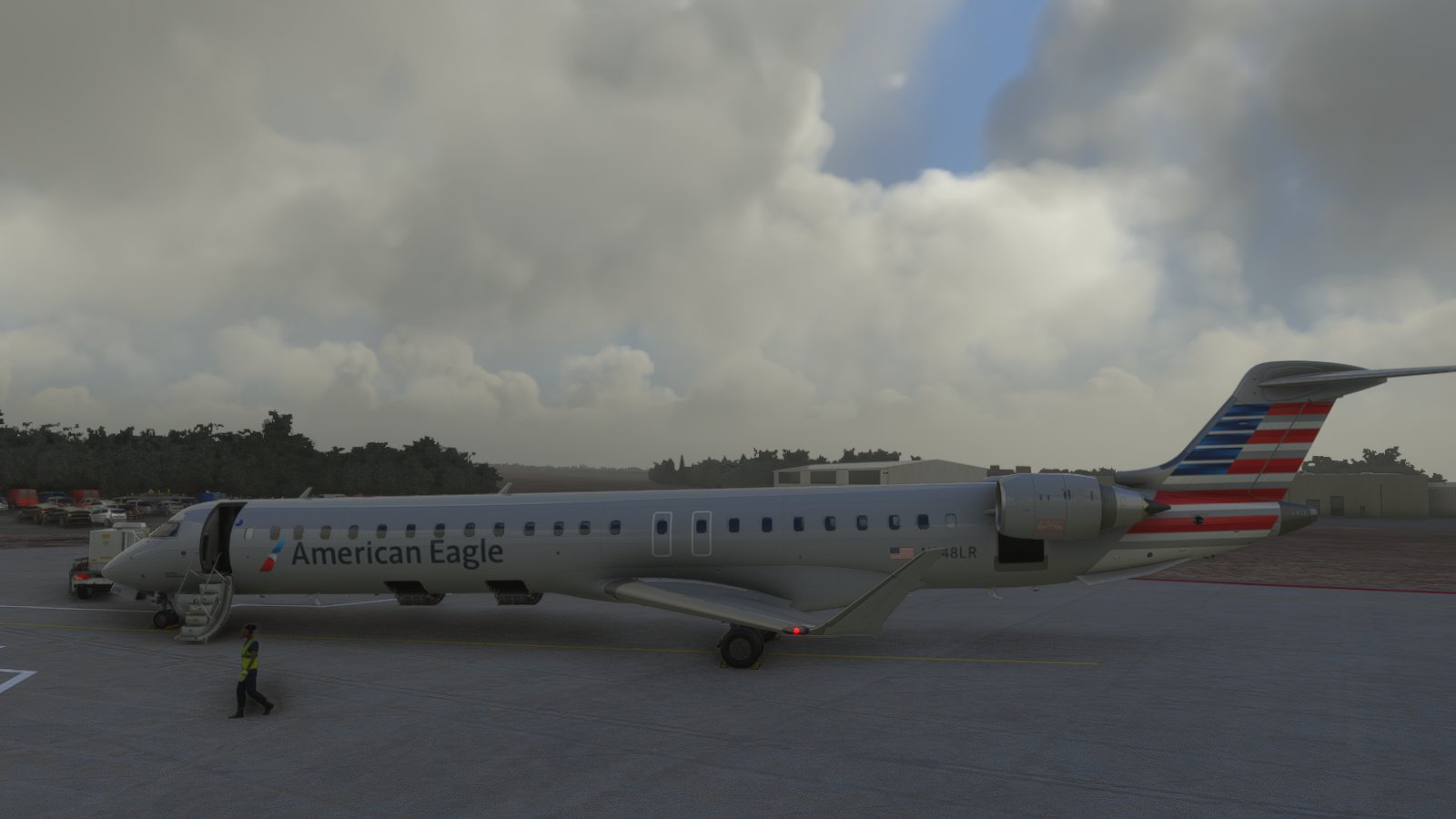
Description
American Eagle by Mesa
MSFS 2020MSFS 2024
American Eagle / Mesa
Explore the American Eagle livery designed by Mesa Airlines in this Flight Simulator add-on.
Downloads2K
Version1.2
File Size11.09 MB
Published4 years ago
Updated4 years ago


User Reviews
2.8
6 reviews
5
17%
4
0%
3
33%
2
17%
1
17%
Version History
minor changes
Related
UNITED EXPRESS / SKYWEST CRJ7
Experience flying the United Express / SkyWest CRJ7 in Microsoft Flight Simulator with this high-quality add-on.
by lbpilot
4.1
AMERICAN EAGLE PSA N723PS
Fly with the iconic American Eagle livery of PSA Airlines in Microsoft Flight Simulator with this detailed add-on featuring the registration N723PS. Experience the classic design and colors of this historic regional airline as you soar through the virtual skies.
by lbpilot
0.0
Midwst Express CRJ1000 Fictional
Fly the fictional Midwest Express CRJ1000 in Microsoft Flight Simulator with this detailed add-on. Enjoy a unique livery and realistic cockpit to enhance your simulation experience.
by lbpilot
0.0
Log in to join the discussion
Log InComments(13)
over 4 years ago
Ok, I have a crude way to get this livery to work. You download the other Mesa Airlines livery the on that just has MESA AIRLINES on the tail and a white body, then you take all of the files from the texture folder of this mod and overwrite the ones in the other MESA AIRLINES livery. Then if you want do a little tweaking on the aircraft.cfg to your liking, tail number, flight number...whatever. Then you can can download the other MESA livery and change the sim title to something else and then they both work. I have tried for an hour of everything I know several times to get this livery to work and this is my only solution. There is something off with the layout and the manifest that makes it not work. I believe its the AIR CANADA JAZZ file paths they don't make any sense cause they don't point to anything. This author has another livery that works perfectly fine but the Layout.json and manifest files make sense.
over 4 years ago
Screenshots look great, but it's not showing up in the sim.
over 4 years ago
Doesn't continue show up, as of today
over 4 years ago
try using the config tool
over 4 years ago
Doesnt show up in the sim. I see I'm not the only one.
over 4 years ago
I would love this! However, it doesn't show up :(
over 4 years ago
Does not show up in the game. Maybe the file name doesn’t match?
almost 5 years ago
it's not working for me. The layout.json is pointing to AIR_CANADA_JAZZ? Is that correct?
almost 5 years ago
ok copy will fix it
almost 5 years ago
Odd still not working for me. I just installed another livery to make sure I wasn't crazy and it worked fine. For some reason this one doesn't show up. Do I need to also have your air Canada jazz repaint for it to work?
almost 5 years ago
no should be its own
almost 5 years ago
Your Midwest Express CRJ 1000 downloaded and installed fine, but this one still does not work. Can you look more carefully at this package?
This is what the layout.json looks like in this package. I don't see how this is correct. The texture folder is called TEXTURE.yv. but even changing it it still does not work. I really would like to get this going. Mesa is what we primarily fly in the SW USA.
{
"path": "SimObjects/AirPlanes/Aerosoft_CRJ_900_JAZZ_EXPRESS/aircraft.cfg",
"size": 915,
"date": 132810800722912436
},
{
"path": "SimObjects/AirPlanes/Aerosoft_CRJ_900_JAZZ_EXPRESS/model.jazzrj9/model.cfg",
"size": 751,
"date": 132810799275569776
},
{
"path": "SimObjects/AirPlanes/Aerosoft_CRJ_900_JAZZ_EXPRESS/TEXTURE.jazzrj9/ASCRJ900_EXT_DECAL_FUSE_SOLID_A.PNG.DDS",
"size": 4194432,
"date": 132810809422348131
},
{
"path": "SimObjects/AirPlanes/Aerosoft_CRJ_900_JAZZ_EXPRESS/TEXTURE.jazzrj9/ASCRJ900_EXT_DECAL_FUSE_SOLID_A.PNG.DDS.json",
"size": 119,
"date": 132810764827929832
almost 5 years ago
Thank you! I finally don't have to use the PSA one all the time.