
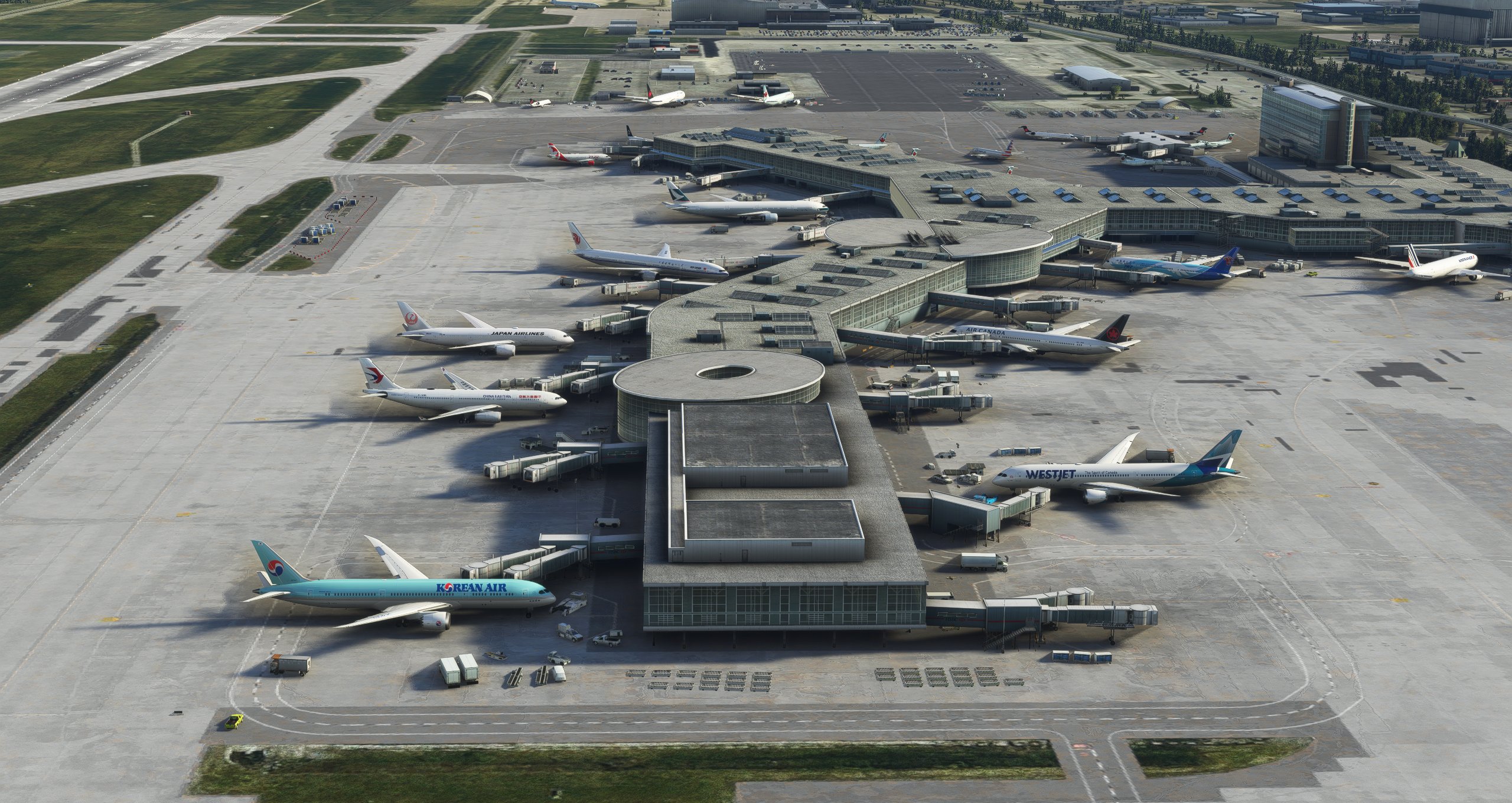
Description
- Additions - 27 Feb 2022 : Optional wingspan modification update
- Compatibility with the latest FSS CYVR update.
- Enhanced taxi and runway logic. All taxiway instructions should now use the shortest possible route and not take you to any active runway or extended detours.
- Also means that this enhancement becomes not just an AI enhancement but a general ground operations fix/enhancement.
- Dozens of new parking spots were added in South Terminal/FBOs.
- Added gate 23 A&B for WestJet Encore Ops.
- All approaches tested and working.
- Approach lights fixes/enhancements
- VASI light position adjusted
- Various other Airline Code Corrections
-
Information - Optional Wingspan Modification Update
- This modification goes outside of the scope of support that AIG can provide. If you choose to use the modified wingspans in this file, it also means that the AI traffic flight dynamic changes which could cause issues. (In theory)
- However, on that note, I personally haven't seen any noticeable changes to the flight dynamics (After all I am not an aerospace engineer, just a guy that flies planes. I couldn't care less if the guy beside me takes off 200ft shorter than usual)
- To reset all wingspans back to the "AIG official" wingspans, simply run AIG AIM and hit the "Verify" buttons.
- If you run into any issues with AI traffic, discontinue use of this modification, and verify the files through AIM before reaching out for support in the AIG forums.
- Wingspans have been considerably reduced in the bgl file meaning you can't use this update without replacing the wingspan values, otherwise no planes will park.
- The side effect of this is more AI planes will park and spawn everywhere in the world, not just at YVR.
- The potential issue for this is that you may run into a position where airplane wingspans contact/conflict with one another. These are just somewhat arbitrarily reduced numbers.
- In general, wingspans were reduced generally by 6m or more (I generally did 20-40ft depending on the airplane). Overall this means that a 737 will still park in the smaller gates while 777s will park in larger gates. 777s still wont fit in 737 gates.
- The reason for this wingspan mod is that ASOBO chose to add a 6m buffer zone for ground support vehicles, this wasn't there in FSX. As a result, planes are restricted by an additional 6m (20ft) in spawning versus FSX.
- This mod is simply a short workaround until ASOBO decides to fix AI logic regarding this. I don't plan on keeping the parking space radii at the values I have them right now, but this is the only compromise I can think of.
- Again, to reset wingspan values go into AIG-AIM software Tool--> Settings --> AIGAIM OCI --> Verify Setup
- The original version is kept in case you do not want to modify wingspan values; the file is the version 1 file and does not include the ground modifications.
- This modification goes outside of the scope of support that AIG can provide. If you choose to use the modified wingspans in this file, it also means that the AI traffic flight dynamic changes which could cause issues. (In theory)
Installation
To install just navigate to MSFS\Community and drag and drop all file contents to the folder. Replace files when prompted
To install the wingspan values, drag and drop the contents of "mod wingspan" into "...\Community\aig-aitraffic-oci-beta\SimObjects\Airplanes" or wherever the AIG setup is located\SimObjects\Airplanes.
This will not work without purchasing the FSimStudios scenery.
https://flightsim.to/product/cyvr-vancouver-international-airport
Dependencies
Location
FsimStudios CYVR Enhancement For AIG AI Traffic
Enhance your AI traffic experience at Vancouver International Airport with FsimStudios CYVR Enhancement. This add-on includes compatibility with the latest FSS CYVR update, enhanced taxi and runway logic, additional parking spots, and various airline code corrections. Get ready for more realistic ground operations and improved airport traffic with this comprehensive enhancement.

User Reviews
4 reviews
Version History
Changed installation to drag and drop only Airline codes updated to 2024
Featured in Collections(1)

Related
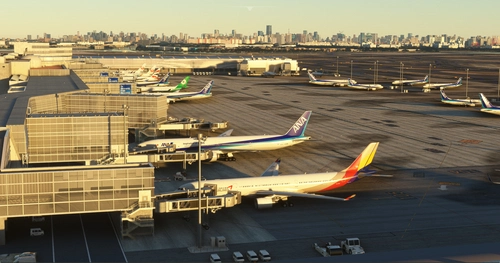
Asobo + Revised RJTT Enhancement For AIG AI Traffic
Enhance AI traffic operations at RJTT with this mod created by the AIG community. Experience increased AI aircraft spawning, correct airline coding, optimized ground traffic routes, and gate overhauls. Ensure to have the original airport file and follow installation instructions for optimal functionality.
by Ryanosaurus13
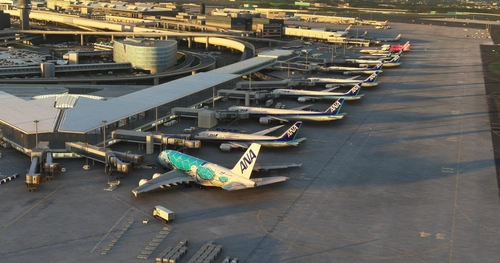
Drzewiecki Design RJAA Enhancement For AIG AI Traffic
Enhance your airport experience with the Drzewiecki Design RJAA Enhancement add-on for AIG AI Traffic. This mod revamps gates and AI operations at RJAA, with updated airline coding and hand-sorted data for more realistic parking. The add-on also includes gate radius adjustments, support for A380 aircraft, and preserves original scenery files for seamless integration. Improve your virtual airport traffic with this detailed modification for Microsoft Flight Simulator.
by Ryanosaurus13
Le Aero Design RKSI Ultimate Enhancement For AIG AI Traffic
Enhance your AI operations at RKSI with this add-on by Le Aero Design, in collaboration with AIG community. Experience improved AI aircraft spawning, updated airline coding, optimized ground traffic routes, and accurate gate assignments. This mod requires the original airport scenery and is tailored for AIG AI Traffic users.
by Ryanosaurus13
Ini KLAX Enhancement For AIG AI Traffic
Enhance your AI traffic experience at inibuilds KLAX with this mod from the AIG community. Enjoy an increase in AI operations, opened gates, updated airline coding, preserved wingspans, and added cargo spots. No original scenery modifications required. Simply install and immerse yourself in a more realistic airport environment.
by Ryanosaurus13
Log in to join the discussion
Log InComments(31)
almost 3 years ago
almost 4 years ago
Hello, thanks! But, it work to WU11 and Update of Version 1.2.5 FSimStudios?
almost 4 years ago
Hi Update for WU11 and 1.2.5 posted
over 4 years ago
how do you backup a file please notice this
over 4 years ago
I love what you have done here! Any chance of coding Jazz as ACAX and also Horizon as ASAX as per the AIG coding? Westjet Encore and Flair (FLE) need a few spots and also make Gates 39-41 as ACAX only with ACA starting on 42? I would really really love to get my hands on that XML file to be able really look in on the work that you've done! Possible to include it in an update?
over 4 years ago
Hi! Please check your PM
almost 5 years ago
Is this compatible with the latest update to the scenery that was recently released?
almost 5 years ago
I navigated to the scenery folder as instructed but i don't see an "objects.bgl" file. Just a TEXTURE folder. FYI, I bought mine through the Marketplace and it's installed in the Official/Steam folders. The only file that references bgl is, "Bgl.fsarchive" and that's in the first scenery folder with the Global folder. Any suggestions?
almost 5 years ago
I'm not entirely sure what to do with the marketplace version. Are you sure there's nothing in the community folder?
almost 5 years ago
No, nothing in the community folder. However, not a real problem. Oddly enough most of the airlines are parked at the correct terminals and even the gates from what I've been seeing. Thanks anyway. Cheers.
almost 5 years ago
Same problem for me. Is there any solution?
almost 4 years ago
I placed it in the folder anyway. Will this work you think?
Did anyone figure out how to make it work with the marketplace version?
almost 4 years ago
Hmm didnt work it seems
almost 5 years ago
how did you get the 767 and a330
almost 5 years ago
They are added in with a bit of tinkering on my part. It requires editing the models' database so it's highly unadvisable unless you know exactly what you're doing. I am part of the internal testing group and I can tell you that the team is working on getting a stable release as quickly as they can; you can also expect a brand new A330 soon.
almost 5 years ago
cool what about the 767