

Description
Headwind A330 Neo Default Thumbnails V3.0
Developed to suit the Headwind A330 Neo (Drag n Drop)
A simple unzip, copy and replace folder structure for the popular Headwind A330 Neo.
Simply locate the Headwind A330 directory inside your Community folder and copy + paste the contents of this download.
Example as shown: "community\headwind-aircraft-a330-900\SimObjects\Airplanes\Headwind_A330neo"
This should be useful as everytime the developer releases an update, you should be deleting the old version completely. By doing this, all previous updated thumbnails will be removed.
You must allow windows to "Replace the files in the destination".
Headwind A330 Neo - Default Thumbnails
Enhance your Headwind A330 Neo experience with the Headwind A330 Neo Default Thumbnails V3.0 add-on. Simply unzip, copy, and replace folders to update thumbnails for the popular aircraft, ensuring a seamless process for future updates. Keep your simulator organized and up-to-date with this convenient drag and drop solution.


Version History
No version history available.
Related
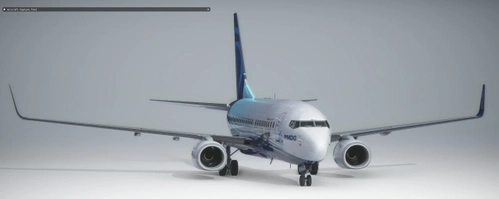
PMDG 737 - Default Thumbnail Preset Settings
Customize your PMDG 737 thumbnail presets effortlessly with this shared XML file, designed to be used with the MSFS Aircraft Capture Tool. Simply load the file in developer mode and enhance your Flight Simulator experience.
by jmknights93

Fenix A320 - Thumbnail Preset Settings
Customize your Fenix A320 experience with this set of Thumbnail Preset Settings, compatible with the MSFS Aircraft Capture Tool. Easily enhance your aircraft thumbnails by loading the custom XML file provided, but keep in mind to only edit 3rd party liveries to avoid conflicts with the Fenix livery application.
by jmknights93

Headwind A330 - Thumbnail Preset Settings
Adjust your thumbnail preset settings with ease using this shared XML file for the Headwind A330 in MSFS. Enhance your flight sim experience by loading the custom XML into the Aircraft Capture Tool. Find out more about this tool on the Capture Tool documentation page.
by jmknights93
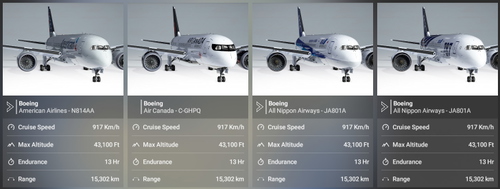
Kuro 787-8 - Default Thumbnails & UI Clean Up
Enhance your aircraft selection experience with Kuro 787-8 - Default Thumbnails & UI Clean Up add-on. This mod offers a custom thumbnail preset and updated default thumbnails for a more organized and visually appealing UI. Easily install this mod using the provided XML file with the MSFS Aircraft Capture Tool. Be sure to repeat the simple installation process after each update to maintain the improved UI experience.
by jmknights93
Log in to join the discussion
Log InComments(3)
over 3 years ago
Despite this no longer being supported, you can cut and paste each thumbnail in
over 3 years ago
Hello, I decided to upload my updated thumbnails. Please download the update.
over 4 years ago
Update please Headwind A330 Neo