

Description
Hello, this is only a small fix for c17 to work with salty mod. i used the latest salty release so, i dont know if it works with previous versions.
All credits go to Capt 22 who make this airplane working on msfs 2020, to EightDragons who made the lights and cameras fix and salty mod 747 development team.
this already contains the landing gear contact point fix BY Zany
to use it only need to extract the files to your C17 folder in comunity folder something like this "...\Community\C-17-GlobeMaster\SimObjects\Airplanes\C-17-G and then you also need toreplace the files inside model and panel."
replace salty folder with the provided one
replace the original ones with those.
delete the previous salty from your community folder
copy salty folder to community
i advise you to backup all original files in order to use them again in case of any issue.
this is not bug free, now you can start from cold and dark and set the irs to align from salty function inside the fmc, just need to instant align and then update the irs and it will work.
one known issue is the lighs fix sometimes turn of some cockpit lights but all functions available on airplane with saltymod are working,
do not upload on any other site please, without permission of authors above mentioned.
hope all of you could enjoy this small fix.
unfortunately due to my job and my lack of time, I will have to put the updates on hold. if anyone wants to continue my work, has my permission to continue the development of this fix
SALTY 747 SMALL FIX FOR C-17 Globemaster (Capt22 747 Cockpit Version) WITH Updated Lights & Cameras
A small fix enabling compatibility between the SALTY 747 mod and the C-17 Globemaster, including updated lights and cameras. This add-on also features a landing gear contact point fix by Zany. Instructions for installation are provided, with a reminder to back up original files. Please note that there may be some issues with cockpit lights, but overall functionality remains intact.


User Reviews
2 reviews
Version History
this is a new updare for the fix. however i have needed to add the plane and the salty folder. you will need to remove your old plane and salty folder and replace by those inside zip.
Related
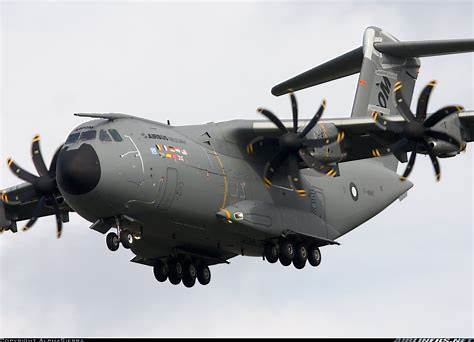
MSFS 2024 AIRBUS A-400M Simbrief Profile
This add-on provides a SimBrief profile for the Airbus A-400M tailored for Microsoft Flight Simulator 2024. It may also be compatible with earlier versions of the simulator. The profile is based on information gathered from various online sources, ensuring a functional flight planning experience. Users are encouraged to report any issues for troubleshooting assistance.
by paxiclas
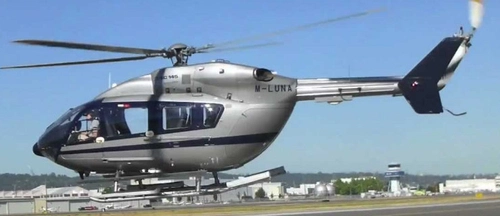
Hyper performance group H-145 Simbrief Profile
This add-on provides a SimBrief profile specifically for the Hype Performance Groups Airbus H-145 helicopter. While it may not align perfectly with all real-world parameters, it compiles various data sourced from the internet to enhance flight planning. Users are encouraged to suggest improvements for future updates.
by paxiclas
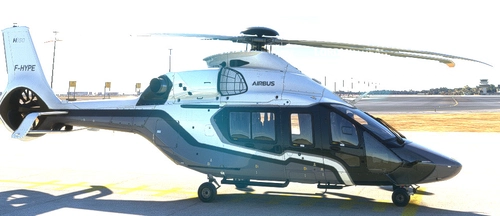
Hyper Performance Group H-160 Simbrief Profile
This add-on features a SimBrief profile specifically designed for the H-160 helicopter from Hype Performance Group. The profile is based on information sourced from the internet and does not reflect real-world specifications. Users are encouraged to provide feedback and suggestions for further enhancements.
by paxiclas
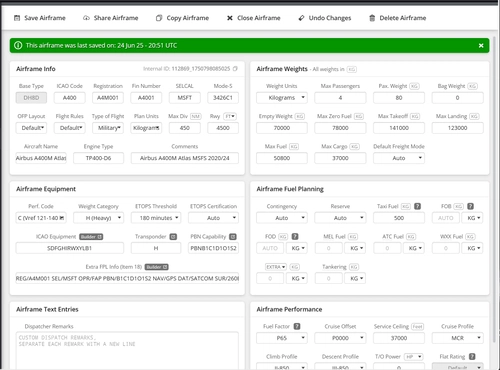
MSFS 2024 AIRBUS A-400M Simbrief Profile Update
This add-on features an updated SimBrief profile specifically for the Airbus A-400M in Microsoft Flight Simulator 2024. Please note that it has not been tested on Microsoft Flight Simulator 2020. Users are encouraged to report any issues for troubleshooting and resolution.
by paxiclas
Log in to join the discussion
Log InComments(7)
about 4 years ago
I Like it, only one Issue Could be something I'm doing wrong, IRS Alignment feature works but after entering my Sim brief ID I can't seem to be able to load my Flight plan after sending Request and hitting Load, I'm also unable to enter Dep-Arrival Nothing works in that department, can't even get Custom In game FP to show up . I have also the Salty Mod for the 777-767 standalone that works fine but in the Globe Master it just doesn't...anything I Can do to get it to work?
about 4 years ago
hi, i am sorry but i stoped to work on that. unfortunatly i have no more time, i am a truck driver, i spento a lot of several days away from home, so the time is not much even to stay with family, however, if i have some time soon i will see if i can do anything
almost 5 years ago
is there a way to aligng manually the IRS?
almost 5 years ago
so far, i didnt find the way to make the IRS buttons to move. dont know wich animation i need to set. i will try to find out, but i dont have much time until january. i will try to keep this updated but may take some more time than expected
almost 5 years ago
indeed, i have seen that the speed brake animation inside the cockpit isnt moving, however, it does is function.
i dont know yet how to fix that, but i will search how to do it and try to provide a fix. thx for your feedback :)
almost 5 years ago
the speed brake bar isn't working , can't move it and can't arm it . Any fix for that? thanks
almost 5 years ago
I have spent all afternoon on Saturday and all Sunday trying to fix the IRS issue, without having success, due my work, probably a fix for that issue will take some more time then expected, because I am a truck driver. However, once I figure out how to fix that I will update this fix. Hope this don't take to much in order for all of you enjoy this airplane as much as you can.
If anyone is interested to give some help or tips on how to get irs to work at the gate, you are welcome.