
Description
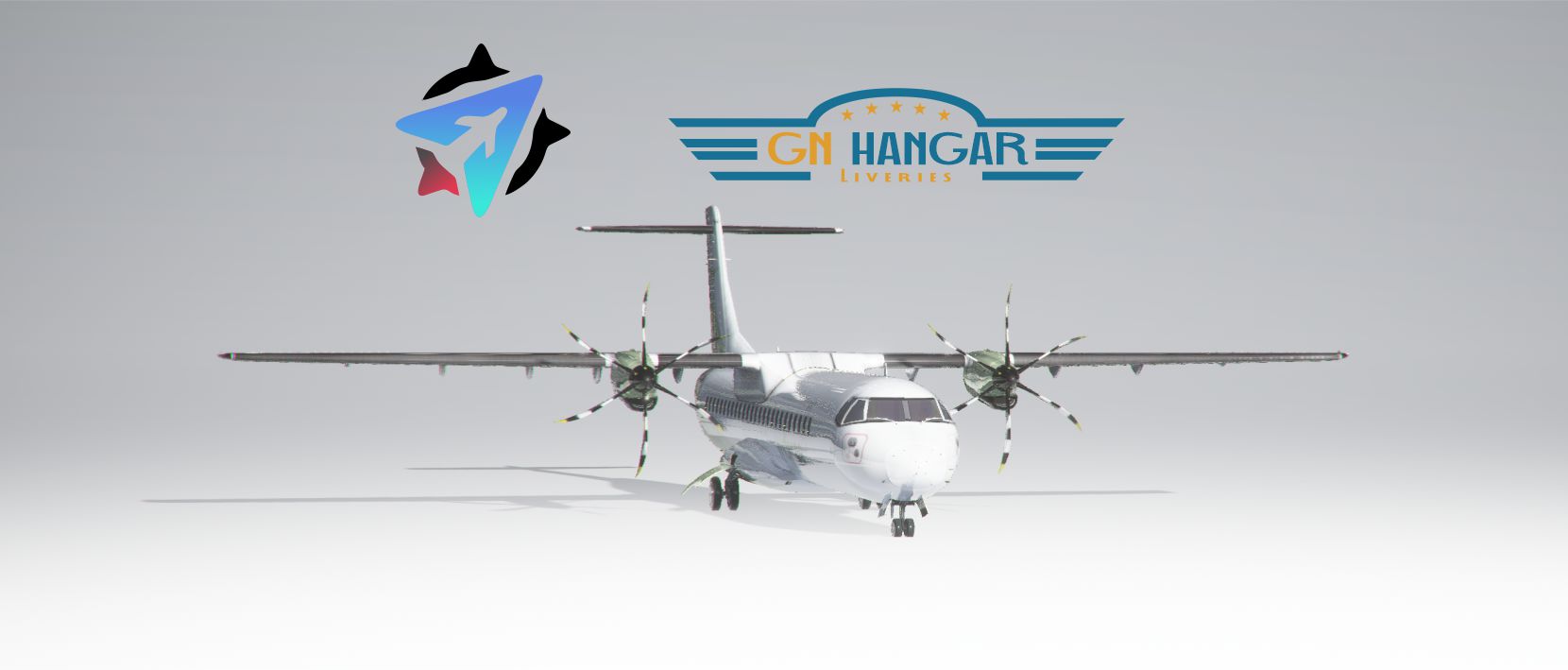
Here is the ATR-72-600 with the working cockpit of the CJ4 for MSFS2020, this Addon was made by virtualcol for FSX and converted to MSFS. This Item will be constantly updated and improved. To install these files you will need to drag and drop them into your MSFS Community Folder. Anyone who wants to make liveries for this aircraft is granted the permission to since there are only a limited amount of liveries that already come with this aircraft. Any questions comment below and any problems comment below. Enjoy!!
* These fixes has been developed by Douglas Cardoso from https://www.facebook.com/LivedoDescontrole/ to ATR 72 600 project: https://flightsim.to/file/9912/atr-72-600-working-cockpit
DISCORD: https://discord.gg/MMed9uFXre
Steps to fix your ATR72-600 to v2.6:
- 1) download this ATR: https://flightsim.to/file/9912/atr-72-600-working-cockpit
- 2) extract flie into your community
- 3) extract fixes files into your ATR72-600 directory, sample: \Community\ATR72-600\SimObjects\AIRPLANES\atr725\ (replace all files)
- 4) From \Community\ATR72-600\ run MSFSLayoutGenerator.exe to regenerate aircraft jason files.
- 5) You can start engines with control+e, when both engine come up 50% IGT (look at engine gauges inside the cockpit), press Y *2 times, this will load ATR with engines started and running, Now you can complete your flight!
*copyright*
This Addon was made by virtualcol for FSX and converted to MSFS. The interior cockpit features where made by Simviation. Permission to upload this fix file was obtained by virtualcol.
Comments(29)
Log in to join the discussion
Log Inabout 4 years ago
Poderia dizer onde encontro o "MSFSLayoutGenerator.exe" voltei na pasta do AT72 original e de seu addon e não encontrei nenhum EXE.
over 4 years ago
? bien como es el proceder a realizar, al final la cabina es CJ4 o ATR ? No por favor después
over 4 years ago
Does this work ok if I have the WT CJ4 installed?
over 4 years ago
Thanks Guys,
All sorted.
over 4 years ago
How did ypu sort it? I still get the hit any key to exit issue you had before
over 4 years ago
Está Crachando quando eu tento selecionar outro avião.
over 4 years ago
Troca de livery antes de voar novamente, assim ele funciona, ou tambem troca de aviao colocando um original e depois seleciona ele novamente.
over 4 years ago
Nice thing to keep this plane up. Thx! :)
over 4 years ago
Hi Guys,
I refer to your comment below.
copy into atr72600 aircraft folder, and execute MSFSLayoutGenerator, after this restart your MSFS and select ATR72600 to fly,
I have carried out your instructions to no avail.
When you say execute MSFS Layout Generator, which part of the atr72600 aircraft folder do I execute it in? the Janson file area or the main aircraft folder.
The other question is when I execute the generator all it says is hit any key to exit.
I then I reboot MSFS, go to select aircraft and a no show of the aircraft is presented.
Please advise.
over 4 years ago
Drop the MSFS Layout Generator.exe into your .../Community/ATR72-600 folder. Then drag the layout.json file onto the MSFS Layout Generator.exe and release. This will open the layout.json file with MSFS Layout Generator. You may need to click "Run" if Windows throws up a Security Warning.
You can also get the latest release of the MSFS Layout Generator on the GitHub page if you want to try that;
https://github.com/HughesMDflyer4/MSFSLayoutGenerator/releases
over 4 years ago
Ma a Voi funziona? Il mio si ribalta da fermo e non ha alcun pannello strumenti.
over 4 years ago
over 4 years ago
NIENTE DA FARE. HO SEGUITO TUTTA LA PROCEDURA INDICATA MA NON C'E' VERSO DI FARLO FUNZIONARE!!!!! O CRASHA O SI RIBALTA E IN CABINA NON C'E' NESSUN PANNELLO. ANCHE TRASCINANDO IL LAYOUT.J NEL LAYOUT G. NON SUCCEDE NULLA. PECCATO, A QUESTO PUNTO E' INUTILE TENERLO CARICATO. PER FORTUNA HO ANCORA IL VECCHIO FSX CON ATR DI FLIGHT1 CHE UN CAPOLAVORO VISTO CHE L'ALTRA VERSIONE SU MSFS 2020 HA UN PANNELLO STRUMENTI CHE DEFINIRE RIDICOLA E' POCO.
over 4 years ago
how rude....go back to FSX then.... don't insult people and certainly do not write in caps lock mode
over 4 years ago
thank you for this
ATR72-600-working_cockipt fixed files v2.6
Enhance your ATR72-600 experience with the working cockpit fixes in version 2.6. These updates bring the CJ4 cockpit to this virtual col creation in MSFS, with ongoing improvements and updates promised. Easily install the fixes by dragging and dropping the files into your Community Folder to enjoy a more realistic flying experience with your ATR72-600. Join the community on Discord for support and share your liveries to enhance the limited selection available.

User Reviews
3 reviews
More Information
Version History
No version history available.
over 1 year ago