
Description
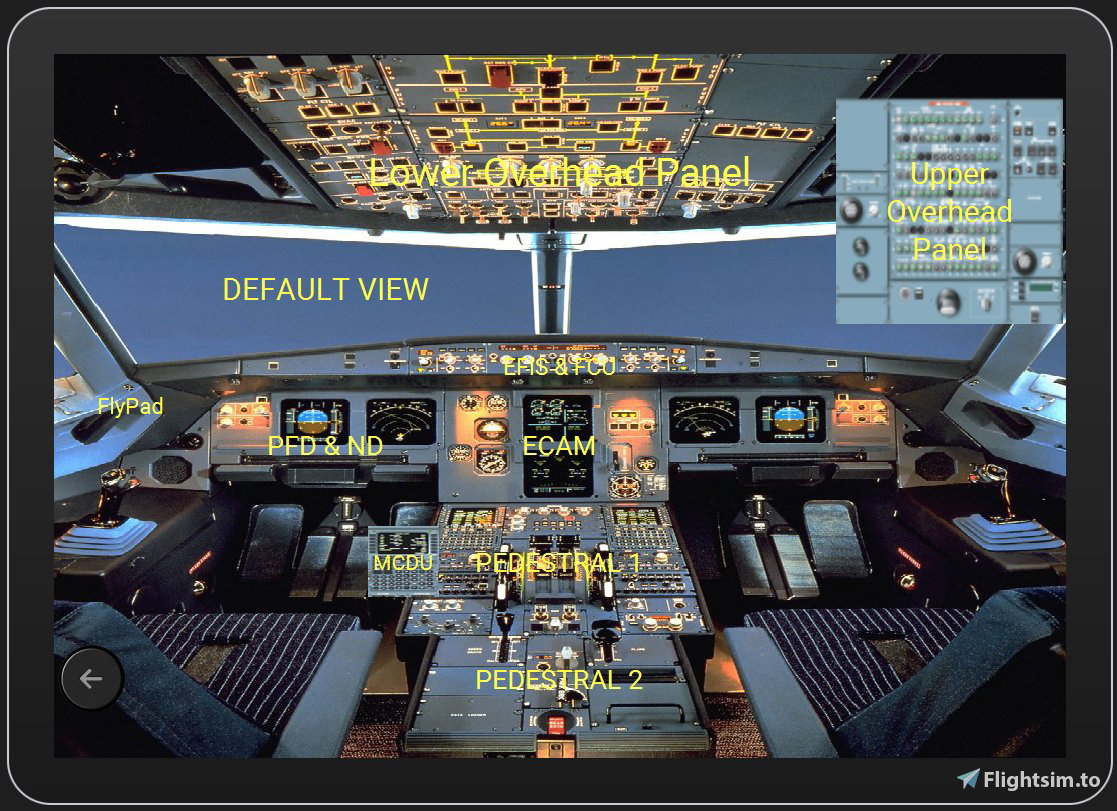
MY first Touch Portal page. This one is dedicated to some views of the A320 FBW cockpit.
Requirements:
- Licensed Touch Portal app on your mobil device
- The Touch Portal software on your PC
- The MSFS Touch Portal plug-in: https://github.com/Touch-Portal-MSFS/MSFSTouchPortalPlugin
Feel free to improve it!
MSFS 2020MSFS 2024
A320 Instruments views for Touch Portal
Enhance your A320 FBW cockpit experience with this Touch Portal page, providing various instrument views for better navigation and control. Requires a licensed Touch Portal app on your mobile device, Touch Portal software on your PC, and the MSFS Touch Portal plug-in. Feel free to customize and enhance this tool to suit your preferences.
Downloads1K
Version1.0
File Size309.56 KB
Published5 years ago
Updated5 years ago


User Reviews
5.0
1 reviews
5
100%
4
0%
3
0%
2
0%
1
0%
Version History
No version history available.
Log in to join the discussion
Log InComments(12)
over 3 years ago
Despite how simple it looks and its functionality is unattractive, the truth is that I ended up using it regularly to fly. A32NX is really very comfortable. If you have an old unused Android device, take advantage of giving it a second life in your flight setup.
over 4 years ago
This doesn't seem to use the MSFS TP Plugin at all... right? Just the TP built-in key press actions, it seems like.
If it does, updated URL/repo is at https://github.com/mpaperno/MSFSTouchPortalPlugin with many new features available.
Cheers,
-Max
almost 4 years ago
It was a long time ago. I did a lot of transformations in my cockpit. I don't think I will use TP anymore. I will use 3 screens for the general view and 2 touch screens for the instruments. But I'll be sure to see what this plugin can do. THX
about 5 years ago
These are the following steps to importing it into touch portal (i had to figure it out myself as well)
Open Touch PortalCreate a new PageThen click on Manage PageThen finally click on Import Page (browse to the (A320_FBW_Instruments_Real_View) .tpz fileAnd thats it, then it will add the page to your pages list you can then create a button on your default page linking to the the A320_FBW_Instruments_Real_View page so you can fast switch between them.
Hope that helps
about 5 years ago
Thank you, never used the Portal before, now it works! Thanks again.
about 5 years ago
Pode dizer como se instala por favor?
about 5 years ago
Hi, downloaded as per your instruction but would be nice if you had a step by step guide how to get it propely set up. Thanks in advance.
about 5 years ago
buongiorno come s'installa grazie
almost 5 years ago
Ciò richiede touchportal (https://www.touch-portal.com/)
about 5 years ago
bonjour.
comment installe ce plug in?.
merci
almost 5 years ago
Ceci nécéssite touchportal (https://www.touch-portal.com/)