
Description
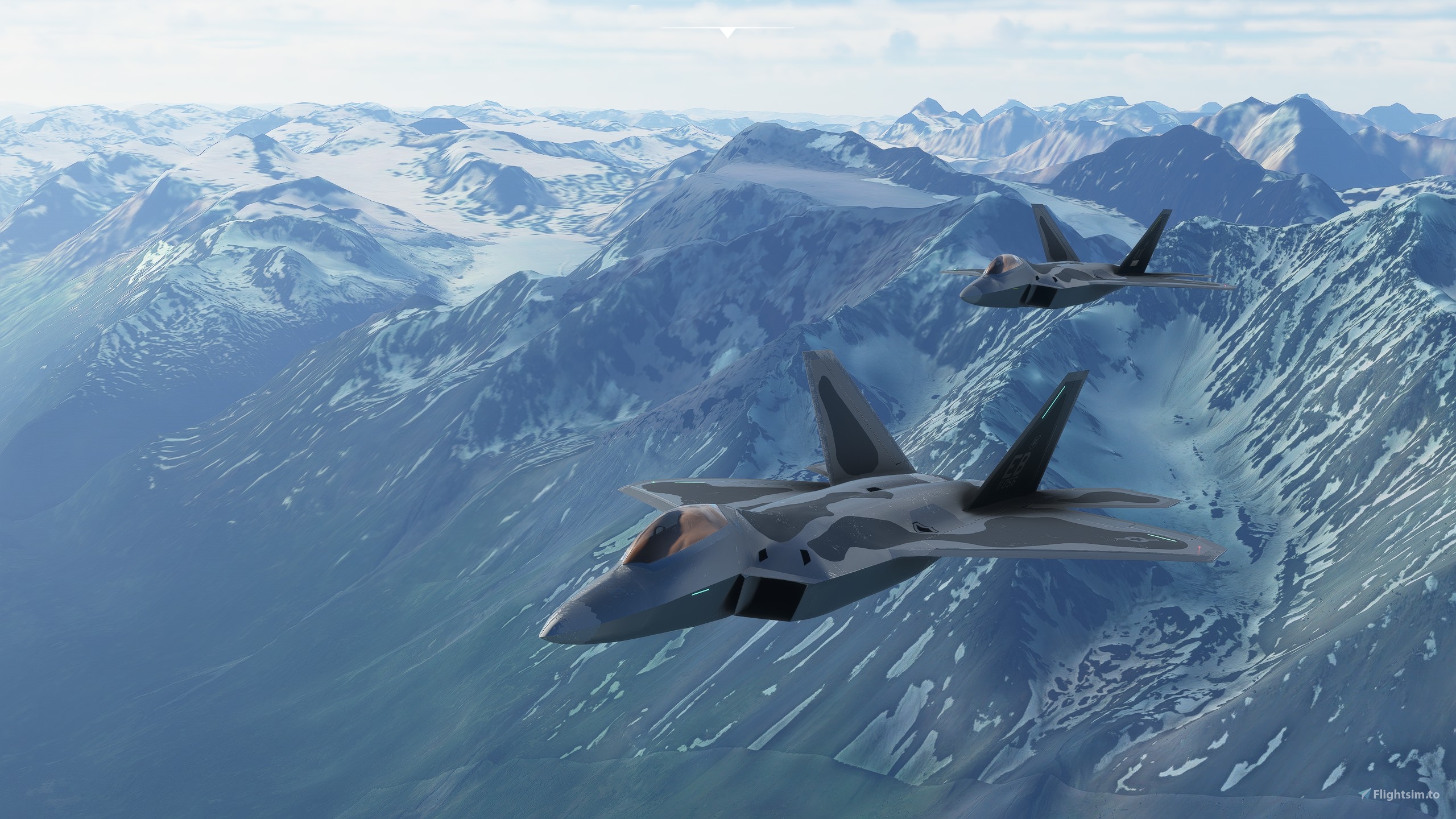
The United States Air Force Lockheed Martin F-22A Raptor Air Dominance Fighter
Aug. 29,2024. It's with sadness that we report that we've reached the end of the road with our freeware F-22A model. Top Mach Studios is just too darned busy with development of new, high quality, models for MSFS that we just don't have the time to invest more effort into maintaining this freeware offering. As such we've taken down the download link. We'll leave the comments section open for anyone who wants to leave a review or comment on the model, but we will not be presenting this model for further downloads and we won't be maintaining or updating this download in the future. Thank you to everyone in the flightsim community who supported this effort and contributed their encouragement and feedback.
Justflight Premium Version:
www.justflight.com/product/top-mach-studios-f22-a-msfs
DISCORD: Follow us on Discord for information about our premium models, support for the F-22 premium model, community discussion, and information about other new and forthcoming models from Top Mach Studios: Top Mach Studios Discord
WEBSITE: Check out our web site www.topmachstudios.com
MSFS Official Forum F-22A Raptor Page: F-22A MSFS Forum Page
Brought to you by Top Mach Studios, LLC
The world’s most advanced operational air superiority fighter presents a monumental challenge for any flight simulation developer. A passion project of ours, Top Mach Studios dedicated over 9 months of research and development to the creation of this totally custom made scratch built (not a conversion - not based on any previous FSX / Prepar3D meshes or models) model for MSFS 2020 and in doing so we’ve pushed the limits of what’s possible in MSFS 2020. We are proud to present this highly capable, highly functional replica of the F-22A to the MSFS 2020 community. We think you’ll find this aircraft to be an absolute thrill and a true joy to fly. In return, we ask you to show your appreciation by taking a moment to provide your honest review, feedback, and suggestions. We hope you’ll have at least as much fun flying the Raptor as we’ve had making it.
Top Mach Studios
- Evan Burns – Lead developer and programmer
- Adam Burry – 3D modeling and visual effects
- DakFly0219 – Flight performance modeling and tuning, lighting and visual effects, manual and documentation.
Installation, User License, and Manual
-
Move the .zip download file to your desktop (to avoid long file names errors some users have reported) and then copy the topmachstudios-f22a-raptor file folder found inside into your Microsoft Flight Simulator 2020 Community directory. Don't install the raptor-documentation folder into your Community folder. We strongly recommend you take a moment to review the included user manual .PDF file in the raptor-documentation folder before you take flight in the Raptor to help improve your experience. Start MSFS 2020 and find the Lockheed Martin F-22A Raptor in the aircraft selection menu.
-
Please review the included 'TopMachStudios_F22ARaptor_License.txt' for user license information and instructions before posting videos or streaming content using this freeware aircraft model.
- We strongly advise you to take a moment to review the included user manual .PDF file (and the notes below on this page) for more details and instructions before submitting support inquiries. Please submit your inquiries on this download page.
Model Features and Capabilities
Simulated Fly-By-Wire control system providing virtually carefree flight control
- Auto-trim / pitch control
- G-Limiter
- Roll rate limiter
- Yaw control limiter
- Exceptional maneuverability and smooth control responses up to 19 degrees angle of attack (the
hard limit within the current game physics model) and controllability at airspeeds as low as 90 KIAS. - Highly resistant to departure from controlled flight throughout the flight envelope.
- Precision high altitude flight control to 60,000 feet and above.
- Takeoff / Approach mode (landing gear down) ensures precise control for virtually effortless
handling during take-off and landing approaches. - Low speed aerobatic maneuvers possible; hammerheads, tail slide, and pedal turn capability
- Thrust vectoring and high alpha flight maneuvering (above 19 degrees angle of attack) are not
simulated at this time due to underlying limitations of the game physics model.
Highly detailed fully custom 3D cockpit modeling
- Highly detailed modeling and texturing of cockpit, control panel, and ICP/HUD module
- Detailed ejection seat model
- Fully functional Head Up Display (HUD)
- Fully Functional MFDs and PFD (using customized Asobo native G3000 instrumentation suite)
including moving map, customized traffic display, and terrain functions - Canopy interior reflections and rain effects
- Many button, knob, and switch animations functional in cockpit
- Full suite of functional essential autopilot controls built into the MFDs
- Functional engine controls in MFDs and in cockpit
- Functional fully customized cockpit lighting and HUD lighting controls
- PFD can be configured to display primary flight information or moving map display
Detailed Custom 3D Exterior Model
- Scale and proportions very close to the real world aircraft
- Custom texturing including metallic and non-metallic surface texturing effects
- Animation of all key flight control surfaces (excludes a number of maneuvering control surface
deflections as seen in the real Raptor due to complexity and sim limits). - Animated landing gear
- Exhaust heat effect and Asobo native contrails enabled
- Custom canopy reflections and tinting
- Customized Exterior Lighting Systems include custom landing and taxi lighting,
electroluminescent formation lighting, navigation lights, and beacons; all modeled after the
actual aircraft, with correct lighting positions.
Engine and Performance Modeling based on Lockheed Martin / USAF specifications
- Accurate weight and fuel quantities (includes additional fuel to simulate 2 x 600 gallon ferry
drop tanks; visual drop tank models and drag model not included) - Optional stores configuration available to simulate 6 x AIM 120D and 2 x Aim 9X missiles
(weapons modeling / animations not included) - Engine model tuned to realistic specifications for thrust and performance.
- Drag and lift model tuned to estimated specifications. Sustained 5G+ maneuvers at 40,000 feet
and above are possible - Mach 2.4+ maximum speed
- Mach 1.7+ supercruise capability
- Supersonic climb to high altitude
- Incredible acceleration rates at full throttle.
- Supersonic capability up to 60,000 feet and above
- Reasonably accurate fuel consumption and maximum range at all altitudes (not based on the
default game turbine model, but customized to greatly improve accuracy of turbine fuel
consumption and thrust).
Known Limitations and Game Settings Recommendations
- PLEASE READ THE INCLUDED MANUAL CAREFULLY BEFORE SUBMITTING SUPPORT REQUESTS. 9 OUT OF 10 ISSUES ARE EITHER DUE TO USER ERROR OR CONFLICTS WITH OTHER MODS.
- We strongly recommend setting all accessibility options settings to the "Hard" setting to provide the most realistic performance and provide the best handling for the aircraft. Leaving AI pilot and other support options enabled can degrade performance or cause the plane to be unusable.
- Turn off Nosewheel steering (used by the SuperHornet). Doesn't work with the F-22.
- With SU5, Asobo introduced a different/new methodology for computing airspeed that, in particular at speeds above Mach 1 and at altitudes above 30,000 feet, resulted in inaccurately high airspeed readings in your airspeed indicators for all aircraft. The problem worsens as aircraft go higher and faster (supersonic and hypersonic flight in particular is quite severely affected). We have confirmed this affects all aircraft in the game and have reported this to Asobo. With version 1.0.7 of the Raptor, in response, we developed and programmed a methodology for computing, accurately, the calibrated airspeed. All airspeed indications in the cockpit now show the correct KCAS value. We have also re-implemented an overspeed warning at 800 KCAS and the aircraft will reach critical stress levels if this is significantly exceeded (flight will end if you have damage caused by overstress turned on). However, we were not able to update the airspeed value displayed in the external camera HUD view and these values will become increasingly divergent as you go higher and at faster supersonic speeds.
- After SU5 update, for PC users to ensure proper control of switches and knobs in the cockpit with a PC mouse or other pointer controller, you must go to the General Options -> Accessibility -> Cockpit Interaction System and change this setting to "Legacy."
- Remove prior versions of the Raptor, including old pre version 1.x.x.x versions (typically named "evanburnsdev-f22raptor" or similar) before installation of an update.
- Control with keyboards isn't currently possible. We are not pursuing a solution for it as it would be too difficult to fly with keyboard alone.
- Make sure you are using "Modern" flight model.
- If you have no control: Please verify that there is no simconnect.cfg or simconnect.dll located in your Documents folder. These are dead files that are left from an old version of Kinetic Assistant that interferes with the aircraft's Fly By Wire system. Also, this model doesn't work with keyboards as noted previously. You will also see a similar lack of control if you attempt to use your keyboard to control the aircraft.
- If you use rudder pedals or any other rudder input controller we strongly recommend you set your rudder sensitivity curves (found in the game Controls Options menu) setting to somewhere between -50 and -60. The rudder input in the game, at default settings, is very touchy or twitchy, and reducing the sensitivity curve will provide a much more easily managed rudder input and yaw control for the Raptor.
- Do not enable (or turn off if already enabled) the Take-Off Auto-Rudder option under the Assistance menu. Enabling this function will cause oscillation around the yaw axis at airspeeds above 600 knots indicated. If you must enable this function, make sure to disable it after takeoff (and re-enable just before your approach and landing) to avoid this problem.
- The model is highly responsive in the roll axis and some sim pilots may find the default control sensitivity “twitchy” and find fine aileron control modulation difficult when in normal flight mode. If you find this to be the case we recommend a setting of between -20% and -30% for both positive and negative deflections for Axis-X (or whatever Axis correlates to aileron input for your controller) under the Sensitivity menu for your control stick or yoke (found under the Controls Options).
- Make very sure the following value: [General Options -> Camera -> Cockpit Camera -> Horizontal Position] is set at exactly 50. If not, your eye point will be significantly offset from the centerline.
- We recommend you turn off camera shake in the Camera settings under General Options. At high angles of attack, and with the maneuvers this aircraft can perform, you won’t be able to see the instrumentation or outside views very well with your virtual “head” bobbing up and down.
Version History Summary
Update 1.1.2
- Bug fix to address control lockup problem affecting pitch roll and yaw for some customers in SU9.
Update 1.1.1
- Fixes problem with missing lighting effects from version 1.1.0.
Update 1.1.0
- Resolved issue with throttle axis assignment not working for peripheral throttle input controllers after SU7 patch introduced a bug.
Update 1.0.9
- Restored Head Up Display (HUD) functionality.
- Incorporated wingtip vortex visual effect at high angle of attack. A big thank you goes to FlaminFenix for the effect file and assistance with attaching it to the aircraft.
Update 1.0.8
- Restored Head Up Display (HUD) functionality.
- Incorporated afterburning fuel consumption and made other respective modifications to the engine configuration file to retain the performance profile for the model.
Update 1.0.7.1
- Fixed Xbox type controller right rudder control problem
- Corrected Spanish language localization file
Update 1.0.7
- Substantially improved aileron roll response and crispness (incorporating improvements from SU6 update)
- Maximum roll rate increased to 220+ dps.
- Adjusted G-limits to official specs (+9 / -3)
- Customized programming of highly accurate Calibrated Airspeed Calculations (Asobo supersonic airspeed calculations inaccurate after SU5).
- Reintroduced correct maximum airspeed limit (800 knots KCAS) and aural alerting.
- Custom programmed auto-throttle now built into FBW.
- Auto throttle / Auto pilot system speed calculations are now computed in FBW module instead of the sim.
- Blurry scenery as seen through canopy from interior fixed.
- Slightly darkened canopy tint level, improving HUD visibility in bright conditions.
- Shadows now rendered correctly inside the cockpit.
- Streamlined and further optizimed the FBW code.
- Localization files translated for all supported languages (community feedback requested and appreciated - translated using online translation software - not native speaker translated).
Update 1.0.5.1
- Raising the roughness(to reduce reflections) for the interior glass too high caused it to blur the environment with the 1.0.5 update. Lowered it back as little as we could to prevent blurring.
Update 1.0.5
- Fixed bug in PMFD Airspeed
- Adjusted default screen brightness of MFD's
- Lowered reflections on interior canopy glass
Update 1.0.4
- Updated for SU5 Compatibility
Update 1.0.3.1
- Revision to Install Readme.txt file - no need to re-download if using 1.0.3.0
Update 1.0.3.0
- Updated sound file for more realistic engine sounds
- Increased flap drag coefficient to a more realistic value
- Corrected missing flap angles / detents with user flap position selection
- Disabled bugged default auto-spoiler and auto-brake functions
- Updated user manual and documentation
Update 1.0.2.1
- Included additional documentation excluded from 1.0.2.0 update.
Update 1.0.2
- Fixed a bug preventing rudder control for handheld controllers(steam/xbox).
Update 1.0.1
- Fixes a bug causing the Fly By Wire to default to the off position. This update causes it to default to on. To verify, in the FLCS Panel (left side console near seat), the Auto switch should be in the up (away from you) position.
Lockheed Martin F-22A Raptor: Top Mach Studios Freeware Edition
With over 9 months of meticulous development, Top Mach Studios presents a custom-made Lockheed Martin F-22A Raptor for MSFS 2020. This freeware edition offers a highly capable and functional replica of the renowned air dominance fighter, featuring advanced controls and detailed modeling both inside and out. Experience the thrill of flying the F-22A Raptor in the world of Microsoft Flight Simulator 2020.
Downloads Stopped
The creator has temporarily stopped downloads for this addon. Please check back later.


Supporters

edwardlang
$50

Strat919
$20
alfye20
$20
KMWH007
$20
Hoff
$20
ValleyD21
$20
dubnewt
$20
$20
jose_lopez
$15
Memneth
$10
kklosterman
$10
DigitalSnake
$10
MT888
$6

JKustom
$5
Swampdoc25
$5
DJAMES
$5
BertRC
$5
ashishkabob
$5
TSR_ChuckY
$5
catplane
$5
petegorny
$5
SMASH_mouth97
$5
MRL22
$5
musicmaker7
$5
progsong
$5
NavMAN_68
$3
MalteB17
$3
$2
JKustom
$2
JKustom
$2
Georodin
$2
thegrand13
$1
dakfly0219
$1
dakfly0219
$1
User Reviews
237 reviews
Version History
Bug fix to help address control lockup problem experienced by some customers after SU9 game update.
Featured in Collections(2)

Related
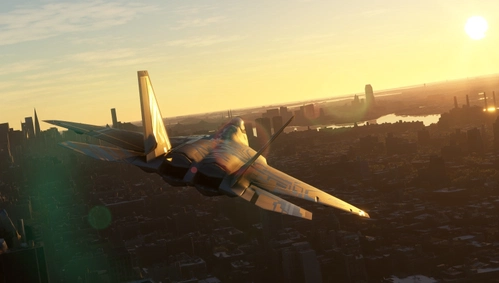
Top Mach Studios F-22A Premium Edition Starscream Livery
Transform your F-22A with the eye-catching Starscream livery from Top Mach Studios. This premium edition features stunning visuals and high alpha performance. Install with ease and take to the skies in style with this free livery!
by Flam1nFenix
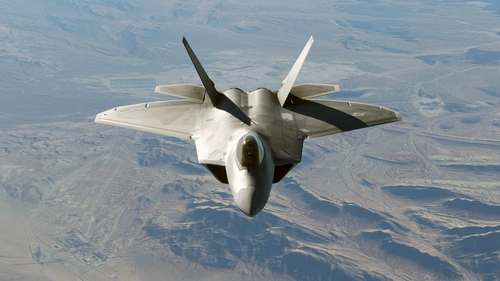
Top Mach Studios F-22A Raptor Paint Kit
Create custom liveries for the F-22A Raptor with Top Mach Studios official paint kit. Version 1.1.0 includes an extensive range of .psd layers for detailed customization. Join the community on Discord for support and explore more projects on their website and Facebook page. Let your creativity take flight with 4 Photoshop files included in this kit.
by topmachstudios
Log in to join the discussion
Log InComments(944)
about 2 years ago
over 2 years ago
over 2 years ago
over 2 years ago
over 2 years ago
over 2 years ago
over 2 years ago
over 2 years ago
over 2 years ago
over 2 years ago
over 2 years ago
over 2 years ago
over 2 years ago
over 2 years ago
over 2 years ago
over 2 years ago
over 2 years ago
almost 3 years ago
almost 3 years ago