
Description
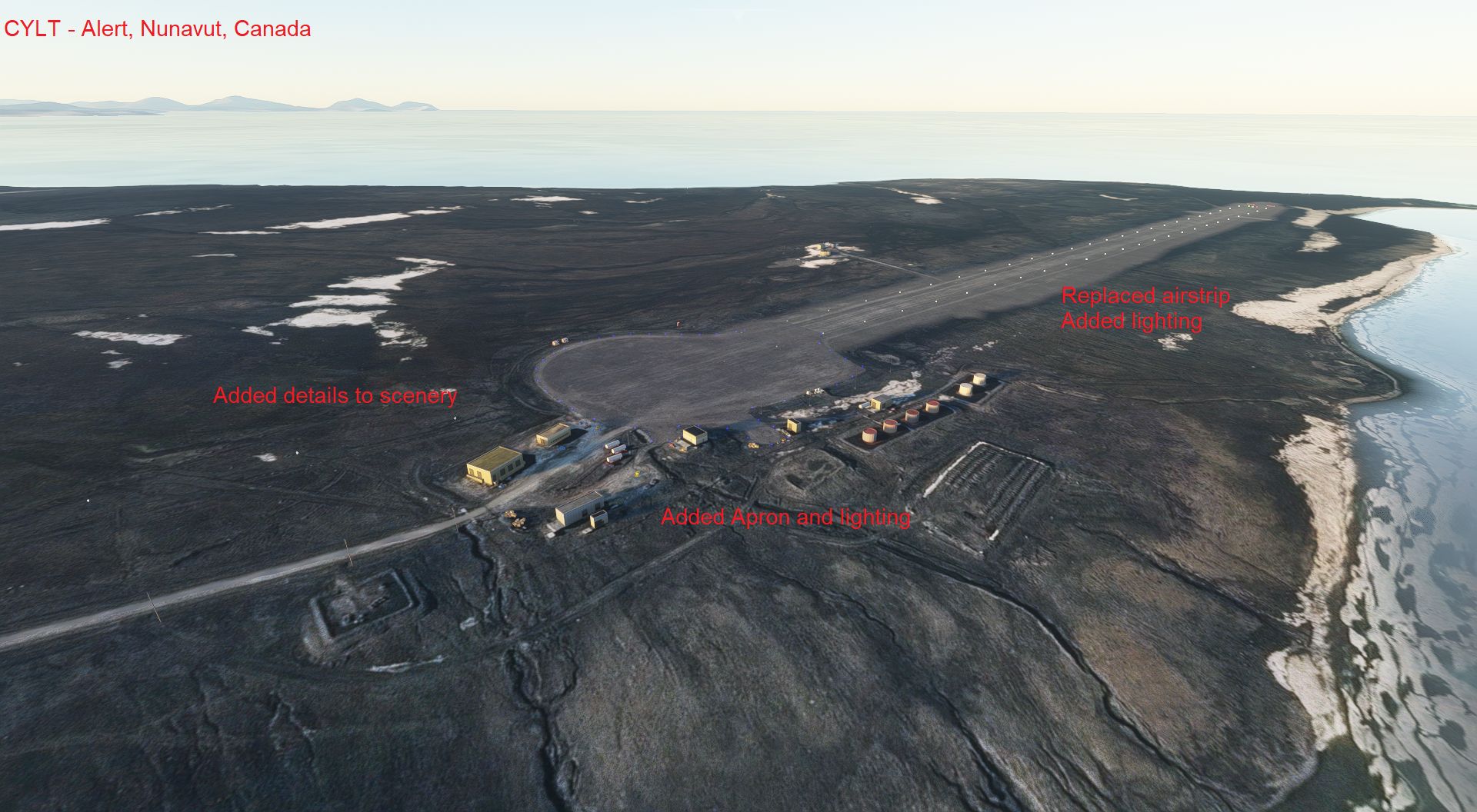
CYLT Alert, Nunavut, Canada scenery modification for Microsoft Flight Simulator 2020.
VERSION 1.2 - 23 April 2023FREE AND EXCLUSIVE TO FLIGHTSIM.TO (If you find this file elsewhere, let me know).
In the default scenery, Alert airstrip is poorly rendered, with no lighting and very rough to land on. This scenery replaces that runway with a more realistic rendition of the actual runway, adds appropriate lighting, and other scenery details in the area. Information from the Canadian Flight Supplement (expired editions) and the internet wre used to place objects. Only default MSFS SDK scenery elements are used.
Installation:
NOTE the TWO folders.
arh-apt-cylt-alert = contains the CYLT CFS Alert airstrip and all the scenery except landmark locations.
arh-apt-cylt-alert-lm = contains only landmark locations for natural features and points of interest, but no scenery.
Place the folders in your community folder. If you do not wish all the POI showing, do not install the arh-apt-cylt-alert-lm folder. I hope you enjoy the updated area!
You may also wish to filter out POIs on your World Map > Open Filters > Points of Interest (turn them off), and for a full sense of immersion, turn POIs off with your Assistance > Navigation Aids settings (or just do not install the folder arh-apt-cylt-alert-lm).
The airstrip is starred and located on the northern coast of Ellesmere Island, Nunavut, CANADA.
Scenery includes:
* 5500 x 150 feet gravel airstrip at 100 feet elevation
- Runway lighting (Runway end identification lights, Threshold lights, High intensity runway lighting, appropriate Approach lighting)
- Windsocks at each end of the runway (and one at the summit).
- Apron and apron lighting
- Refueler
* Vehicles at various locations on the roads around the area.
* Removal of vegetation from the area. (There is little vegetation this far north in reality).
Improvements to come:
* additional terrain edits, including smoother elevated runway and apron pad.
* Replacing buildings with more appropriate structures.
* Changing textures to better represent the sparse vegetation and gravel of the area.
* Addition of more infrastructure if information sources can be found.
* Removal of MSFS default lighting for streets as there is no street lighting at this site.
Location details of the airstrip:
* ICAO: CYLT
* IATA: YLT
* Airstrip location: 82-31-04 N, 62-16-50 W (81.517778, -62.280556)
Alert is located approximately:
* 1.6 km north of summit site.
* 677 km north of Thule, Greenland.
* 786 km north of Grise Fiord, Nunavut, Canada.
* 817 km south of the North Pole.
* 1145 km north of Pond Inlet, Nunavut, Canada.
* 2092 km north of Iqaluit, Nunavut, Canada.
History:
Alert is the location of Canadian Forces Station Alert on the northern coast of Ellesmere Island. It is the northernmomst inhabited place on Earth. A weather station was created in 1950. Unfortunately, a RCAF Lancaster crashed that same year killing all 9 onboard. They were laid to rest west of the airstrip. In 1956 the Royal Canadian Air Force (RCAF) opened an Arctic Long Range Communications Research facility. Up to 215 personnel would man the station. Changes in technology have reduced this to 74 by 1998. In 1991 a CC-130 Hercules transport aircraft crashed on approach 16km south of the runway killing 5 of 18 onboard. Blizzards made rescue difficult. It was the plot for a film entitled "Ordeal in the Arctic."
This airstrip improves the default MSFS scenery to give a more realistic version of the actual aviation infrastructure. During 6 months of darkness each year, you now have a place to land with lighting in the high arctic. During the summer, you can find some spectacular high arctic scenery around the site, as well as a few natives to the area wearing white fur while walking on all fours.
VERSION HISTORY:
Version 0.5 - 24 April 2021
Version 0.6 - 29 January 2022
* Addition of Points of Interest (POIs) identifying nearby natural features.
* Addition of lighting for exterior of buildings, somewhat fictional as cannot find good source data.
* Addition of a few more antennas.
Version 0.7 - 25 April 2022
* Separation of Landmarks (with the exception of CFS Alert itself) by request. There are now two folders, the arh-apt-cylt-alert contains all features except landmark locations which are located in arh-apt-cylt-alert-lm, so if you wish not to have landmarks displayed, just do not copy the arh-apt-cylt-alert-lm folder into the Community folder.
Version 1.1 - 21 October 2022
* Increase size of treeless area.
* Modification to fit World Update 11 - Canada.
* Replace windsocks.
Version 1.2 - 23 April 2023
* Modification of some of the terrain, particularly to flatten the coastal water area.
* Addition of new infrastructure at the limits of the station and edit some other infrastructure locations.
I hope you enjoy the updated area!
ARH64CDN - contact on www.flightsimulator.com
23 April 2023
Location
CYLT - Alert Nunavut Canada airport/scenery enhancement
Enhance your Microsoft Flight Simulator experience with the CYLT Alert, Nunavut, Canada scenery modification. This add-on features a realistic rendition of the Alert airstrip, complete with lighting, improved runway details, and added scenery elements in the area. Explore the northernmost inhabited place on Earth and enjoy a more immersive landing experience in the high arctic.


User Reviews
8 reviews
Version History
Version 1.1 - 21 October 2022 * Increase size of treeless area. * Modification to fit World Update 11 - Canada. * Replace windsocks. Version 1.2 - 23 April 2023 * Modification of some of the terrain, particularly to flatten the coastal water area. * Addition of new infrastructure at the limits of the station and edit some other infrastructure locations.
Related
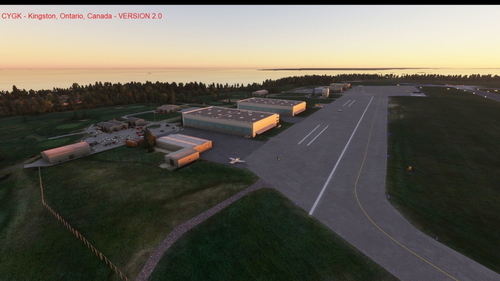
CYGK - Kingston Ontario Canada airport/scenery enhancement
Enhance your virtual aviation experience with the CYGK Kingston, Ontario, Canada scenery modification for Microsoft Flight Simulator 2020. This add-on includes detailed enhancements to Kingston Norman Rogers Airport and surrounding areas, featuring accurate runway layouts, taxiways, lighting, landmarks, and more. Stay updated with the latest improvements, such as added street lighting, fencing upgrades, and the removal of default lighting elements. Get ready to explore the historical city of Kingston with this immersive scenery update.
by ARH64CDN
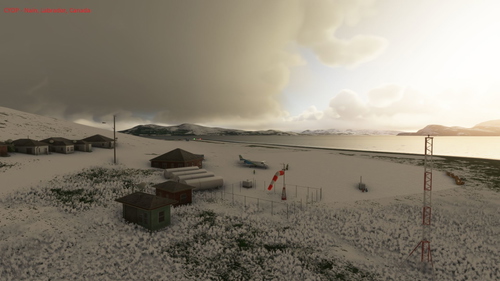
CYDP - Nain Labrador Canada
Explore the beauty of Nain, Labrador, Canada with this scenery addon for Microsoft Flight Simulator 2020. Version 1.1 includes a detailed representation of Nain airstrip, complete with gravel runway, vegetation, street lights, and more. Discover the northernmost Inuit community in Labrador and enjoy a realistic flying experience along the Labrador coast.
by ARH64CDN
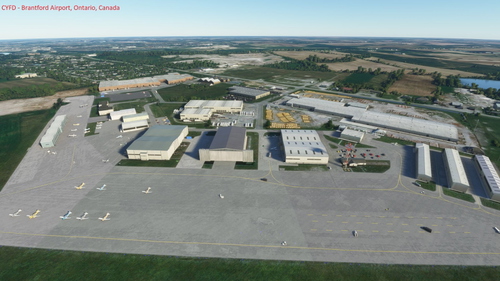
CYFD - Brantford Ontario Canada airport/scenery enhancement
Enhance your flight experience with the CYFD Brantford, Ontario, Canada scenery modification for Microsoft Flight Simulator 2020. This add-on includes detailed airport modifications, surrounding area enhancements, and plans for future improvements based on real-world information sources. Explore this historically significant airport opened in 1940 and bring a touch of realism to your virtual flights.
by ARH64CDN
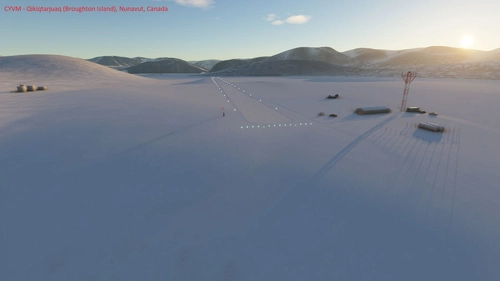
CYVM - Qikiqtarjuaq (Broughton Island) Nunavut Canada
Explore the remote airstrip of CYVM Qikiqtarjuaq (Broughton Island) in Nunavut, Canada with this add-on for Microsoft Flight Simulator 2020. This version features a detailed gravel airstrip, lighting, buildings, and vehicles, with ongoing improvements planned. Discover the historical significance of the area, home to an Inuit community and a former DEW line radar station. Experience the high arctic tundra landscape as you navigate this newly added location.
by ARH64CDN
Log in to join the discussion
Log InComments(30)
over 2 years ago
almost 3 years ago
almost 3 years ago
over 3 years ago
Is it just me or is the runway still pretty rough?
over 3 years ago
It is quite rough but in reality it is too. This still should be much smoother than the default scenery with MSFS 2020. I have had some difficulty with this extremely northern airstrip to get things to place properly.
over 3 years ago
Ah. Alright. Regardless, much thanks for the efforts!
about 4 years ago
Please update, when approaching runway 23 there is a huge radio tower in the way, also the runway data is messed up (when the runway is showing in the aircraft screens it is about 20-30 degrees off of the actual runway
almost 4 years ago
The runway being "off" sounds a bit like you may have not taken variation into account. Given Alert is so far north, your magnetic heading will currently be 44° off your true heading and vice versa. Also, with the commonly strong winds, your track and heading may be far apart too.
almost 4 years ago
Unfortunately I cannot check as MSFS 2020 is unusable since the last Sim Update for me. Never had an issue until that update. Hopefully they will fix what they broke soon.
over 4 years ago
Landmark icons on the World Map seem to be bugged, at least on my end - there's a thin white rectangle on top of each landmark icon.
over 4 years ago
So nice! Great work! I flew twice in the last couple of days and the runway lights are not working at landing. At this time of year it is dark all day long. Would you be able to fixe this?
over 4 years ago
Thanks for letting me know - I could not recreate the error, but what I did was recompile it with a few more scenery additional as Version 0.6. Let me know if the lighting still does not function. It might have something to do with ranges at this high latitude as I noticed other exterior lighting near the buildings also does not turn on until almost on top of them.
I first flew here in MSFS in November 2020 and was surprised to find it dark and impossible to land - managed to put the plane down anyway, but found it unsuitable that there is no lighting in MSFS default when in reality there is, especially with such a remote airfield. That is why this scenery was created.
over 4 years ago
Hi! I flew today from Resolue Bay (CYRB) to Alert (CYLT) and unfortunately the runway lights did not work. I could see the runway lights while approaching and the lights disappeared while turning in final approach at DUVOB. Also the RNAV approach did not work today. It used to work ok before. The street lights are working. I'm flying the default a320neo. I hope these informations can help you fixing things. Thanks again for the great work! Jeff.
over 4 years ago
Hi Jeff,
I have recompiled the scenery (taking out the scenery location tags) but otherwise all the default items should still be in the scenery. I tried recreating the approaches again and for me the runway lights stay on (very dim in the snow). I have found that the MSFS 2020 SDK used for scenery development keeps changing and some of the work I have done on other sceneries is no longer compatible (and I used only the default scenery items) since there were changes to them. Now I cannot compile them and look at redoing some long hours of work that was already put in. I have stopped work on many sceneries now hoping things will soon stabilize.
Anyway, I hope this version works for you - and let me know if it still does not!
over 4 years ago
Hi,
WOW! I can't wait to try it and see how it goes! I'm sorry that you have to redo some of the works. I will let you know as soon as possible. I will fly to Alert in the upcoming days. Cheers!
over 4 years ago
Thank you - and for letting me know it works now. I will now try to get the other sceneries to recompile.
almost 5 years ago
This is a fantastic little airstrip - especially for free! Nice work adding the surrounding buildings to Alert Station, and the Polar Bear behind the runway threshold is a nice touch as well. Now, for Canada to get a world update and better terrain data for the rest of the far north :D
over 4 years ago
Thanks for noticing the polar bears - there are others around the area, and not just at the airstrip.
I doubt that this will be updated even in a Canada update as the information does not really exist. I have found it difficult to get information on lighting placement to improve the overdone lighting in MSFS default scenery. I will probably remove that lighting when I g et enough more appropriate lighting installed.