
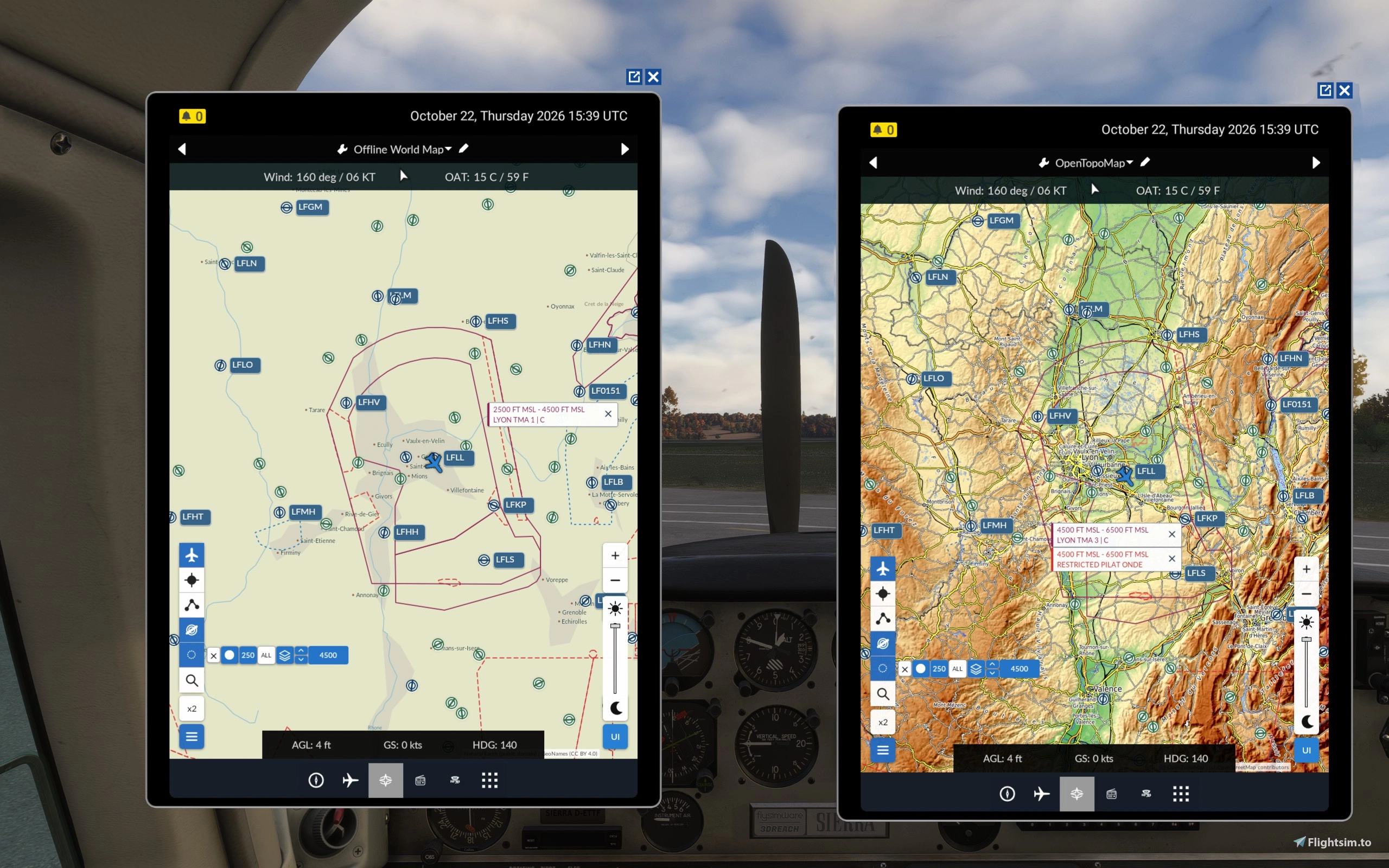
Description
Sometimes we simply need to know where we are, right?
This addon, built primarily for VFR navigation and touring, adds a simple moving map to your EFB in MSFS 2024, displaying the precise position of your aircraft. You can also display your flight plan in glamorous MAGENTA LINE, find airports or helipads for diversion, or simply explore the actual map of the world around you. The flight plan itself is synced automatically with the default MSFS 2024 flight planner - thanks to the legendary contribution by lstealth. The addon is really simple, there's no additional software you need to run on the background, no accounts or registration, no API keys or anything like that (however if you have a raster map with an API key, you can use it as well, by adding your very own custom map).
Following different requests, received from the MSFS 2024 community, numerous improvements were made to help simmers with navigation. But the main idea behind Simple Moving Map is still the same: instead of becoming a complex navigation software that pretends to be simple, it remains a simple tool with powerful features.
Latest additions:
- The archive now contains a single version of the Simple Moving Map using OpenTopoMap and the Offline World Map for your convenience. OpenTopoMap is useful to explore the world around you while the Offline World Map is much cleaner and handy to study and navigate around the airspaces.
- You can now display airspaces and filter them based on altitude limits and range. Default mode shows 180 degree of airspaces in front of you within the range of 50NM. Pressing "ALL" button removes filter restrictions and shows restricted/controlled airspaces around the world, filtered by altitude.
- Draw directly on the map using a handy pencil! You can even draft a route, completely independent from your flight plan!
- Ability to stop tracking and hide the airplane icon from the map - for training purpose and hardcore VFR like in the good old times!
- Toggle Menu/UI buttons.
- Handy EFB dimmer for the night operations.
- Redesigned UI to fit even the most uncommon EFB sizes & dimensions.
- Simplified custom map installation directly inside the EFB - please, only use raster map providers!
- Optional airport map overlay, using the MSFS 2024 internal database - including helipads and seaplane bases. Conventional airport icons visually represent main runway orientations. The labels include ICAO identifiers and names. The airport map overlay may be activated or hidden, according to your own preferences - hardcore VFR pilots may just ignore it completely.
- Global airport search by ICAO identifier - places a marker at the airport coordinates, giving the pilots immediate information about the distance, bearing, and ETE. Works with the airport map overlay activated or disabled.
- Yes, the ETE to marker has been added as well. Handy for fuel management and TOD planning.
- Wind information at current aircraft coordinates and OAT, based on the sim weather.
- Optional 2x magnification feature - makes roads, text labels and other map features a bit bigger and more readable. Some pilots may find the original map text a bit too small - especially those using larger EFB size. Magnification increases the readability, preserving the map scale, however may cause slight pixelation.
Other features:
- Your aircraft's basic information (altitude AGL, speed, and heading).
- An interactive marker. You can click any spot on the map to place the marker and read the distance, relative magnetic bearing, and ETE to the marked point. You may find this feature really handy while exploring the area as the map gives you the instant distance/bearing solution of any point of your choice. Also handy to know your precise distance to an airport during the commuication with ATC.
- You can zoom in/out using your mouse wheel. If the aircraft is centered (the "Center" button is active), the map will zoom to or from your aircraft, otherwise it will zoom in/out at your cursor.
Map imagery is loaded from OpenTopoMap/OpenStreetMap during use. Good for VFR, touring, and basic navigation around the world.
Don't forget to read the README file, found inside the package.
Learn more about the latest update: https://youtube.com/watch?v=afS1rQ39luk
Main feature showcase: https://youtube.com/watch?v=s-_xyCdxO-I
Please, report any discovered bugs & glitches either here or via direct messages!
Simple Moving Map — Frequently Asked Questions
Q: Does this addon consume a lot of resources or hard drive space?
A: Not really! The entire download is under 10 MB, and the addon is designed to be lightweight. There's no additional software running in the background, and map data is cached and displayed with performance limits in mind. The very code only weighs around 100Kb, the rest is the offline map shipped with it.
Q: What about Heading Up / North Up orientation?
A: I've considered Heading Up, but there's a little problem with raster maps: when you rotate the map, all the geographical names rotate with it. Fly south and everything becomes upside down! I prefer keeping the map North Up, helping pilots recognize landmarks and spend more time looking outside the window rather than staring at the tablet.
Q: I can't see an airspace that should be in a particular area.
A: Check your altitude, scanning range and sector. By default, the scanner looks 180° ahead of your aircraft within 50 NM. You can increase the range, switch to 360°, or press ALL to explore airspaces anywhere in the world. Remember, altitude filtering always applies, and some airspaces may be missing from MSFS's internal database.
Q: What exactly does the ALL button do?
A: It allows you to explore airspaces wherever you're looking on the map, independently of your aircraft's position and heading. The range and sector buttons become inactive, but altitude filtering still works. Pretty handy for planning a flight somewhere far away!
Q: I can't draw a line! Instead, I keep dragging the map.
A: Open the drawing toolbar and activate the solid or dashed line tool. Click once to place point A, then click again to place point B. No dragging required! Extremely short lines are ignored if there's not enough space for their labels.
Q: What do the numbers next to my drawn lines mean?
A: They represent the headings in both directions and the distance in nautical miles. For example, 270-090, 15NM means headings of 270° and 090°, with a distance of 15 nautical miles.
Q: My custom or default map isn't loading properly.
A: Online map providers occasionally experience outages or connection problems. Try another provider or switch to our built-in Offline World Map. For custom maps, please use compatible raster XYZ tile services and check the URL and any required API key.
Q: Can I use Simple Moving Map offline?
A: The Offline World Map doesn't need to download external map tiles, but MSFS 2024 itself still requires an internet connection to run. The offline map is primarily useful when online map providers become unavailable or you prefer a cleaner geographical background - for example to study airspaces.
Q: I don't need airspaces, drawing tools or other additional features.
A: No problem whatsoever! Just leave those features disabled and enjoy a simple moving map with your airplane on it. That's how this little project started, after all. :) You can also completely hide the menu or even the whole UI.
Q: Airspaces and drawings disappear when I zoom out!
A: That's intentional! Tiny drawings become unreadable, while hundreds of airspace boundaries would clutter the map. They're automatically hidden at unsuitable zoom levels and restored when you zoom back in. Nothing gets deleted.
Q: Are my drawings saved? Do they synchronize between 2D and VR?
A: Currently, drawings are kept only for the active session. You can pan, zoom, switch maps and close the drawing toolbar without losing them, but they aren't saved between flights or simulator restarts. Drawings also don't always synchronize between separate 2D and VR EFB instances. Both improvements are on my list for future updates!
Q: Can I use the addon with any aircraft?
A: It works with MSFS 2024's native EFB, including compatible cockpit tablets. Some third-party aircraft use custom tablet systems that don't support native EFB addons. But you can always press TAB and use this app with your 2D EFB.
Q: Can I display my MSFS flight plan?
A: Absolutely! Your flight plan is automatically synchronized with the default MSFS 2024 flight planner, thanks to lstealth's excellent contribution. You can also place your own markers and draw routes independently.
Q: What happened to the Lite and Full editions?
A: I decided there was no point maintaining two separate versions. Since 3.3.7, everyone gets the complete addon, including the Offline World Map. Just remove your previous Lite or Full installation before updating.
Q: I found a bug or have a suggestion!
A: Fantastic! Leave a comment or contact me directly. Many of the features you're enjoying today came from fellow pilots' suggestions. For now, I'm concentrating mainly on improving stability, performance and reliability.
Thank you for flying with Simple Moving Map, and have a wonderful flight! :)
Simple EFB Moving Map
This add-on introduces a basic moving map to your electronic flight bag in Microsoft Flight Simulator 2024, showing your current aircraft position. It uses map imagery from OpenTopoMap and OpenStreetMap. The map includes a simple zoom function and displays your flight route. Designed for VFR, touring, and basic in-flight navigation needs.

User Reviews
24 reviews
Version History
Airspace display and stability improved; airspace filter switched to "ALL" shows airspaces around the world. Lite and Full versions merged into a single package.
Related
Airwave Radio Addon & Media Player for EFB
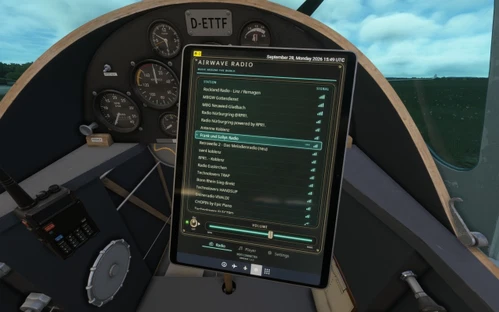
This add-on introduces local radio stations to the MSFS2024 electronic flight bag, enabling users to listen to music as they fly. The addon detects streaming internet radio-stations based on your aircraft location, and treats them as real AM/FM stations, mimicking the radio-signal behavior. Station availability is based on realistic signal ranges, and optional signal degradation offers a more authentic audio experience. Installation includes a simple background Windows application and an EFB plugin for the Community folder.
by OperatorStarsky
EFB Pilot Logbook
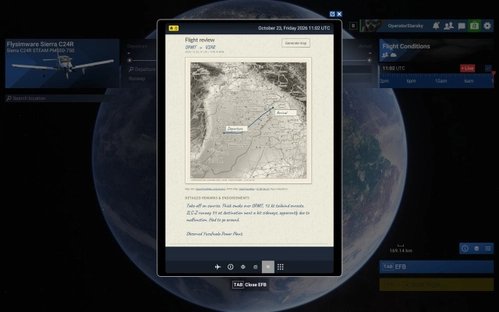
EFB Pilot Logbook offers a customizable, paper-style logbook within Microsoft Flight Simulator 2024 for recording flight details by airframe and registration. Users can document departures, arrivals, add flight notes and photos, with automatically generated or manually edited route maps. All logbook entries and maps are fully editable and support multiple languages. The add-on operates entirely within MSFS 2024 without the need for external applications.
by OperatorStarsky
Log in to join the discussion
Log InComments(122)
about 3 hours ago
about 23 hours ago
I now have even quicker access to your add-ons. :)
1 day ago
In the 2nd picture your EFB shows 6 apps at the bottom. Mine only shows 5.
1 day ago
3 days ago
Edit: Please ignore, found out that I need to click the blue bar to hide it.
3 days ago
3 days ago
3 days ago
5 days ago
Could the aircraft symbol on the map be black rather than blue?
Or perhaps an option to change the colour of the aircraft symbol.
When I have the airports showing and possibly an added point on the map, there's a lot of blue on the map.
5 days ago
It was completely white initially, which was even worse, especially on the close zoom, so I have changed it to blue, but then there's a lot of blue on the map as well, so I'll just let the pilots decide what color they want the icon to be, and it will persist.
6 days ago
I have just tested Simple Moving Map in MSFS2024 after updating to Sim Update 7 and it is working perfectly I'm happy to report.
I even added a line and a couple of squiggles... for testing purposes. :D
( See attached screenshot )
One thing I did notice.
When zoomed into the plane icon fairly closely on the map, the plane icon jumps along rather than smoothly moving.
Not a criticism. Just an observation.
Great add-on.
It's 5 stars from me.
6 days ago
As for the icon jumping - that's due to the EFB refresh rate, I keep it relatively low so it doesn't consume too much resources, but I will check if I can painlessly improve the smoothness at least a bit.
Thanks again and happy journeys!