
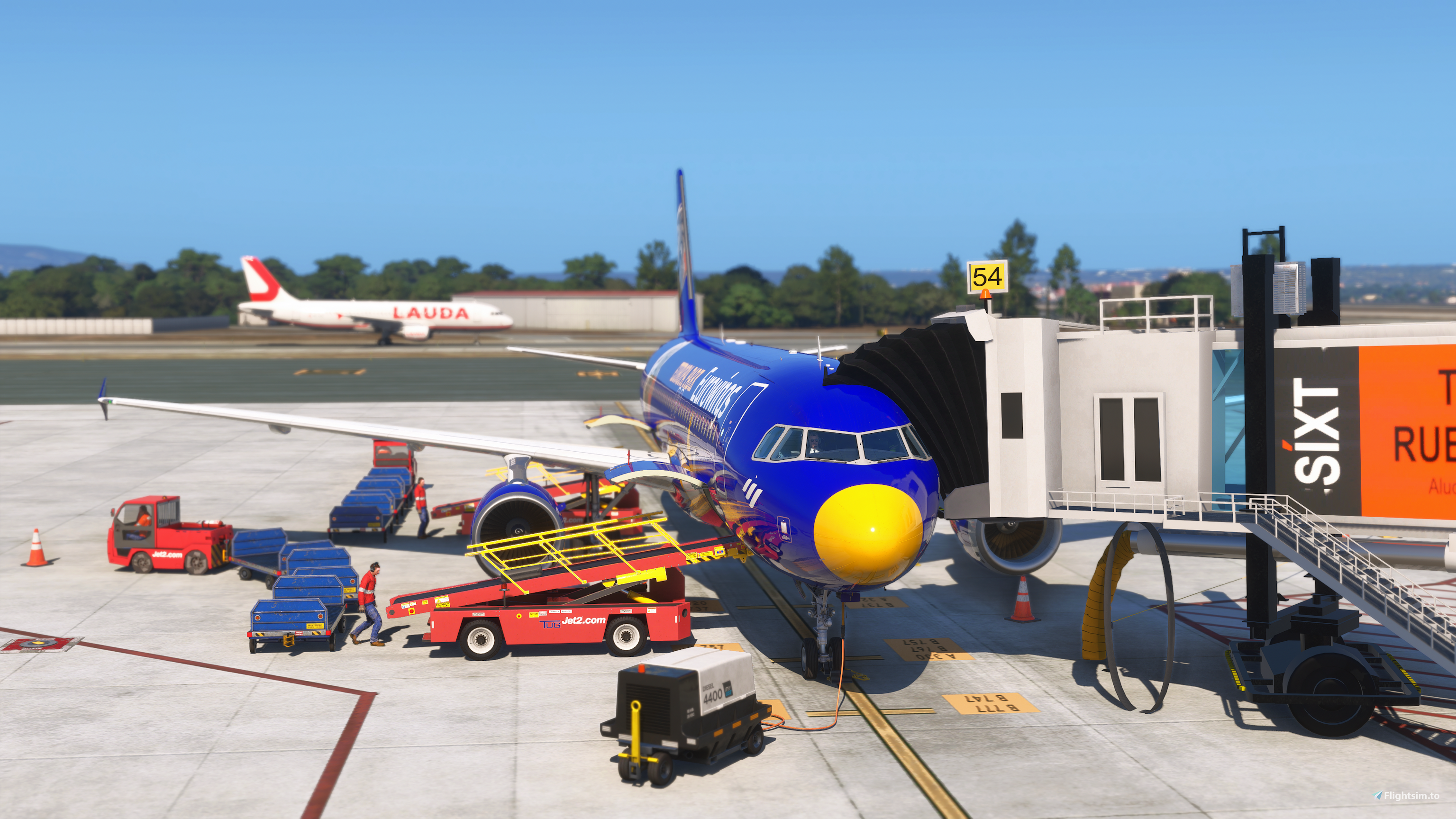
Description
EN:
Hi everyone,
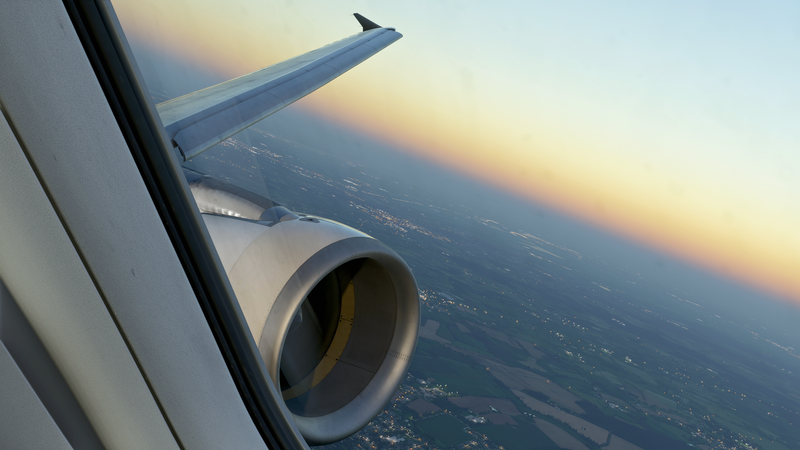
I created a ReShade preset to enhance the visual experience of MSFS, especially when used together with REX Atmos Core.
Installation:
If you haven't installed ReShade yet, please download it first. There are many helpful tutorials on YouTube explaining the installation process. Please note that the process is slightly different depending on whether you are using the Steam or Microsoft Store version of MSFS.
The download includes the .ini preset file. Simply select this file from the ReShade menu, and the preset will be activated.
For better performance, make sure that Performance Mode is enabled in the ReShade settings.
I do not use NVIDIA filters, so this preset works completely without them.
I hope you enjoy it!
Thank you, and have fun flying!
DE:
Hallo zusammen,
ich habe eine ReShade-Voreinstellung erstellt, um das visuelle Erlebnis im MSFS zu verbessern – besonders in Kombination mit REX Atmos Core.
Installation:
Falls ihr ReShade noch nicht installiert habt, ladet es bitte zuerst herunter. Es gibt viele hilfreiche Videos auf YouTube, die den Installationsprozess erklären. Bitte beachtet, dass sich die Installation je nach Steam- oder Microsoft-Store-Version des MSFS leicht unterscheiden kann.
Der Download enthält die .ini-Datei der Voreinstellung. Wählt diese Datei einfach im ReShade-Menü aus, und das Preset wird automatisch aktiviert.
Um die Leistung zu verbessern, stellt sicher, dass der Performance Mode in den ReShade-Einstellungen aktiviert ist.
Ich verwende keine NVIDIA-Filter, daher funktioniert dieses Preset vollständig ohne zusätzliche Filter.
Ich hoffe, es gefällt euch!
Vielen Dank und viel Spaß beim Fliegen!
⚙️ Hardware Configuration
Operating System
Windows 11 Pro 64-Bit
AtlasOS Version 25H2
CPU – Processor
AMD™ Ryzen 7 5800X3D
- 8 Cores / 16 Threads
- 100 MB Cache
- 105 W TDP
- 3D V-Cache technology for outstanding gaming performance
Motherboard
MSI MPG B550 GAMING PLUS
- Reliable gaming platform
- Excellent Ryzen processor support
- Designed for powerful high-performance components
RAM – Memory
Corsair Vengeance LPX 64 GB DDR4-3600 CL18
- 4 × 16 GB memory kit
- High-speed performance with large capacity
- Perfect for gaming, streaming, and demanding applications
GPU – Graphics Card
MSI GeForce RTX 4080 SUPRIM X 16 GB
- Premium graphics card for 4K gaming
- 16 GB GDDR6X VRAM
- Ray Tracing & DLSS support
- Excellent cooling and high-end performance
🖥️ Display System
Main Monitor
MSI MPG 272URXDE QD-OLED Gaming Monitor
- Resolution: 3840 × 2160 (4K UHD)
- 240 Hz refresh rate
- 10-bit color depth
- QD-OLED technology for perfect blacks and brilliant colors
- Ideal for high-end gaming and HDR experiences
Secondary Monitor
LG 27UP650P-W
- Resolution: 3840 × 2160 (4K UHD)
- 60 Hz refresh rate
- 10-bit IPS panel
- VESA DisplayHDR support
- Perfect for productivity, media, and creative work
🎨 Professional Monitor Calibration
Datacolor SpyderPro 2024
Professional display calibration for accurate and natural image quality:
✓ Precise color reproduction
✓ Optimized brightness and contrast
✓ Accurate gamma and white balance
✓ Improved image quality for photography, video editing, and creative projects
Marius KY ReShade - REX Atmos Core
This add-on provides a custom ReShade preset designed to enhance the visual quality of Microsoft Flight Simulator. The preset is compatible with both Steam and MS Store versions and does not utilize NVIDIA filters. Installation involves selecting the included configuration file within the ReShade interface. Users are advised to enable Performance Mode for optimal results.
User Reviews
5 reviews
Version History
Minor adjustments improve the colors. There are now two ReShade versions: one with (ZN_LC) and one without (ZN_LC). The old ReShade version and REX Atmos are included!
Related

Marius KY ReShade v0.8.2025
Marius KY ReShade v0.8.2025 is a custom ReShade preset designed to enhance the visual quality of Microsoft Flight Simulator (MSFS). The add-on includes an INI file for easy activation via the ReShade menu, with instructions tailored for both STEAM and MSStore versions. Users are encouraged to utilize Performance Mode for optimal performance, and the preset does not involve NVIDIA filters.
by MariusKY25

Marius KY ReShade 2025
The Marius KY ReShade 2025 is a custom ReShade preset designed to enhance the visual quality of Microsoft Flight Simulator. The add-on provides an ini. file for easy installation, with installation instructions tailored for both STEAM and MSStore versions. Users are advised to enable Performance Mode for improved gameplay experience, as the preset does not utilize NVIDIA filters.
by Marius KY25
Log in to join the discussion
Log InComments(23)
about 6 hours ago
17 days ago
16 days ago
22 days ago
Many thanks again !!!🙏🙏🙏👍👍👍
22 days ago
23 days ago
22 days ago
27 days ago
27 days ago
26 days ago
about 1 month ago
about 1 month ago
about 1 month ago
about 1 month ago
about 1 month ago
about 2 months ago
about 1 month ago
about 2 months ago
about 1 month ago