
Description
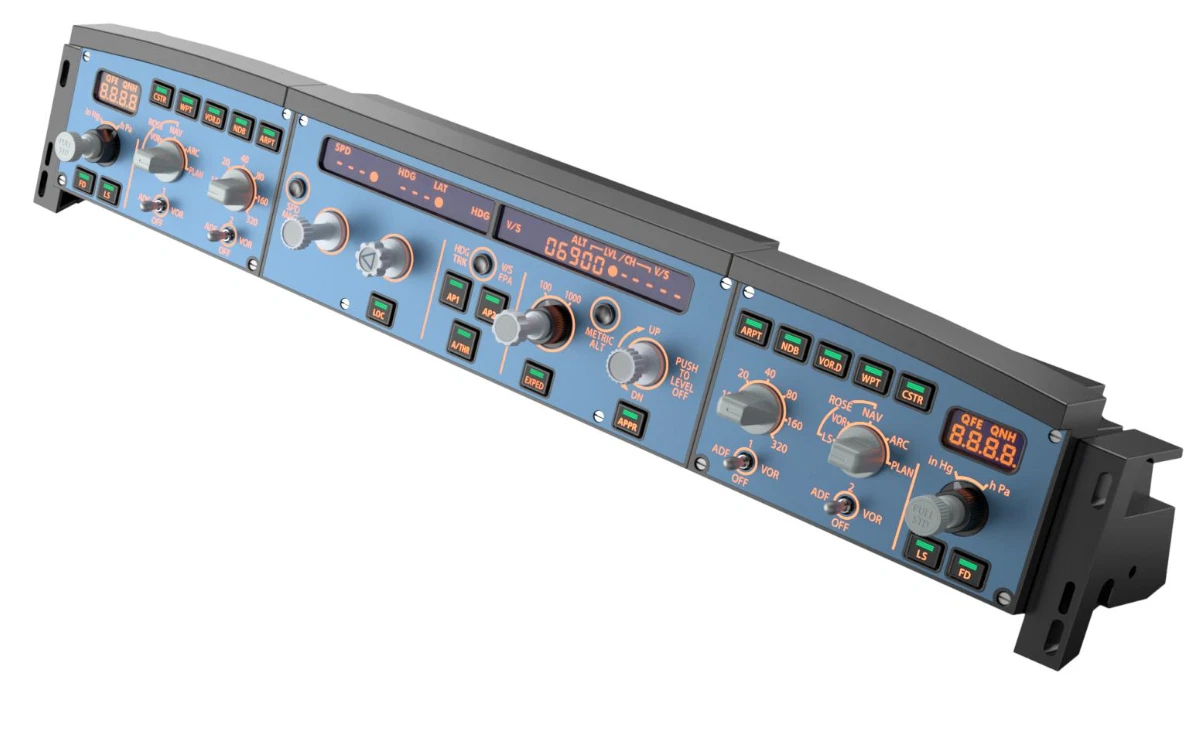
Mobiflight profile for the Winctrl FCU/Efis Capt + FO, MCDU Capt.
IMPORTANT NOTICE!!!
Currently the screen display MCDU is not working.
This add-on provides a Mobiflight profile for the Aerosoft A340-600 and supports the Winctrl FCU and EFIS for the Captain and First Officer, as well as the Captain's MCDU. The profile enables the functionality of all controls, including LCD dimming and backlighting. The on-screen displays are functional with minor limitations.
The Mach Speed indicator does not automatically switch in Managed mode.
I am still looking for a solution to this minor issue.
Please let me know if you encounter any further problems!
Have fun flying!
Mobiflight 10.5.3.24 Beta or newer required
Version 1.1
Previous error in the V/S display fixed!
The V/S display FCU now works fully in TRK/FPA mode!
MCDU display is still not supported! Aerosoft is looking for a solution.
Version 1.2 should fix the problem with V/S -1000 in managed mode.
Version 1.3 The 00 speed issues are fixed and V/S now works reliably.
Automatic Mach switching is not yet working in the Win/FCU display!
Version 1.4 QNH display error fixed.
Note: If there are discrepancies in ONH between the aircraft and the Winctrl display, disconnect Mobiflight. Now switch the aircraft to Hg and set the value to 29.92. Then reconnect Mobiflight. It's best to connect Mobiflight only when the aircraft is powered on.
Aerosoft A340-600 Winctrl Efis-FCU Capt/FO MCDU Capt
This add-on provides a Mobiflight profile for the Aerosoft A340-600 and supports the Winctrl FCU and EFIS for the captain and first officer, as well as the captain's MCDU. The profile enables the functionality of all controls, including LCD dimming and backlighting. The on-screen displays are functional with minor limitations.


User Reviews
10 reviews
Version History
QNH display error fixed.
Log in to join the discussion
Log InComments(62)
4 months ago
4 months ago
5 months ago
4 months ago
4 months ago
5 months ago
5 months ago
6 months ago
6 months ago
6 months ago
this was an error in the 1.02 changelog and has been corrected by now: only the next version will deliver a hardware interface, through which interested parties can read out the mcdu screens.
6 months ago
Whats weird for me: the lighting of buttons (like the FD, LS, A/THR, AP1/2 etc.) are very very dim. They light up SLIGHTLY but are super dim.
6 months ago
7 months ago
6 months ago
7 months ago
7 months ago
7 months ago
7 months ago
7 months ago
7 months ago