
![[ChasePlane] Leo's CameraWorks™ – Fenix A320 Preset - Image 1](https://cdn.flightsim.to/images/28/20260323_110019_675dba7f8d2ba4fc_leo-s-cameraworks-chaseplane-fenix-a320-msfs-2024.png)
Description
This preset pack includes 12 meticulously crafted and immersive views, capturing every angle of the aircraft
- Cockpit — Enhanced & Realistic
- 1 — Overhead Panel
- 2 — Pedestal View
- 3 — EFB View
- 4 — Front Right
- 5 — Mid Right
- 6 — Back Right
- 7 — Far Back Right
- 8 — Front Left
- 9 — Middle Left
- 10 — Back Left
- 11 — GoPro Nose
- 12 — GoPro Captain Side View
It is recommended to set a shortcut for all of these views within ChasePlane, by using the numbers 0-9 on your keyboard! (and the "-" & "+" signs as well if the views are alot)
Special thanks to my friend as well for providing the EFB wallpaper 🙏🙏 (i stole it without permission)
IMPORTANT: Do NOT click on "Replace everything" when you click on the green Manual Import button! it might add your views but it'll remove all of your views and groups that you've made across all aircraft you have, setting them to the default views. Trust me, I know... 😭
NOTICE: There are 4 files included. Choose any variant of the Fenix A320 and spawn in. Then, according to your aircraft variant that you spawned with, import the the views file from the 4 given. For example, If you're in the Fenix A320 IAE Wingtips variant, choose the file with "ChasePlane FNX_320_IAE_WF Export".
NOTICE: All 4 files have the same views, they are just made seperately for each of the 4 variants of the Fenix A320.
How to installSimply, and without unzipping the chaseplane export .zip files within the main zip file,
- Spawn into any variant of the Fenix A320
- Click on the ChasePlane icon in the MSFS 2024 Toolbar within the game
- Click on Menu, then preferences in the dropdown
- Scroll all the way down to the bottom until you reach the Backups section, which is 2nd last
- Click on the green Manual Import button and select Add to exisiting
- Select a file from within the ZIP file you just downloaded that corresponds to your plane
[ChasePlane] Leo's CameraWorks™ – Fenix A320 Preset
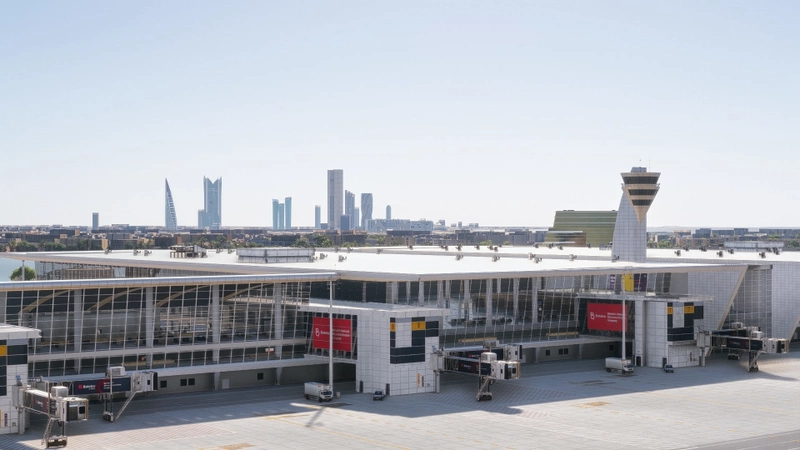
Leos CameraWorks™ - ChasePlane Fenix A320 is a preset pack designed for Microsoft Flight Simulator 2024, featuring 10 meticulously crafted camera views. These perspectives include various angles such as cockpit, overhead panel, and unique views like the nose GoPro and jump seat. The add-on aims to enhance immersion and realism within the Fenix A320 aircraft experience when used alongside ChasePlane. Instructions for installation are provided for seamless integration into the simulator.

User Reviews
3 reviews
Version History
A lot of changes have taken place from the last update! (so much so i don't even properly remember what change LOL) • New GoPro view showcasing the captain's side cockpit view (mounted on the left) • New EFB view • Middle Right view changed • Relaxed Passenger View on (Back Left) • Front Right view point adjusted • And a lot more that i forgot about lmao
Related
Leo's CameraWorks™ – Fenix A320 Preset
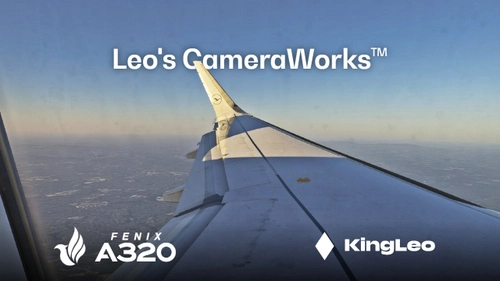
Leos CameraWorks™ offers a preset pack specifically designed for the Fenix A320, featuring 9 immersive camera views that enhance the flying experience. This collection includes 6 cabin wing views, 2 cockpit views, and 1 forward nose view. Each view is created to maximize immersion and realism in the simulator. Installation is straightforward, requiring only the addition of a "camera.cfg" file to the appropriate directory.
by KingLeo

Leo's GraphicWorks™ – ETHEREAL Reshade
Leo's GraphicWorks ETHEREAL Reshade is a preset and shader package designed to enhance the visual quality of Microsoft Flight Simulator. It includes a custom configuration file and a universal tone mapping shader for use with Reshade. Installation involves placing files in the simulator's main directory and shader folders. The add-on aims to alter the game's visual tone and realism for an improved graphical experience.
by KingLeo
Leo's CameraWorks™ - IniBuilds A320 Neo Camera Preset
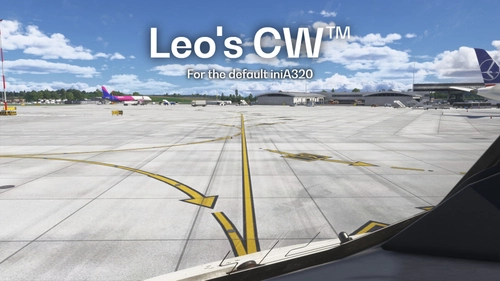
Leos CameraWorks™ presents a customized camera preset pack for the iniBuilds A320neo, featuring six unique views tailored for scenic and cabin enjoyment. The collection includes four cabin wing views (two on each side), one tail camera view, and one forward nose view. This add-on emphasizes visual experience over practical functionality, enhancing your perspective within the aircraft.
by KingLeo
Leo's GraphicWorks™ - Just Perfectly Cloudy
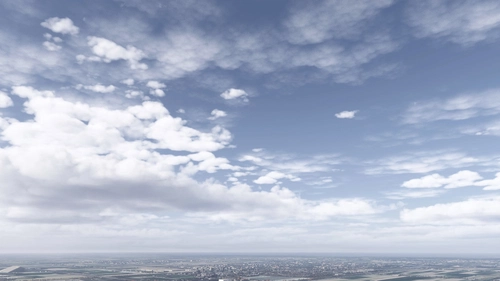
Leos GraphicWorks™ presents the "Just Perfectly Cloudy" weather preset for Microsoft Flight Simulator 2024. This add-on aims to enhance the atmospheric experience by creating realistic cloudy conditions. It is recommended for use in conjunction with Reshade and the Rex Atmos add-on for optimal results. Detailed installation instructions are provided to integrate the preset into the simulator effectively.
by KingLeo
Log in to join the discussion
Log InComments(14)
about 7 hours ago
about 5 hours ago
2 months ago
2 months ago
5 months ago
5 months ago
6 months ago
6 months ago
7 months ago
7 months ago
7 months ago
7 months ago
7 months ago
7 months ago