

Description
Cleanup, Startup, DLSS, Backup & Settings Utility for MSFS 2020 & 2024
MFS Cleaner / Fixer is a Windows utility for Microsoft Flight Simulator 2020 and Microsoft Flight Simulator 2024, designed to help with common simulator maintenance, cleanup, startup control, DLSS management, settings editing and backup recovery.
It is built for sim pilots who want a simple way to deal with cache problems, shader issues, broken startup entries, DLSS files and important simulator configuration backups without manually digging through Windows folders.
Whether you are troubleshooting stutters, cleaning old cache files, managing startup tools or restoring a backed-up config file, MFS Cleaner / Fixer puts the most useful maintenance tools in one place.
⭐ Main Features
- Supports Microsoft Flight Simulator 2020 and Microsoft Flight Simulator 2024
- Detects Steam, Xbox app and Microsoft Store installations
- Finds custom simulator package locations from
UserCfg.opt - Cleans simulator cache, shader cache, rolling cache, manual cache and streamed-package cache files
- Preview cleanup actions before running them
- Blocks cleanup and DLSS changes while MSFS is running
- Startup Manager for controlling
exe.xmlapplications - MSFS 2024 Settings Editor for supported graphics and traffic options
- DLSS Manager for MSFS 2020 and 2024
- DLSS download, verification, backup and installation tools
- Automatic backups before supported file changes
- Central Backup & Recovery page
- Restore, inspect or delete individual backups
- Backup support for
Content.xml,exe.xml,UserCfg.optand DLSS files - Preserves and migrates existing backups where possible
- Detailed results after actions are completed
- Copyable failure reports for easier troubleshooting
- Live FSNews RSS ticker
- Built-in Discord link for support and updates
- Multi-language interface
- Lightweight Windows app, available as portable or installable builds
🧹 Cleanup Tools
MFS Cleaner / Fixer includes cleanup tools for common cache and temporary file locations used by Windows, GPU drivers and Microsoft Flight Simulator.
These cleanup options can help when troubleshooting:
- Slow simulator loading
- Stutters
- Shader rebuild problems
- Corrupt streamed scenery
- Post-update issues
- Rolling cache problems
- Manual cache problems
- GPU shader cache glitches
- MSFS 2024 streamed-package cache issues
Before running cleanup, the app can show a preview of what will be removed. This gives you a chance to review the selected actions before anything is deleted.
Cleanup actions are blocked while Microsoft Flight Simulator is running to help avoid file access problems or unwanted simulator behaviour.
🪟 Windows & System Cleanup
Available system cleanup options include:
- Windows temporary files
- DirectX shader cache /
D3DSCache - Windows Prefetch, optional
🎮 GPU Shader Cache Cleanup
The app can clean common GPU shader cache locations, including:
- NVIDIA
DXCache - NVIDIA
GLCache - NVIDIA
ComputeCache - NVIDIA LocalLow cache locations
- AMD
DxCache - AMD
DxcCache - AMD
DX9Cache - AMD
OglCache - Steam shader cache
✈️ Microsoft Flight Simulator Cleanup
Simulator cleanup options include:
- MSFS 2020 cache locations
- MSFS 2024 cache locations
- Steam installation cache paths
- Microsoft Store / Xbox app installation cache paths
- Rolling cache files
- Manual cache files
- MSFS 2024 StreamedPackages cache
- Simulator temporary/cache folders
- Optional
Content.xmlcleanup - Optional MSFS 2024 WASM cleanup
🛡️ Backup & Recovery
MFS Cleaner / Fixer includes a central Backup & Recovery area for important simulator files.
Supported backup types include:
Content.xmlexe.xmlUserCfg.opt- DLSS files
Backups are created automatically before supported changes where possible.
From the Backup & Recovery page, you can:
- Restore individual backups
- Inspect backup contents
- Delete old backups
- Manage existing backup files
Existing backups are preserved and migrated where possible, so older backup files remain available after updating the app.
🎮 DLSS Manager
The built-in DLSS Manager supports both MSFS 2020 and MSFS 2024.
It can:
- View the currently installed DLSS version
- Download DLSS versions
- Verify downloaded files
- Check integrity/checksums where available
- Back up the current
nvngx_dlss.dll - Install selected DLSS versions
- Restore previous DLSS backups
DLSS changes are blocked while Microsoft Flight Simulator is running.
Please note that DLSS swapping is not officially supported by Microsoft Flight Simulator, so this feature should be used at your own risk.
⚙️ Startup Manager
The Startup Manager helps manage applications launched through exe.xml.
This is useful for controlling add-on launchers, external utilities and other tools that start with the simulator.
The Startup Manager can help you:
- View startup entries
- Enable or disable startup applications
- Back up
exe.xml - Restore previous
exe.xmlbackups
🖥️ MSFS 2024 Settings Editor
The app includes an MSFS 2024 Settings Editor for supported graphics and traffic options.
This gives you a simpler way to adjust supported simulator settings without manually editing configuration files.
Backups are created before supported changes where possible.
🔎 Simulator Installation Detection
MFS Cleaner / Fixer supports common MSFS installation types, including:
- Steam
- Xbox app
- Microsoft Store
It also reads UserCfg.opt to find custom package locations, which is useful if your simulator packages, Community folder or Official folder are stored outside the default Windows location.
📊 Results, Logs & Reports
After running actions, the app shows detailed results so you can see what happened.
Results may include:
- Deleted files
- Skipped items
- Failed items
- Backup actions
- Restore actions
- Warnings
Failure reports can be copied and shared when asking for support.
🌍 Languages
The interface currently supports:
- English
- German
- French
- Spanish
- Hindi
⚠️ Important Content.xml Warning
Deleting Content.xml may cause Microsoft Flight Simulator to reset enabled or disabled add-on states.
Community and Marketplace add-ons are not deleted, but you may need to open Content Manager inside the simulator and re-enable the add-ons you want to use.
Use this option only if you understand what it does.
⚠️ Advanced Optional Actions
Some options are marked as advanced because they may affect add-ons, settings, licences or simulator behaviour.
MSFS 2024 WASM Cleanup
The app includes optional MSFS 2024 WASM cleanup.
This option is:
- Disabled by default
- Clearly marked as advanced
- Protected by a warning dialog
WASM cleanup may reset settings, licences or activation data for some add-ons, including tools such as //42 Flow Pro.
Only use this option when troubleshooting and when you understand the possible side effects.
▶️ How to Use
- Launch the app
- Let it detect your simulator installation
- Choose the cleanup, DLSS, startup, backup or settings tool you want to use
- Preview cleanup actions where available
- Run the selected action
- Review the results
- Use Backup & Recovery if you need to restore anything
Some actions may require Administrator permissions. The app will tell you when this is needed.
🛡️ Safety Notes
MFS Cleaner / Fixer is designed to be careful by default.
It:
- Focuses on safe cache cleanup by default
- Does not directly delete Community add-ons
- Does not directly delete Official packages
- Creates backups before supported changes
- Blocks cleanup and DLSS changes while MSFS is running
- Clearly marks advanced actions
- Shows warning dialogs for risky actions
- Provides detailed logs and copyable failure reports
However, any cleanup or file-management tool should still be used responsibly. Always review the selected actions before running them.
🧠 SmartScreen & Antivirus
Some builds may be unsigned, so Windows SmartScreen may show a warning.
To run the app:
- Click More info
- Click Run anyway
This does not automatically mean the app is unsafe. It usually happens because the build is unsigned or not widely downloaded yet.
You can verify downloads using the provided checksums where available.
💻 Requirements
- Windows 10 or Windows 11, 64-bit
- Microsoft Flight Simulator 2020 and/or Microsoft Flight Simulator 2024
- Self-contained .NET 8 build, no separate .NET install required for the packaged version
💬 Support & Community
A Discord link is included inside the app for help, updates and feedback.
If something looks wrong, please share the app log or copyable failure report when asking for support. This makes troubleshooting much easier.
⚠️ Disclaimer
Use at your own risk.
This tool is designed to clean caches and manage selected simulator files, settings and components.Advanced actions, DLSS swapping, configuration edits and cleanup options may affect add-ons, settings, licences, visuals or simulator stability.
Always make sure you understand the selected actions before running them.
🌐 Website — craigybabyj.com
💬 Discord — discord.craigybabyj.com — support, bug reports and updates
🛬 Beat My Landing — beatmyland.ing — Prove it. Perfect it. Beat it.
✈️ MFS Cleaner / Fixer
Clean, fix and maintain Microsoft Flight Simulator 2020 and 2024 with cache cleanup, DLSS management, startup control, MSFS 2024 settings editing, automatic backups and recovery tools.


User Reviews
22 reviews
Version History
all changes since v1.5.4 DLSS Manager - Fixed the download list getting stuck on older DLSS releases. - Improved version ordering so releases appear in the correct order. - The restore window now shows each backup’s DLSS version and backup date, alongside the currently installed version. - Backups are sorted by when they were created, rather than the original DLL’s modification date. - Applying an identical DLSS file no longer creates an unnecessary backup. - Restoring DLSS saves the current DLL first, allowing you to undo the restore. - Restores verify that the installed DLL matches the selected backup and report the restored version. - Selecting a backup identical to the installed DLL clearly reports that no change was needed. - Backup & Recovery now displays the DLSS version stored in each backup. - Improved reliability when creating backups in quick succession. Settings, Startup Manager and Content.xml - Fixed the Content.xml restore shortcut failing to find backups stored in the central backup folder. - Restoring settings or Startup Manager files now preserves the current file first, allowing the restore to be undone through Backup & Recovery. - Configuration backups and restored files are checked to confirm their contents match. - Replacement configuration files are prepared and checked before replacing the current file. - Added checks to prevent configuration restores while Microsoft Flight Simulator is running. - Added checks to reject central backups belonging to a different destination file or simulator installation. - Improved Content.xml results so failed restores are reported clearly.
Featured in Collections(2)







Related
Briefy — The SimBrief Panel
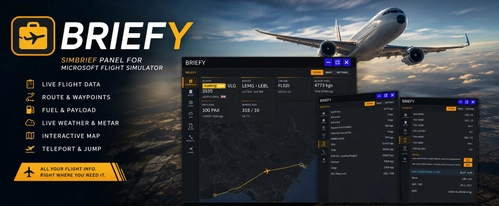
Briefy is an in-game toolbar panel for Microsoft Flight Simulator providing direct access to your SimBrief Operational Flight Plan in the cockpit. It features a moving map, waypoint teleportation, live METAR and TAF weather data, and real-time in-sim weather information. The addon includes dashboards for flight and fuel planning, interactive route mapping, and multiple customization options. No external devices or browser switching required for flight planning and dispatch integration.
by craigybabyj
Auto Skip "Ready To Fly"
Auto "Ready To Fly" Skip for Microsoft Flight Simulator 2024 A lightweight quality-of-life mod for Microsoft Flight Simulator 2024 that automatically skips the “Ready to Fly” confirmation screen and takes you straight into the game.
by craigybabyj

Landing Stats + Competitive Leaderboards
BeatMyLanding is a Windows telemetry agent for Microsoft Flight Simulator that provides an in-sim post-landing toast overlay with a detailed landing score. It automatically logs each landing to online leaderboards, tracking performance across global, temporal, and filtered categories. The scoring system uses multiple penalty factors and adjusts for landing difficulty, enabling comparative analysis. A pilot profile, leaderboard filters, and optional Discord integration are also included.
by craigybabyj
MFS2024 Content Wrangler
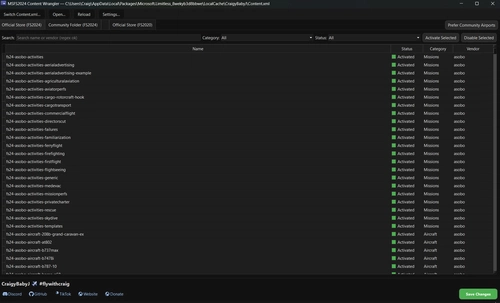
The MFS2024 Content Wrangler is a desktop application designed for managing add-ons in Microsoft Flight Simulator 2024. It provides an organized view of installed packages, complete with features to activate, disable, and filter content easily. Tailored for the Microsoft Store version of the simulator, the tool simplifies package management while ensuring safety through automatic backups and intelligent thumbnail handling.
by CraigyBabyJ
Log in to join the discussion
Log InComments(172)
2 days ago
about 2 hours ago
That’s exactly the sort of problem I wanted MSFS Fixer to make less painful, so it’s great to know you’re getting good use out of it.
Really appreciate the feedback and the “must have app” comment! 🙌
25 days ago
I've been using MFS Cleaner & Fixer for a while now, and it works really well for me. It does what it promises – cleans up unnecessary files and helps keep things organized. The interface is straightforward and easy to use.
After running it regularly, I've noticed that it genuinely helps maintain performance and stability. No issues so far, and it's become a reliable part of my maintenance routine. For me, it's a good tool that I can depend on.
about 2 hours ago
Really glad to hear MFS Cleaner & Fixer has become a reliable part of your maintenance routine and that you’re seeing improvements in performance and stability.
That’s exactly what I wanted the app to do: keep things simple, useful and dependable without adding more hassle.
Really appreciate you taking the time to leave such a thoughtful review! ✈️🙌
3 months ago
3 months ago
3 months ago
about 2 hours ago
Glad you’re enjoying it, and thanks for taking the time to leave a comment!
4 months ago
EDIT: This program deleted both sims !!!!!!!!!
4 months ago
The message shown is generated by Windows when it cannot locate the Microsoft Store/Xbox installation or its configured storage drive. Please ensure that drive is connected, then use Manage → Files → Verify and Repair in the Xbox app or Microsoft Store.
I’ve reviewed the custom-path section and agree it was not clear enough. Those fields should normally be left blank, as the app automatically detects the correct locations. Their appearance may have incorrectly suggested that paths needed to be entered manually.
Please tell me exactly which custom paths you selected and which cleanup actions you ran. I’m updating the app so detected paths are displayed clearly, manual paths require an explicit option, and simulator installation or library folders cannot be selected accidentally.
4 months ago
A closer look showed me, that both sims were gone.
MSFS2024 is reinstalled already, but 2020 needs another 30 minutes to be back again.
4 months ago
The app normally detects these paths automatically, but I accept that the previous interface did not make this clear enough and did not adequately validate manually selected folders. I’m sorry for the trouble this has caused.
Version 1.5.3 now:
Blocks simulator installation, Xbox library, drive-root and protected Windows folders.
Requires StreamedPackages overrides to point to a folder actually named StreamedPackages.
Shows automatically detected locations clearly.
Provides separate MSFS 2020 and MSFS 2024 cache paths.
Validates paths before cleanup and again immediately before deletion.
4 months ago
4 months ago