
Description
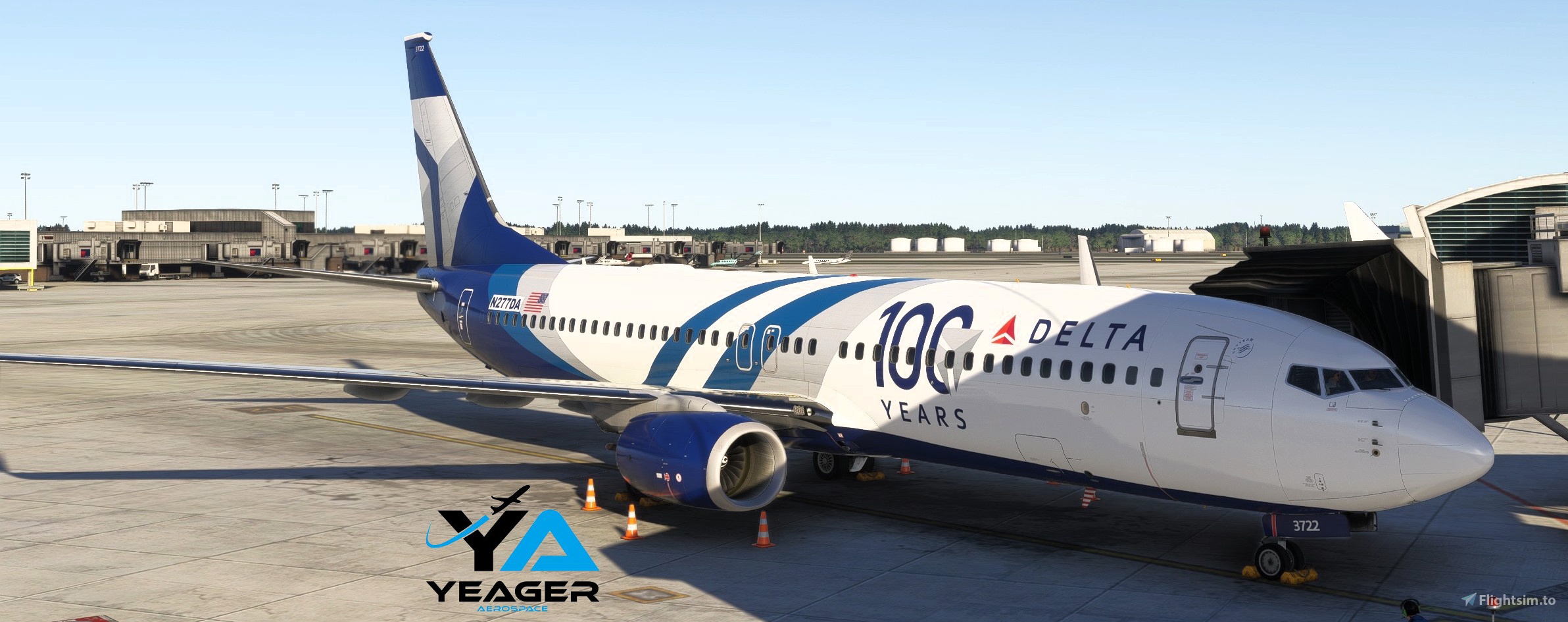
Here we have the B737-800 in the new Delta Airlines 100th Anniversary livery.
A huge thanks goes out to gnt5866 for letting me use his 2020 artwork!
MSFS 2020MSFS 2024
Delta Airlines 100th Anniversary
This add-on features the Boeing 737-800 painted in the special Delta Airlines 100th Anniversary livery. The design includes artwork contributed by the talented gnt5866, celebrating a century of Deltas service in the aviation industry.
Downloads1K
Version2.1
File Size222.47 MB
Published10 months ago
Updated10 months ago

Contributors

User Reviews
5.0
1 reviews
5
100%
4
0%
3
0%
2
0%
1
0%
Version History
Added new coffee cups and other tidbits.
Log in to join the discussion
Log InComments(10)
3 months ago
10 months ago
10 months ago
2. Open OC3
3. Go to the MSFS 24 section
4. Select the 737-800
5. Under the pic of the 737 click the green "Import" button
6. Select the zip file that you downloaded for this aircraft
7. After its imported you will see it in your list of installed aircraft
10 months ago
10 months ago
10 months ago
Enjoy and happy flying!
10 months ago
10 months ago
I would point out that over 260 people have downloaded this plane and youre the only one who apparently had an issue with it. Just sayin...
10 months ago
10 months ago
edit: i have managed to fix it, but for someone who is NEW to OC3, prob shoulda left a little to do instruction list rather then the ol "hey this many have downloaded its a you issue". glad new users get attitudes