
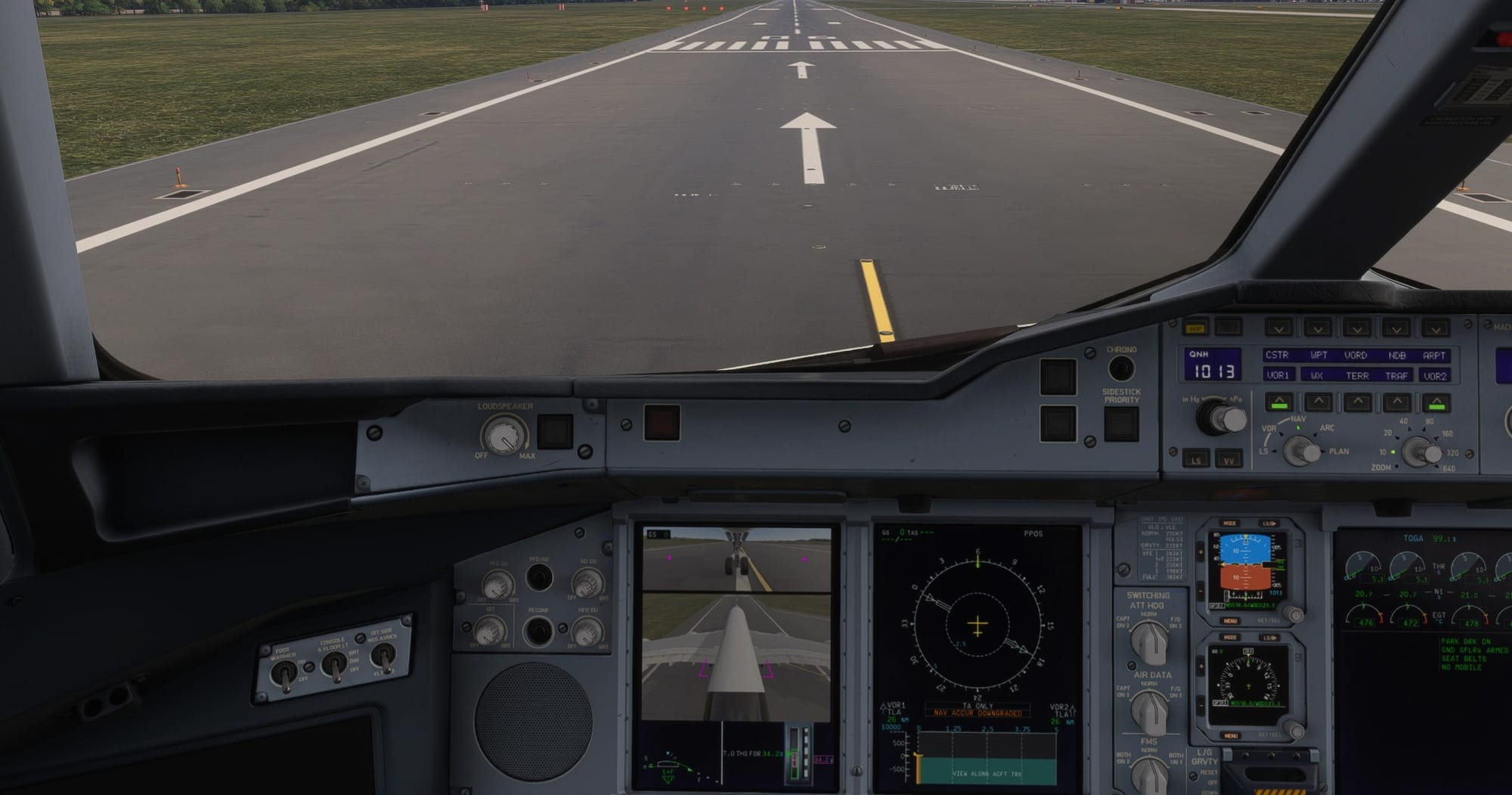
Ground operations have long been one of the trickier parts of flying wide-body jets in Microsoft Flight Simulator, particularly when it comes to judging wingtip and gear clearance on tight taxiways. A new freeware utility called ➡️Taxi Cam, released by creator rdat12, tackles exactly that problem by piping live nose-wheel and tail camera feeds directly onto the Primary Flight Displays of supported Microsoft Flight Simulator 2024 aircraft — mirroring the real-world taxi camera systems found on aircraft like the Airbus A350 and A380.
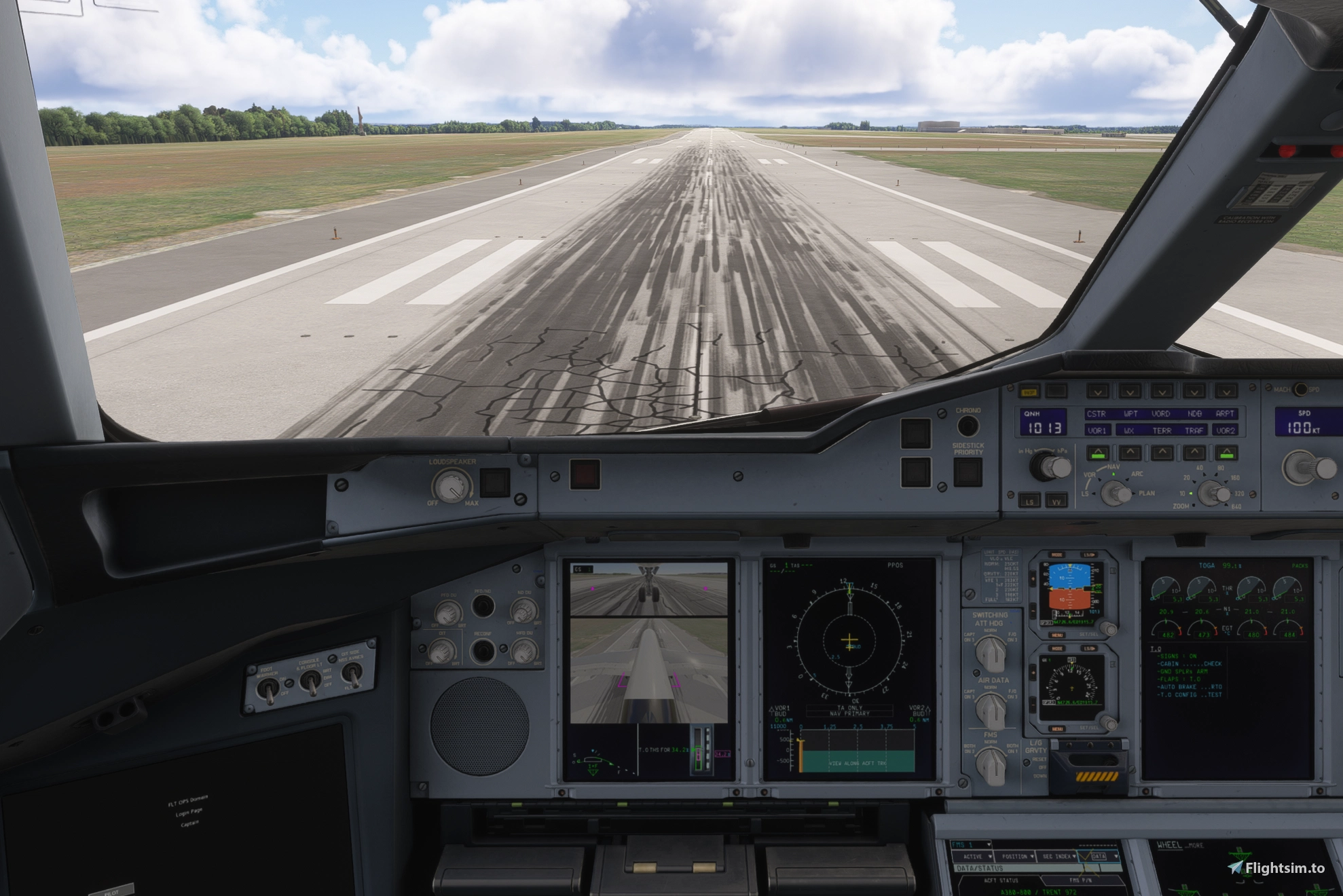
The concept originated less as a planned product and more as a technical experiment. According to the developer's own description, the project grew out of curiosity about whether techniques used by the community for tools like ReShade and DLSSG could be repurposed to transform MSFS camera output and feed it into cockpit displays in real time. After testing on a 9800X3D and RTX 5070 Ti setup, the approach proved workable, though the developer is upfront that performance and compatibility will vary depending on individual hardware and software configurations.
How it works
Taxi Cam installs as a Windows companion application that runs alongside the simulator, launching automatically with MSFS and sitting in the system tray between sessions. Once a supported aircraft is loaded, the tool overlays live nose-wheel and tail camera views onto the upper portion of the PFD, complete with reference guides and a ground-speed readout. On aircraft with a working EFIS TAXI button — currently the FlyByWire A380X and the iniBuilds A350-900, ULR and A350-1000 — the cameras can be toggled directly from the flight deck, just as they would be in the real aircraft. For the iniBuilds A380, whose cockpit TAXI button is currently marked inoperative, control is handled instead through configurable keyboard shortcuts, with Ctrl+Shift+L, Ctrl+Shift+R and Ctrl+Shift+B toggling the left, right or both displays respectively.
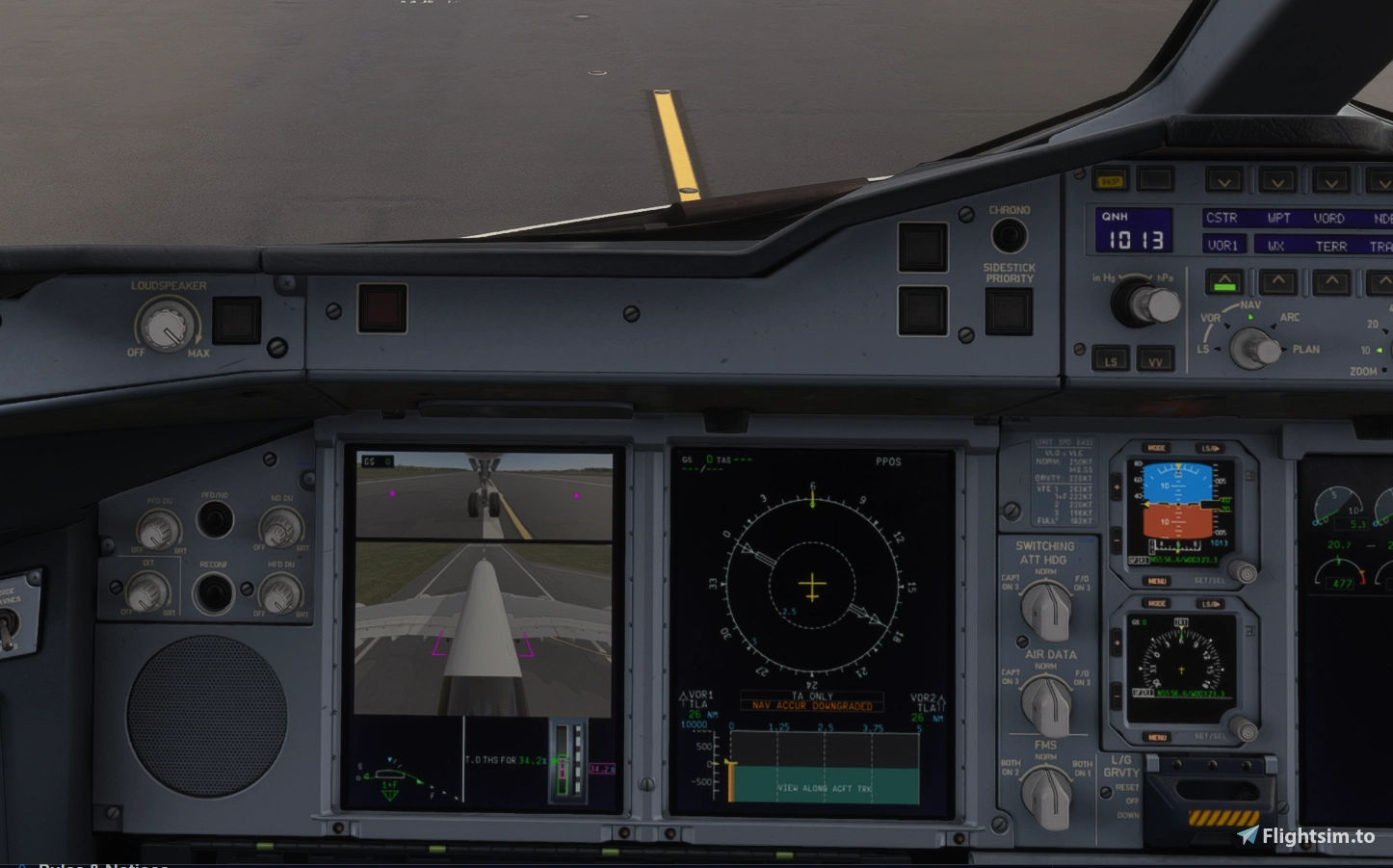
Beyond the basic camera feed, the tool offers a fair amount of configuration depth. You can adjust camera position, angle, zoom level, reference markers and exposure, as well as choose marking colours per aircraft type. Refresh rate is adjustable between 15 and 60 fps, letting you trade smoothness for performance headroom, and the displays automatically cut out once ground speed exceeds 60 knots, so the cameras don't linger once the aircraft is airborne. Aircraft profiles are also handled automatically, with camera and display settings saved and recalled per airframe.
Work In Progress
Because Taxi Cam relies on an unsupported method of hooking into the simulator's rendering pipeline, it's explicitly flagged as something that could break with future MSFS or aircraft updates, and the known limitations section lists a handful of rough edges: taxiway and runway lighting can appear faint in the camera feed, some minor visual instability has been observed in the lower camera view when using DLSS on the A350, and additional camera rendering does carry a measurable performance cost that may require lowering the frame rate on less capable systems. Manual PFD selection may also be necessary in some cases, particularly on the iniBuilds A380, where automatic display detection is less reliable.
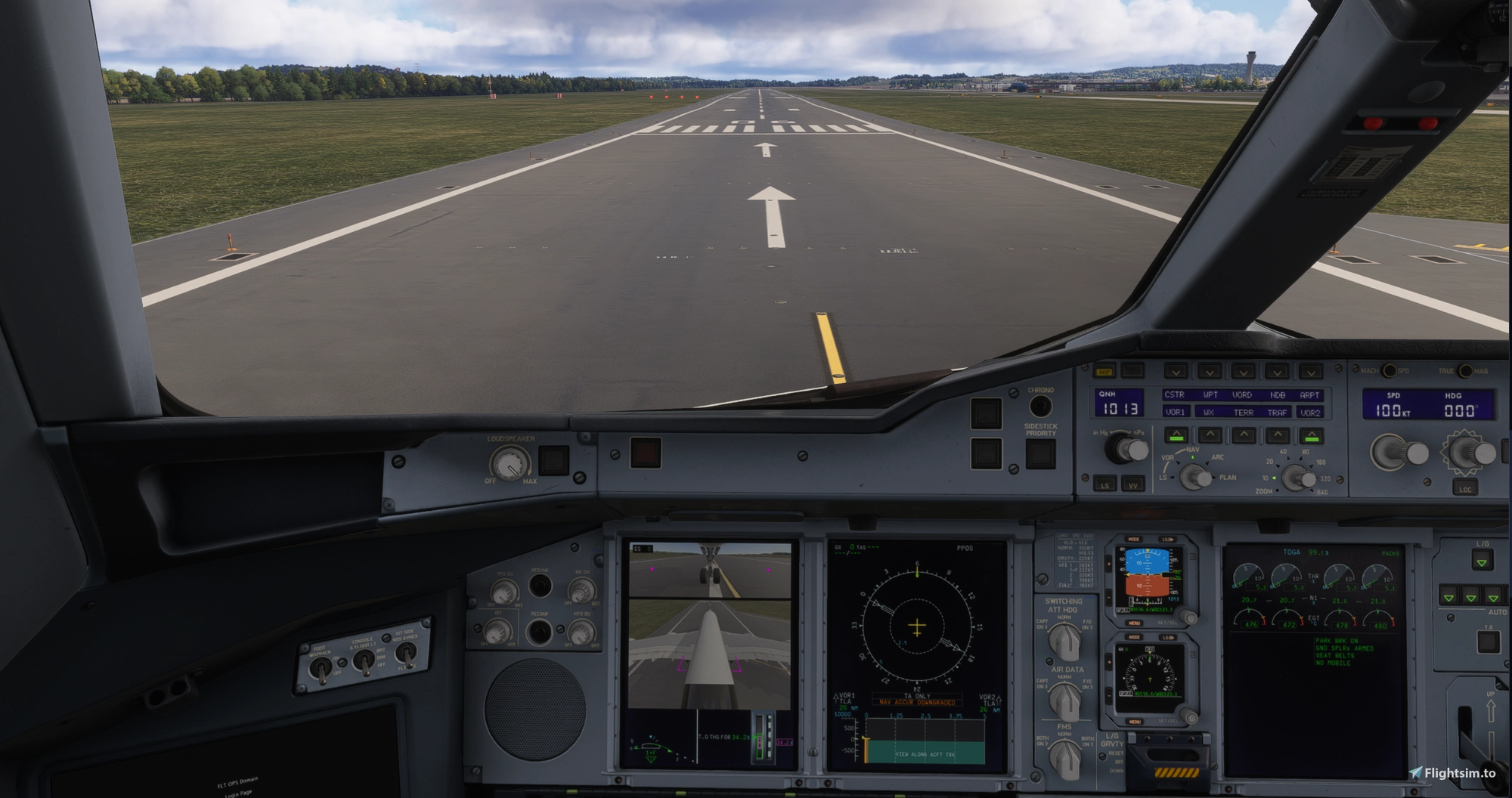
Taxi Cam requires a 64-bit installation of Windows 10 or 11, Microsoft Flight Simulator 2024, and one of the currently supported aircraft — the FlyByWire A380X, iniBuilds A350-900 (including ULR) and A350-1000, or the iniBuilds A380. These aircraft are sold separately and are not included with Taxi Cam. Installation involves extracting the provided ZIP archive, closing MSFS and any running instance of Taxi Cam, and running the included Windows setup executable before relaunching the simulator.
Taxi Cam is free and open source under the GPLv3 licence, with the source code, issue tracker and documentation hosted on GitHub. All features are available without payment, and donations are entirely optional. As with any addon that hooks into the simulator's rendering pipeline in an unsupported way, some trial and error may be needed to get a stable setup, particularly if you're running ReShade or other graphics modifications alongside it — but for anyone flying the A350 or A380X regularly, having a working taxi camera on the PFD is a small but genuinely useful step toward matching real-world cockpit procedure. If you find the tool useful, consider supporting rdat12's continued development work through the donation option on the ➡️ Flightsim.to addon page.