

For pilots who take their flight planning seriously, SimBrief has long been the go-to dispatsch tool. The free web-based platform generates detailed Operational Flight Plans used by virtual airline pilots, VATSIM and IVAO controllers, and enthusiasts who simply enjoy flying with a degree of procedural realism. The challenge, however, has always been accessibility during flight — referencing a plan typically means tabbing out of the simulator, checking a second screen, or pulling up a tablet alongside the keyboard. A new freeware add-on for Microsoft Flight Simulator 2024 from developer CraigyBabyJ aims to solve that problem directly. 🔗 The SimBrief Panel is an in-game toolbar panel that integrates your SimBrief Operational Flight Plan into the simulator itself, presenting fuel figures, weather briefings, routing data, and more through a clean interface accessible without ever leaving the cockpit environment.
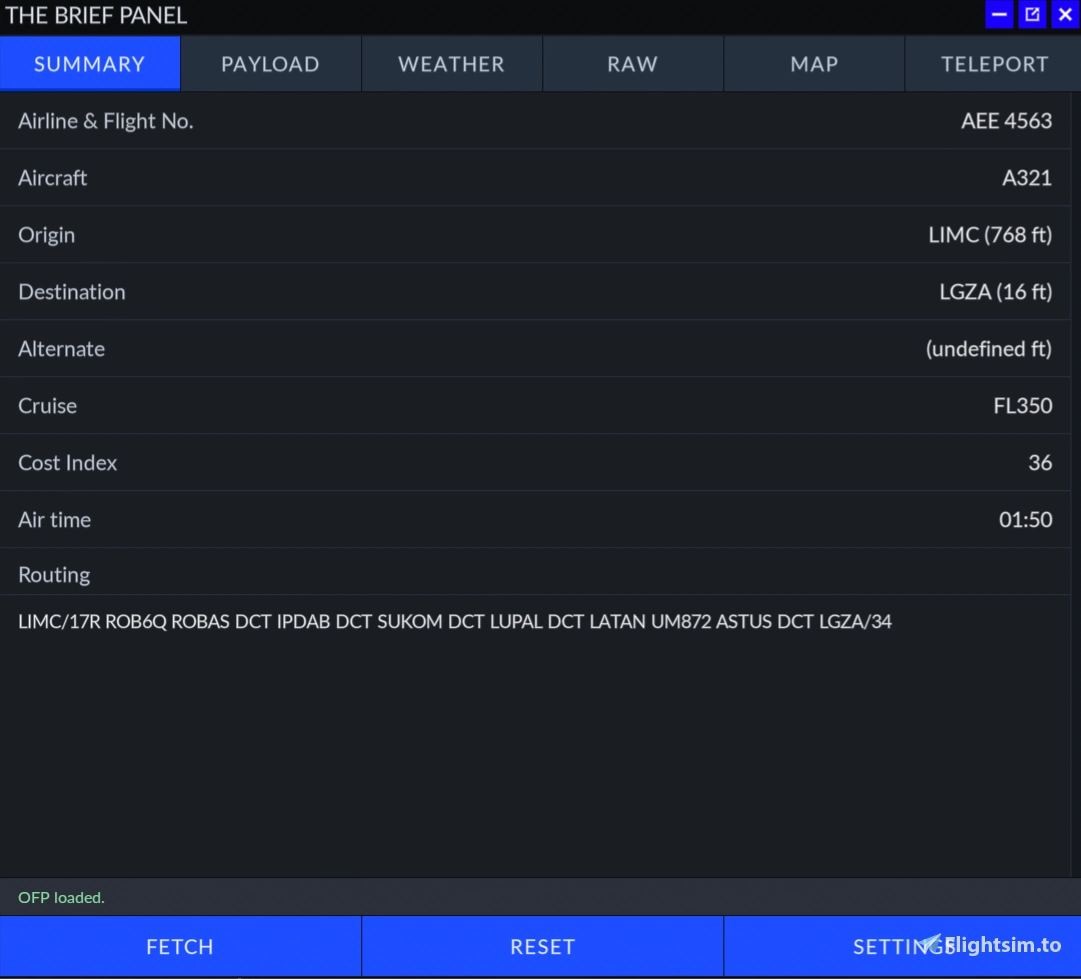
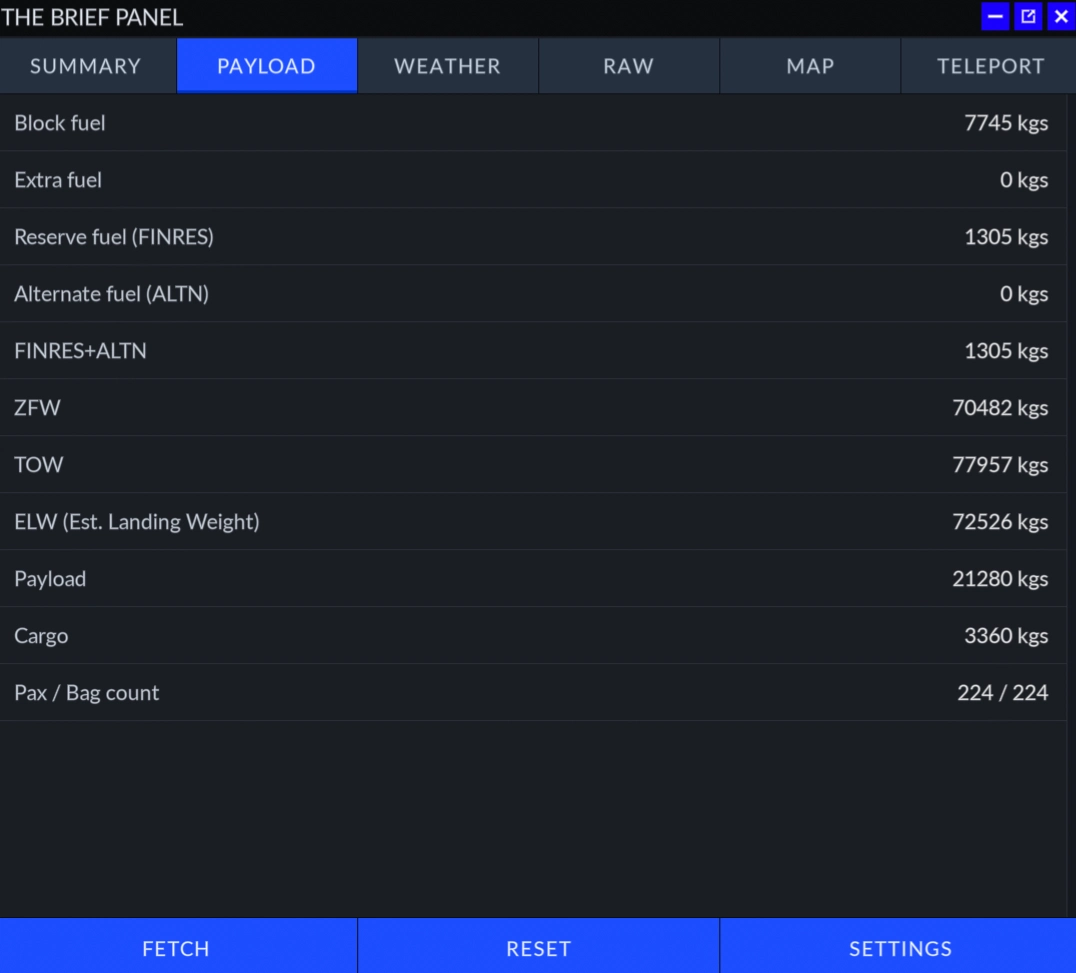
Setup requires nothing more than entering your SimBrief username or Pilot ID in the panel's settings screen, after which a single press of the FETCH button pulls in your latest generated flight plan. The panel is organised across several clearly defined tabs, each handling a distinct aspect of pre-flight and in-flight information. The Payload & Fuel for example, presennts you the full weight and fuel breakdown generated by SimBrief. Block fuel, taxi fuel, extra and reserve figures, alternate and final reserve calculations, zero fuel weight, takeoff weight, estimated landing weight, payload, cargo, and passenger and baggage counts are all displayed.
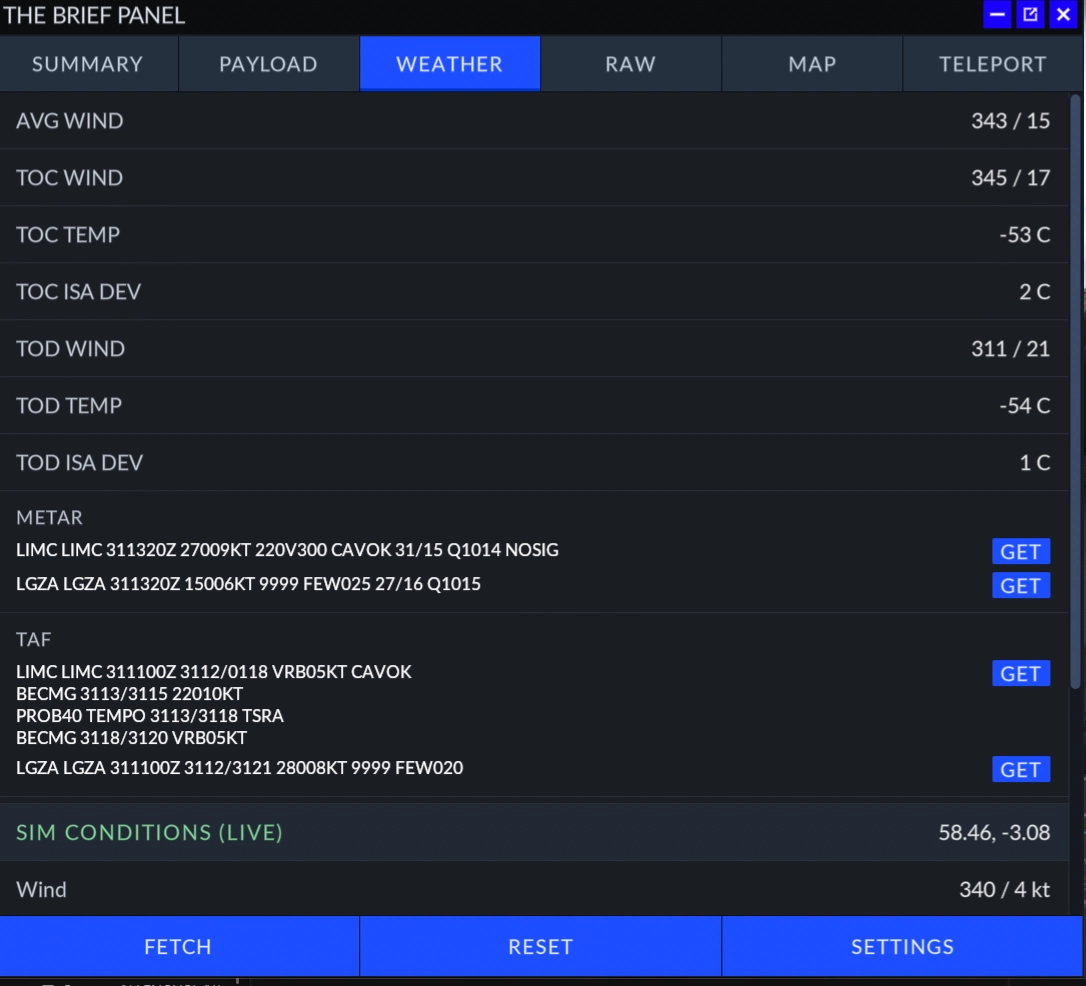
Weather coverage is handled through a dedicated Weather tab, which displays departure and arrival METARs and TAFs alongside wind and temperature data drawn from the SimBrief dispatch. Recognising that SimBrief weather can grow stale over the course of a longer flight, the panel includes individual station refresh buttons that pull updated METARs and TAFs directly from NOAA Aviation Weather services in real time. No API keys are required, and a single button can refresh all stations simultaneously.
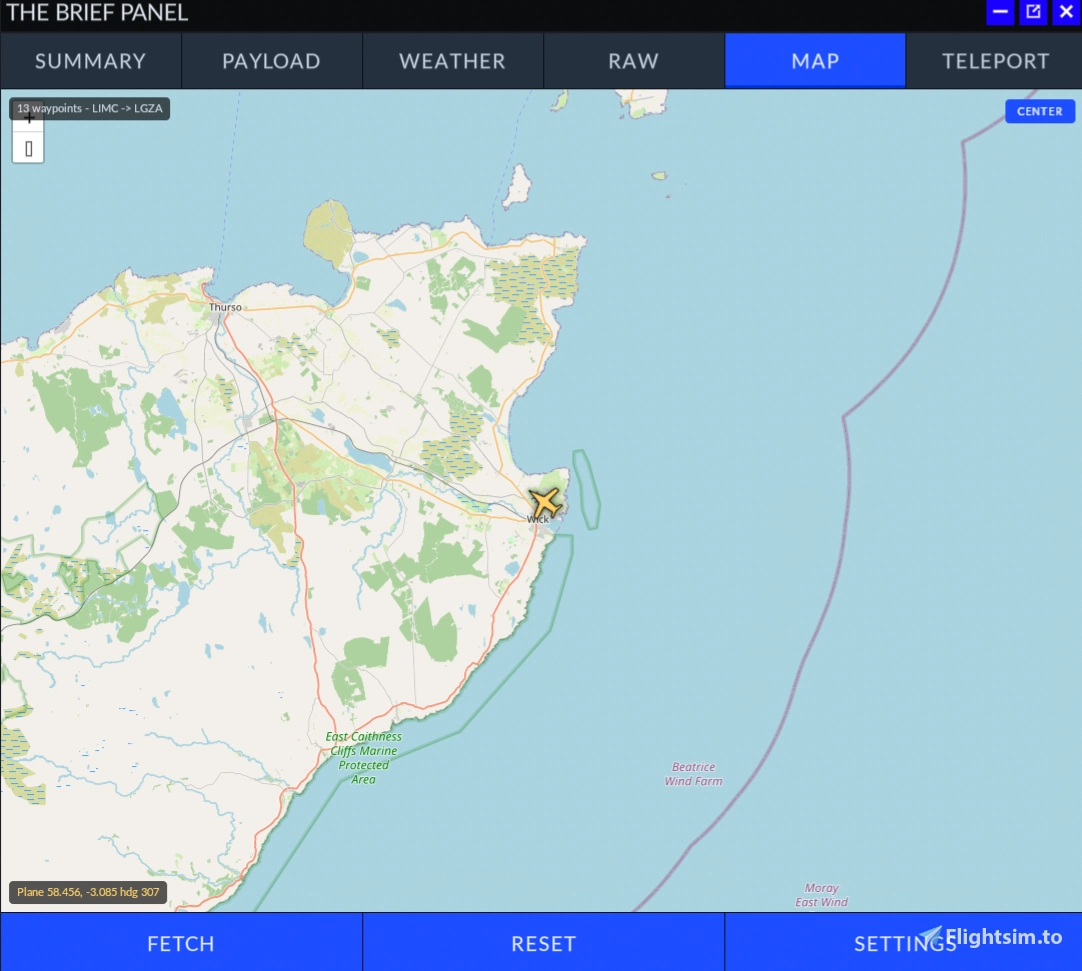
For those who want the full dispatch document, the Raw OFP tab presents the complete SimBrief Operational Flight Plan exactly as generated, which is particularly useful for VATSIM operations or thorough pre-flight review. A separate Teleport tab rounds out the feature set with a utility aimed at content creators, aircraft developers, and training scenarios. Every waypoint in the SimBrief route is listed, and pressing GO repositions the aircraft at the selected fix at its planned altitude — useful for practising approaches, checking specific route segments, or capturing footage without flying an entire sector from scratch.
Installation follows the standard Community folder method — extract the downloaded ZIP and place the `msfs-simbrief-panel` folder in your MSFS 2024 Community directory. The panel then appears in the simulator toolbar ready to use. Settings are saved between sessions, so you only need to enter your SimBrief credentials once.
🔗 The SimBrief Panel is available as freeware on Flightsim.to. If you find it a worthwhile addition to your workflow, consider supporting CraigyBabyJ with a donation — it helps ensure continued development and future updates for the community.
2 months ago