
NVIDIA's latest Game Ready Driver 572.16 WHQL delivers a breakthrough for Microsoft Flight Simulator 2024 DLSS technology. The new update can boost frame rates up to 8x compared to regular rendering methods. The driver comes packed with exciting features like Multi Frame Generation, and users have reported varied experiences. While Microsoft Flight Simulator 2020 users enjoy a smooth rollout of the DLSS 4 update, the situation differs for Microsoft Flight Simulator 2024 users who face multiple challenges. Many users have turned on super-resolution and frame generation features to get better performance. Yet others can't access critical options that appear grayed out. Let's dive into this major tech update and learn how to get the best from these new features in your simulator setup.
Understanding DLSS 4 Technology
Deep Learning Super Sampling 4 (DLSS 4) brings a transformation in NVIDIA's AI-powered graphics technology. The system uses a transformer model that marks the biggest upgrade since DLSS 2.0 in 2020. The transformer model handles twice the number of parameters compared to previous versions and analyzes frames more accurately. This new architecture delivers better temporal stability, reduces ghosting effects, and preserves more detail during motion. The technology shows better performance in tough scenarios and keeps cockpit instruments and ground textures clear.

Multi-Frame Generation and its Benefits explained
Multi-Frame Generation (MFG) brings a groundbreaking way to create up to three extra frames for every standard rendered frame. Microsoft Flight Simulator shows by a lot better visual quality and performance with this technology. Players see much sharper ground textures and clearer cockpit instrumentation. The technology processes frames with an integrated approach that delivers better stability during flight and preserves more detail in different weather conditions. The system excels at keeping visuals clear during complex scenarios, especially in low-altitude flights where ground detail is vital. On top of that, it fixes previous problems with blurriness that players noticed in balanced mode settings.
Performance Benchmarks
Performance testing reveals substantial improvements with DLSS 4 implementation in Microsoft Flight Simulator. Recent benchmarks demonstrate remarkable gains across various hardware configurations and usage scenarios. First round of testing shows DLSS 4 Quality mode boosts frame rates by 25-40% compared to native rendering. Players get frame rate improvements of over 50% with Performance mode. These improvements stand out in detailed urban environments like New York City. However, Graphics cards need at least the power of an RTX 4070 or RX 7800 XT to hit 60 frames per second at 1080p resolution with ultra settings.
Comparison between GPU Generations
Different GPU generations show interesting performance patterns. The RX 7900 GRE beats the similarly priced RTX 4070 by 18% at 1080p ultra settings. So, the RX 7700 XT shows a 15% lead over the RTX 4060 Ti in similar scenarios. The RX 7900 XTX holds its spot as the second-best performer at 4K ultra settings, just behind the RTX 4090. You need at least a $500 graphics card to reach 30 frames per second at 4K ultra settings.
Hardware Requirements
The DLSS 4 technology operates across multiple NVIDIA RTX generations. Presently, the following graphics cards support various DLSS 4 features:
- RTX 50 Series - Full support including Multi Frame Generation
- RTX 40 Series - Frame Generation and Super Resolution
- RTX 30 Series - Super Resolution and Ray Reconstruction
- RTX 20 Series - Simple DLSS 4 features
Driver and software prerequisites
For proper implementation, you must install specific software components. The minimum requirements include the NVIDIA Game Ready Driver version 572.16. Furthermore, the NVIDIA App, which replaces GeForce Experience, becomes mandatory for optimal functionality. The installation process demands attention to detail. First, you should perform a clean driver installation through the custom install option. Following this, the NVIDIA App requires configuration to enable DLSS technologies. Under the Graphics settings, you must locate the DLSS Override Models Preset and set it to "Latest". Detailed instructions and guidance is already available on YouTube.
Real-world Testing Results
Real-world implementation of DLSS 4 in Microsoft Flight Simulator 2024 reveals diverse user experiences across different scenarios and hardware configurations. Early adopters report varying degrees of success with the technology's latest iteration. Tests show DLSS 4 Quality mode brings better visual clarity and boosts frame rates by 10-15 fps compared to TAA. Users notice sharper screens with fewer ghosting artifacts than earlier versions. Some users, however, saw their fps drop by 3-4 when switching from TAA to DLSS 4. The testing revealed these key findings:
- Better cloud and weather system details with crisp visuals
- Better terrain and airport detail preservation
- Brighter reflections and lighting that shine in dynamic conditions
Performance in different weather conditions
In challenging weather scenarios, DLSS 4 maintains consistent performance levels. Flying through dense fog or cloud layers, pilots observe enhanced contrast and detail preservation. Essentially, the technology excels at maintaining visual fidelity even in less-than-ideal visibility conditions. Long-haul flights benefit from optimized performance regardless of environmental complexity. The system effectively handles dawn and dusk scenarios, with frame rates increasing by over 50% in detailed urban areas.
Impact on different aircraft types
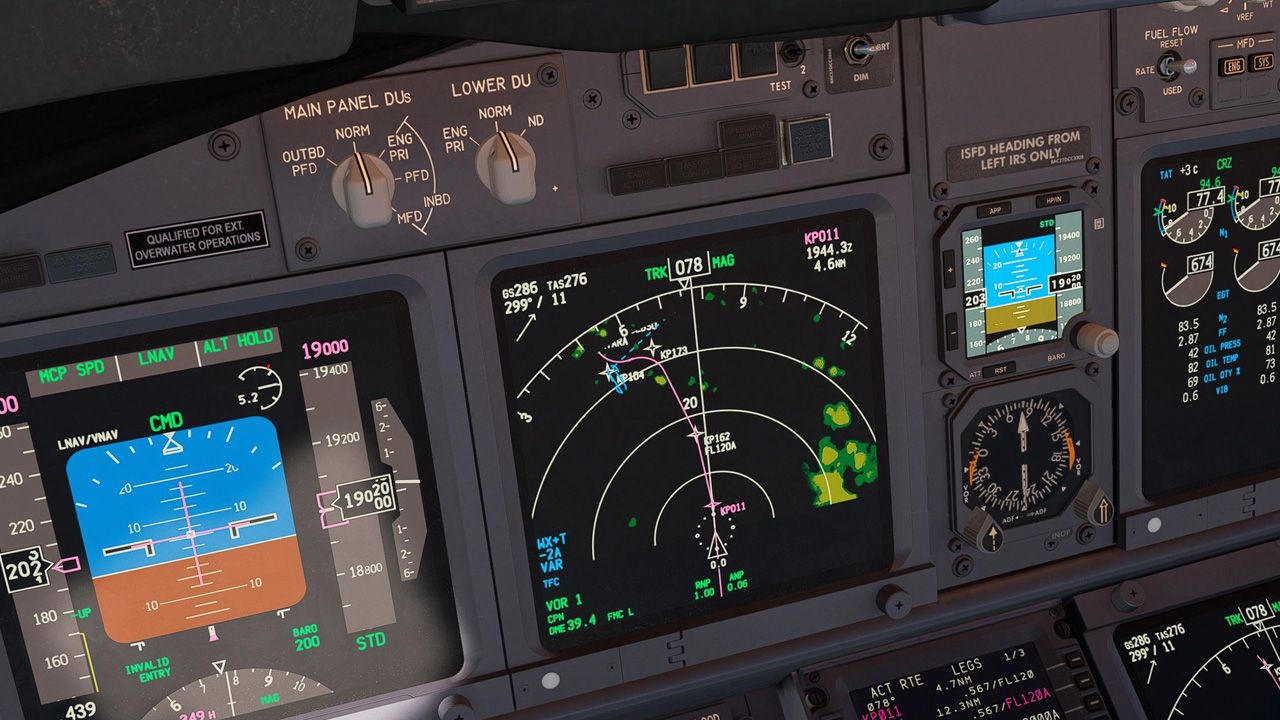
Aircraft-specific testing reveals varying results across different cockpit configurations. In Airbus aircraft, some users report blurry instrumentation that affects speed indicator visibility during takeoff. Alternatively, other aircraft types demonstrate clearer cockpit displays with minimal ghosting effects. Glass cockpit performance remains a critical focus area, as users note varying degrees of display clarity between aircraft types. The latest updates show promising improvements in reducing previous issues with instrument panel blurriness, though results vary based on specific aircraft configurations.

Conclusion
DLSS 4 technology is a major step forward for Microsoft Flight Simulator. Our testing and user feedback shows that frame rates improved dramatically with compatible RTX 40 series graphics cards. The system works amazingly well in tough weather conditions and busy city environments. Performance jumps between 25% to 50%, depending on your hardware setup and aircraft choice. Players using the newest NVIDIA GPUs see the biggest gains, especially when they fly through detailed cities or stormy weather. Ground testing shows both the good and bad sides of this update. Some players get crystal-clear cockpit displays and sharper ground textures. Others struggle with aircraft instruments and setup problems.



over 1 year ago