
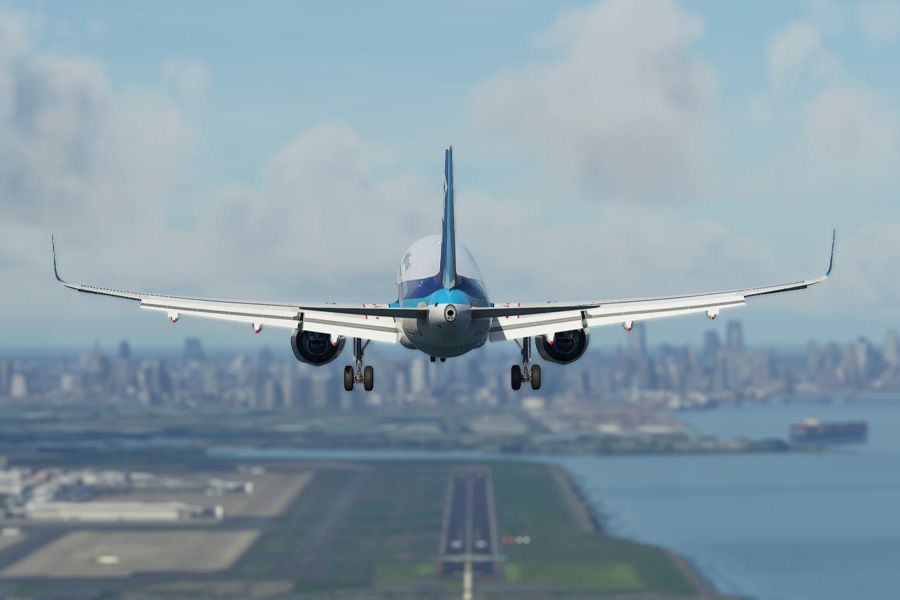
After an extensive public beta phase and a few delays, the highly anticipated Sim Update 15 for Microsoft Flight Simulator has finally been released, bringing a host of enhancements and improvements to the simulation experience. The full Release Notes have been released on the official Flight Simulator website.
Performance Optimization: Smoother Skies Ahead
One of the most significant aspects of Sim Update 15 is its focus on optimizing performance. Players can expect an improved frames-per-second (FPS) rate. Additionally, the update aims to reduce memory usage, allowing for more efficient resource allocation and potentially enabling longer, uninterrupted flight sessions.
Aircraft Enhancements - A320 Neo
Sim Update 15 brings a plethora of improvements to the included aircraft, from fine-tuning existing models to introducing entirely new aircraft. Among the most notable additions is the highly anticipated Airbus A320NEO v2, developed by the renowned iniBuilds team. This feature-rich aircraft does not replace the original Asobo variant but rather complements it, offering a more advanced and realistic experience for those seeking to delve deeper into the intricacies of the Airbus aircraft family. The Airbus A320NEO v2 boasts various enhancements, including:
- Improved systems and avionics
- Enhanced realism in flight dynamics and handling
- Inclusion of an on-board Electronic Flight Bag (EFB)
- Refined visual details and textures
While the original Asobo A320NEO serves as an excellent entry-level aircraft, the iniBuilds variant takes the simulation to new heights, catering to virtual pilots seeking a more immersive and challenging experience.
Existing Aircraft Refinements
In addition to the introduction of the Airbus A320NEO v2, Sim Update 15 brings a multitude of improvements to existing aircraft within the simulator. These enhancements range from bug fixes and performance optimizations to visual upgrades and system refinements. Sim Update 15 also addresses aspects of navigation and air traffic control (ATC).
Improved FlightAware Data Integration
The update improves the utilization of available FlightAware data, enabling more accurate and realistic live traffic within the simulation. In addition to improved data integration, Sim Update 15 also refines the behavior of AI-controlled air traffic. This includes improvements to aircraft spawn conditions at airports, ensuring a more realistic distribution of air traffic. Furthermore, the update enhances the AI behavior of live traffic planes on and around airports.
Weather and Environmental Enhancements
Sim Update 15 introduces several enhancements to the weather and environmental systems within the simulator. One notable improvement is the adjustment of the iced water threshold, which has been raised from 27cm to 72cm. This change aims to limit the amount of incorrectly frozen water bodies in the virtual world, ensuring a more accurate representation of environments such as Swiss lakes and Norwegian fjords.
Enhanced Ground Handling and Collision Physics
The update also introduces improvements to ground handling and collision physics for select aircraft, including the Cessna 172 and the Guimbal Cabri G2. These enhancements include the introduction of a new soft ground collision model, more accurate ground contact modeling, and improved ground contact resolution.
Multiplayer and Social Enhancements
Sim Update 15 also brings improvements to the multiplayer and social aspects of Microsoft Flight Simulator. The update addresses various multiplayer-related issues, such as duplicated friend entries in the friends list. In a significant move towards accessibility and cross-platform compatibility, Sim Update 15 introduces support for touch and gyro controls on Xbox Cloud Gaming. This feature enables players to experience Microsoft Flight Simulator on compatible devices using intuitive touch and motion controls.
Airport and Scenery Enhancements
Sim Update 15 also brings a range of improvements and bug fixes to various airports and scenery elements within the simulator. These enhancements aim to provide a more immersive and realistic experience when operating at these airports. The update addresses numerous issues across various launch airports, including:
- Fixing game-breaking obstacles and missing elements
- Correcting inaccurate or misaligned taxiway and runway markings
- Resolving terrain and elevation issues
- Improving lighting and illumination at airports
In addition to airport enhancements, Sim Update 15 introduces improvements to the rendering of world tiles, addressing graphical glitches and ensuring a more visually consistent and cohesive virtual environment.
Peripheral and Input Support
Sim Update 15 expands the compatibility and support for various peripherals and input devices. The update introduces support for several new peripherals, including the Turtlebeach Flight Deck, Virtual Fly Yoko Neo, and Virtual Fly TQ Neo. To accommodate the growing complexity of the simulation, Sim Update 15 introduces new control actions, specifically designed to support twin-engine helicopters. This enhancement ensures a more realistic and immersive experience when operating these advanced aircraft types.
SDK and Developer Enhancements
Sim Update 15 also brings a range of improvements and additions to the Software Development Kit (SDK). The update introduces various bug fixes and enhancements to the SDK, including:
- Resolving crashes and issues related to visual effects and templates
- Improving the handling of engine parameters and fuel flow calculations
- Introducing new parameters for pedal and yaw control in helicopters
- Updating the Blender exporter for improved compatibility
Sim Update 15 also introduces new extensibility features, such as the plugin system for the WT21 aircraft, which allows third-party developers to customize and extend the functionality of the aircraft. Additionally, the update enables alternate style options for the artificial horizon on color schemes.
Stability and Performance Enhancements
While many of the updates focus on visible enhancements and new features, Sim Update 15 also brings a range of behind-the-scenes improvements aimed at enhancing the overall stability and performance of the simulation. The update introduces various crash fixes and stability improvements across the entire simulation. These fixes address issues ranging from memory management to data handling. Sim Update 15 introduces changes to memory management, particularly on the Xbox platform. These changes aim to reallocate memory before a crash occurs due to the simulation running out of memory. While this may temporarily reduce visual world detail on Xbox, it ultimately contributes to improved stability and prevents crashes.
Sim Update 15 is now available for all Microsoft Flight Simulator owners. As the focus shifts towards the highly anticipated Microsoft Flight Simulator 2024, pilots can look forward to even more exciting developments on the horizon.
over 2 years ago