
Flightsim.to
    flyLAT - Advanced Career and Virtual Company System

    flyLAT - Advanced Career and Virtual Company System

    F

    Flightsim.to

    Author

    January 3, 2024
    Releases

    Community Creator LukeC88 - known for his popular LukeAirTool program for Microsoft Flight Simulator, which has seen over 150K downloads and has recently been rebranded as airtool - has recently introduced a new addition to the Microsoft Flight Simulator universe, known as flyLAT. This advanced virtual airline management experience promises to empower users to run their own virtual airlines, offering a blend of strategy, management, and aviation simulation.

    Using flyLAT, pilots can create and manage their virtual airline empire, crafting strategic routes and establishing hubs worldwide. The system includes options to buy and sell aircraft and recruit advanced AI crew and comes with an advanced Economy System: The platform features a dynamic aviation finance system, where players can earn money, boost their reputation, and attract more passengers through strategic decision-making. flyLAT also offers a realistic virtual aviation environment, complete with simulated passenger movement, allowing players to track flights, companies, and airports via a web interface, while users can furthermore participate in various events to unlock achievements.
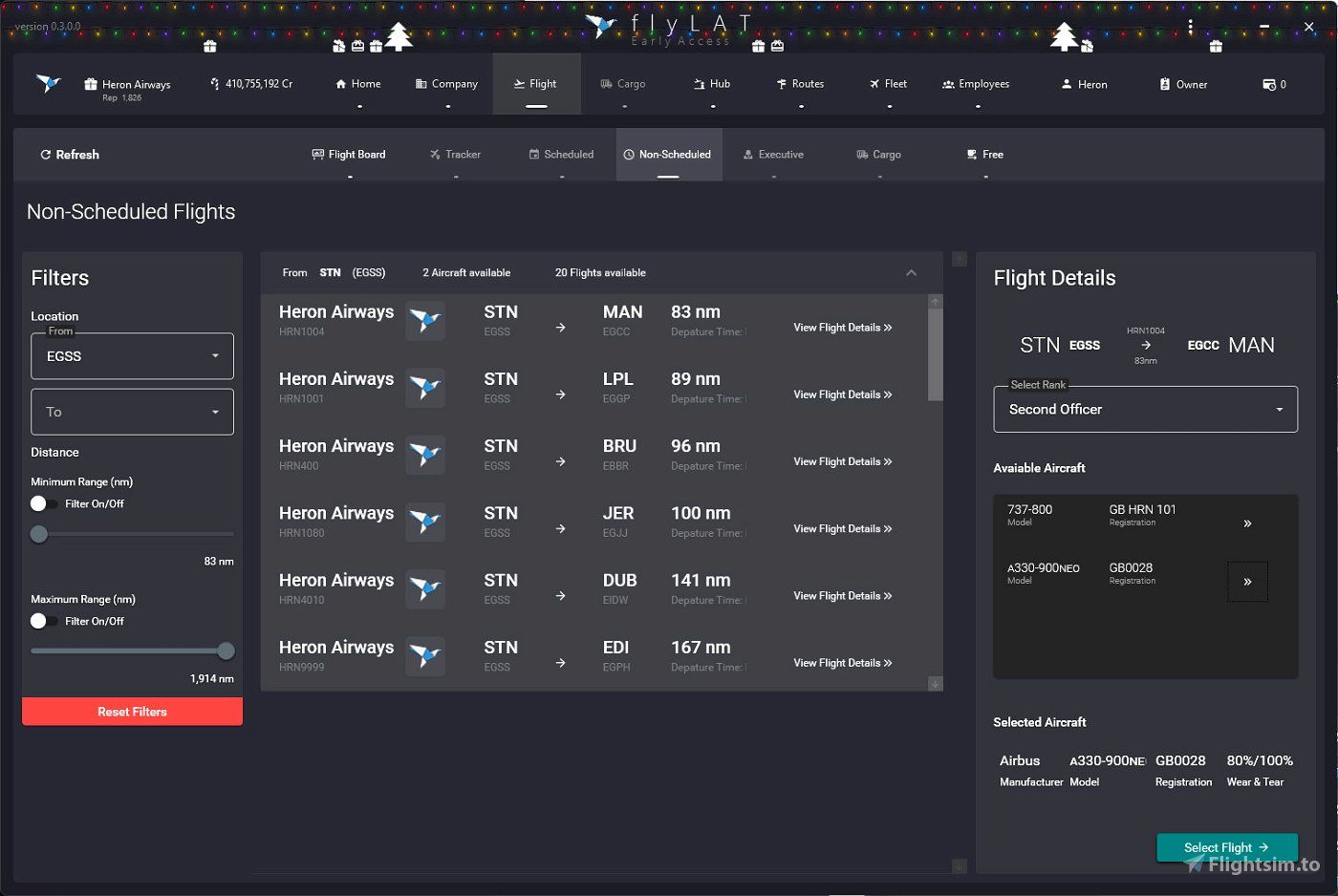
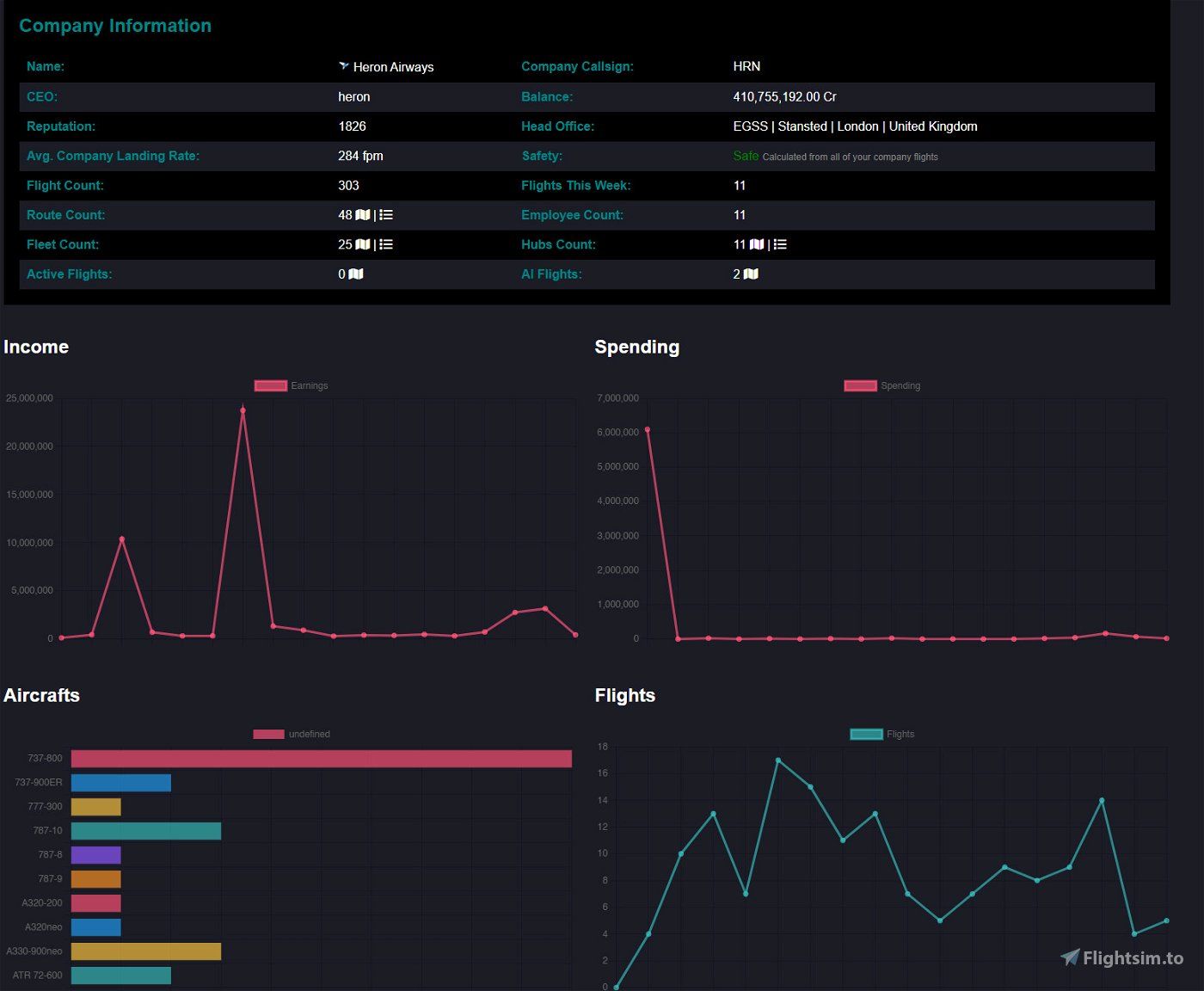
    For the future, flyLAT promises more features, including a full cargo economy, living economy markets, executive contracts, VIP flights, and more. Starting Q2 2024, flyLAT has planned to offer a subscription model for company owners, providing enhanced features, updates, and more exclusive benefits. The app is now available to download and install for free. For support and bug reporting, you can join the flyLAT Discord channel or report via their website.

    Comments

    Q

    over 2 years ago

    that sounds promising
    p

    over 2 years ago

    i dont see how to start I don't see a launcher....
    S

    over 2 years ago

    Download the file, un-zip and launch the flyLAT Connect .exe
    V

    over 2 years ago

    The Flight Sim community is expanding and getting better as we go forward, thanks Luke for yet another amazing tool! Can't wait to try it.
    d

    over 2 years ago

    After you follow SIM_K's instructions you can create a shortcut or pin to taskbar like any .exe. Google is your friend !
    S

    over 2 years ago

    This! In time we will introduce an installer but for now, in the eyes of me actually getting sleep at some point, we will keep it like this :)
    L

    over 2 years ago

    Thank you :-)
    Excited to get all the features in. Not bad for a 2 person team ;-)
    Z

    over 2 years ago

    would be nice to have something similar for GA

    over 2 years ago

    We are gradually implementing more and more support for GA ops :)
    Logo

    Looks like your ad blocker is on.

    ×

    We rely on ads to keep creating quality content for you to enjoy for free.

    Please support our site by disabling your ad blocker.

    Continue without supporting us

    Choose your Ad Blocker

    • Adblock Plus
    • Adblock
    • Adguard
    • Ad Remover
    • Brave
    • Ghostery
    • uBlock Origin
    • uBlock
    • UltraBlock
    • Other
    1. In the extension bar, click the AdBlock Plus icon
    2. Click the large blue toggle for this website
    3. Click refresh
    1. In the extension bar, click the AdBlock icon
    2. Under "Pause on this site" click "Always"
    1. In the extension bar, click on the Adguard icon
    2. Click on the large green toggle for this website
    1. In the extension bar, click on the Ad Remover icon
    2. Click "Disable on This Website"
    1. In the extension bar, click on the orange lion icon
    2. Click the toggle on the top right, shifting from "Up" to "Down"
    1. In the extension bar, click on the Ghostery icon
    2. Click the "Anti-Tracking" shield so it says "Off"
    3. Click the "Ad-Blocking" stop sign so it says "Off"
    4. Refresh the page
    1. In the extension bar, click on the uBlock Origin icon
    2. Click on the big, blue power button
    3. Refresh the page
    1. In the extension bar, click on the uBlock icon
    2. Click on the big, blue power button
    3. Refresh the page
    1. In the extension bar, click on the UltraBlock icon
    2. Check the "Disable UltraBlock" checkbox
    1. Please disable your Ad Blocker
    2. Disable any DNS blocking tools such as AdGuardDNS or NextDNS
    3. Disable any privacy or tracking protection extensions such as Firefox Enhanced Tracking Protection or DuckDuckGo Privacy.

    If the prompt is still appearing, please disable any tools or services you are using that block internet ads (e.g. DNS Servers, tracking protection or privacy extensions).